
FluentCart 1.3.11: Elementor Blocks, RazorPay Subscriptions and more!!
This release expands payments, improves store customization, strengthens storage flexibility, and introduces structured inventory control.
It touches multiple layers of the store engine:
- Subscription methods
- Email experience
- Media handling
- Checkout design
- Inventory operations
The focus is to expand subscription handling capabilities, introduce more design control inside WordPress, and provide stronger operational structure.
Below is what’s new and why it matters.
Much awaited Elementor blocks
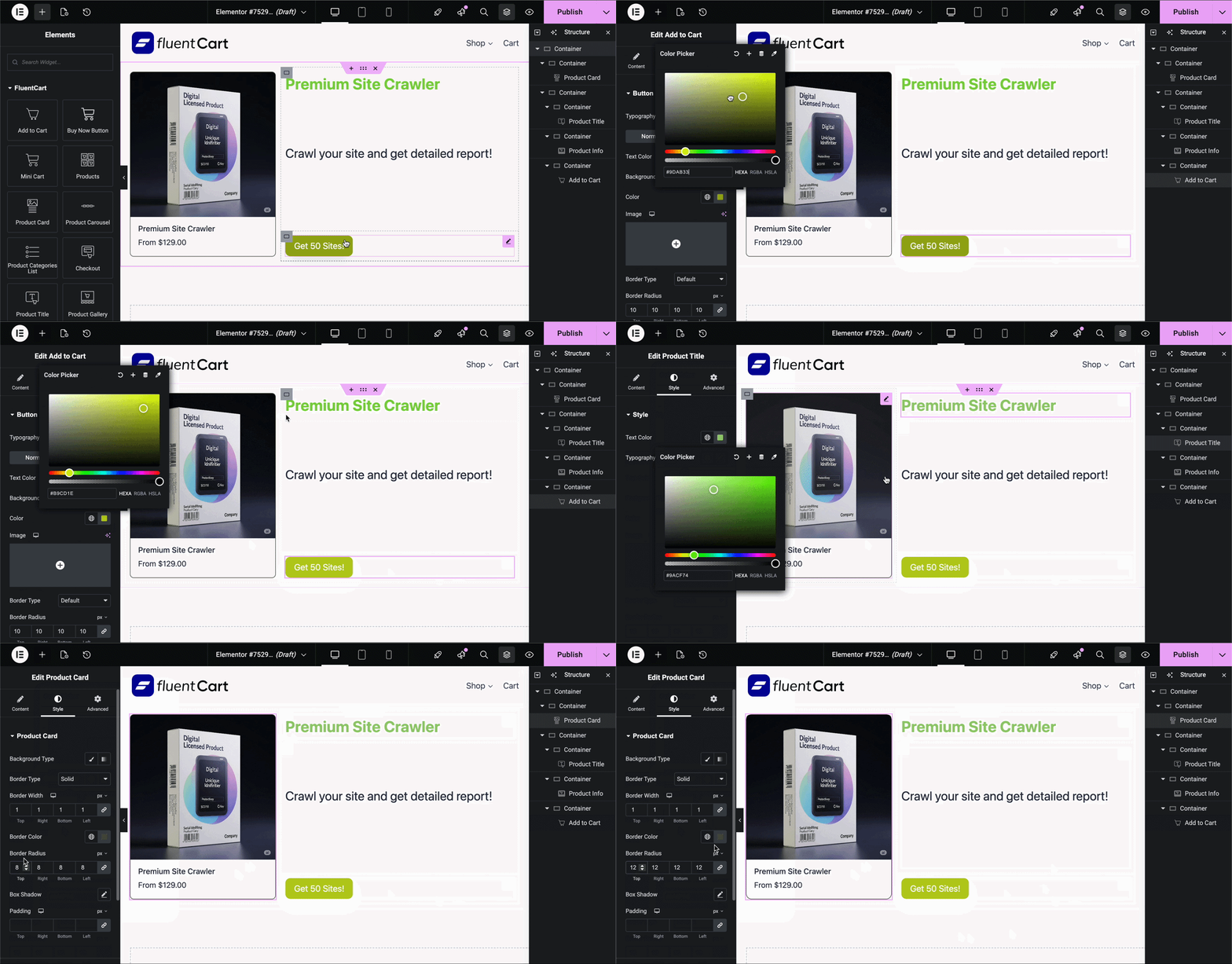
FluentCart now includes a dedicated set of Elementor blocks that allow you to visually build storefronts, product sections, and checkout experiences inside Elementor without breaking FluentCart’s native commerce logic.
Instead of relying on preset templates or theme-based layouts, you can now place FluentCart functionality exactly where it fits inside your custom-designed pages.
Every implementation we’ve done for FluentCart has prioritized keeping the core light-weight. Keeping that in mind, it only made sense to not ship all Elementor components with core. Rather we’ve kept the Elementor Blocks separate from Core.
Hence, we’ve developed the Elementor blocks as a separate extension plugin free to download at all times. This keeps the core plugin light while giving you the choice to not have the Elementor components on your site if you don’t need them.
Below are the available blocks and what they enable.
Add to Cart Block
The Add to Cart block allows you to place product purchase actions anywhere inside an Elementor layout.
Use cases:
- Sales landing pages
- Feature comparison sections
- Product highlight areas
- Blog-integrated purchase prompts
Instead of sending users to product pages, you can trigger cart actions directly from custom layouts.
This is especially useful when your product is being introduced inside content or storytelling-driven layouts.
Buy Now Button
The Buy Now block enables instant checkout from any Elementor-designed page.
Use cases:
- Single-offer landing pages
- Funnel-style purchase flows
- Service-based product pages
- Limited-time deal sections
Customers can skip the traditional cart step and move directly to checkout.
For focused purchase experiences, this reduces friction and shortens the buying process.
Mini Cart
The Mini Cart block provides a live view of the cart that can be placed anywhere in your Elementor layout.
You can:
- Add cart visibility inside headers
- Display cart summary inside landing pages
- Provide persistent purchase feedback
Customers can review selected items without navigating away from the page they are on.
This improves purchase continuity and helps reduce drop-offs caused by navigation interruptions.
Products Block
The Products block allows you to display product listings inside any Elementor section.
Use cases:
- Custom storefront layouts
- Category-specific landing pages
- Featured product grids
- Promotional sections
This gives you full layout control over how products are presented, independent of theme constraints.
Product Carousel
The Product Carousel block displays products in a scrollable slider format.
Use cases:
- Featured product sections
- Best-selling item showcases
- Upsell placements
- Homepage promotions
This allows you to highlight key products in a compact and interactive way without relying on theme-specific sliders.
Product Categories List
Display your product categories anywhere inside Elementor layouts.
Use cases:
- Category navigation sections
- Store overview pages
- Sidebar filters
- Custom shop entry points
This makes it easier for customers to explore your catalog through structured navigation without using default shop templates.
Checkout Block
The Checkout block allows FluentCart’s checkout engine to be embedded inside Elementor-designed pages.
You can:
- Design custom checkout pages
- Integrate checkout into sales funnels
- Build distraction-free purchase layouts
- Maintain FluentCart’s native validation and payment flow
Instead of redirecting users to a fixed checkout page, checkout becomes part of your designed experience.
With these blocks, FluentCart’s Elementor integration allows you to build fully customized store pages, funnels, and checkout flows while still using FluentCart’s native cart and payment processing.
Inventory Manager is Free
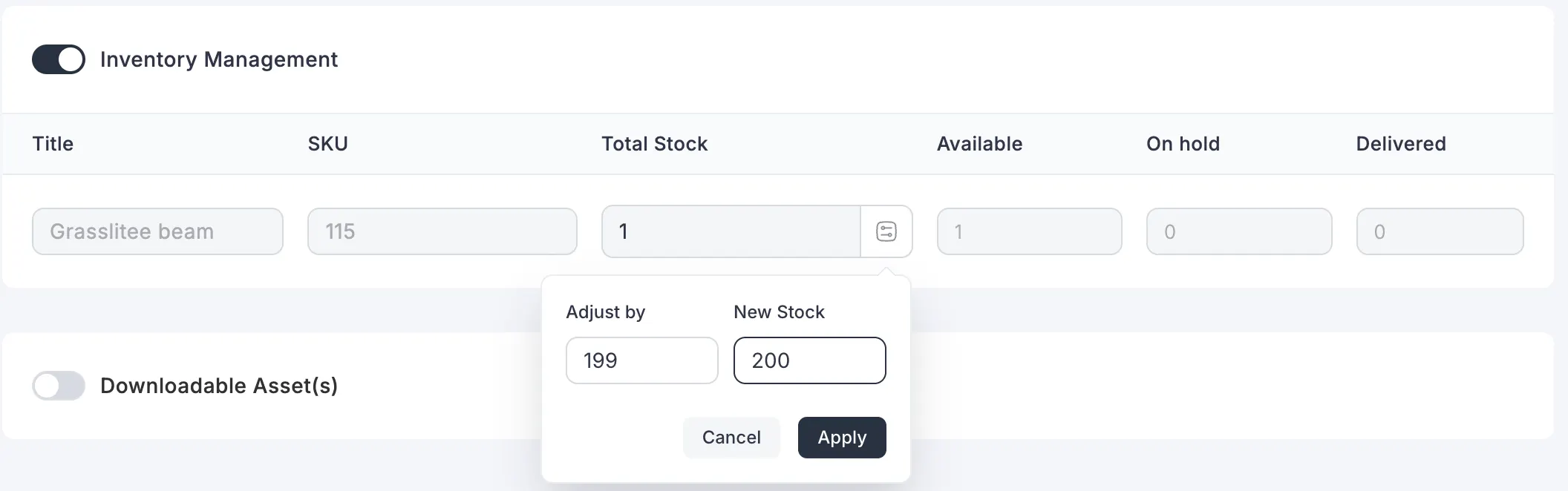
FluentCart now includes an Inventory Manager on the Free Version as well to provide better control over stock tracking and product availability.
This helps with,
- Avoid over ordering
- Plan restocking
- Anticipate sales volumes
What it changes for store owners
As stores grow, manual inventory handling becomes risky:
- Overselling products
- Inconsistent stock tracking
- Poor visibility into product levels
The Inventory Manager introduces structured stock control.
You can:
- Track available quantities
- Prevent overselling
- Manage stock across products more reliably
This brings operational stability to stores that handle physical products, limited digital licenses, or stock-sensitive items.
Razorpay Subscriptions
Razorpay subscription support is now available.
FluentCart already supports one-time payments for RazorPay. This update adds recurring billing capabilities, allowing subscription products to be processed directly through Razorpay.
Use cases
- Membership programs in India
- Recurring digital services
- SaaS-style billing
- Monthly product access
This removes the need to route subscription customers through alternative gateways when targeting Razorpay-supported regions.
Now stores can maintain one consistent payment flow for both one-time and recurring products.
New Gutenberg Blocks
FluentCart adds multiple new Gutenberg blocks to improve storefront flexibility.
Related Products Block
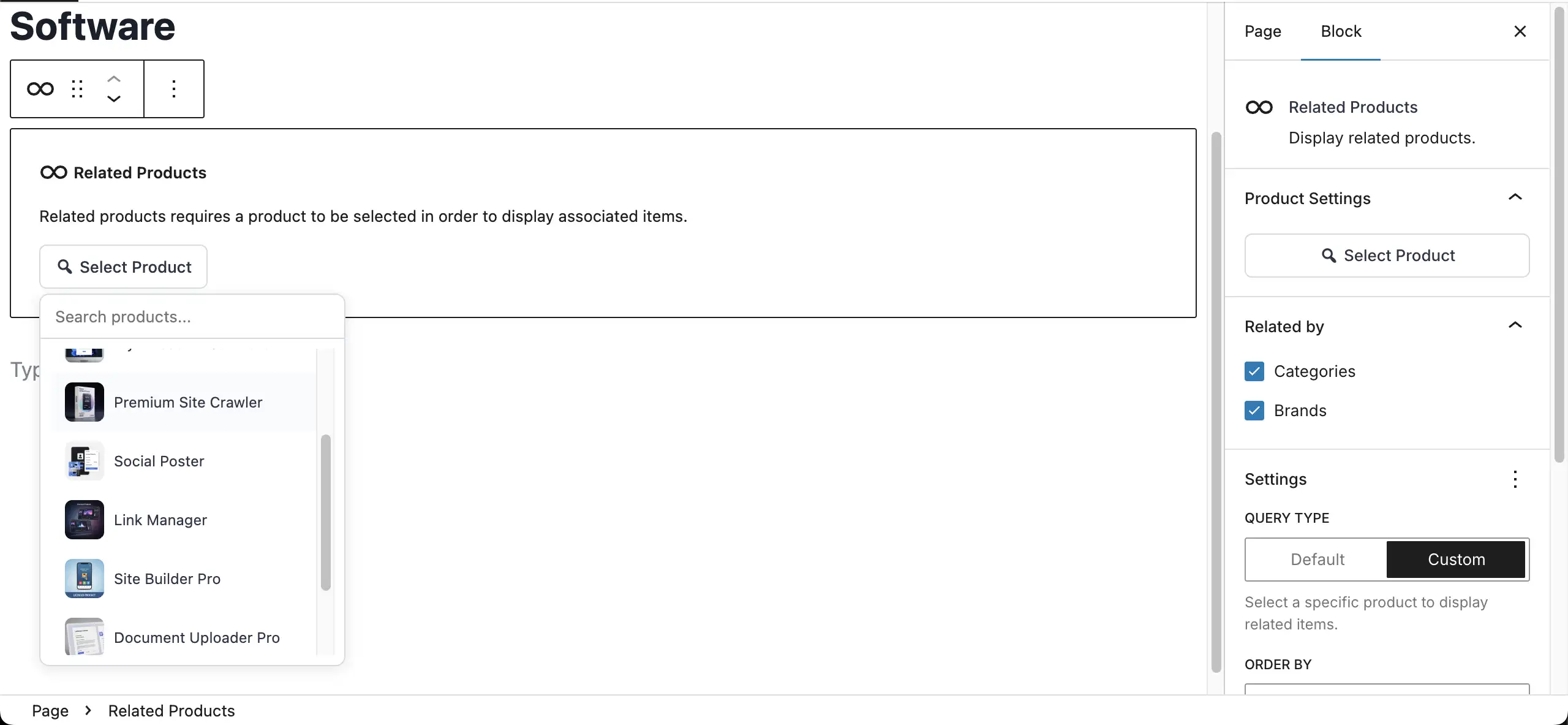
Display related products inside product pages or content layouts.
Use cases:
- Increase average order value
- Suggest complementary items
- Promote upgrades
Instead of manually linking products in content, this block dynamically pulls related items based on logic.
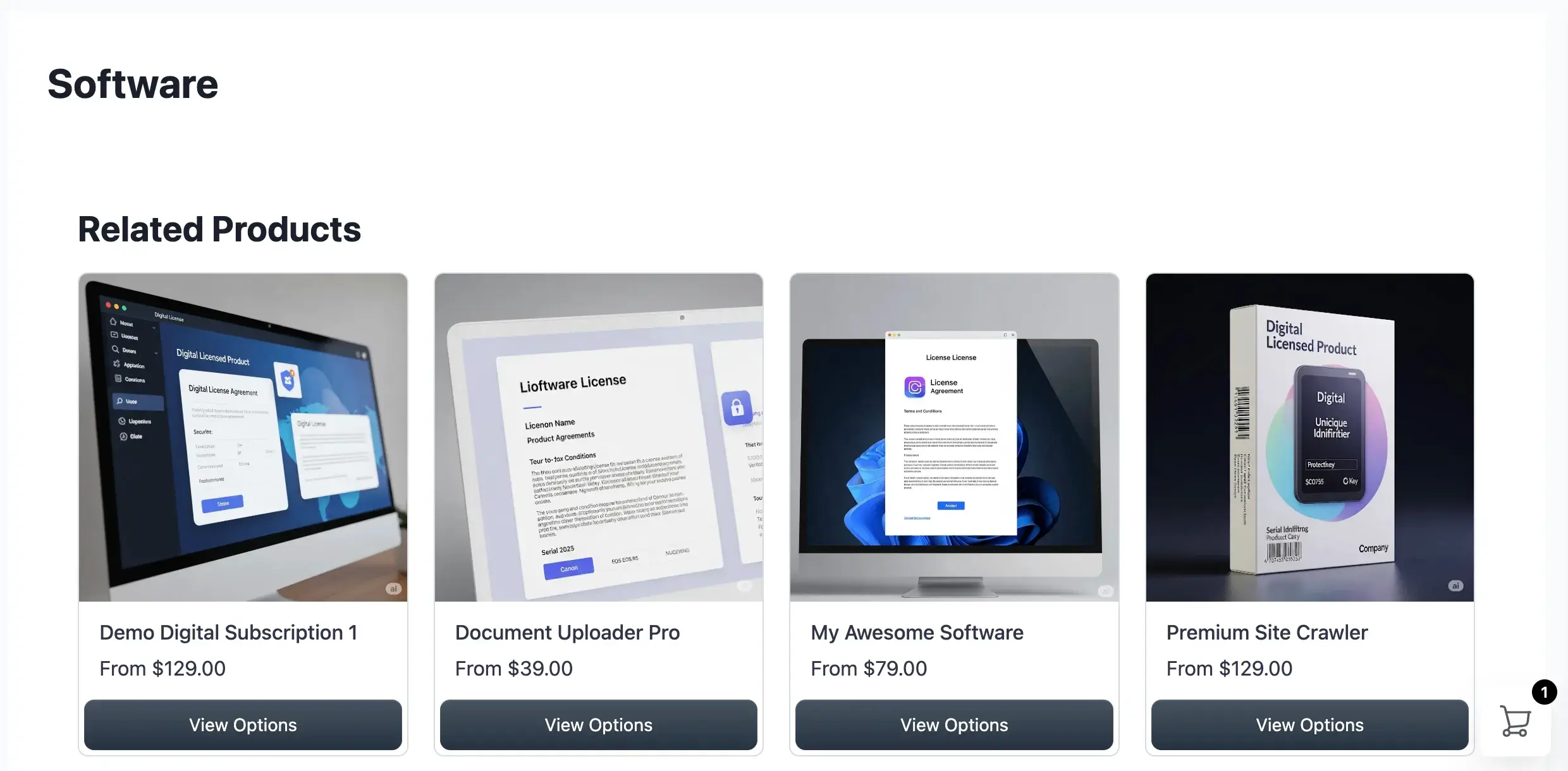
It keeps product discovery inside your design system.
Media Carousel Block
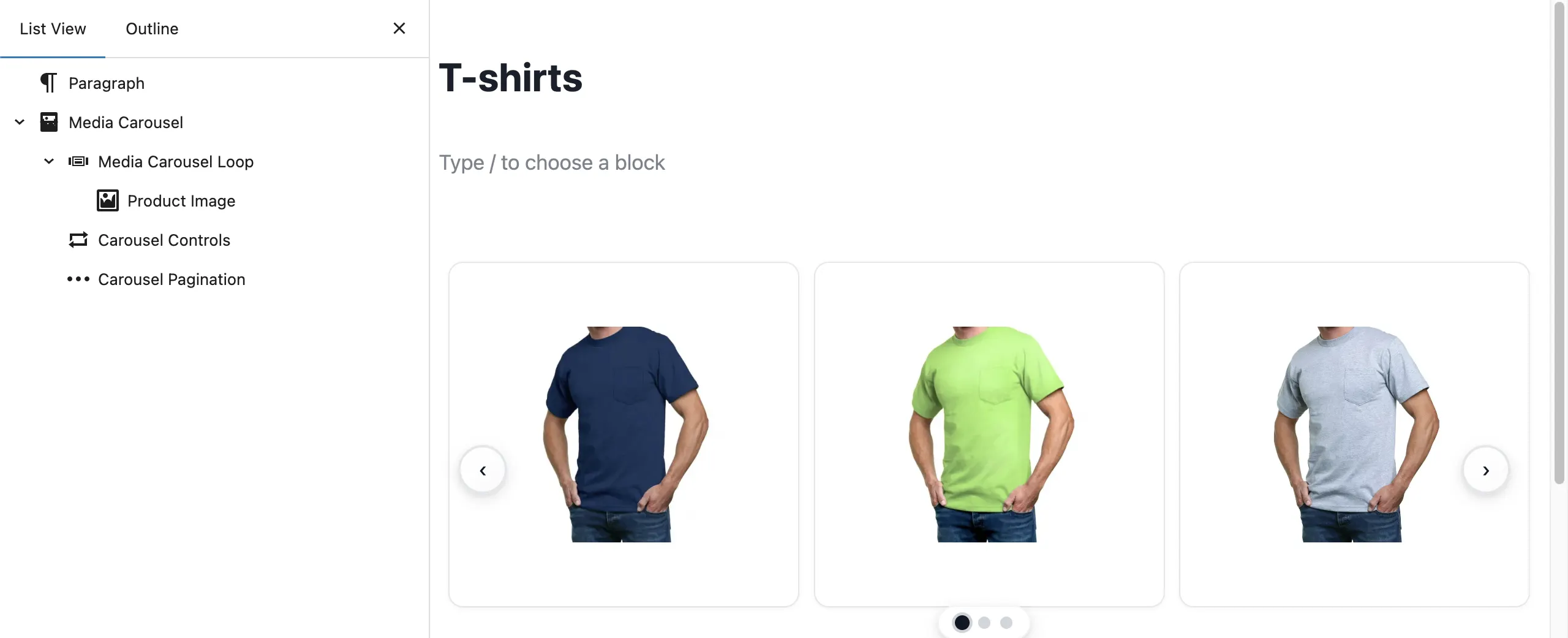
The new Media Carousel block allows you to showcase product images or media in a structured slider format.
Use cases:
- Multiple product previews
- Visual storytelling
- Highlighting variations or features
This improves product presentation without relying on theme-specific components.
For stores selling visual-heavy items such as design assets, templates, or physical goods, this improves buyer confidence by offering clearer previews.
Customer Dashboard Button Block
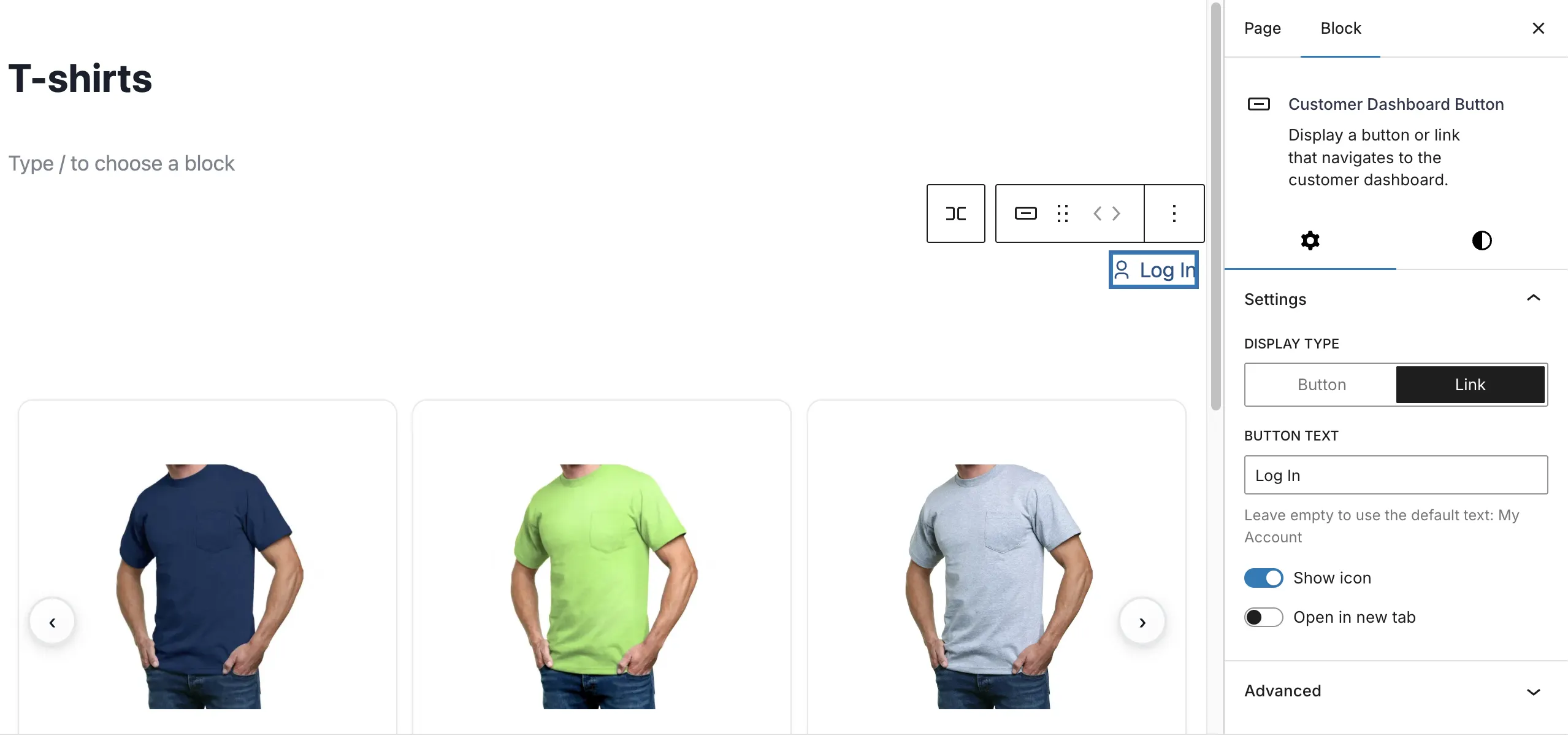
This block allows you to place a direct entry point to the customer dashboard anywhere on your site.
Use cases:
- Dedicated account pages
- Header or footer links
- Custom profile sections
Instead of relying on fixed template placements, you can guide customers exactly where you want them to manage orders, subscriptions, and downloads.
Store Logo Block
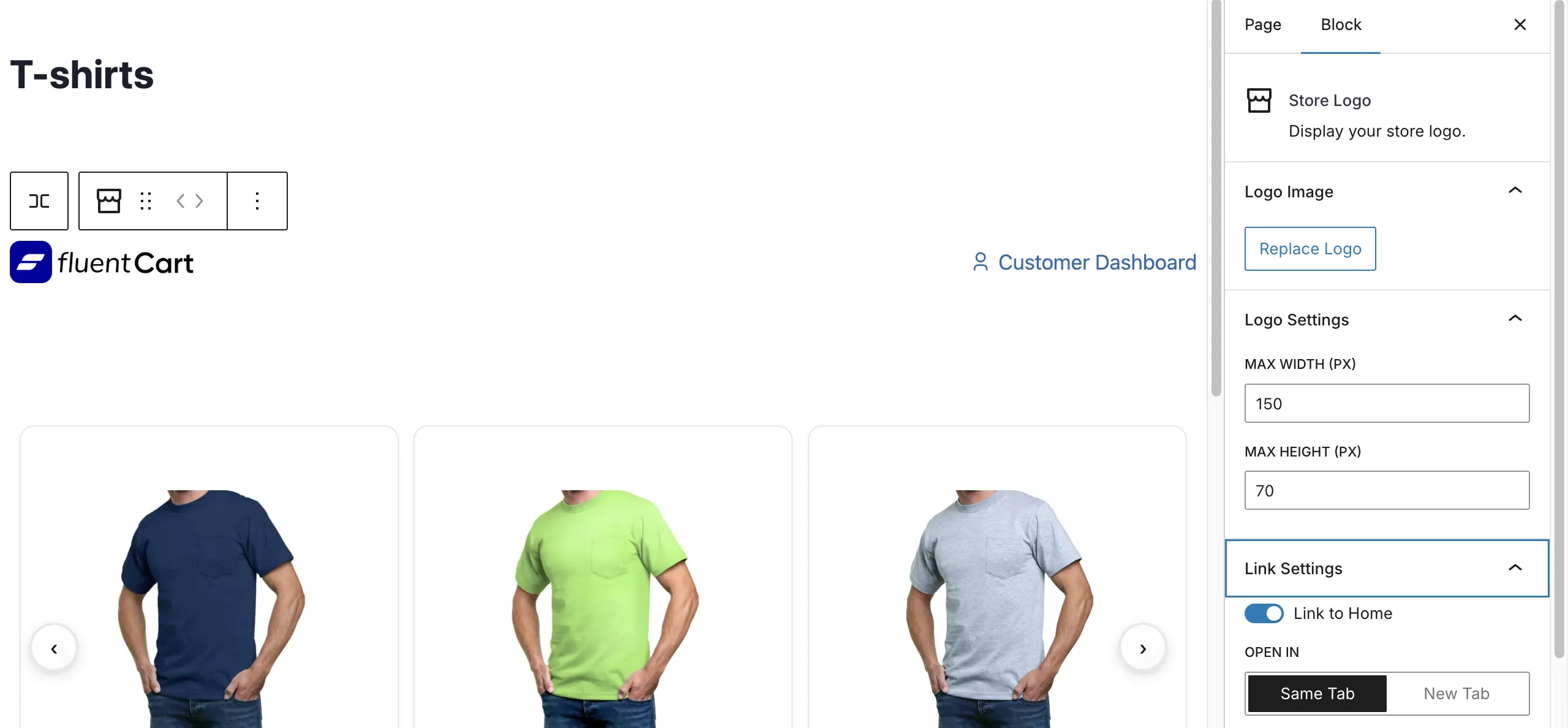
A dedicated block for displaying your store logo inside FluentCart layouts.
This may seem small, but it helps maintain brand consistency across checkout and account areas without manual styling overrides.
First Name & Last Name Field Settings
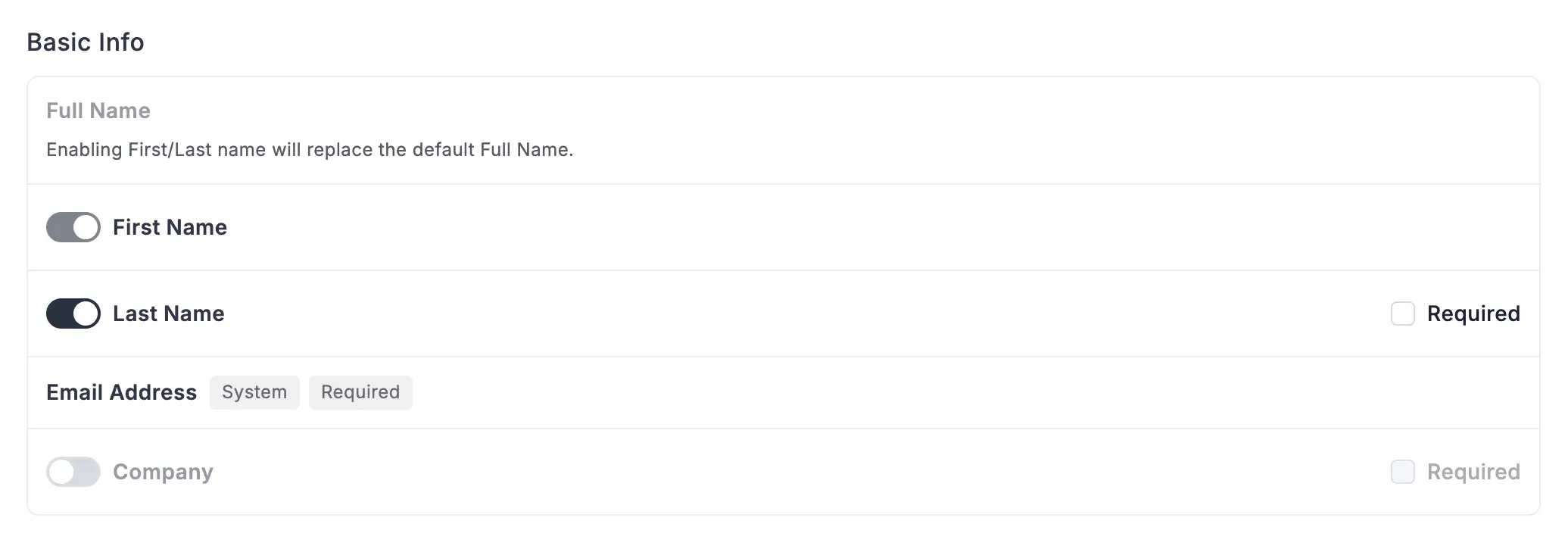
FluentCart now provides dedicated settings to control First Name and Last Name fields in checkout.
This allows you to:
- Enable or disable name collection
- Adjust field requirements
- Reduce unnecessary checkout friction
- Maintain structured customer identity for services or subscriptions
You can now align checkout data collection with your business model without custom field overrides.
Test Data Cleanup Tool
FluentCart now includes a Test Data Cleanup Tool that allows you to remove dummy orders created during store setup or gateway testing.
This helps you:
- Clear test records before launch
- Maintain accurate revenue and customer analytics
- Prevent reporting distortions from staging data
- Restore clean order history
You no longer need to manually locate and delete test entries after development or payment testing.
Customer LTV Recalculation Action
We’ve added a Customer LTV Recalculation action in Version 1.3.11.
This lets store owners instantly recalculate a customer’s lifetime value based on current orders, refunds, and historical transactions. It’s especially useful for analytics workflows, reporting dashboards, and automations that rely on up-to-date LTV data.
With this action, you can:
- Trigger recalculations manually or via automation.
- Ensure marketing segments based on LTV are accurate.
- Better prioritize high-value customers for campaigns or retention offers.
For businesses running subscriptions or multi-product sales, keeping LTV in sync has never been easier.
Sync Order Statuses Action
Version 1.3.11 also introduces a Sync Order Statuses action.
This feature ensures that order statuses across FluentCart remain fully synchronized with connected automations, reporting modules, and third-party systems.
It allows store owners to:
- Correct any inconsistencies caused by manual updates or API triggers.
- Automatically align order states between internal workflows and external systems.
- Reduce errors in reporting, inventory tracking, or fulfillment automation.
For stores running high-volume sales or multi-step fulfillment pipelines, this action ensures every order is accurately tracked in real time.
New Shortcodes
FluentCart now includes additional shortcodes that allow you to place store elements and customer actions directly inside custom layouts without relying on theme templates or page builder blocks.
Store Logo
Display your store logo anywhere across your site with optional link behavior and size control.
Customer Dashboard Button
Add a direct access button to the customer dashboard from any page or layout.
Product Title
Render product titles dynamically inside custom layouts.
Product Image
Display product images dynamically within your content or layout structure.
You can now integrate core store elements into classic editor pages, theme templates, or builder environments that do not support native FluentCart blocks.
Improvements
Along with these awesome features we’ve made improvements to the UI to create a more intuitive and stable experience across all pages.
Settings Page UI
Introduced a collapsible menu within the Settings page to improve navigation across different configuration areas.
This helps you:
- Navigate settings more efficiently
- Focus on active configuration sections
- Reduce visual clutter during setup
Expanded Subscriptions Tab
Subscription reporting has been expanded on the Reports page to provide better visibility into recurring product performance.
This allows you to:
- Monitor subscription activity more clearly
- Track recurring revenue trends
- Access deeper insights into subscription-based sales
Product SKUs
FluentCart now supports SKU fields on products. Add your own SKU identifiers so orders, exports, and integrations stay consistent with your existing inventory or fulfillment systems.
Fixes
Subscription Validity Expired Event
Resolved an issue where subscription validity expiration events were not triggering correctly in certain scenarios.
This could impact:
- Subscription lifecycle handling
- Access expiration for subscription-based products
- Renewal or downgrade workflows
- Automation tied to subscription status
With this fix, subscription expiration now fires the appropriate event consistently, ensuring downstream processes such as access control, renewals, or integrations behave as expected.
Gallery Image Overflow Issue
Fixed a layout issue that caused gallery images to overflow outside their designated container in certain product display contexts.
This could affect:
- Product presentation
- Media alignment
- Responsive layouts
Gallery images will now remain properly contained within their layout boundaries across supported storefront views.
What This Release Strengthens
Version 1.3.11 improves FluentCart across three core areas:
1. Regional Payment Coverage
Razorpay subscriptions make FluentCart stronger in emerging markets and high-growth regions.
2. Design and Customization
Both Elementor and Gutenberg blocks allow deeper layout control without breaking the commerce engine.
3. Operational Stability
Inventory Manager improves stock control. Subscription through RazorPay expansion strengthens recurring revenue models.
Wrapping Up
This is not a narrow feature release. It reinforces FluentCart as a flexible, self-hosted commerce engine that adapts to different business models, regions, and technical stacks.
More refinements are coming, but this release expands both reach and structure in meaningful ways.
In Case You Missed Recent Updates
1.3.10 (Feb 04, 2026)
- Adds FSE Block Theme Support
- Adds Blocks: Mini cart, Product Carousel, title, image
- Adds shortcodes: Mini cart, product categories
- Improves Guttenberg Blocks into latest version (v3)
- Fixes Missing tax breakdown on renewal email
- Fixes Missing VAT info on renewal order
- Fixes Dark-light theme conflict for addons promo
- Fixes Modal checkout responsive issue
1.3.9 (Jan 28, 2026)
- Adds Mercado Pago gateway (one-time payments)
- Adds Ghost product checkout
- Adds Gutenberg block: Add to Cart
- Adds Shortcode
- Adds Shortcode
- Fixes IPN issues for some third-party gateways
- Fixes Dashboard styling issues
- Improves security
1.3.8 (Jan 23, 2026)
- Adds Instant checkout feature
- Adds Product Button block (Guttenberg)
- Adds Product duplicate feature
- Adds Copy variation ID option in variation context menu
- Fixes S3 driver directory separator issue
- Improves JS file size optimization
1.3.7 (Jan 20, 2026)
- Improves Text change: “Half year” → “Six month”
- Adds Support for frontend templates
- Adds Order UUID / hash filter
- Adds Stripe metadata hook
- Adds Hook for autocomplete digital orders (default enabled)
- Fixes Hide consent section for stripe subscription
- Fixes Security issue in license APIs
- Fixes Product variation IDs not updating in DownloadFile
- Fixes ShopApp block list view & pagination issue
- Fixes Cart icon in body setting not working
- Fixes GroupKey bug in reports
- Fixes License rendering issue on customer profile
- Fixes Checkout empty state issue
- Fixes Address validation message and input label mismatch
- Fixes Missing required symbol for “Full Name” in checkout
- Improves Translation support for receipt page
- Improves Frontend loader UI
- Improves Cart item count sync between backend and UI badge
- Improves Stripe subscription price update event handling
- Improves Validation error handling and messaging
- Improves Retention report components
- Improves Checkout, product, and loader styles
- Improves Checkout field defaults and labels


Subscribe now
Related Articles and Topics
-
FluentCart 1.3.10: FSE Support, New Gutenberg Blocks, and more
FluentCart 1.3.10 give you a new sets of New Gutenberg Blocks with FSE Support, and Store Layout Improvements…
-
FluentCart 1.3.9: Ghost Products, Mercado Pago Payments, New blocks and Shortcodes
This release expands how and where you can sell with FluentCart, while tightening reliability and security behind the…
-
FluentCart 1.3.8: Improved conversions with Modal Checkout and more
This update focuses on tightening the buying experience and removing small issues that quietly slow teams down. Nothing…



Leave a Reply