
Subscriptions on WordPress: The Complete Guide for Sellers

Most WordPress stores do not actually run their own subscriptions. Their payment gateway does.
That gap is the whole driving idea of this guide. If you want to sell subscriptions on WordPress, the usual path hands the hard part, the billing schedule and the renewals, to Stripe or PayPal, and you just watch. There is a better way to set this up, and it starts with owning the subscription yourself. FluentCart is a self-hosted commerce plugin for WordPress built around that idea.
TL;DR
How to Add Subscriptions on WordPress
To add subscriptions on WordPress, install a commerce plugin that supports recurring billing, connect a gateway like Stripe or PayPal, create a product with a recurring price and a billing cycle, then set a trial or setup fee if you want one. Publish it, and the plugin bills each renewal.
That is the short version, and it matches what most guides tell you. Here are the core steps to get subscriptions on WordPress running:
The steps are simple. The part nobody warns you about is what happens after that first sale, when a renewal fails, a customer wants to pause, or you switch to a gateway your plugin does not support for recurring. That is where the setup you chose starts to matter.
[Image placeholder, featured image, 1910×1000. Alt: “Subscriptions on WordPress setup screen in FluentCart with recurring pricing options”]
What Subscriptions on WordPress Really Cover
Subscriptions on WordPress are not one thing. The term covers any product a customer pays for on a repeating schedule, and the setup changes with what you sell. A good WordPress store built to sell products should handle all of these without a pile of add-ons.
Here are the common recurring models sellers run:
Digital or physical changes the fulfillment, not the billing logic. A course sale unlocks access. A box sale triggers a shipment. Underneath both, the same question decides how smooth your life will be: who holds the subscription, you or your gateway?
Gateway-managed vs Store-managed Subscriptions
Gateway-managed subscriptions live inside the payment processor. Store-managed subscriptions live inside your store. With the first model, Stripe or PayPal holds the billing schedule and drives each renewal. With the second, your WordPress store holds the record and decides when to bill, then collects the money through the gateway.
Most subscription tools for WordPress use the gateway-managed model. A membership-first plugin, or the recurring-billing extension for the popular open-source store plugin, both lean on the processor to actually run the billing, which means your renewals only work on the two or three gateways that support native recurring.
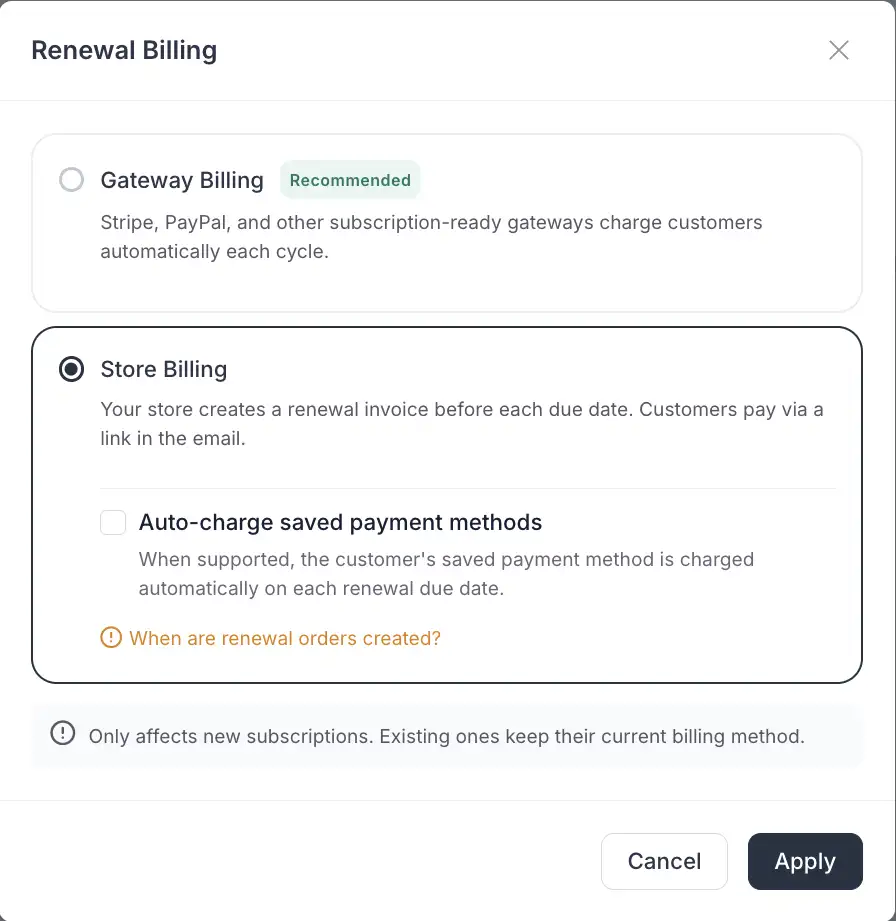
Store-managed changes that. FluentCart creates the renewal order itself, on a schedule it owns, and then collects payment. The subscription is a record in your database, on your server, not a line item in someone else’s dashboard. That single design choice is what makes everything below possible.
Why Store-managed Subscriptions Give you More Control
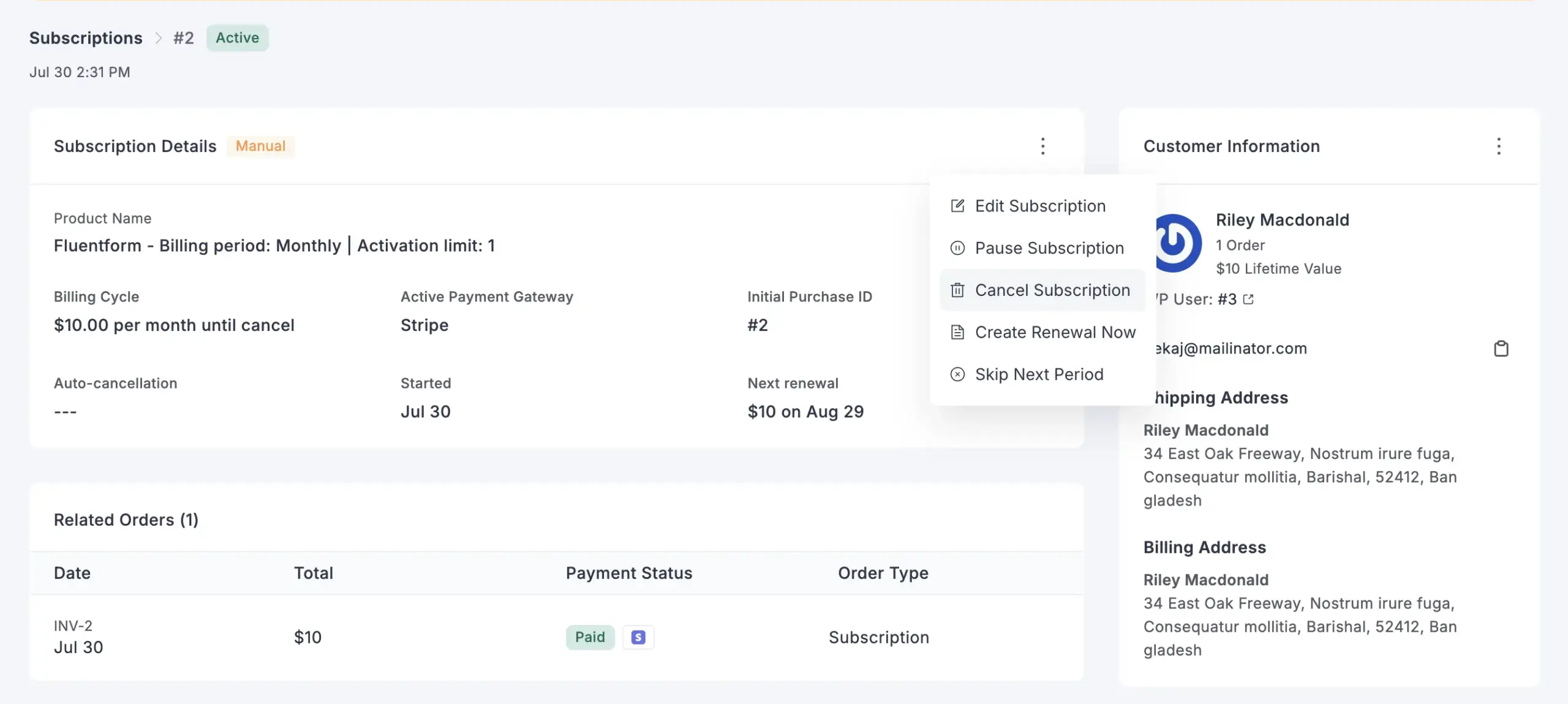
Store-managed subscriptions give you the controls the processor usually keeps. Because the schedule sits in your store, you can pause a subscription, resume it, skip a single cycle, reschedule it, change the amount, change the status, or move the billing date, all from your own dashboard. No logging into a gateway to make a change that should take one click.
Real subscriptions need those controls. A member wants to pause over the summer. A box buyer is travelling and wants to skip next month. Someone needs their billing date moved to after payday. When the gateway owns the plan, most of those turn into a cancel-and-resubscribe or a support ticket. When your store owns it, they are edits.
The billing side runs itself too. FluentCart sends a full set of subscription emails: renewal notices, reminders, upcoming-charge alerts, payment-failure notices, and past-due notices. Most lost recurring revenue is not a customer choosing to leave. It is an expired card or a renewal nobody flagged. These emails turn a silent failure into something the customer can act on.
Recurring Revenue on Any Payment Gateway
Store-managed billing collects renewals two ways, so recurring works on gateways that never supported it. On Stripe and PayPal, you can switch on automatic charging, and renewals bill the saved payment method on schedule. On any other supported gateway, the renewal goes out as a payment link the customer pays, the same way they paid the first time.
That second path is the one that matters if your market is not Stripe-first. Sellers on regional processors, on manual bank transfer, or on offline methods have watched “we support subscriptions” sit on a feature list they could never use. A payment-link renewal works anywhere a one-time payment works, so those stores can finally sell a real recurring plan.
So the answer to “which gateway should I use for subscriptions” is no longer a short list. Pick the gateway your customers already trust. If it is Stripe or PayPal, you get hands-off auto-charge. If it is anything else supported, you still get recurring, collected by link.
How to Set Up Subscriptions for Free with FluentCart
You can set up a subscription in FluentCart on the free core in a few minutes. Install the plugin, connect Stripe or PayPal, create a product, switch its pricing to a subscription with a billing interval, then publish. FluentCart stores the subscription and runs each renewal from there. Here is the full walkthrough.
Step 1: Install FluentCart and connect a gateway
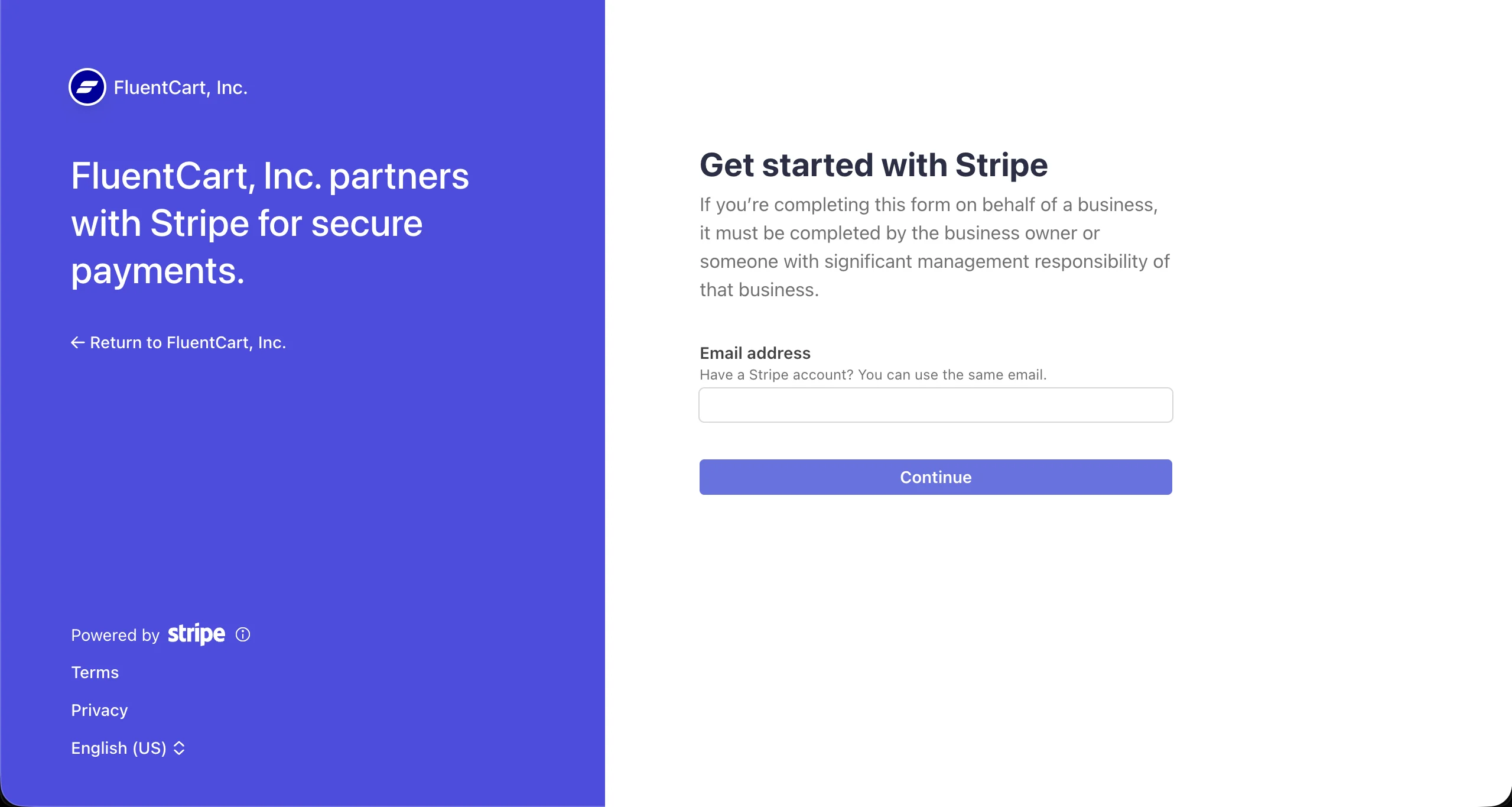
Install the free FluentCart plugin from the WordPress plugin directory, open the payment settings, and connect Stripe or PayPal. Both gateways come with the free core, so you can collect real recurring payments without a paid plan. Add your API keys, save, and run the connection test the settings page offers.
Step 2: Create a subscription product
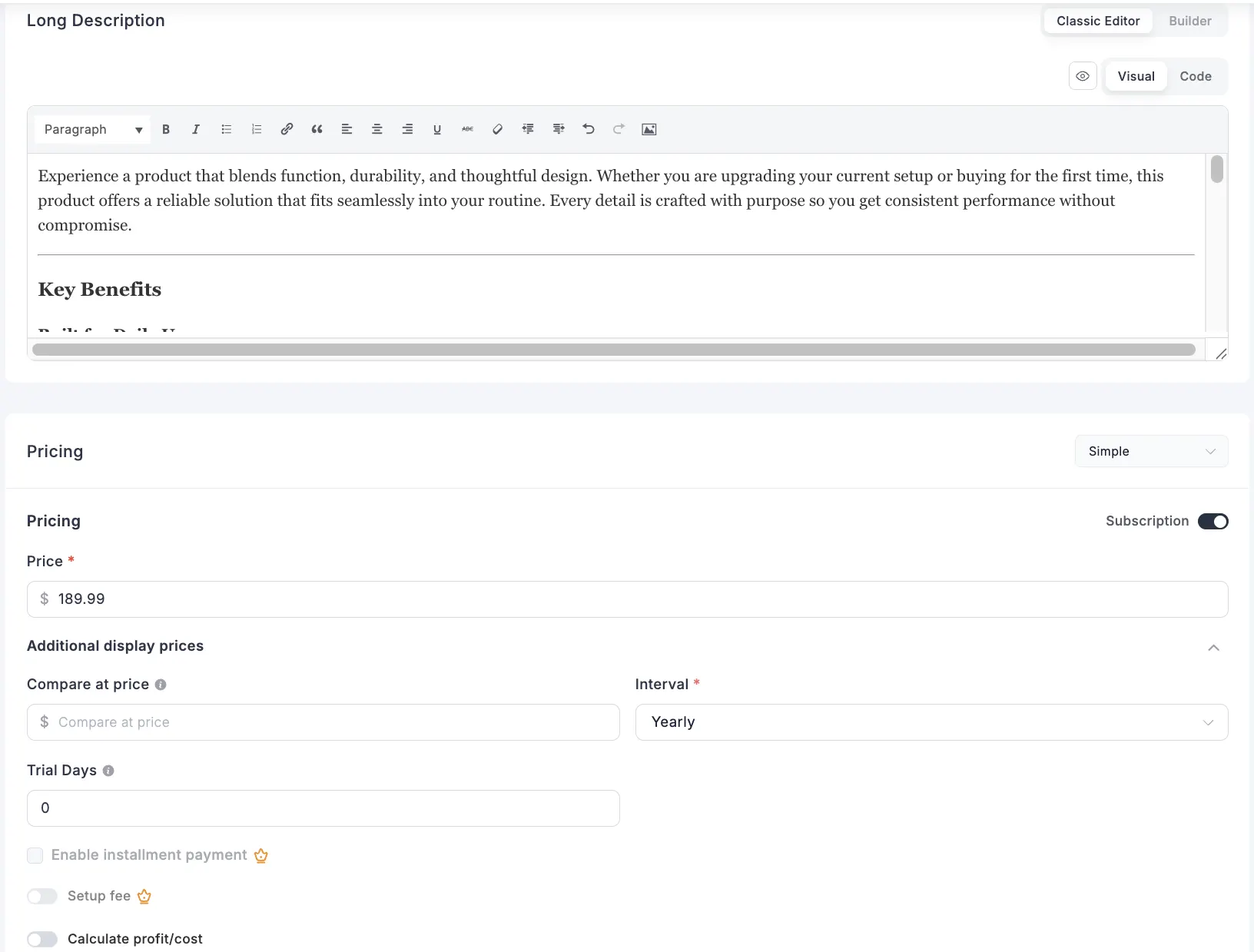
Add a new product, then set its pricing type to subscription. Choose the billing interval you need, whether that is monthly, quarterly, six-month, or yearly. Set the recurring price, and add a free trial or a one-time setup fee if your plan uses one. Save the product as a draft while you finish the rest.
Step 3: Decide what the subscription unlocks
Attach the file for a digital download, connect access for a course or community, or set the shipping details for a physical box. The subscription status controls access, so when it lapses, access ends and your product stays protected. For a downloadable asset, upload the file and set any download limits you want.
Step 4: Turn on the subscription emails
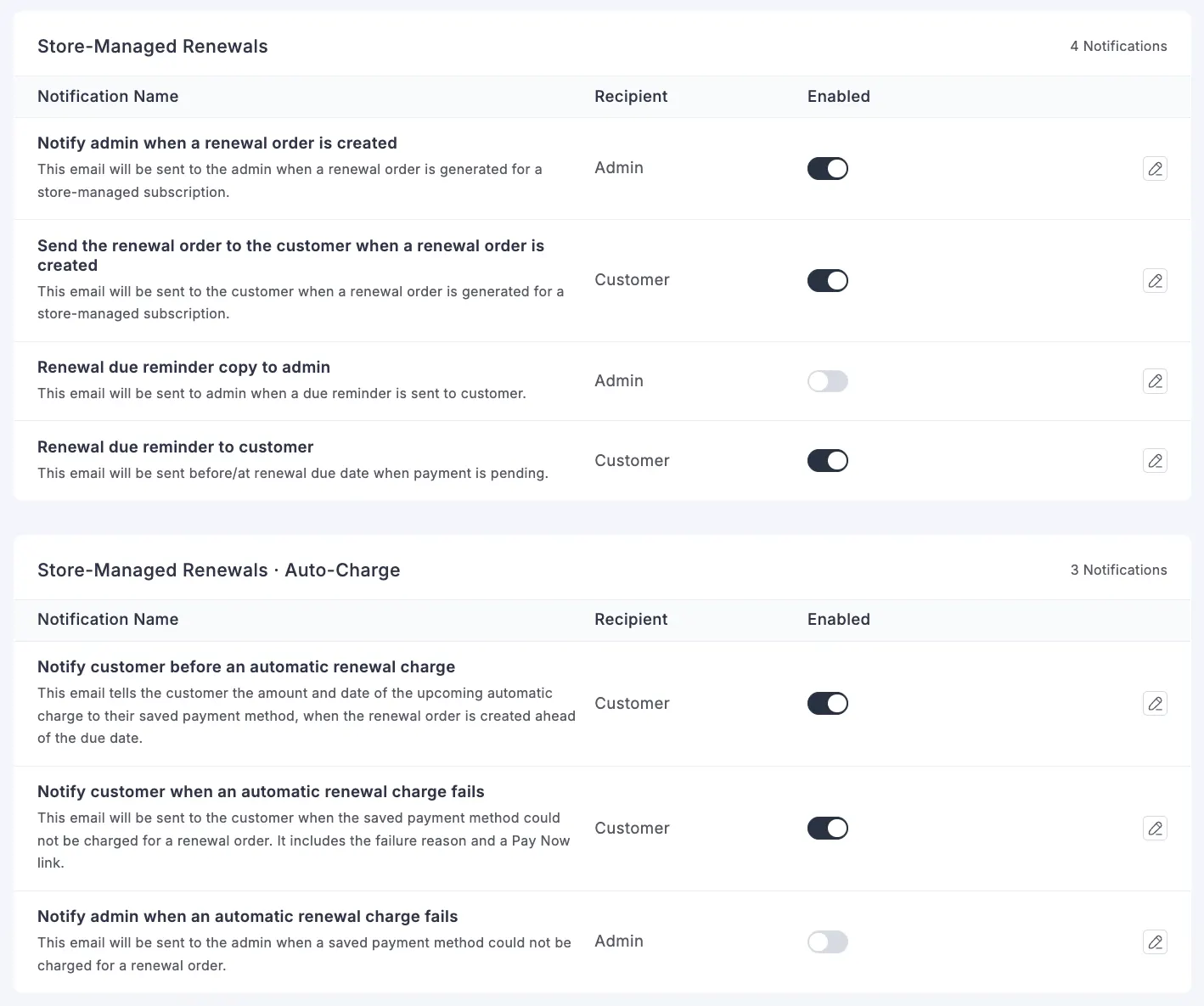
Enable the renewal, reminder, upcoming-charge, payment-failure, and past-due emails. These keep customers informed and recover renewals that would otherwise slip through. Edit each template so the wording and branding match your store. A short upcoming-charge notice alone cuts down on surprised customers and chargebacks.
Step 5: Test one full cycle
Run a test checkout, then open the subscription record in your dashboard. Confirm the renewal date, try a pause and resume, and preview the renewal email. Once the record behaves the way you expect, publish the product and share the link. That whole flow runs on the free core, so the paid tier is a later decision, not a starting cost. When you do grow into more gateways, installments, or setup-fee tooling, the guide on how to price a product helps you set the right billing cycle and price points.
Subscription Use Cases You can Run Today
Store-managed subscriptions fit more business types than gateway billing ever did. The models below all run on the same engine, and this is where the design pays off. Each one is a real subscription business you can build on WordPress:
Plugin and software sellers
Sell a plugin or app with annual or monthly licenses, and keep the renewal revenue in the same place as the license it renews. On Stripe and PayPal the renewal auto-charges; on other gateways it goes out as a link. If you are moving off a digital-downloads setup, the EDD to FluentCart migration path brings your products across. For a deeper look at the model, see how to sell a WordPress plugin the right way.
Course and membership sellers
Bill monthly or yearly access to a course or community, and let members pause or skip instead of cancelling. Pair it with the FluentCart and FluentCommunity integration to tie access to the subscription automatically.
Subscription box and physical sellers
Ship a product on a repeating cycle, and give buyers the controls that physical recurring needs: skip a box, reschedule the billing date to match the shipping window, or adjust the amount for one cycle. Upcoming-charge emails give buyers a clean moment to skip before they are billed.
Agencies billing retainers
Run client retainers and care plans, often on a gateway the client already uses. Clients on Stripe or PayPal can be auto-charged, and the rest get a payment link each cycle, so every client becomes a managed subscription instead of a monthly invoice you chase.
Working through one of these setups is a good moment to compare notes with other sellers. The FluentCart community is where store owners share configurations and see how others handle renewals, dunning, and pricing.
Common Subscription Questions Sellers Ask
Some subscription questions only come up once you are live. These are real ones FluentCart sellers have raised in the community, with the short answers. Each thread goes deeper, and other store owners weigh in with what worked for them.
Switching payment gateways without losing subscribers
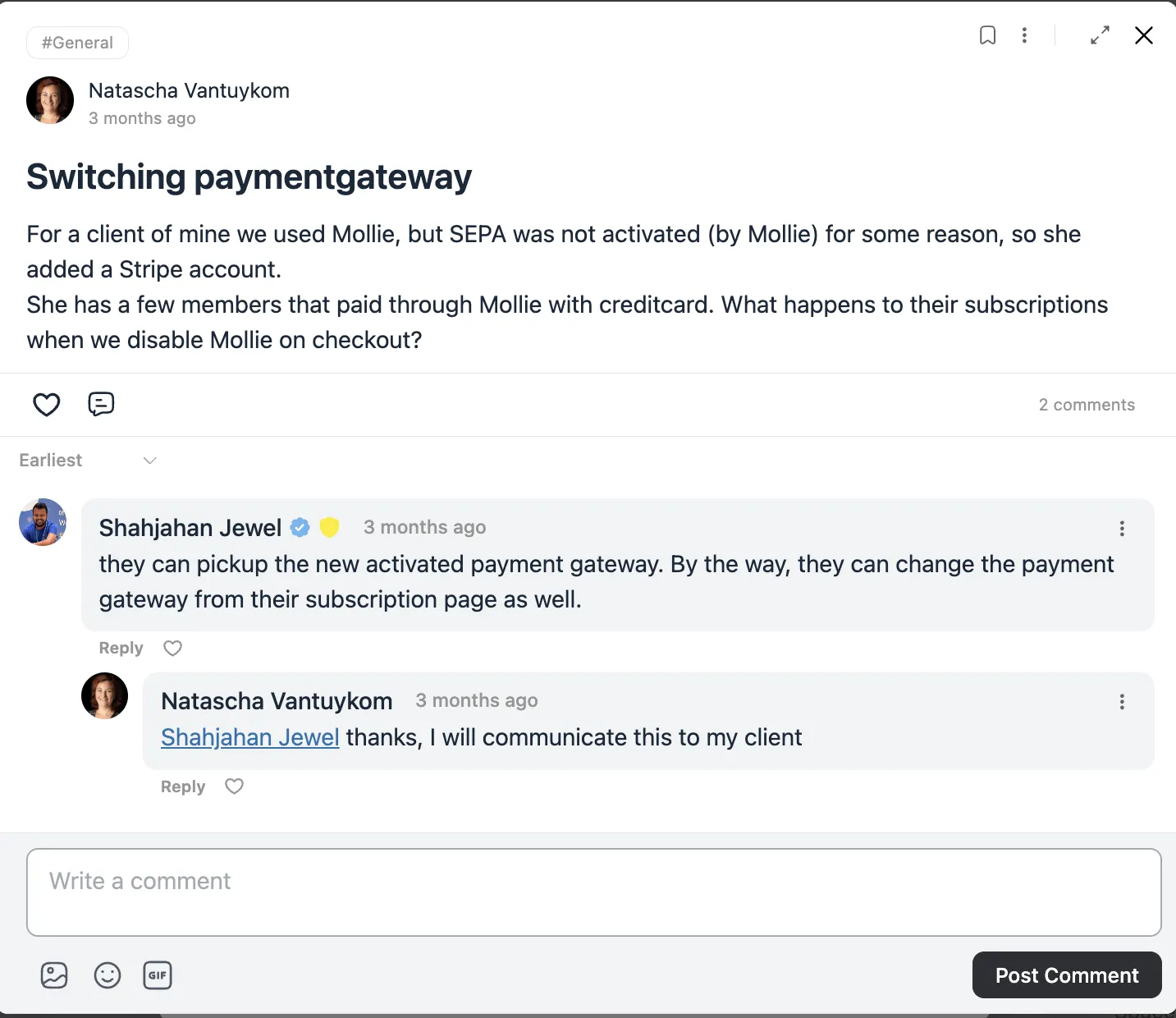
A seller’s first gateway could not activate a payment method, so the store added a second one and wanted to disable the first at checkout. The worry was what happens to members who already paid through the old gateway. The answer is reassuring: those subscriptions pick up the newly activated gateway, and customers can change the payment gateway from their own subscription page. Store-managed billing is what makes that possible, because the subscription lives in your store, not locked to the gateway that started it. The full thread in the community walks through the exact steps.
Subscriptions for downloadable and versioned digital assets
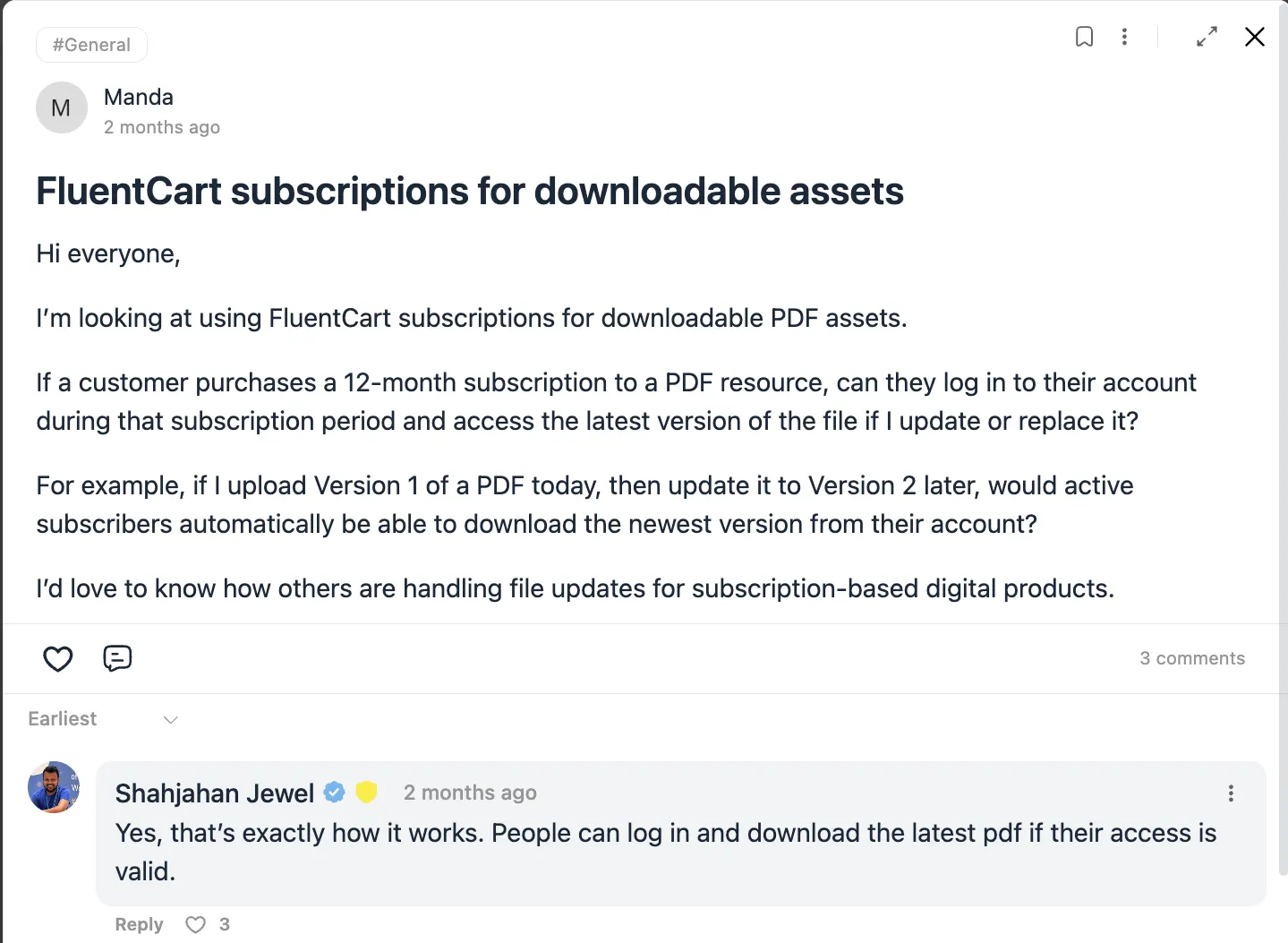
Another seller offers a 12-month subscription to a PDF resource and updates the file over time. The question was whether active subscribers get the latest version after an update. The answer is yes. As long as their access is valid, subscribers log in and download the current version of the file, so a new upload reaches everyone still subscribed. That makes the subscription engine a fit for living documents, template libraries, and any digital asset that changes across a subscription term. The community thread shows how sellers structure these.
Migrating existing memberships from another platform
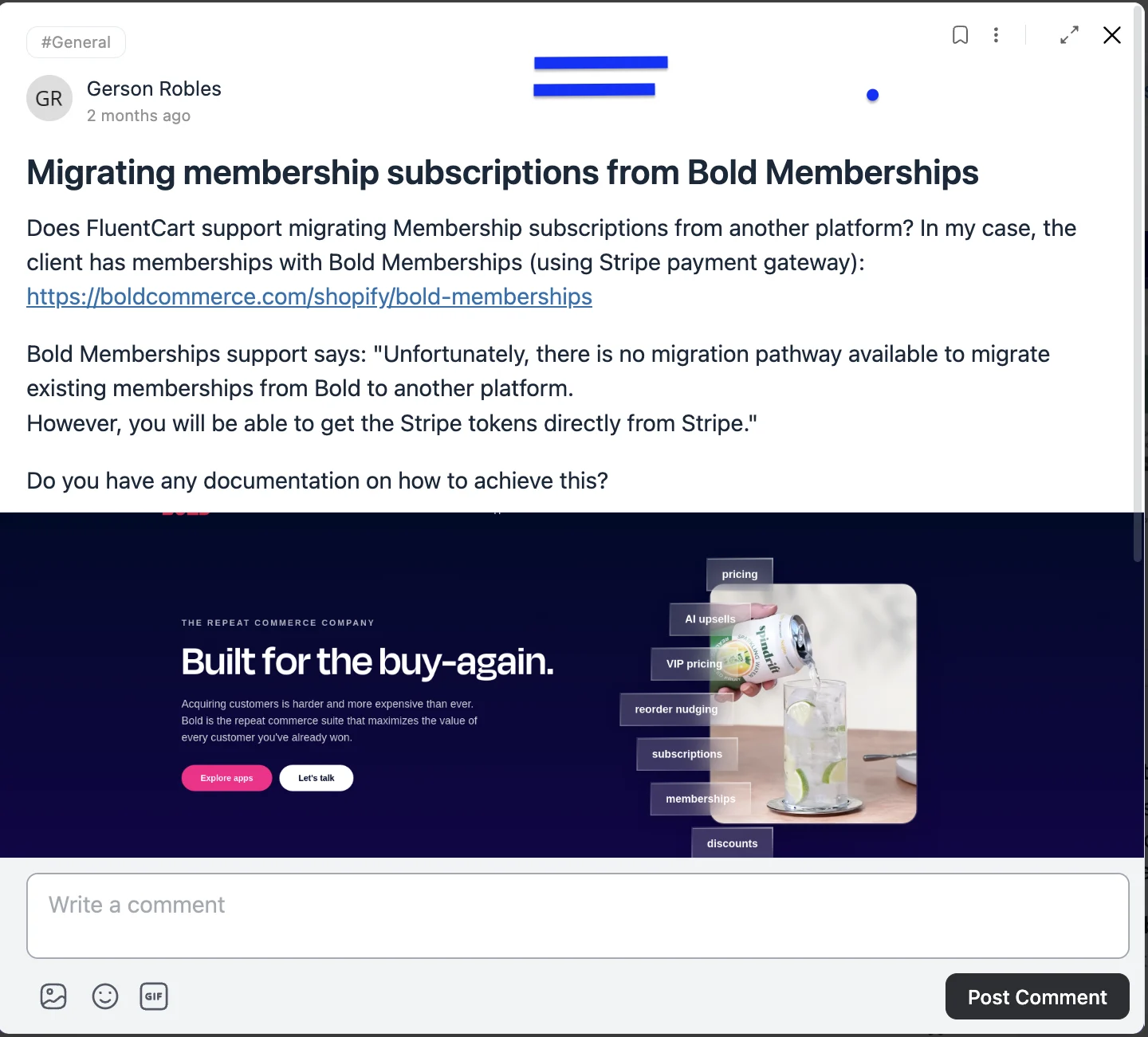
One seller wanted to move client memberships off a hosted app on a SaaS platform, where the vendor offered no direct export but the payment tokens were available from the processor. Migrations like this come up often, and the exact path depends on the source platform and the gateway holding the tokens. This is the kind of question worth bringing to the community, where sellers who have run the same move share the steps and the gotchas.
The community is free to join, and it is the fastest place to pressure-test a setup before you commit to it. If you are weighing FluentCart for your own recurring products, reading a few of these threads will tell you more than any feature list.
Frequently Asked Questions
Useful things to know from our helpful customer support team
Wrapping Up
Subscriptions on WordPress come down to one question: who owns the schedule. The common setup hands it to your gateway, which caps your controls and limits you to a few processors. Store-managed subscriptions keep the record in your store, so you decide when to bill, how to collect, and what to do when a customer needs to pause, skip, or reschedule.
Here is what to do next. Install the free FluentCart core, create one recurring product with Stripe or PayPal, and run it through a full cycle. Watch how the renewal and dunning emails behave. Then bring your questions to the FluentCart community portal, where sellers running the exact models above will tell you what worked and what they would change.
Own your recurring revenue. Do not rent it.

Rasel leads the marketing function at FluentCart, driving both high-level strategy and ground-level execution across the product’s growth engine. He plays a central role in defining how FluentCart is positioned, how it enters the market, and how it evolves based on user behavior and feedback. His responsibilities span go-to-market planning, funnel architecture, conversion strategy, and narrative development. He works across teams to ensure that product decisions, marketing efforts, and customer experience stay tightly aligned.

Subscribe now
Related Articles and Topics
-
WordPress vs Website Builder: What Actually Fits Your Business in 2026
WordPress vs website builder: WordPress wins on cost and growth, builders win on speed. Compare both to find…
-

6 Best WordPress eCommerce Plugins for Store Owners
WooCommerce still leads, but it’s not the only real option anymore. Here’s an honest look at 6 WordPress…
-
eCommerce Migration Best Practices: A Complete Checklist for 2026
Follow these ecommerce migration best practices to protect your data and switch platforms without losing customers or revenue.




Leave a Reply