

WooCommerce vs FluentCart: Which Fits Your Store
Everyone knows WooCommerce is the default way to sell on WordPress, and W3Techs backs that up with 47.2% of the e-commerce systems it detects. But is the most common choice also the best fit? The WooCommerce vs FluentCart choice comes down to what you sell and how many add-ons you want to look after.
And the add-ons are where stores become hard to manage. You start with a free plugin. Then subscriptions need an extension, licensing needs another, and a checkout tweak needs a third.
Each purchase makes sense when you buy it. Add them all together and managing them becomes a second job. But there is always a catch for every advatages, keep reading.
TL;DR
- WooCommerce vs FluentCart comes down to a mature, extension-rich default against a newer single-plugin alternative.
- FluentCart Free covers subscription products, coupons and reviews, while Pro adds licensing, order bumps (an extra offer at checkout) and dynamic pricing (automatic discount rules).
- WooCommerce reaches the same features through extensions, so cost and upkeep grow with each one.
- FluentCart’s own benchmark shows it handling about twice as many orders per second, with product listing speed similar.
- Physical stores get shipping zones, shipping classes, tax rules and a free Shippo add-on.
- Stripe, PayPal and cash on delivery come free, the Fluent suite connects directly, and a developer can add any other gateway.
- A migrator add-on moves products, customers, orders and coupons across while your old store keeps running.
- FluentCart suits digital products, subscriptions and software, and WooCommerce suits complex physical retail and niche extensions.
WooCommerce vs FluentCart: The Short Version
Let’s say Maya sells a photography course and a monthly feedback club. It is an example story, but many store owners will know a case like hers.
On WooCommerce, the club needs a paid subscriptions extension (an add-on plugin). Every new feature after that is another plugin to buy, update and test. On FluentCart, subscription products come with the free plugin, and Pro adds renewals, pause and resume, and failed-payment recovery.
As you can see, the real difference is where the work happens. In one case it is spread across many extensions. In the other it is inside one plugin.
WooCommerce is the free, open-source plugin that turned WordPress into a store. It grows through a very large catalog of add-ons. FluentCart is a newer self-hosted eCommerce plugin that sells physical goods, digital downloads, subscriptions and licensed software from one install. Here is a simple comparison:
| Area | WooCommerce | FluentCart |
|---|---|---|
| Core plugin | Free, extended with add-ons | Free core, with Pro for advanced modules |
| Cost model | Free core plus paid extensions | Free core plus one Pro license |
| Subscriptions | Paid extension | Subscription products in Free, store-managed renewals in Pro |
| Software licensing | Usually needs an extension | Built into Pro |
| Order bumps | Usually needs an extension | Built into Pro |
| Dynamic pricing | Usually needs an extension | Built into Pro |
| Ecosystem | Large, mature extension catalog | Growing, with the Fluent suite connected natively |
| Physical goods | Mature, with a deep extension catalog | Zones, classes, tax rules and a free Shippo add-on |
| Best fit | Complex physical retail and niche integrations | Digital products, subscriptions, software and lean stores |
The table gives you the shape. The next sections give you the detail.
Sell More. Pay 30% Less.
FluentCart’s BFCM deal is live on annual plans. Keep every sale with zero transaction fees.
Built-In Features vs Extensions
What does “built in” mean here? With FluentCart it depends on the plan, so we will say clearly which features are Free and which need Pro.
Subscriptions and recurring billing
FluentCart’s free plugin handles subscription products with intervals, trials and setup fees, plus a customer dashboard for managing them. Pro adds store-managed renewals, saved-method auto-renewal, pause and resume, skipping a cycle, upgrades and downgrades with proration, and failed-renewal reminders.
On WooCommerce, the same job belongs to the WooCommerce Subscriptions extension, a paid annual extension, so check its page for current pricing. If you want the bigger picture, we covered how subscriptions work on WordPress separately.
That way, recurring billing lives in one plugin and one support inbox.
Licensing, order bumps and dynamic pricing
Three Pro modules do the work that usually needs separate WooCommerce add-ons:
- Licensing: key generation, activation limits, expiry dates and a customer license portal (more on the licensing feature page)
- Order bumps: a checkbox offer at checkout, with conditions you set (more on the order bumps feature page)
- Dynamic Pricing: conditional discounts, bulk quantity rules and user-role rules (it is off by default, so turn it on in the Features settings)
Now compare that with a typical WooCommerce store. Each of those three usually means another extension to choose, install and keep compatible. FluentCart’s modules are part of one plugin and use one settings area.
What the free plugin already covers
The Free plan includes more than most people expect. Here is how the two plans split:
| Area | Free | Pro |
|---|---|---|
| Subscriptions | Subscription products, trials, setup fees, customer dashboard | Store-managed renewals, pause and resume, upgrades with proration, failed-renewal reminders |
| Selling tools | Coupons, guest checkout, custom checkout fields, product reviews | Order bumps, Dynamic Pricing |
| Software sales | Not included | Licensing |
| Catalog | Variations, bundles, CSV product import | Advanced Inventory |
| Reports | Reports dashboard | Compare views and export |
Most small stores can launch on Free and add Pro when a specific module is clearly needed. Speed is a vital factor for an eCommerce store. We have disclosed both plugins’ database handling approach later, so keep reading.
What Each One Costs as the Store Grows
So what does that mean for the cost? In the WooCommerce vs FluentCart cost comparison, WooCommerce’s core plugin is free, and the real cost comes from the extensions and gateways you add. Many have their own yearly renewal, and the total is easy to underestimate. Our guide to the full cost of running WooCommerce shows where those costs hide.
FluentCart Free costs nothing, and Pro is a yearly license priced by the number of sites. The FluentCart pricing page states there are no transaction fees. That means the platform never keeps a percentage of your sales.
Here’s the thing: you do not need our numbers. List every extension your WooCommerce store would need, open each one’s page for current pricing, and compare that list with a single Pro license.
Just check the pages.
FluentCart vs WooCommerce on Speed and Database Design
Cost is one side of the choice. The other is how each plugin holds up as orders pile up. FluentCart stores orders in purpose-built tables, and its team credits that design for most of the speed gap. The numbers below come from FluentCart’s published benchmark, run on identical 8-core, 31 GB servers:
| Test | FluentCart | WooCommerce |
|---|---|---|
| Order creation (requests per second) | 21.8 | 9.61 |
| Database queries per order | 49 | 315 |
| Product creation (requests per second) | 22.4 | 2.01 |
| Product listing, 100,000 products (response time, one request at a time) | 979 ms | 1,086 ms |
| Product listing, 100,000 products (database queries) | 405 | 301 |
FluentCart is faster at saving orders and products. Showing products takes about the same time on both.
One warning matters. The FluentCart team ran this test itself, once per scenario, with no object cache (a memory layer that speeds up pages). It did not test search, filtering or checkout flows. Treat it as a guide, and run your own test on your own hosting.
Physical Products, Shipping and Wholesale
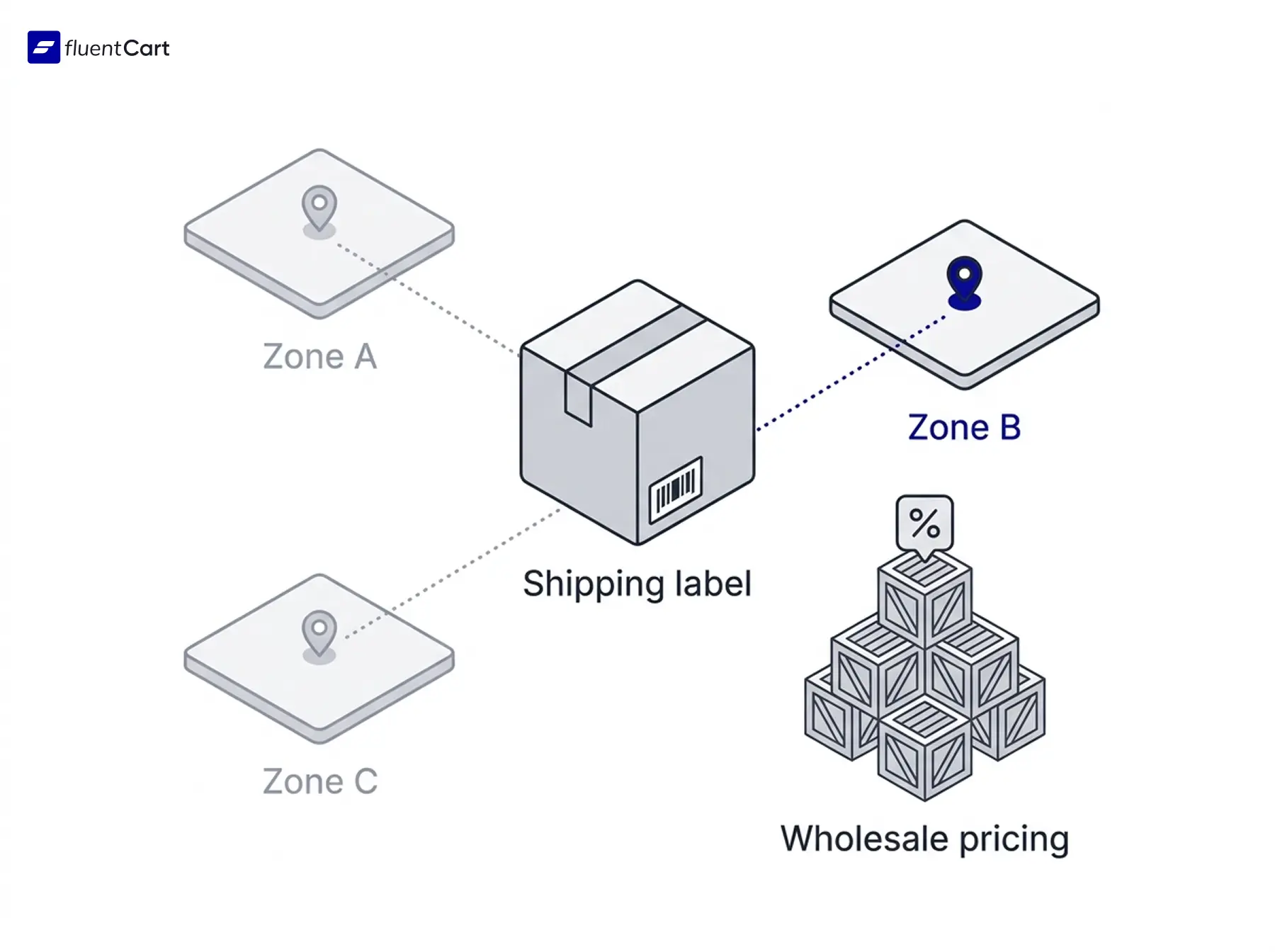
Now for physical goods. Shipping zones work with flat rate, free shipping and local pickup methods, priced per order, item, weight or value. Shipping classes and split shipments cover mixed carts. The free Shippo add-on (a shipping service) brings live carrier rates, labels and tracking (carrier and Shippo charges may apply).
Tax is just as detailed. You can set country rates with state, city or postcode overrides, add tax classes, and choose inclusive or exclusive pricing. EU VAT supports the One-Stop Shop, home-country and specific-country strategies.
Inventory tracks stock per variation, and Pro’s Advanced Inventory adds a dedicated workspace for bulk updates. Multi-currency sits in Pro and is still in beta.
Wholesale and B2B
The free checkout includes company and VAT number fields. In Pro, Dynamic Pricing can give a discount to anyone with a Wholesale user role. Our wholesale pricing guide walks through five ways to set it up in FluentCart.
Dedicated wholesale-account management, customer-specific price lists and a full request-a-quote flow are yet to be developed, and so are native multivendor marketplaces. If your store leans on any of those today, WooCommerce’s extension catalog has options now.
Now the core of the business is receiving payment. That we have uncovered next. Keep reading.
Payments, Integrations and the Wider Ecosystem
Let’s start with payments. Here is where each gateway comes from:
| Where it comes from | Gateways |
|---|---|
| Free plugin | Stripe, PayPal, cash on delivery |
| Pro | Paddle, Mollie, Authorize.net |
| Add-ons | Square, Razorpay, Paystack, Flutterwave, Mercado Pago, Airwallex, SSLCommerz |
If your gateway is not on that list, a developer can add it with FluentCart’s payment gateway integration guide.
FluentCart integrations are where the Fluent suite is most useful:
- FluentCRM: purchases can trigger email automations
- FluentCommunity: customers connect to community spaces
- FluentAffiliate: an affiliate program runs from store data
- Fluent Support and FluentBooking: helpdesk and appointments
- LearnDash and LifterLMS: course platforms
- Automation tools: webhooks, the REST API, Bit Integrations and FlowMattic
Page builders work too. Gutenberg blocks are native, and Bricks, Elementor and Divi connect through add-ons.
Put it together and FluentCart plugs straight into the Fluent suite, a connected set of business tools for email, support, community, affiliates and bookings. That way, your store and the tools around it share one set of customers.
Moving From WooCommerce to FluentCart
Say you decide to move. You can try the move without touching the live store. The migrator add-on reads your WooCommerce data and writes only an ID-mapping field on each product. That way, the old store keeps running while you rehearse.
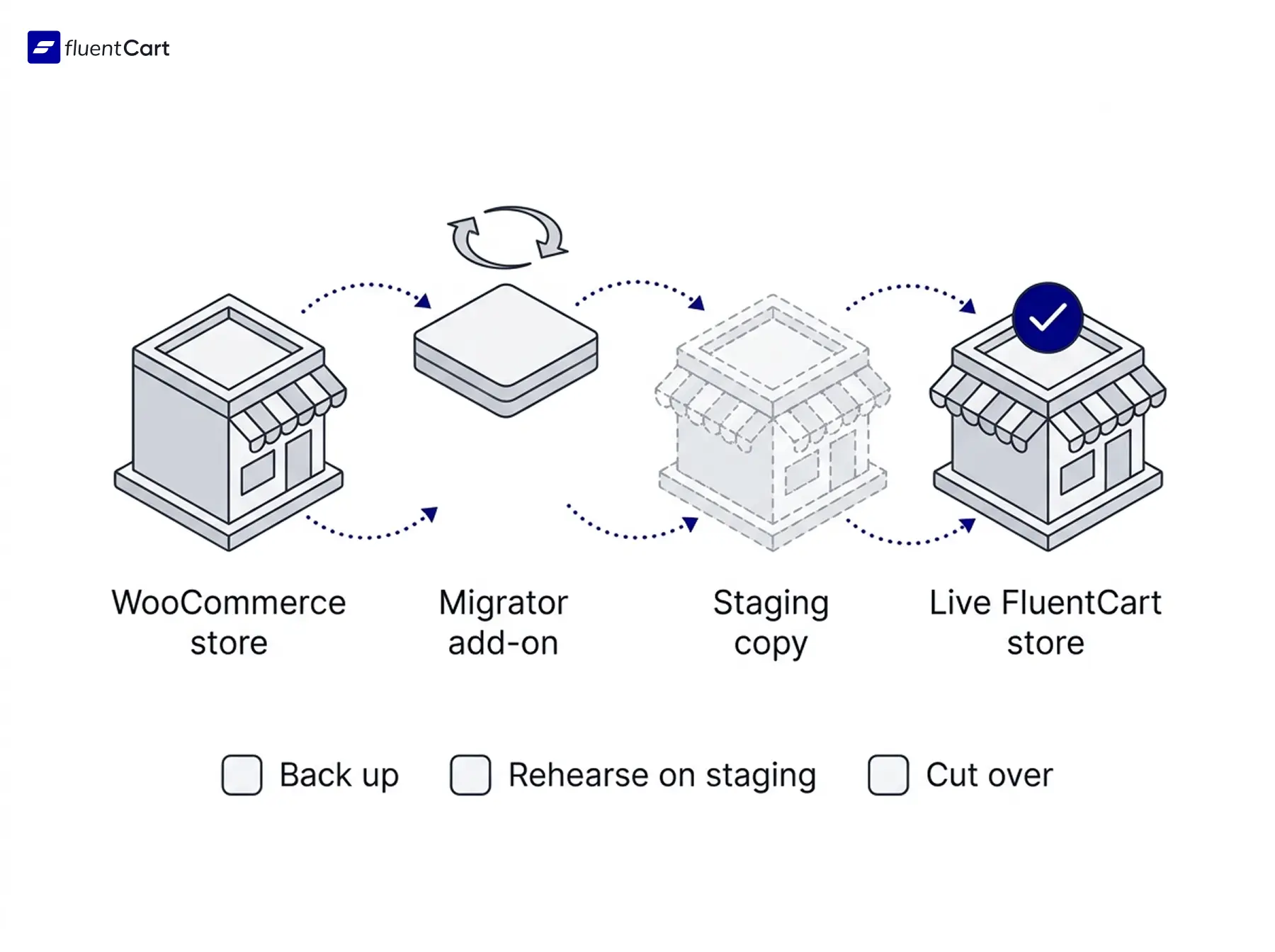
The WooCommerce migration guide offers two routes. Small and medium stores use an admin wizard, and large stores use WP-CLI (a command-line tool for WordPress) to avoid browser timeouts. The migrator carries over:
- Catalog: simple, variable, subscription, grouped and bundle products, with categories, attributes, SKUs and stock
- People: customers, with duplicates removed by matching email address
- Orders: every order except unfinished checkout drafts, with line items, tax, shipping, refunds and notes
- Marketing: coupons with their product and category restrictions
- Subscriptions: carried over when WooCommerce Subscriptions is active
Some things need rebuilding by hand. These include shipping zones and methods, product reviews, gateway API keys, and the cart, checkout and account pages. The list of what migrates and what doesn’t is the place to start.
Migration runs are live, and a preview mode is yet to be developed. So rehearse on a staging copy (a private test copy of your site) using Developer Mode. Then use a general platform migration checklist for the cutover.
You can start your store now
Download FluentCart for free and setup your online store and start selling from today.
Quick Answers Before You Decide
Can WooCommerce handle 10,000 products?
Yes. In FluentCart’s benchmark, WooCommerce listed products up to 100,000 with response times close to FluentCart’s. The gap showed up when saving orders and products.
What are the downsides of using WooCommerce?
The common complaint is upkeep, because every extension adds its own updates, renewals and compatibility checks. Some owners call this the plugin tax, meaning the extra time and money plugins cost.
Which is better, WordPress or WooCommerce?
They work together. WordPress runs the site, and a store plugin such as WooCommerce or FluentCart adds the shop. So the real choice is which store plugin to use.
What is better than WooCommerce?
It depends on what you sell. FluentCart is one option, especially for digital products, subscriptions and software. Other platforms exist too, and our overview of WooCommerce alternatives compares them.
WooCommerce vs FluentCart: Which One Should You Pick?
Short answer first. It depends on what you sell.
- Pick FluentCart if you sell digital products, courses, subscriptions or software licenses.
- Pick FluentCart if you want fewer plugins to update.
- Pick FluentCart if FluentCRM or FluentCommunity already runs your marketing.
- Pick FluentCart if you are starting fresh with no extensions to carry over.
- Pick FluentCart for a straightforward physical store if shipping zones, classes, tax rules and Shippo cover what you ship.
- Stay with WooCommerce if a specific extension runs your store today.
- Stay with WooCommerce if you need wholesale accounts, quotes or a marketplace right now.
FluentCart keeps adding features, so check the FluentCart roadmap before you decide against anything.
Still unsure? Run your own test by listing your must-have features, installing FluentCart Free, and seeing how many are already there. The free plugin is ready for a real store, so you can start small and add Pro only when a module is needed. An afternoon of that can tell you more than another comparison post.
Conclusion
Both platforms can run a serious store, and they get there in different ways. WooCommerce brings a huge extension catalog and years of proven setups. FluentCart brings subscriptions, licensing, order bumps and the Fluent suite in one plugin, and it keeps growing.
So the WooCommerce vs FluentCart choice starts with your store: what you sell today and where you want to be next year. Match the tool to that picture, and the rest of this guide becomes a checklist. Choose the one that fits.
Real store owners. Real-life problems. Real answers. Join the FluentCart Community.

Hi, this is Abir, a Deputy Marketing Lead, passionate product designer, and WordPress core contributor. Creating interesting content and products that ensure a 360-degree customer experience is my daily job.

Subscribe now
Related Articles and Topics
-

Best Black Friday and Cyber Monday Deals for WordPress (2026)
Black Friday and Cyber Monday deals for WordPress in one list: 2026 discounts on plugins, themes, and hosting,…
-
Types of Ecommerce Checkout and Where to Use Each
Checkout page, modal or inline? Compare the types of eCommerce checkout, what sits under each, and where to…
-
What Is a Digital Download? (Plus How to Sell Your Own)
A digital download is a file you buy online and keep on your device, like an ebook or…




Add your first comment to this post