
FluentCart 2.2.0 – RTL stores and complete receipts
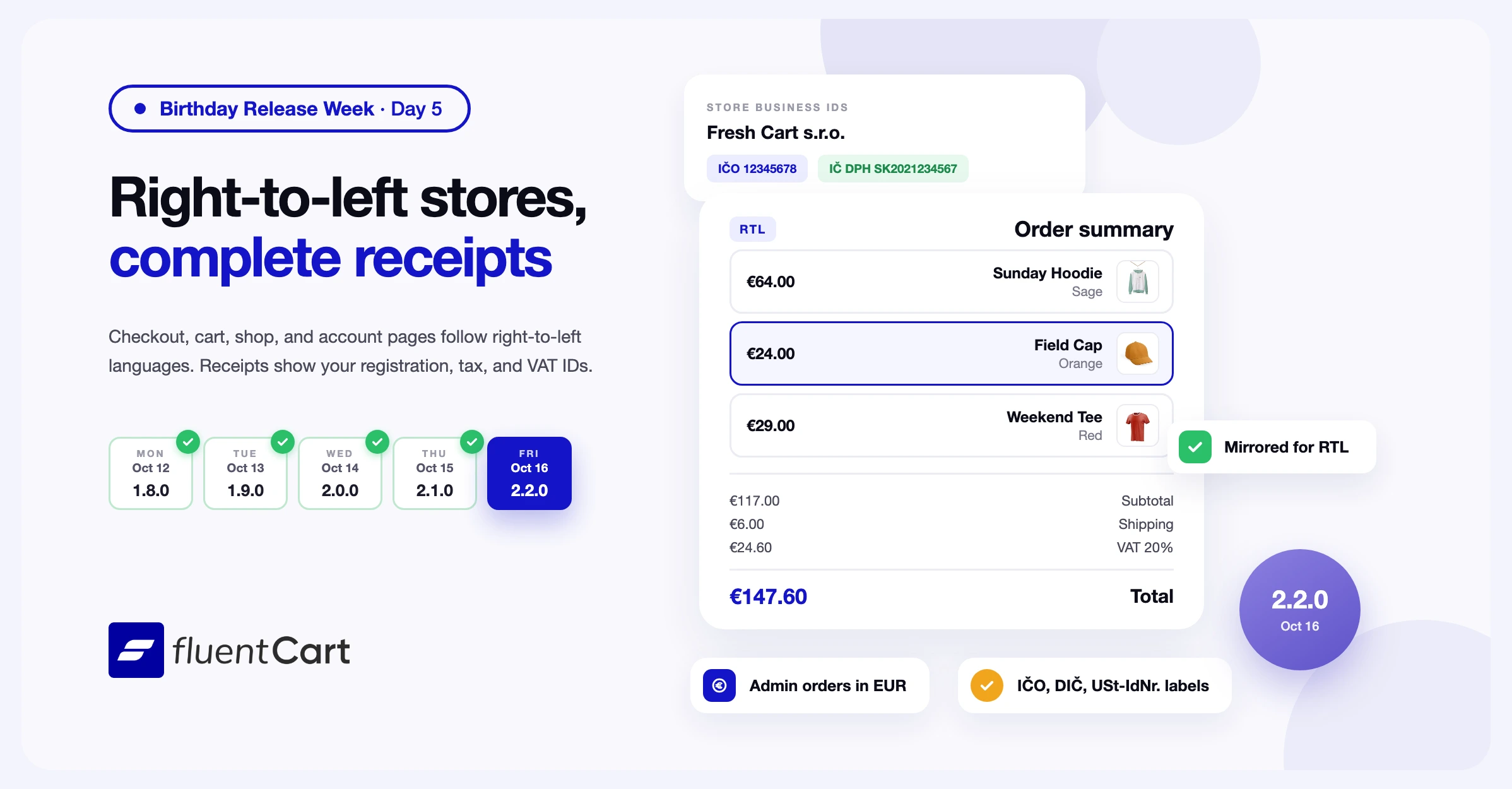
If your store runs in Arabic, Hebrew, or another right-to-left language, WordPress sets your pages to read from right to left. Parts of the FluentCart storefront still used fixed left and right positions. Arrows pointed the wrong way, the cart drawer slid in from the wrong side, and a price could split from its currency sign. A checkout laid out in the wrong direction is harder to fill in, and some shoppers leave before they pay. FluentCart 2.2.0 lays out the checkout, cart, shop, product pages, customer portal, receipts, and emails for right-to-left languages.

The release also puts the registration, tax, and VAT IDs from Business Details on receipts and order emails. With FluentCart Pro, the Create Order screen now prices an order in the currency you pick. This is day 5 of Birthday Release Week, the last day.
Your storefront, customer portal, receipts, and emails now read right to left
When your site language reads right to left, WordPress marks every page that way, and FluentCart now follows that setting. The order summary and the form fields swap sides. Arrows and carousel buttons point the right way, notices slide in from the correct side, and the cart drawer opens from the left. On the checkout, Docked field labels, the Change button, and the VAT Apply button switch to the opposite side.
Some text has to stay left to right inside a right-to-left page. Email addresses, phone numbers, postcodes, coupon codes, VAT IDs, license keys, and order numbers now keep their left-to-right direction. They read the way the shopper typed them. FluentCart also keeps the parts of each price, date, and star rating together, so the currency sign stays next to the amount.
Arrow keys move through options in the direction of the page, and the price filter on the shop page runs from right to left. In the tax breakdown on receipts, the amounts line up with the total. Stores in left-to-right languages see no change.
Notification emails and the store digest email lay out right to left too, and amounts and phone numbers read in the correct order. FluentCart reads the site language for emails. An admin with an English profile still sends right-to-left emails from an Arabic store.
One limit worth knowing. Custom block emails keep the alignment you set in the editor.
Receipts, order emails, and PDFs show your business IDs with your country’s labels
In many countries, an invoice must show the seller’s registration and tax numbers. FluentCart keeps them in the Business Details section of Store Settings. The section has fields for Company Name, Legal Registration ID, Seller VAT ID, and Seller Tax ID. Until now, the receipt page, the thank-you page, and order emails showed only the VAT number from your tax settings. A store without one showed no business IDs at all.
These pages and emails now list each ID you fill in. On the receipt page, the IDs appear under your company name and address. If your tax settings already print a VAT number for the order, FluentCart leaves out the Seller VAT ID line. A receipt never shows two VAT numbers.
The labels depend on the country in your store address. A Slovak store shows IČO, DIČ, and IČ DPH. A Czech store shows IČO and DIČ. A German store shows St.-Nr. for the tax ID and USt-IdNr. for the VAT ID. Stores in other countries show Reg. ID, Tax ID, and VAT ID.
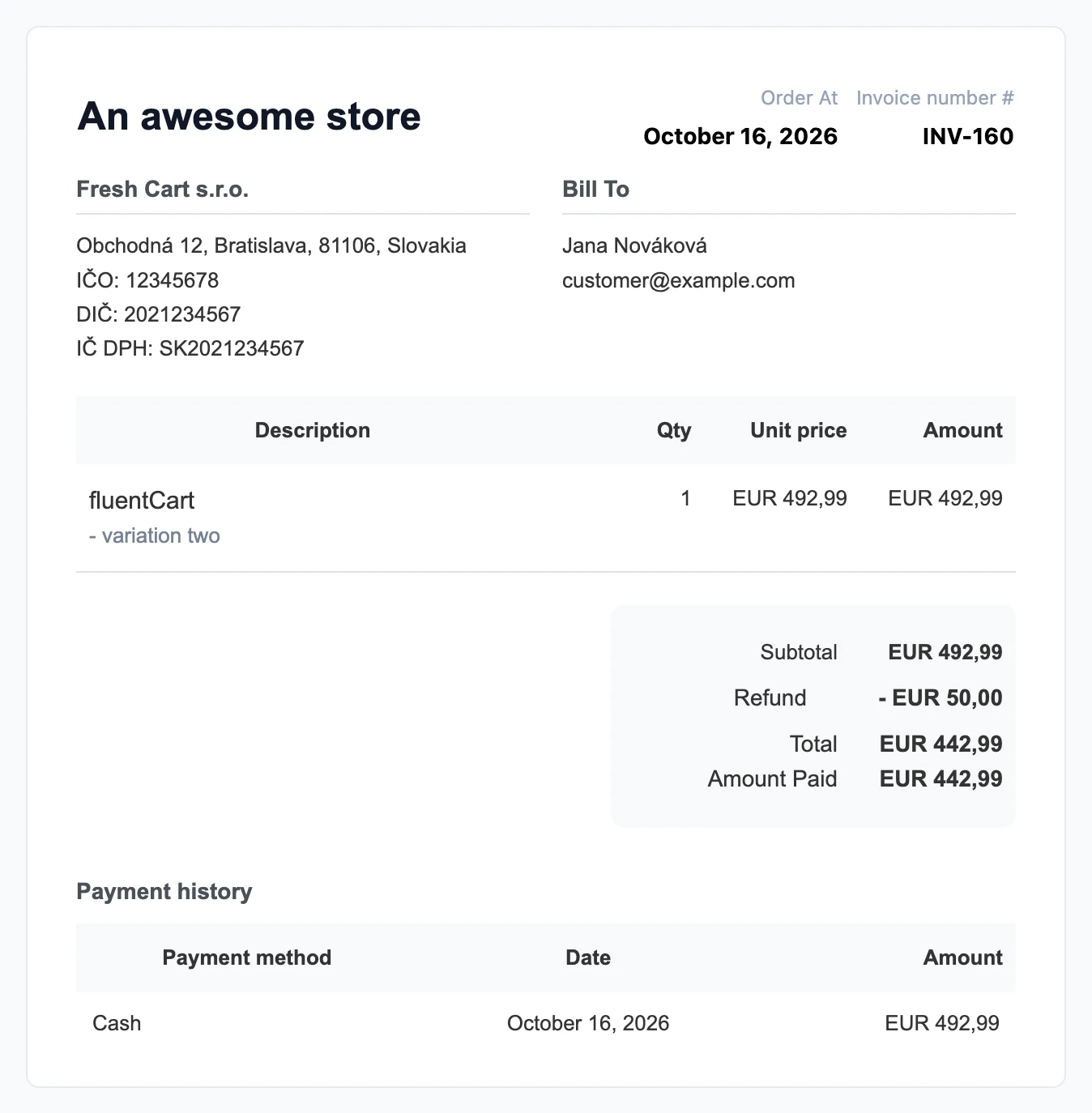
With FluentCart Pro, the receipt addresses block in PDF templates now shows the company name and every ID in its From column. Your saved PDF templates show the new lines without edits.
One limit worth knowing before you check old receipts. Each order keeps the IDs that were in Business Details when the shopper placed it. If you change an ID later, past receipts keep the old one. An order placed while a field was empty shows no line for that field.
For developers. fluent_cart/tax/country_business_id_labels adds a country to the label list or changes the labels for one.
Orders you create in another currency now use that currency’s prices
With Multi Currency in FluentCart Pro, shoppers pay in their own currency. Sometimes you create an order for one of them by hand, such as a phone order or a replacement. In 2.1.0, the Create Order screen asked you to enter prices in your store currency and converted them when you saved.
When you pick an Order currency now, the screen asks you to enter prices in that currency and shows the exchange rate. The product picker lists prices in the order currency, with that currency’s Price adjustment, Rounding, and Charm pricing settings. Line totals, coupons, and the order total use the same currency as you add products.
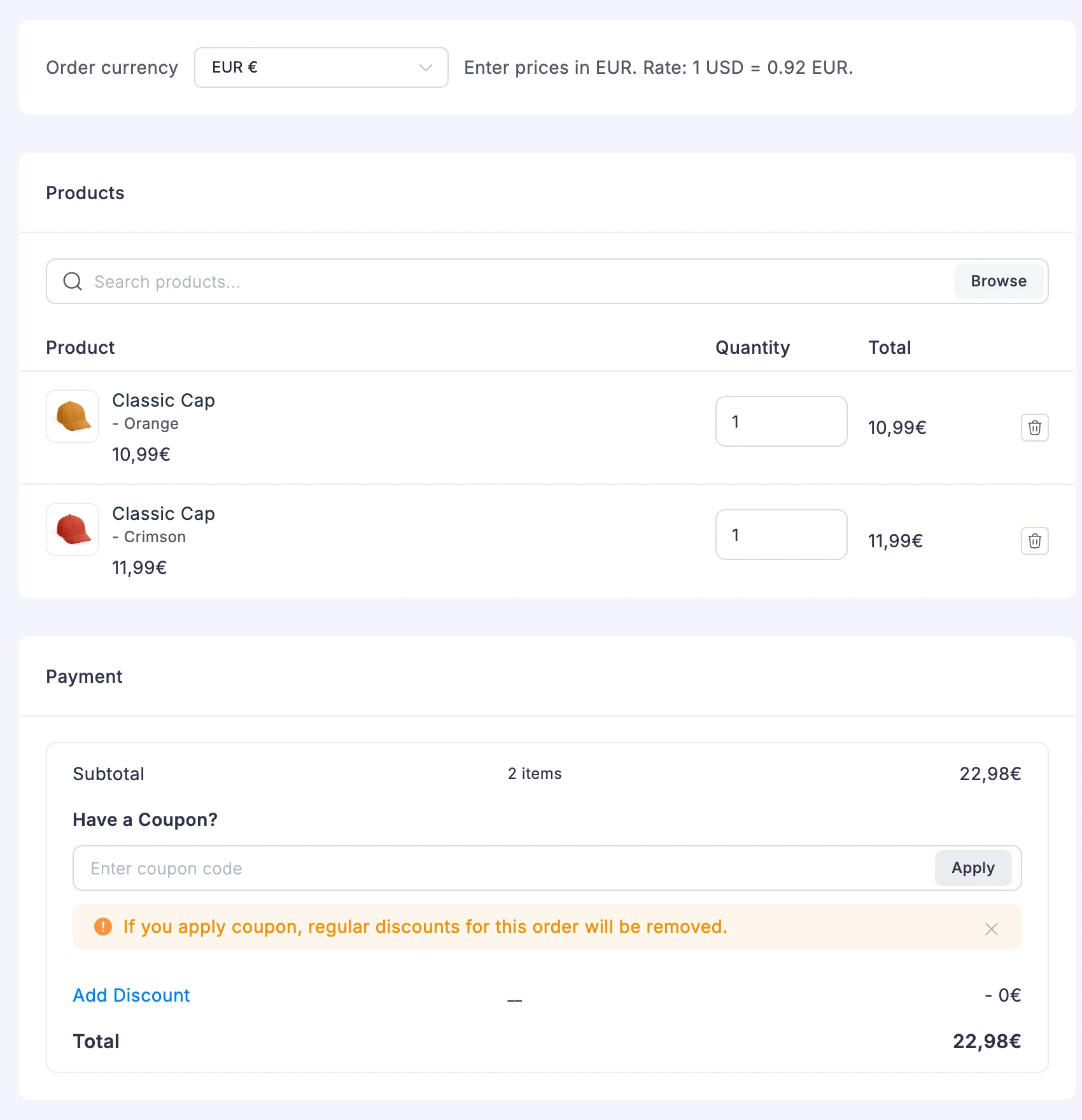
When you add a product to an existing order in another currency, FluentCart prices it at the exchange rate saved on that order.
Developers can hide the FluentCart text in the admin footer
FluentCart puts a feedback link in the WordPress admin footer on FluentCart screens. Agencies that hand a site to a client may want the WordPress default text there.
For developers. Return false from fluent_cart/admin/footer/show_text to keep the WordPress footer text on FluentCart screens.
Fixes & Stability
Receipts and emails. The tax breakdown on receipts no longer runs into the next column. On phones, the receipt page opens at full size instead of zoomed out. The date and the invoice number move below the store name, so the invoice number stays inside the card. In order emails, a store name that wraps to two lines no longer touches the order date.
Checkout and storefront. On block themes with a narrow content width, such as Twenty Twenty-Five, the order summary stacks each item’s image, name, and price. On-page checkouts in FluentCart Pro stack their product rows the same way. A click on an on-page checkout product row no longer leaves a cropped outline around it. The product popup that opens from a product card now works on Elementor, Bricks, and Divi pages and on pages that show the customer portal. In the shop list view, product photos fill their column with no gap below.
Updates and admin. Some stores first installed before version 1.3.20 saw an error after updating to 2.1.0. On those stores, FluentCart never created the storage behind the Retention report, and 2.2.0 creates it during the update. Admin color pickers, such as the colors in the Appearance settings, now show the area where you choose a color. On an existing order, a second coupon applied right after the first no longer removes the first one. In Settings, Compliance has its own icon and no longer looks like Roles and Permissions.
Security and maintenance. This release includes ongoing security audits and routine hardening across FluentCart core and FluentCart Pro.
Getting 2.2.0
Update FluentCart and FluentCart Pro from your dashboard, and update both plugins together. The new lines in the PDF receipt addresses block need both plugins on 2.2.0.
To lay out your store right to left:
- In WordPress, go to Settings → General.
- In Site Language, pick a right-to-left language, such as Arabic or Hebrew.
- Click Save Changes.
To show your business IDs on receipts:
- Go to FluentCart → Settings → Store Settings → Store Setup.
- Under Store Address, set your store country.
- Under Business Details, fill in Company Name and each ID you have.
- Save the settings.
To create an order in another currency, turn on Multi Currency in FluentCart Pro first. Then:
- Go to Orders, and click Create Order.
- Pick a currency in Order currency.
- Click Browse, and add your products.
Full Changelog
Features
- Adds Slovak, Czech, and German labels for the store’s business IDs, such as IČO and USt-IdNr., when your store country matches.
- Adds the
fluent_cart/tax/country_business_id_labelsfilter for adding or changing the business ID labels of a country. - Adds the
fluent_cart/admin/footer/show_textfilter for hiding the FluentCart text in the admin footer.
Improvements
- Improves right-to-left layouts on the checkout, cart, shop, product pages, customer portal, and receipts.
- Improves right-to-left pages, where email addresses, phone numbers, and order numbers stay left to right and each price stays next to its currency sign.
- Improves notification emails and the store digest email, which now lay out right to left on right-to-left stores.
- Improves orders in another currency, where the create and edit order screens now price products, coupons, and totals in that currency. Pro only.
Fixes
- Fixes receipts, thank-you pages, and order emails leaving out the business IDs saved in Business Details.
- Fixes the From column of the PDF receipt addresses block, which now shows the company name and every business ID. Pro only.
- Fixes tax breakdown text on receipts running into the next column.
- Fixes the receipt page on phones, which opened zoomed out and pushed the invoice number past the card edge.
- Fixes the store name touching the order date in the order email header when the name wraps.
- Fixes an error after updating to 2.1.0 on some stores first installed before version 1.3.20.
- Fixes admin color pickers, such as the Appearance palette in Store Settings, opening without the area where you choose a color.
- Fixes the product popup that opens from product cards on Elementor, Bricks, and Divi pages and on customer portal pages.
- Fixes cramped order summary items on checkout pages in block themes with a narrow content width, such as Twenty Twenty-Five.
- Fixes cramped product rows on on-page checkouts in block themes with a narrow content width. Pro only.
- Fixes a cropped outline around on-page checkout product rows after a click. Pro only.
- Fixes the gap under product photos in shop list view.
- Fixes the first coupon disappearing when you apply a second coupon right away on an existing order.
- Fixes the Compliance and Roles and Permissions settings menu items sharing one icon.
In case you missed
2.1.0, Oct 15, 2026
- Adds a Compare report under Products, with a totals table and a chart for two or more products. Pro only.
- Adds Customers, Discounts, and Top Sold Variants cards and a Units Sold by Period table to the Products report.
- Adds a Renewals by Variant table to the Future Renewals report.
- Adds sorting to the number columns of the Revenue, Refunds, Orders, and Sources report tables.
- Adds a Field Labels setting with Docked, Floating, and Placeholder only styles for checkout fields, with Docked as the new default.
2.0.0, Oct 14, 2026
- Adds Multi Currency as a beta, so shoppers see prices, the cart, and checkout in their own currency. Pro only.
- Adds Price adjustment, Rounding, and Charm pricing settings for each currency, with charm endings of .99 and .95. Pro only.
- Adds a stored exchange rate on every order, which the order’s renewals and refunds reuse. Pro only.
- Adds a currency switcher with flags as a block, a shortcode, and a site menu item. Pro only.
- Adds Reports → Export, an accounting export of every sale and refund with its tax line, as CSV or JSON. Pro only.
1.9.0, Oct 13, 2026
- Adds on-page checkout, so the Checkout Page block or the
fluent_cart_checkoutshortcode sells products you choose on any page. Pro only. - Adds a Checkout Source setting to the Checkout Page block, with Default Cart and Custom Product options. Pro only.
- Adds Select one and Select many modes for on-page checkout, with a Maximum Selectable Items limit for Select many. Pro only.
- Adds subtotal, shipping, tax, and total updates each time a shopper changes their on-page checkout selection. Pro only.
- Adds a separate cart for each on-page checkout page, so the shopper’s main cart stays unchanged. Pro only.

I’m Jewel, founder of FluentCart and CEO at WPManageNinja, the team behind Fluent Forms, Fluent CRM, Fluent Support, FluentLogs and a handful of other WordPress plugins. I have been writing WordPress code since 2009 and still think of myself as a developer first and an entrepreneur second. Most of what I write on this blog comes from arguments we have had inside the team about how to build software people can actually depend on.

Subscribe now
Related Articles and Topics
-
FluentCart 2.1.0 – Reports that add up
FluentCart 2.1.0 adds a Compare report that puts two or more products on one chart and one table,…
-
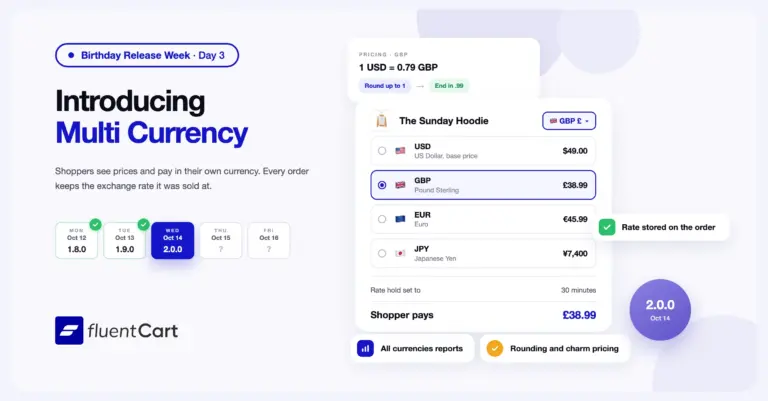
FluentCart 2.0: Multi Currency for our first birthday
FluentCart 2.0.0 adds Multi Currency. Shoppers see prices, check out, and get their emails in their own currency,…
-
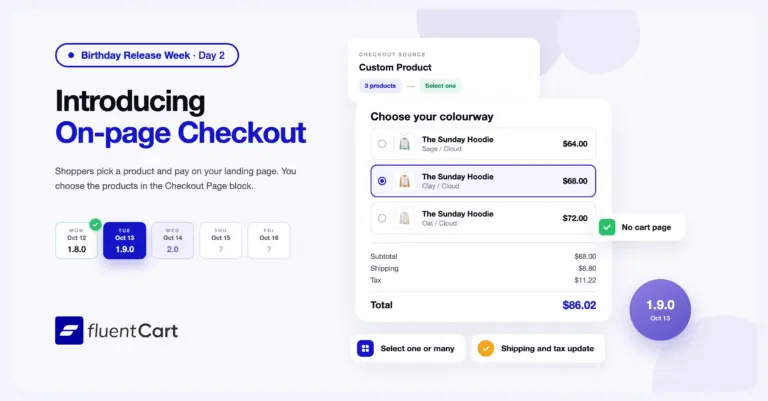
FluentCart 1.9.0 – One page, from offer to order.
FluentCart 1.9.0 adds on-page checkout to FluentCart Pro. You choose the products in the Checkout Page block, and…



Add your first comment to this post