
Best Invoice Plugins for WordPress in 2026: The Complete Guide
Invoice plugins for WordPress let you create, send, and track invoices directly from your dashboard, without a separate subscription or manual data entry. Free tools handle basic PDF generation and payment collection. Full invoicing systems add tax compliance, quote-to-invoice conversion, and recurring billing for retainer clients.
Picking the wrong one shows up fast.
A freelancer who emails a plain PDF, or a store that attaches a receipt to an order confirmation, holds up fine until a client’s finance department asks for a numbered invoice, a due date, or proof a reminder went out.
This blog walks through invoice plugins for WordPress for freelancers, agencies, and online stores, and helps you pick the one that actually fits.
TL;DR
What Are Invoice Plugins for WordPress
Invoice plugins for WordPress add the ability to create, send, and manage invoices directly from your WordPress dashboard. Instead of relying on spreadsheets or a separate accounting tool, these plugins generate branded PDF invoices, track payment status, and often connect to a payment gateway so customers can pay online.
Most invoice plugins handle a few core jobs: sequential invoice numbering, tax calculation, client record keeping, and payment reminders.
Some go further with quote to invoice conversion, recurring billing for retainer clients, and integrations with accounting software like QuickBooks or Xero.
The category includes standalone plugins built specifically for invoicing and extensions that add invoicing to an existing ecommerce plugin like WooCommerce or Easy Digital Downloads. Which type fits your site depends on whether you already sell through one of those platforms.
Best Invoice Plugins for WordPress in 2026
The plugins below cover standalone invoicing tools not tied to a specific ecommerce platform, ranging from lightweight free tools to full invoicing systems with tax compliance included.
Each entry notes what it does well and who it fits.
Note: If you already run WooCommerce or Easy Digital Downloads, the dedicated sections further down cover platform-specific extensions instead.
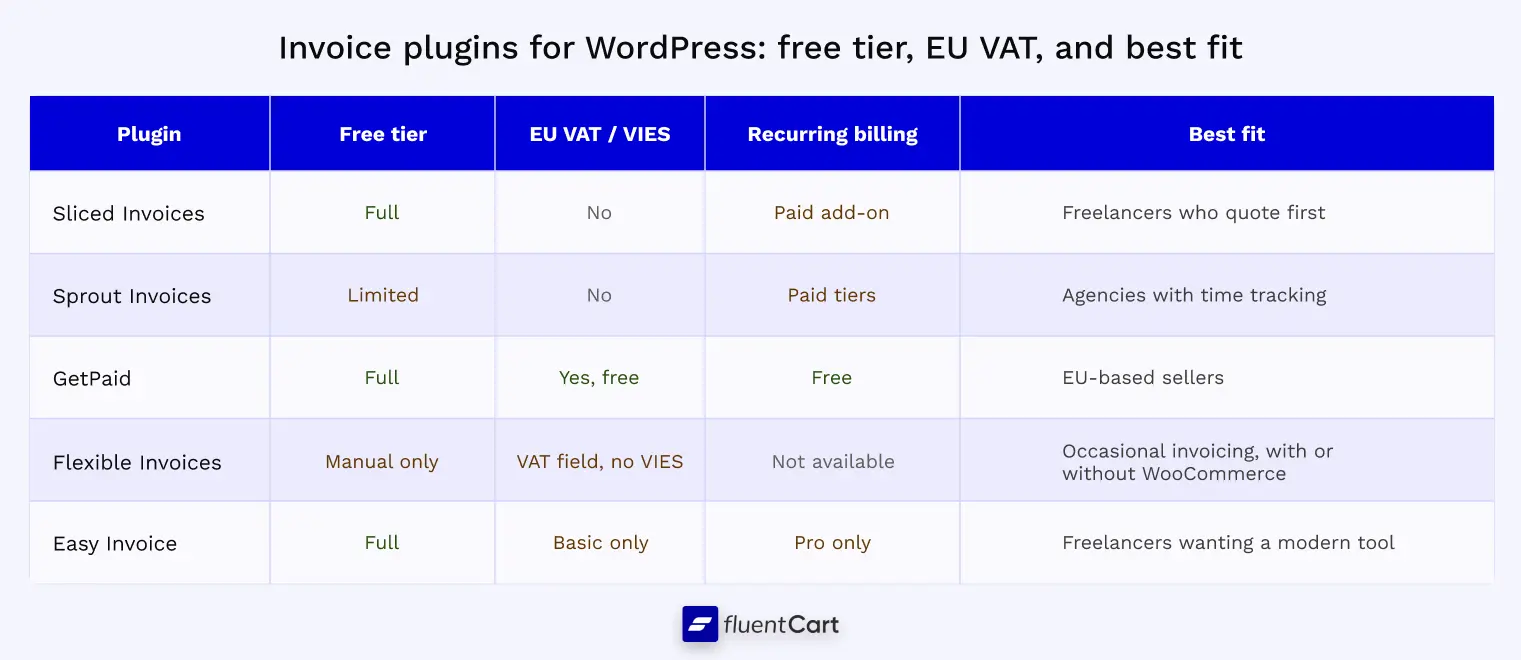
Sliced Invoices
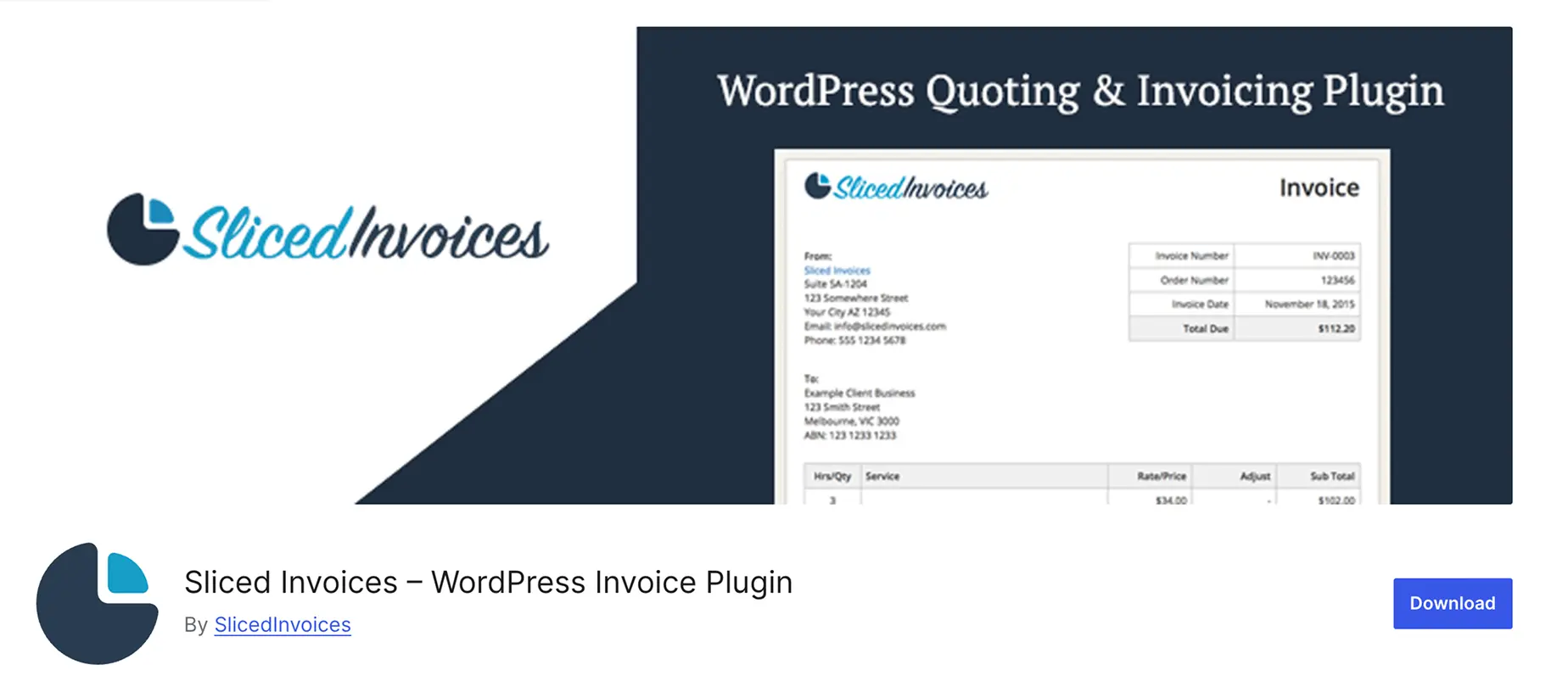
Sliced Invoices focuses on the quote to invoice workflow, which makes it a strong fit for web designers, contractors, and consultants who send a proposal before every job.
The free version includes unlimited quotes and invoices, PDF generation, multi-currency support, and PayPal payments.
Advanced features like recurring invoices, additional payment gateways, and automated reminders require paid extensions, which can add up if you need several at once.
For a business that mostly sends one-off project invoices after a quote is approved, the free tier alone often covers the workflow.
Sprout Invoices
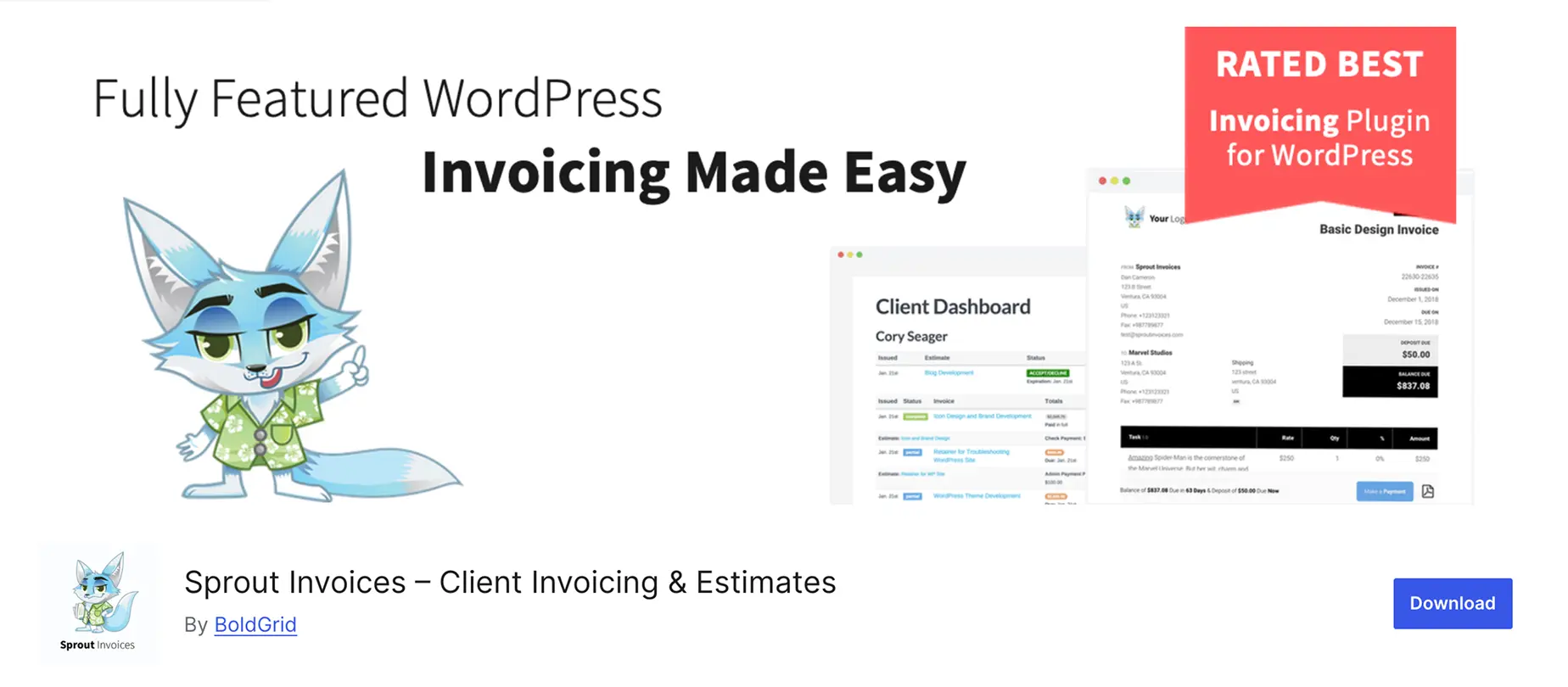
Sprout Invoices positions itself as a business management tool rather than a pure invoicing plugin.
It bundles time tracking, project management, and client portals alongside invoice generation, which makes it useful for agencies that bill hourly and want everything under one login.
The free version is limited, and most of the functionality sits behind paid license tiers that scale with site count and add-ons.
For a freelancer who only needs to send invoices without tracking billable hours or managing projects, the feature set and price point can feel heavier than necessary.
GetPaid
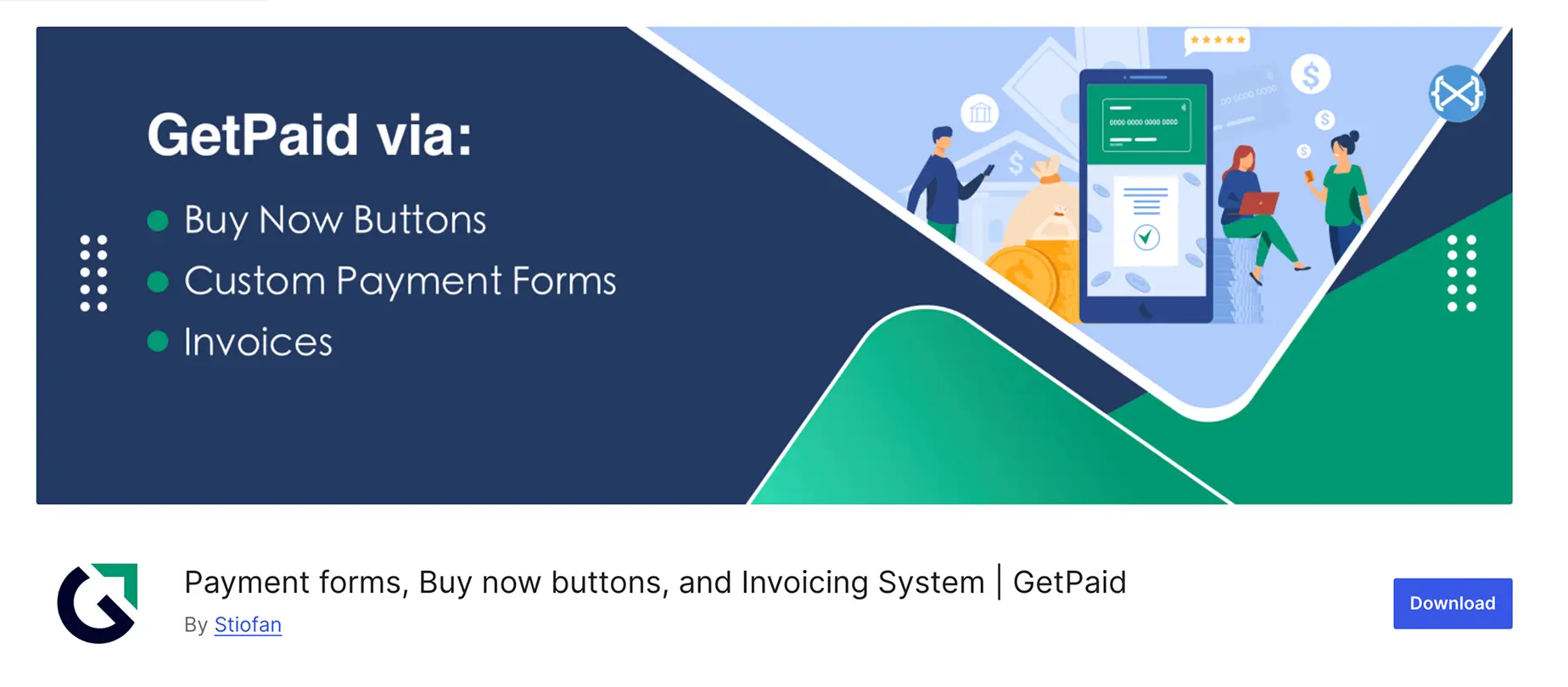
GetPaid is a free invoicing and payments plugin that started as a dedicated invoicing tool before adding broader payment functionality.
It includes sequential invoice numbering, EU VAT handling with VIES validation for B2B customers in the free core, and an optional Quotes add-on for the quote to invoice workflow.
Recurring invoices, payment reminders, and 20+ payment gateway integrations round out the feature set.
For EU-based sellers specifically, GetPaid’s built-in VAT compliance is worth checking against the alternatives below, since most competitors gate this behind a paid tier or leave it out.
Flexible Invoices
Flexible Invoices is a free standalone plugin that works with or without WooCommerce, letting you create manual PDF invoices from the WordPress dashboard alongside automatic ones for store orders.
The free tier covers custom invoice numbering, multiple currencies and tax rates, and a VAT number field, and the plugin is actively maintained, with 6,000+ active installations and an update within the past week.
VIES validation, MOSS and OSS support, and full reverse charge automation for EU sales sit behind the Pro upgrade. For a business sending a handful of invoices a month without complex EU tax requirements, the free tier covers the basics at no cost.
Easy Invoice
Easy Invoice offers a complete free tier: unlimited invoices and quotes, PDF generation, PayPal payments, client management, and tax calculations, none of it gated behind a paywall.
Pro adds recurring billing, additional payment gateways, a client portal, and accounting software sync, priced either as an annual license or a one-time lifetime purchase.
For freelancers and small agencies who want a modern interface without committing to a recurring plugin cost, the free tier alone is often enough to replace a spreadsheet-based workflow.
It’s a newer, smaller plugin than the others on this list, worth testing on a staging site before moving an existing workflow over.
Just a heads up: if you’re running a store and planning to migrate it, this checklist covers everything that needs to move with it, product data, customer records, tax settings, shipping, branding, even SEO.
Get the free printable migration checklist.
Nothing missed, nothing left to chance.
Print 3 copies and check them off by hand.
Reading about five plugins is one thing, but which one held up once real invoices started going out? The FluentCart community is where you can talk directly to store owners running these tools day to day.
Real store owners. Real problems. Real answers. Join the FluentCart Community.
Invoice Plugins for WooCommerce Stores
If your invoicing needs are limited to orders placed through WooCommerce, an extension built for that platform saves setup time over a standalone invoicing plugin.
Three options cover most WooCommerce stores, and they differ enough in scope that picking the wrong one means paying for features you don’t need or missing ones you do.
WooCommerce PDF Invoices, Packing Slips & Shipping Labels
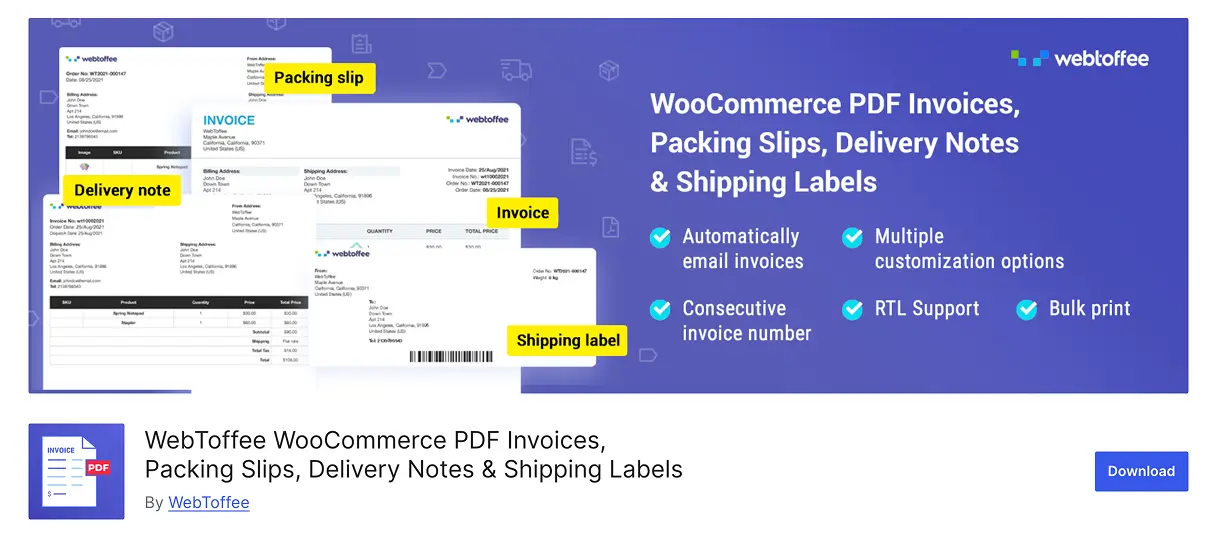
Built by WebToffee, this extension automates the full order documentation cycle. The moment an order is placed, it generates an invoice, creates a packing slip, produces a shipping label, and validates the delivery address. Bulk processing lets you handle multiple orders at once, which matters for stores with seasonal spikes.
The free version covers basic invoice and packing slip generation.
Premium tiers starting around $69 per year unlock shipping carrier integrations and address validation. This is the pick for stores shipping physical inventory that want invoicing and fulfillment paperwork handled by one plugin instead of stitching two tools together.
PDF Invoices & Packing Slips for WooCommerce
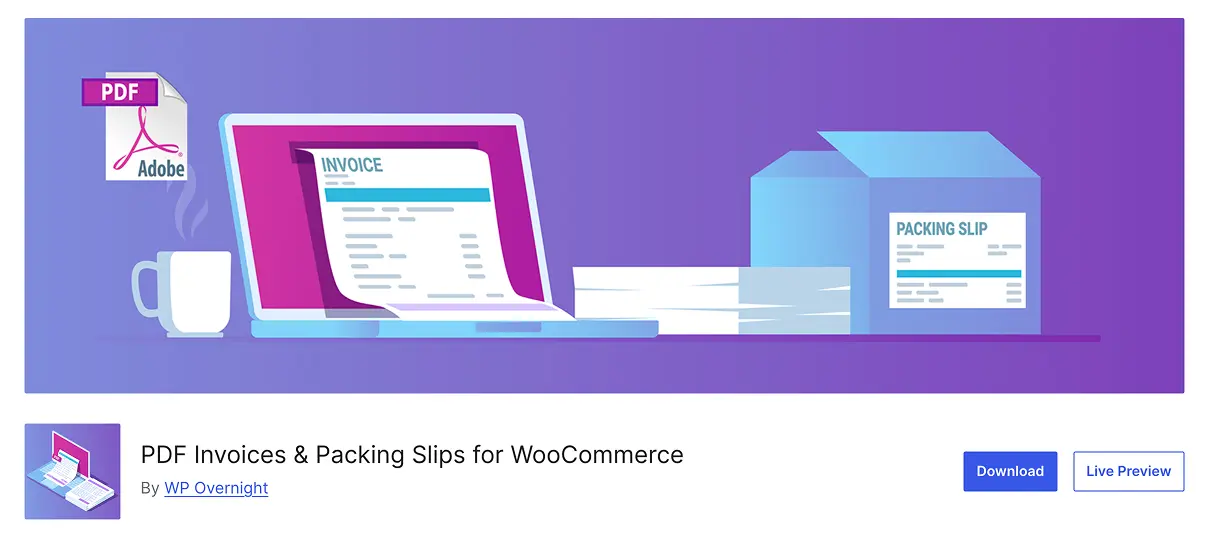
Built by WP Overnight, this is the most installed plugin in the category with 300,000+ active sites.
The free core automatically attaches a PDF or e-invoice (UBL, Peppol BIS, ZUGFeRD) to order confirmation emails, and lets you download or print invoices and packing slips directly from the order admin screen.
The paid Professional extension adds credit notes, proforma invoices, receipts, and bulk export to Dropbox or your server by date range or order status.
For stores that need standards-compliant e-invoicing formats for cross-border B2B trade, this plugin’s format support is broader than most alternatives in the free tier.
Print Invoice & Delivery Notes for WooCommerce
Built by Tyche Softwares and used on 40,000+ WooCommerce shops, this plugin adds a side panel to the order admin page for printing invoices, delivery notes, receipts, and credit notes, individually or in bulk across multiple orders at once.
Customers can also access and download their own invoices from the My Account page.
It leans toward stores that print physical paperwork for order fulfillment rather than ones relying entirely on emailed PDFs. Two built-in templates and a live preview keep setup fast if you don’t need heavy customization.
The tradeoff across all three is scope. These extensions only invoice WooCommerce transactions.
If you also bill clients for services outside your store, a standalone plugin running alongside WooCommerce covers both use cases without conflict.
Invoice Plugins for Digital Product Sellers
Digital sellers face a narrower but stricter set of invoicing problems than physical stores.
There’s no shipping address to validate, but delivery is instant, which means the invoice needs to exist the moment payment clears rather than a day later.
Cross-border digital sales also trigger tax rules that physical goods don’t. Sellers based outside the EU owe VAT on digital sales to EU consumers from the first transaction, with no minimum threshold.
The one exception is a narrow allowance for small EU-established businesses under €10,000 in annual cross-border sales.
Which invoicing option fits depends on what’s running the store itself.
Someone selling themes or plugins through WooCommerce needs a different setup than someone selling the same products through Easy Digital Downloads or FluentCart, and the three shouldn’t be treated as interchangeable.
If WooCommerce handles the storefront, the WooCommerce-specific extensions covered earlier in this guide, WooCommerce PDF Invoices, Packing Slips & Shipping Labels, PDF Invoices & Packing Slips for WooCommerce, or Print Invoice & Delivery Notes for WooCommerce, apply the same way to digital downloads as they do to physical products.
If Easy Digital Downloads handles the storefront, EDD Invoices is the natural addition rather than a separate standalone tool. It generates a PDF or HTML invoice automatically at the moment of purchase and ties it to the order’s license key and download history. Customers view it from their account dashboard without contacting support. The extension supports VAT and GST-compliant formats, which matters for theme shops, plugin developers, and course creators selling into the EU or UK. It only works as an add-on to EDD itself and has no path into any other ecommerce plugin.
If FluentCart handles the storefront, invoicing doesn’t need a separate extension at all. Invoice and packing slip generation sit in the core plugin, alongside a PDF invoice editor, a VAT number field on receipts, and reverse-charge tax breakdowns built into the order view. A seller picking a platform from scratch rather than migrating an existing store can skip the extension step entirely by choosing one that already handles invoicing natively.
Sequential invoice numbering matters more here than it sounds, regardless of platform.
Tax authorities in several EU countries expect gap-free numbering on every invoice a digital seller issues, and a plugin that lets numbers skip or reset arbitrarily creates a bookkeeping problem during an audit rather than a cosmetic one.
For a digital product business still choosing a platform, checking for native invoicing support before committing saves adding an extension later. Fewer moving parts means fewer places for invoice numbers or tax rates to fall out of sync.
Invoice Plugins for Freelancers and Agencies
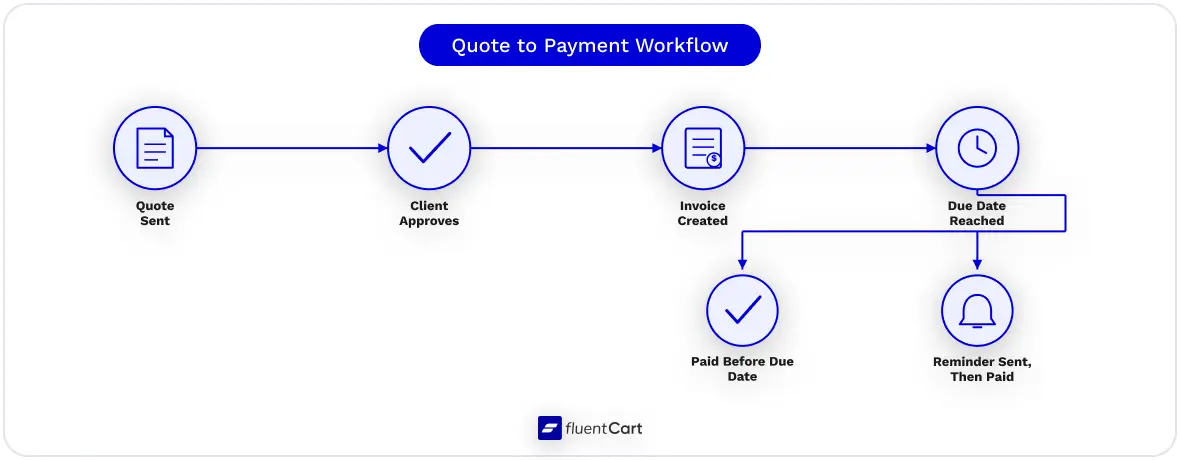
Service businesses usually follow the same sequence: send a quote, get it approved, convert it to an invoice, then chase payment if it goes unpaid past the due date.
The plugin that fits your workflow is the one that automates the most steps in that sequence without forcing you into a paid add-on for each one.
Sliced Invoices and Easy Invoice both convert an approved quote into an invoice with one click in their free tiers. Client details and line items carry over automatically, without retyping anything.
Sprout Invoices handles the same conversion but ties it to project time tracking, which lets an agency billing hourly turn logged hours directly into a line-itemed invoice instead of calculating totals by hand.
Milestone and deposit billing is where the plugins split further.
Sprout Invoices and Sliced Invoices’ paid tiers support partial payments, useful for agencies that collect a deposit before starting work and a final payment on delivery.
Easy Invoice’s free tier doesn’t include partial payments, which means a business relying heavily on deposit-based billing should check that feature specifically before settling on a free plugin.
Recurring billing matters just as much for retainer-based work.
A plugin that generates and sends invoices on a monthly schedule, and updates the amount automatically if a retainer changes, removes one more manual task from an already busy list.
This becomes worth prioritizing once an agency manages more than a handful of ongoing retainer clients at the same time.
EU VAT and Tax Compliance
Selling to customers in the European Union comes with a specific set of rules that most invoice plugins only handle partially.
VAT by customer location: You charge VAT based on where the customer is, not where your business is registered, which means the plugin needs a tax table covering every EU member state’s rate rather than a single flat percentage.
VIES validation: B2B customers who provide a VAT number should have it checked live against the VIES database. A valid, verified number lets you zero-rate the sale under the reverse charge mechanism. Skipping this check risks charging VAT incorrectly in either direction.
Reverse charge notation: When reverse charge applies, the invoice itself needs to state that the customer accounts for the VAT, rather than leave the tax line blank.
Sequential, gap-free numbering: Most EU jurisdictions expect invoice numbers that never skip or repeat, which matters during a tax audit even if it never comes up otherwise.
OSS reporting: Businesses selling digital goods or services to EU consumers typically file a quarterly One Stop Shop return, which is far easier when the invoicing plugin already breaks down sales by country and VAT rate rather than exporting one flat total.
Most invoice plugins handle basic tax calculation but treat full VAT compliance, VIES checks included, as a paid add-on or skip it entirely.
GetPaid is one of the few that ships this in its free core. If you sell primarily in the EU or expect to soon, checking EU VAT rules against a plugin’s feature list avoids a costly migration later.
Compliance affects more than paperwork too. Government-commissioned research in the UK found businesses are owed an estimated £26 billion in late payments at any given time, an average of £17,000 per affected business, and inconsistent or incorrectly formatted invoices are among the contributing factors.
Payment Plugins vs Invoice Plugins
It’s easy to lump these two together since both end with money landing in your account, but they work in a different order and solve different problems.
Payment plugins collect first, document after. A customer clicks pay, the card charges immediately, and a receipt goes out as a courtesy record of what already happened. There’s no waiting period and nothing formally requested beforehand.
Invoice plugins request first, collect after. You send a document stating what’s owed and when it’s due, then the payment follows once the client acts on it, sometimes days or weeks later. That gap between sending and getting paid is exactly what an invoice plugin is built to track.
The difference shows up fast with a B2B client.
A corporate customer’s accounts payable department usually expects a numbered invoice with your business details, a due date, and payment terms like net 30, something their finance team can log and route for approval.
Point that same client at WP Simple Pay and what they get is a checkout link, nothing that resembles a formal invoice. WPForms can get closer with its paid PDF addon, which generates an invoice-styled PDF from a form submission, but neither tool tracks whether the invoice was opened, chases the payment automatically if the due date passes, or keeps a numbered, searchable record if the client disputes the amount three months later.
A few features make this gap concrete.
None of this makes payment plugins worse. For instant checkout on a store or a one-off purchase, they’re faster to set up and simpler for the customer.
The mismatch only shows up when a business tries to run client billing, deposits, or B2B sales through a tool that was built for instant checkout instead.
How to Choose the Right Plugin
A handful of features are table stakes for any invoice plugin worth using: sequential numbering for bookkeeping, correct tax calculation per line item, a downloadable branded PDF instead of a plain email, and payment tracking that shows what’s paid, pending, or overdue without you checking manually. If a plugin is missing one of these, it’s worth a second look regardless of what else it offers.
Beyond that baseline, the right plugin depends less on feature count and more on how your business bills clients, what platform you already run, and how much you’re willing to spend to close feature gaps.
Still deciding between quote-to-invoice conversion, EU VAT support, or a platform with invoicing built in? The FluentCart community is where store owners talk through decisions like this one, not just spec sheets.
Real store owners. Real problems. Real answers. Join the FluentCart Community.
Wrapping Up
The invoice plugin that works best is the one built for how you bill, not the one topping a generic listicle.
WooCommerce stores, EDD sellers, FluentCart sellers, freelancers who quote first, and EU-facing businesses all have different priorities, and matching those priorities to the right plugin saves far more time than the invoice itself costs to send.
Test the free tier of two or three options from this list before paying for anything.
Most cover enough of the basics to show you fast whether the workflow fits your business.
Invoice Plugin Questions, Answered

Hi, this is Sajid, a Marketing Strategist who creates content and visuals designed for maximum audience engagement. I also love exploring different tech tools, always curious to see what’s out there.

Subscribe now
Related Articles and Topics
-
Credit Card Payment Plugins Compared: Which Should You Choose?
Compare 10 credit card payment plugins for 2026. See the hidden 1.9% to 3% fees on free plans,…
-

Membership Affiliate Programs: The Cost-effective, Integrated Setup
Run membership affiliate programs on WordPress with one integrated stack.
-

Best Membership WordPress Plugin: 8 Options Compared for 2026
Compare the best membership WordPress plugin options for 2026 by use case.




Add your first comment to this post