
Credit Card Payment Plugins Compared: Which Should You Choose?
The best credit card payment plugins depend on what you sell.
FluentCart is the strongest pick for a full online store, with zero transaction fees on both its Free and Pro versions. WooPayments fits stores that already run on WooCommerce. For one-off payments and donations, Paymattic takes no platform fee, while Fluent Forms suits payments inside larger forms.
However, the plugin you choose decides more than how your checkout looks. Many free plugins add their own fee of 1.9% to 3% on every sale. This charge sits on top of what Stripe or PayPal already takes, and many comparisons leave it out.
This guide compares 10 credit card payment plugins across three categories. You will also see the full fee stack on a $50 sale, the sales level where a Pro license pays for itself, and the gateways that work in your country.
So, let’s get strated.
TL;DR
- The best credit card payment plugins in 2026 are FluentCart for online stores, WooPayments for WooCommerce stores, and Paymattic or Fluent Forms for payment forms.
- FluentCart charges 0% transaction fees on Free and Pro, with Stripe and PayPal built in and regional gateways such as Razorpay, Paystack and SSLCommerz as free add-ons.
- Many free plugins add a platform fee on top of Stripe or PayPal: 3% for WP Simple Pay Lite and WPForms Lite, 3% on Stripe payments for Easy Digital Downloads, 2.9% for SureCart and 1.9% for Fluent Forms.
- FluentCart, Paymattic, WooPayments and the WooCommerce Stripe Payment Gateway add no platform fee.
- A paid plan pays off once yearly sales pass the license price divided by the fee rate, such as $3,300 for WP Simple Pay or $4,158 for Fluent Forms.
- The right choice depends on three factors: what you sell, where your business is based, and how much you sell each year.
What Exactly Is a Credit Card Payment Plugin?
A credit card payment plugin is the software layer that links your checkout to a payment gateway. The gateway is the company that moves the money, such as Stripe, PayPal or Square. The plugin is the connector that lets your site talk to that company.
That name can be misleading. “Credit card payment plugin” is the common search term, but these plugins handle more than credit cards. They also take debit cards, wallets such as Apple Pay and Google Pay, and often local payment methods. In other words, it is your site’s payment plugin, and credit cards are one of several methods it handles.
Think of a card machine at a shop counter. The machine is the plugin, and the bank network behind it is the gateway. Without the machine, the shop has no way to take a card. Similarly, without a payment plugin, your site has no checkout that accepts cards.
Here is what happens during a single card payment:
- The customer enters card details on your checkout page.
- The plugin passes those details to the gateway through secure fields that the gateway hosts. In most modern plugins, raw card numbers never touch your server.
- Next, the gateway checks the card with the card network and the customer’s bank.
- Once the bank approves, the gateway deducts its processing fee and sends the rest to your account.
- Finally, the plugin records the order and sends the receipt.
Because the gateway handles the money, it also sets the processing rate. For example, Stripe charges 2.9% + 30¢ per successful card payment in the US. The plugin, on the other hand, controls everything around that rate. It decides your gateway options, subscription support and checkout experience, and whether the plugin adds its own fee.
The Three Types of Credit Card Payment Plugins
Credit card payment plugins fall into three groups, and each group solves a different problem. Once you know your group, ten options shrink to three or four.
Store plugins with built-in payments run your whole shop. Products, cart, checkout, orders and payments all live in one install. They suit anyone selling physical goods, digital downloads or subscriptions.
Payment add-ons for WooCommerce only add a payment method. WooCommerce handles the store, and the add-on connects it to a gateway. These fit stores that already run on WooCommerce.
Payment form plugins collect money through a form or a button, with no cart or product catalog. They work well for donations, deposits, event fees, service bookings and one-off invoices.
In short, start with the group that matches how you sell. After that, the table below shows how each plugin compares.
Quick Comparison: 10 Credit Card Payment Plugins at a Glance
All 10 credit card payment plugins below accept credit and debit cards, and every one has a free option. They differ in category, gateway choice and subscription support.
| Plugin | Type | Free version | Card gateways | Subscriptions | Best for |
|---|---|---|---|---|---|
| FluentCart | Store | Yes | Stripe and PayPal built in; Razorpay, Paystack, Mercado Pago, Flutterwave and SSLCommerz as free add-ons; Mollie, Authorize.Net, Paddle, Square and Airwallex in Pro | Yes, in the free version | Full stores selling physical, digital or subscription products |
| Easy Digital Downloads | Store | Yes | Stripe, PayPal; Authorize.Net and more on Extended Pass | Extended Pass and up | Digital download sellers |
| SureCart | Store | Yes | Stripe, PayPal, Mollie, Razorpay, Paystack | Yes, on the free plan | Digital products and services |
| WooPayments | WooCommerce add-on | Free to install | Stripe-powered, managed inside WooCommerce | With WooCommerce Subscriptions | WooCommerce stores in supported countries |
| WooCommerce Stripe Payment Gateway | WooCommerce add-on | Yes | Your own Stripe account | With WooCommerce Subscriptions | WooCommerce stores outside WooPayments’ country list |
| PayPal Payments | WooCommerce add-on | Yes | PayPal, cards, Venmo (US), Pay Later | With WooCommerce Subscriptions | Stores whose buyers prefer PayPal |
| WP Simple Pay | Payment form | Yes (Lite) | Stripe only | Basic in Lite; advanced on Professional and up | Stripe-only payment pages |
| Fluent Forms | Payment form | Yes | Stripe free; PayPal, Razorpay, Mollie, Paystack, Square and Paddle in Pro | Yes, in the free version | Payments inside larger forms |
| Paymattic | Payment form | Yes | Stripe free; PayPal, Mollie, Razorpay, Paystack, Flutterwave and more in Pro | Pro | Zero-fee payments and donations |
| WPForms | Payment form | Yes (Lite) | Stripe, PayPal and Square in Lite; Authorize.Net on Elite | Single plan in Lite, full in Pro | Sites already built on WPForms |
*Table Powered by NinjaTables
Fees get their own section further down, because the free version of each plugin handles them differently.
Store Plugins With Built-In Card Payments
These credit card payment plugins run your whole store, with products, checkout and card payments in one install. As a result, you manage orders, customers and payments from one dashboard.
FluentCart
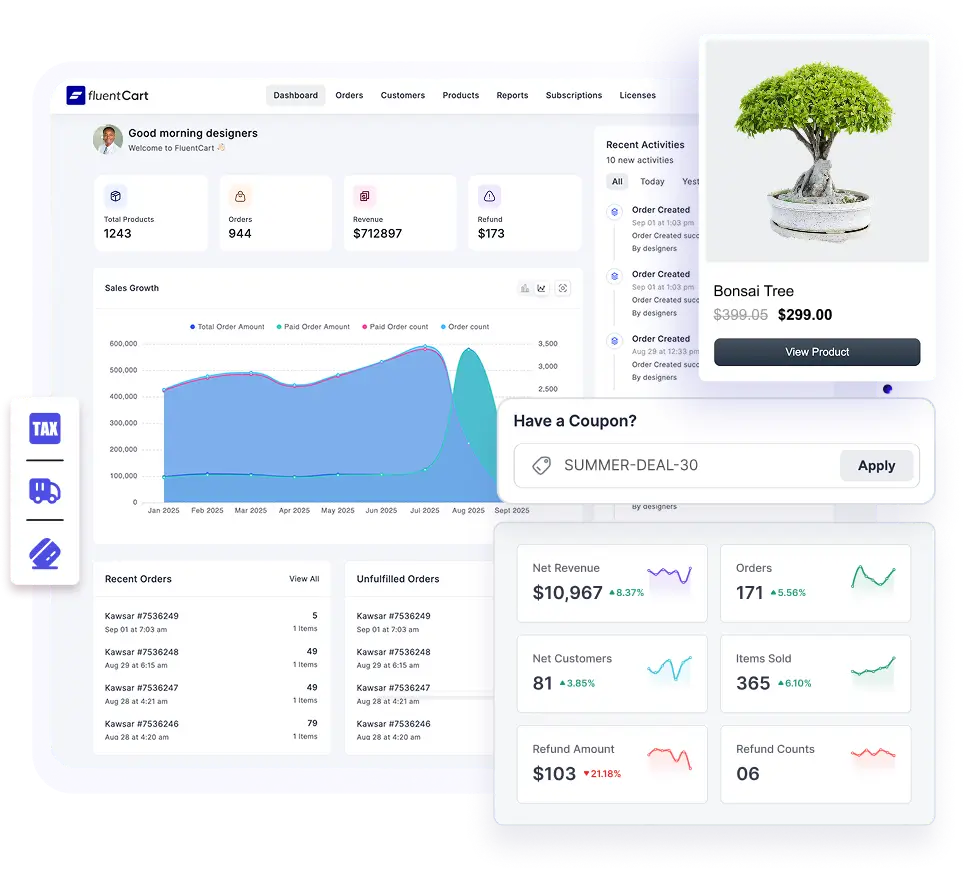
FluentCart is a self-hosted ecommerce plugin built for speed, and it charges zero transaction fees on both its Free and Pro versions. That detail sets it apart in this list, because the only cut on each sale comes from your payment gateway.
Stripe and PayPal come built into the free version, along with offline payments such as cash on delivery.
In addition, free official add-ons connect Razorpay, Paystack, Mercado Pago, Flutterwave and SSLCommerz.
On the free version, you download and install these add-ons manually, while FluentCart Pro installs them in one click from Payment Settings.
FluentCart Pro also adds Mollie, Authorize.Net and Paddle, with Square and Airwallex available as Pro add-ons. Paddle works as a merchant of record, which means it collects and pays sales tax on your behalf.
Subscriptions are also part of the free plugin, with custom billing intervals and setup fees. Customers get a dashboard where they can manage billing, pause or cancel.
Meanwhile, revenue reports break down sales by time, country and payment gateway, and Pro adds installment plans and license keys.
Easy Digital Downloads
Easy Digital Downloads (EDD) focuses on digital products such as ebooks, software, music and courses.
Each buyer gets a profile with their purchase history, which makes refunds and re-downloads simple to manage. Its extension library also covers licensing, recurring payments and marketing tools.
Stripe and PayPal both work in the free version, and Stripe adds Apple Pay and Google Pay.
However, EDD adds a 3% fee to every Stripe transaction on the free plan and on the paid Personal Pass. To remove it, you need the Extended Pass or higher. That tier also unlocks recurring payments and gateways such as Authorize.Net.
SureCart

SureCart targets digital products, subscriptions and services. Its free Launch plan includes the full feature set, with subscriptions, order bumps and upsells built in. It also connects with LearnDash, LifterLMS, TutorLMS, MemberPress and SureMembers out of the box.
The trade-off is a 2.9% transaction fee on every sale on the free plan, which SureCart Pro removes. Also, unlike fully self-hosted plugins, SureCart runs part of its system on its own cloud platform. Payments go through Stripe, PayPal, Mollie, Razorpay or Paystack.
- Best for: Sellers who want subscriptions on a free plan and accept a fee until they upgrade.
- Pricing: Free Launch plan; Pro $179 for the first year, then $199 a year, or $599 lifetime.
- Skip it if: You want every part of your store hosted on your own server.
Just a heads up: if you already run a store and you’re planning a move to one of these store plugins, we have something essential for you. Before you start, print the free Store Migration Checklist. It takes you through nine areas, from products and customer data to payment gateway settings, tax and SEO, in three passes on three different days.
Get the free printable migration checklist.
Nothing missed, nothing left to chance.
Print 3 copies and check them off by hand.
Payment Add-Ons for WooCommerce Stores
These credit card payment plugins connect an existing WooCommerce store to a gateway. WooCommerce handles products and orders, while the add-on handles the card payment. For subscriptions, all three need the WooCommerce Subscriptions extension, which costs $279 a year as of October 2026.
WooPayments
WooPayments is the payment solution from the WooCommerce team, built in partnership with Stripe. Card payments cost 2.9% + 30¢ for US-issued cards, which matches Stripe’s standard rate.
Everything runs inside your WooCommerce dashboard, including charges, refunds, payouts and disputes. Therefore, daily payment tasks never send you to a separate gateway account. WooPayments has also retired its old built-in subscriptions, and recurring billing now runs through WooCommerce Subscriptions.
The main limit is geography. WooPayments lists 38 supported countries as of October 2026, across North America, Europe, Asia-Pacific and the UAE. In addition, cards issued outside your account country carry an extra international fee.
- Best for: WooCommerce stores based in a supported country.
- Pricing: Free to install, with no setup or monthly fees.
- Skip it if: Your business is based outside the supported country list.
WooCommerce Stripe Payment Gateway
The official Stripe extension for WooCommerce connects your store to your own Stripe account. It accepts credit and debit cards in 135+ currencies, along with many local payment methods.
Unlike WooPayments, you manage payouts and disputes in the Stripe dashboard. On the other hand, this opens the plugin to every country where Stripe operates, which is a longer list than WooPayments covers. The extension adds no fee of its own, and you pay Stripe’s rate only.
- Best for: WooCommerce stores outside WooPayments’ country list, or owners who already use Stripe.
- Pricing: Free.
- Skip it if: You prefer to handle disputes and payouts inside WooCommerce.
PayPal Payments
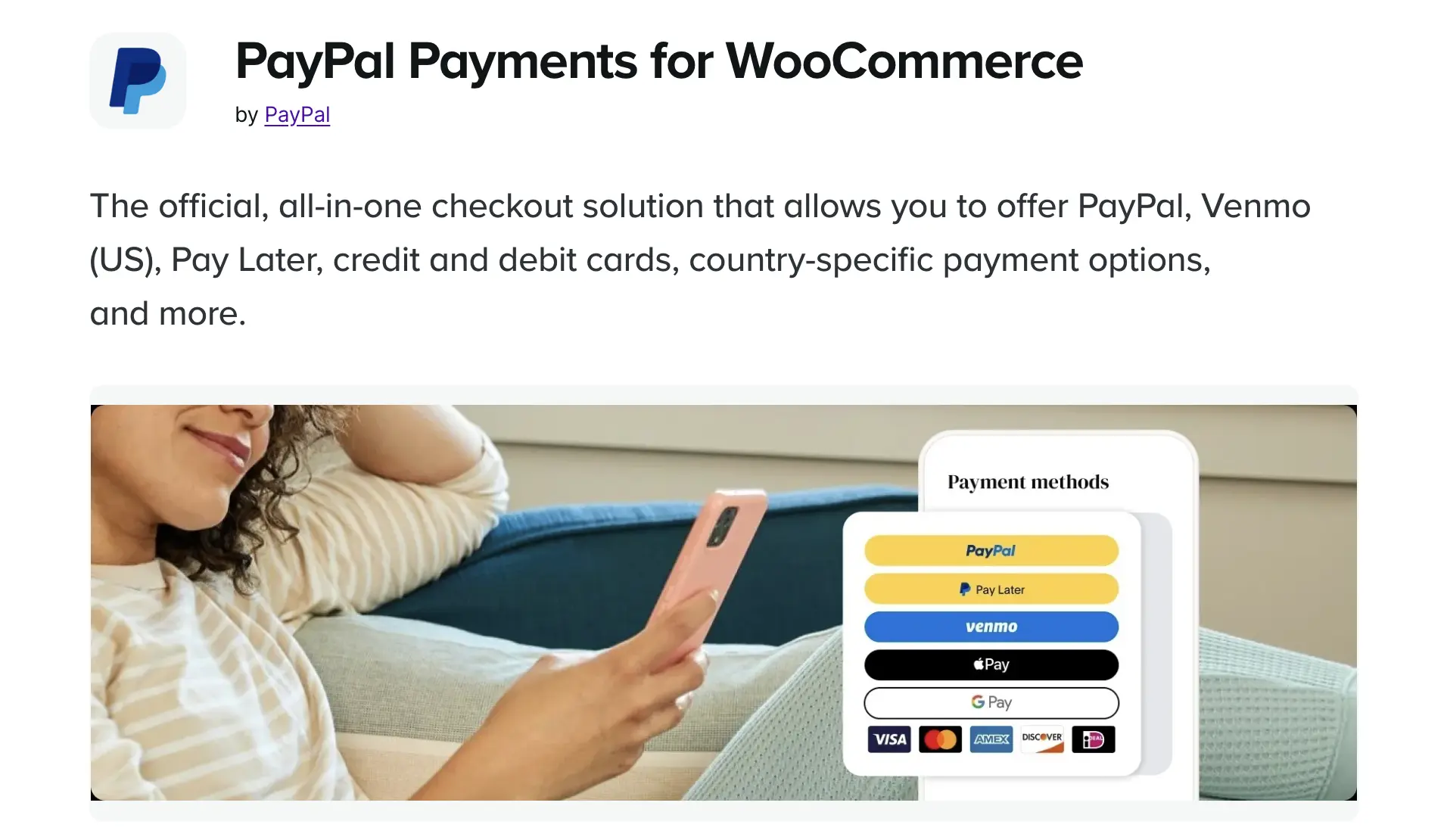
PayPal Payments is the official PayPal extension for WooCommerce. It brings PayPal checkout, Venmo for US buyers, Pay Later, and credit and debit cards into one plugin. Express buttons for Apple Pay and Google Pay can also appear on product and cart pages.
The plugin offers two card options: standard and advanced card processing. With advanced card processing, card fields sit directly on your checkout page.
PayPal’s standard US rate is 3.49% + 49¢ per transaction, which is higher than Stripe’s card rate. Even so, many buyers trust the PayPal button. PayPal also reports that Pay Later orders average 35% more than standard PayPal orders for small businesses.
- Best for: Stores whose customers prefer PayPal or Pay Later.
- Pricing: Free.
- Skip it if: Your margins are thin and most buyers pay by card anyway.
Payment Form Plugins for One-Off Payments and Donations
Payment form plugins are the simplest credit card payment plugins in this guide, with no cart or product catalog. Instead, a customer fills in a form, pays and receives a receipt. Fees vary the most in this group, from 0% to 3% on the free versions.
WP Simple Pay
WP Simple Pay is a Stripe-only payment plugin with no cart. You build a payment form, connect Stripe and place the form on any page. The free Lite version accepts cards, Apple Pay, Google Pay, iDEAL and other Stripe methods. It also supports simple subscriptions on weekly, monthly or yearly intervals.
However, Lite adds a 3% fee to every transaction on top of Stripe’s rate, and the paid Personal plan removes it. Paid plans also include fee recovery, an option that lets customers or donors cover the Stripe processing fee. For free trials, setup fees and installment plans, you need the Professional plan or higher.
- Best for: Stripe users who want a single payment page without a store.
- Pricing: Free Lite; Personal $49.50 for the first year, then $99 a year.
- Skip it if: You need PayPal or a regional gateway such as Razorpay.
Fluent Forms

Fluent Forms is a full form builder with payments built in. You can add payment fields to a registration, booking, order or quiz form, with conditional logic and calculations around the payment.
The free version supports Stripe payments and also includes the subscription field. It adds a 1.9% fee per transaction, and Fluent Forms Pro removes that fee. Pro also unlocks PayPal, Razorpay, Mollie, Paystack, Square and Paddle.
Because the payment lives inside a form, the entry, payment status and customer details stay in one record. Fluent Forms Pro can then pass that data to FluentCRM and 60+ other native integrations.
- Best for: Sites where payment is one part of a bigger form.
- Pricing: Free; Fluent Forms Pro from $79 a year for a single site.
- Skip it if: You only need a single buy button with no extra fields.
Paymattic
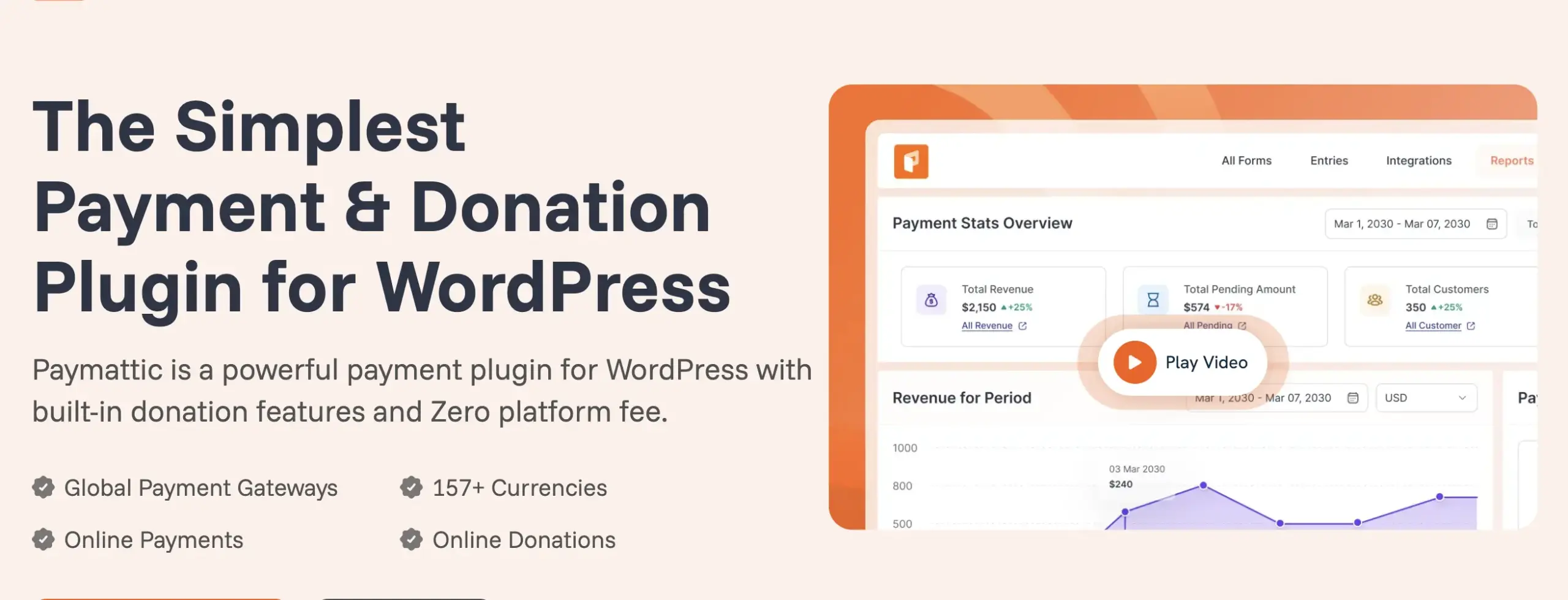
Paymattic is a dedicated payment and donation plugin. Collecting money is its main job, from product order forms to fundraising pages, in 157+ currencies.
Paymattic charges no transaction fees on any version, free or Pro. The free plugin includes Stripe with cards, Apple Pay and Google Pay, plus offline payments and an on-site Stripe checkout. Paymattic Pro then adds PayPal, Mollie, Razorpay, Paystack, Flutterwave and more, along with recurring payments and donations.
In this group, Paymattic is the only free version that takes no cut of your sales. Free integrations with FluentCRM, Mailchimp, Slack and Zapier also come included.
- Best for: Nonprofits, creators and small sellers who want zero platform fees from the start.
- Pricing: Free; Paymattic Pro from $59 a year.
- Skip it if: Your payment is one step in a long application or registration form.
WPForms

WPForms is one of the most widely installed form builders for WordPress, with over 6 million active installations. WPForms Lite includes Stripe, PayPal and Square payments, with a single recurring plan per form.
Each of those gateways carries a 3% WPForms fee in Lite, on top of the gateway’s own charge. The fee applies to one-time and recurring payments alike. To remove it, you need the Pro license or higher, which also unlocks coupons, calculations and conditional logic on payment forms.
If your site already takes payments through WPForms Lite, check your gateway dashboard. That 3% likely appears on every charge you have processed so far.
- Best for: Sites already built on WPForms that need payments in existing forms.
- Pricing: Free Lite; Pro $199.50 for the first year, then $399 a year.
- Skip it if: You want to drop the fee without paying a high renewal price.
Which of these ten plugins handles refunds, disputes and failed payments without headaches once orders start coming in?
The FluentCart community is where you can ask store owners who have practical, hands-on experience with these types of payment plugins.
Real store owners. Real problems. Real answers. Join the FluentCart Community.
The Fee Stack: What You Keep From a $50 Sale
On a $50 card sale, the free versions of these credit card payment plugins leave you between $46.75 and $48.25. The gap comes from one line: the plugin’s own platform fee.
The table uses Stripe’s standard US rate of 2.9% + 30¢ as the baseline. For PayPal Payments, it uses PayPal’s standard US rate of 3.49% + 49¢. Gateway rates differ by country. However, the plugin fee stays the same wherever you sell, and that fee is what separates the rows.
| Plugin | Gateway fee | Plugin fee (free version) | You keep (free version) | You keep (paid plan) |
|---|---|---|---|---|
| FluentCart | $1.75 | $0 | $48.25 | $48.25 |
| Paymattic | $1.75 | $0 | $48.25 | $48.25 |
| WooPayments | $1.75 | $0 | $48.25 | $48.25 |
| WooCommerce Stripe Payment Gateway | $1.75 | $0 | $48.25 | $48.25 |
| PayPal Payments | $2.24 | $0 | $47.76 | $47.76 |
| Fluent Forms | $1.75 | $0.95 (1.9%) | $47.30 | $48.25 |
| SureCart | $1.75 | $1.45 (2.9%) | $46.80 | $48.25 |
| Easy Digital Downloads | $1.75 | $1.50 (3%) | $46.75 | $48.25 (Extended Pass and up) |
| WP Simple Pay | $1.75 | $1.50 (3%) | $46.75 | $48.25 |
| WPForms | $1.75 | $1.50 (3%) | $46.75 | $48.25 (Pro and up) |
*Table Powered by NinjaTables
The Hidden Fees in Free Credit Card Payment Plugins
A dollar or two per sale looks small, but the fee grows with every sale you make. For example, a 3% platform fee costs $300 a year at $10,000 in sales. At $50,000 in sales, the same fee costs $1,500.
| Yearly sales | 1.9% platform fee | 2.9% platform fee | 3% platform fee |
|---|---|---|---|
| $5,000 | $95 | $145 | $150 |
| $10,000 | $190 | $290 | $300 |
| $25,000 | $475 | $725 | $750 |
| $50,000 | $950 | $1,450 | $1,500 |
*Table Powered by NinjaTables
In other words, a site collecting $25,000 a year through WPForms Lite pays $750 to WPForms on top of Stripe’s fees. The same site on FluentCart or Paymattic pays Stripe’s rate and nothing more.
When Paying for Pro Costs Less Than the Fee
On credit card payment plugins with a platform fee, a paid plan saves money once your yearly fee is larger than the license price. To find that point, divide the license price by the fee rate.
Break-even yearly sales = License price ÷ Platform fee rate
| Plugin | Plan that removes the fee | License price | Break-even yearly sales |
|---|---|---|---|
| WP Simple Pay | Personal | $99/year ($49.50 first year) | $3,300 ($1,650 first year) |
| Fluent Forms | Pro, single site | $79/year | $4,158 |
| Easy Digital Downloads | Extended Pass | $199/year | $6,633 |
| SureCart | Pro | $199/year ($179 first year) | $6,862 ($6,172 first year) |
| WPForms | Pro | $399/year ($199.50 first year) | $13,300 ($6,650 first year) |
*Table Powered by NinjaTables
Below these levels, the free version costs less. Above them, the paid plan saves money every year. Also, plan around renewal prices, since WP Simple Pay and WPForms both charge about half in year one, and SureCart discounts its first year too. FluentCart and Paymattic need no break-even math at all, because neither adds a fee at any sales level.
What Happens When Your License Expires
A paid plan removes the fee only while your license stays active. WP Simple Pay states that its 3% fee applies again with an invalid or expired Pro license. Similarly, EDD removes its fee only once you activate a qualifying license key, and WPForms ties removal to a Pro license or higher. A lapsed renewal can therefore bring the fee back.
A second trap sits in plan tiers. EDD’s Personal Pass is a paid plan, yet it still carries the 3% Stripe fee. Only the Extended Pass and higher remove it.
Before you let a license lapse, check the vendor’s fee terms. Otherwise, compare your yearly platform fee with the renewal price each year.
FluentCart Free has no platform fee to remove and no license that can bring one back. Download it free and start taking card payments through Stripe or PayPal today.
Start selling with 0% platform fees
FluentCart Free includes Stripe and PayPal out of the box, with no transaction fee.
Which Credit Card Payment Plugins Work in Your Country?
If you sell from the US, the UK, Europe, Canada or Australia, every credit card payment plugin in this guide works for you, because Stripe and PayPal cover all of these markets. What changes from country to country is how buyers prefer to pay. Outside those markets, the gateways available to you also narrow your choice.
United States: US buyers expect cards, Apple Pay, Google Pay and PayPal, and many also pay with Venmo. On WooCommerce, PayPal Payments is the simplest way to add Venmo. Beyond Stripe, FluentCart Pro also supports Square and Authorize.Net.
United Kingdom: UK buyers mostly pay by card, Apple Pay, Google Pay or PayPal. Any plugin in this guide covers them, including WooPayments, and Square works for UK stores through FluentCart Pro, Fluent Forms Pro and WPForms.
European Union: Many European buyers prefer local methods such as SEPA Direct Debit, iDEAL in the Netherlands and Bancontact in Belgium. Mollie is built for these methods and works with FluentCart Pro, Fluent Forms Pro, Paymattic Pro and SureCart. WooPayments also covers all 27 EU countries, and Square works in Ireland, France and Spain. If you sell digital products to UK or EU buyers, you must also charge VAT at each buyer’s local rate. Paddle, available in FluentCart Pro and Fluent Forms Pro, handles that tax for you as merchant of record.
Canada, Australia and Asia-Pacific: Stripe and PayPal cover Canada, Australia, New Zealand, Japan, Singapore and Hong Kong. WooPayments supports all six, and Square adds another option in Canada, Australia and Japan through FluentCart Pro, Fluent Forms Pro and WPForms. For stores selling in many currencies, FluentCart Pro also offers Airwallex.
Selling Outside Stripe’s Main Markets
India: Stripe accepts new Indian businesses by invite only. Instead, most Indian stores use Razorpay for UPI, cards, netbanking and wallets. Razorpay works with FluentCart through a free add-on, and with SureCart, Fluent Forms Pro and Paymattic Pro. Before you accept orders in dollars or euros, ask Razorpay to approve international payments on your account.
Africa: In Nigeria, Ghana, Kenya and South Africa, Paystack and Flutterwave lead, with cards, bank transfers and mobile money. FluentCart supports both through free add-ons, and Paymattic Pro does too. Fluent Forms Pro and SureCart support Paystack.
Latin America: Mercado Pago covers Brazil, Mexico and much of the region, including Pix and Boleto in Brazil and OXXO in Mexico. Among the plugins in this guide, FluentCart supports it through a free add-on.
How to Choose the Right Credit Card Payment Plugin
To choose the right credit card payment plugin, answer three questions in order. Each answer cuts the list down further.
- What do you sell? Products in a catalog point to a store plugin. If your store already runs on WooCommerce, pick an add-on. For donations, deposits or one-off fees, a payment form plugin fits best.
- Where is your business based? Confirm that your gateway accepts accounts in your country. Outside Stripe’s main markets, look for plugins that support Razorpay, Paystack, Mercado Pago or SSLCommerz.
- How much do you sell each year? Compare your sales with the break-even table above. Under the break-even point, a free plan with a fee costs less. Above it, choose a paid plan or a plugin with no platform fee.
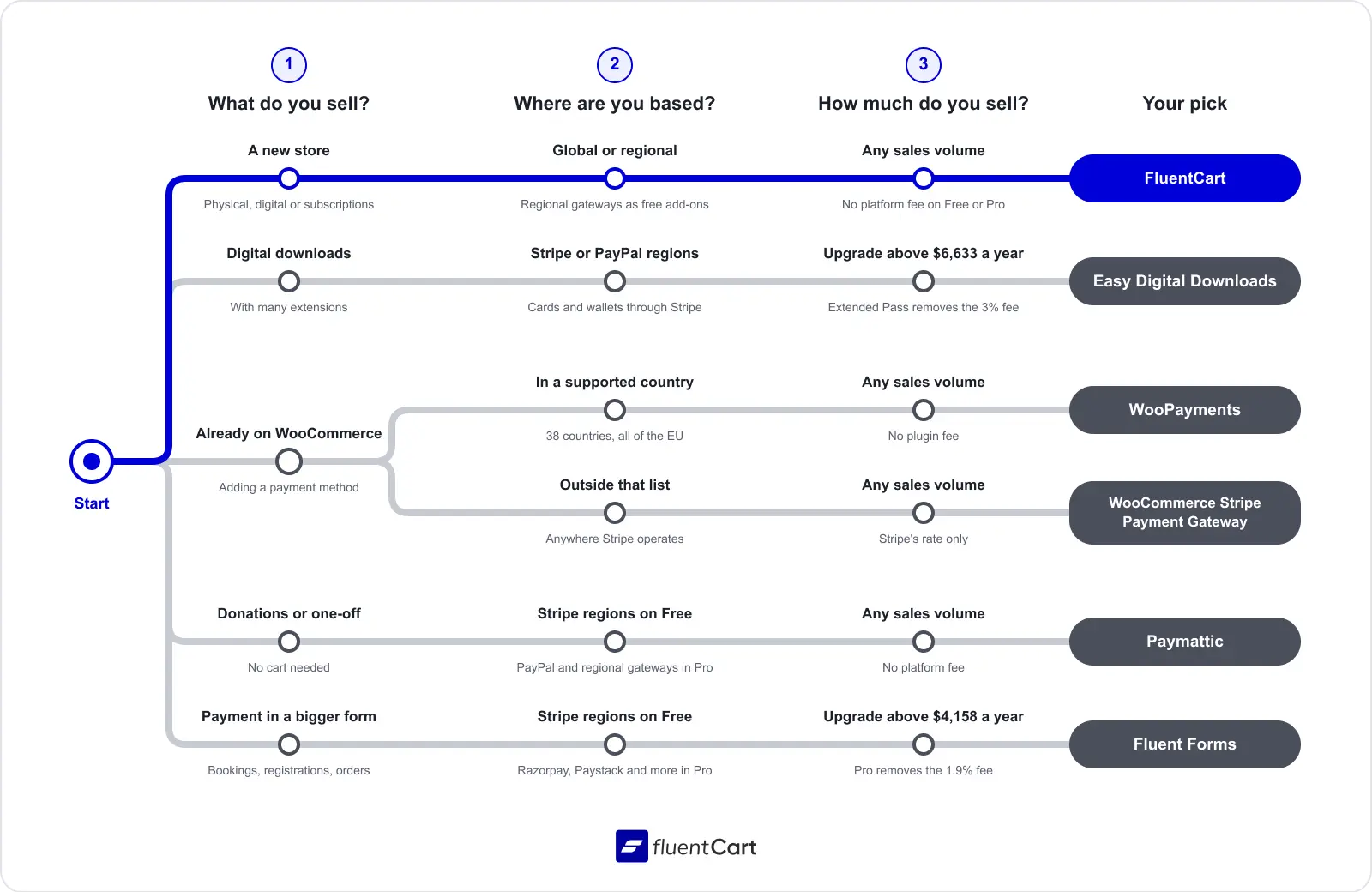
Together, the three answers narrow the credit card payment plugins in this guide to a clear pick for most sellers:
- Starting a new store: FluentCart. Stripe and PayPal come free, regional gateways come as free add-ons, and no platform fee applies as you grow.
- Running WooCommerce in a supported country: WooPayments. Outside its country list, use the WooCommerce Stripe Payment Gateway instead.
- Collecting donations or one-off payments: Paymattic, with no fee on the free version.
- Adding payments to a larger form: Fluent Forms.
- Selling digital downloads with many extensions: Easy Digital Downloads on the Extended Pass.
The Final Verdict on Credit Card Payment Plugins
Every plugin in this guide accepts cards. As a result, features alone rarely decide the winner. The bigger difference sits in fees that rarely appear on the pricing page. A free plugin with a 3% platform fee can cost more each year than a paid license, and that gap grows with every sale.
Therefore, start with the plugin type that matches how you sell, then check its fee on the free version. For a full online store, FluentCart gives you Stripe and PayPal for free, regional gateways as free add-ons, and no platform fee as you grow. WooCommerce stores get the same zero-fee setup through WooPayments or the official Stripe extension. For donations and one-off payments, Paymattic takes no platform fee on its free version either.
Before you commit, run your own numbers for each plugin on your shortlist. Multiply last year’s sales by the plugin’s platform fee, then compare the result with its Pro license price. The lower of the two is your real yearly cost, and the plugin with the lowest cost keeps the most of your revenue.
Ran the numbers and still stuck between two plugins? The FluentCart community is where you can talk through your exact setup, from gateways to fees, with store owners who sell in similar markets.
Real store owners. Real problems. Real answers. Join the FluentCart Community.
FAQs About Credit Card Payment Plugins

Hi, this is Sajid, a Marketing Strategist who creates content and visuals designed for maximum audience engagement. I also love exploring different tech tools, always curious to see what’s out there.

Subscribe now
Related Articles and Topics
-

Membership Affiliate Programs: The Cost-effective, Integrated Setup
Run membership affiliate programs on WordPress with one integrated stack.
-

Best Membership Website Hosting in 2026
Membership website hosting isn’t a separate kind of hosting. It’s regular managed cloud or VPS hosting that happens…
-

Best Membership WordPress Plugin: 8 Options Compared for 2026
Compare the best membership WordPress plugin options for 2026 by use case.




Add your first comment to this post