
SureCart vs WooCommerce: Best Solution for Growing Stores

A free plan is free right up until the store starts working.
Both plugins put a working checkout on a WordPress site, and both let you start at $0. The bill arrives in a different shape later.
This SureCart vs WooCommerce comparison covers pricing, architecture, and features. It also covers the question that settles it for most sellers: who holds your commerce data, and what each sale leaves you after costs.
TL;DR
SureCart vs WooCommerce: the short answer
WooCommerce is cheaper across the life of a store. SureCart is faster to get live. In a SureCart vs WooCommerce decision, the split that matters is architectural. WooCommerce runs commerce inside your own WordPress install. SureCart runs it from a hosted service that your plugin talks to.
Everything else follows from that one design choice. SureCart can bundle subscriptions, tax rules, and a modern checkout because it controls the servers doing the work. WooCommerce cannot bundle as much, because everything it does has to run on your hosting.
Neither approach is wrong. They fail in different places, and at different points in a store’s life. One gets awkward when you have 900 SKUs. The other gets expensive when you have 900 orders a month.
What Each Plugin Puts on Your Site
WooCommerce is an open-source plugin that adds products, a cart, and a checkout to WordPress. SureCart is a plugin plus an account on a commerce service. The plugin is what you install; the service is what runs the transaction. That difference shapes cost, control, and everything downstream.
WooCommerce
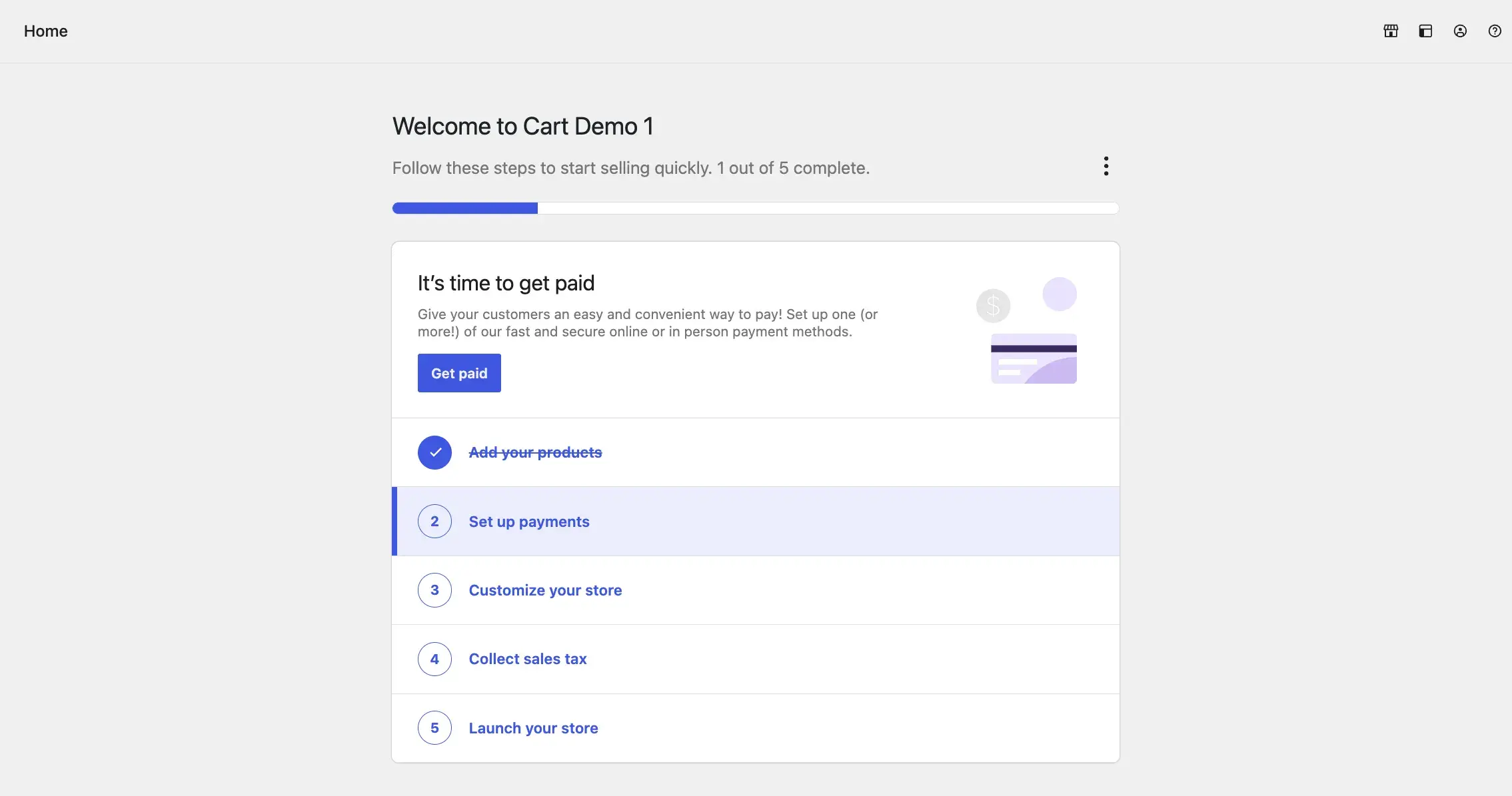
WooCommerce launched in 2011 and now sits on more than seven million WordPress sites. The core plugin is free to download and use. Automattic acquired it in 2015, so its WordPress integration is not going anywhere.
The core plugin is deliberately plain. You get products, categories, attributes, a cart, a checkout, orders, coupons, and basic reports. Anything past that comes from an extension. Thousands sit in the WordPress plugin directory and the paid market.
That plainness is the trade. Nobody charges you rent for a feature you have not asked for. Nobody decides on your behalf which features you get. You assemble the store, which also means you maintain it. If you are building a store on WordPress from scratch, that assembly work is the real project.
SureCart
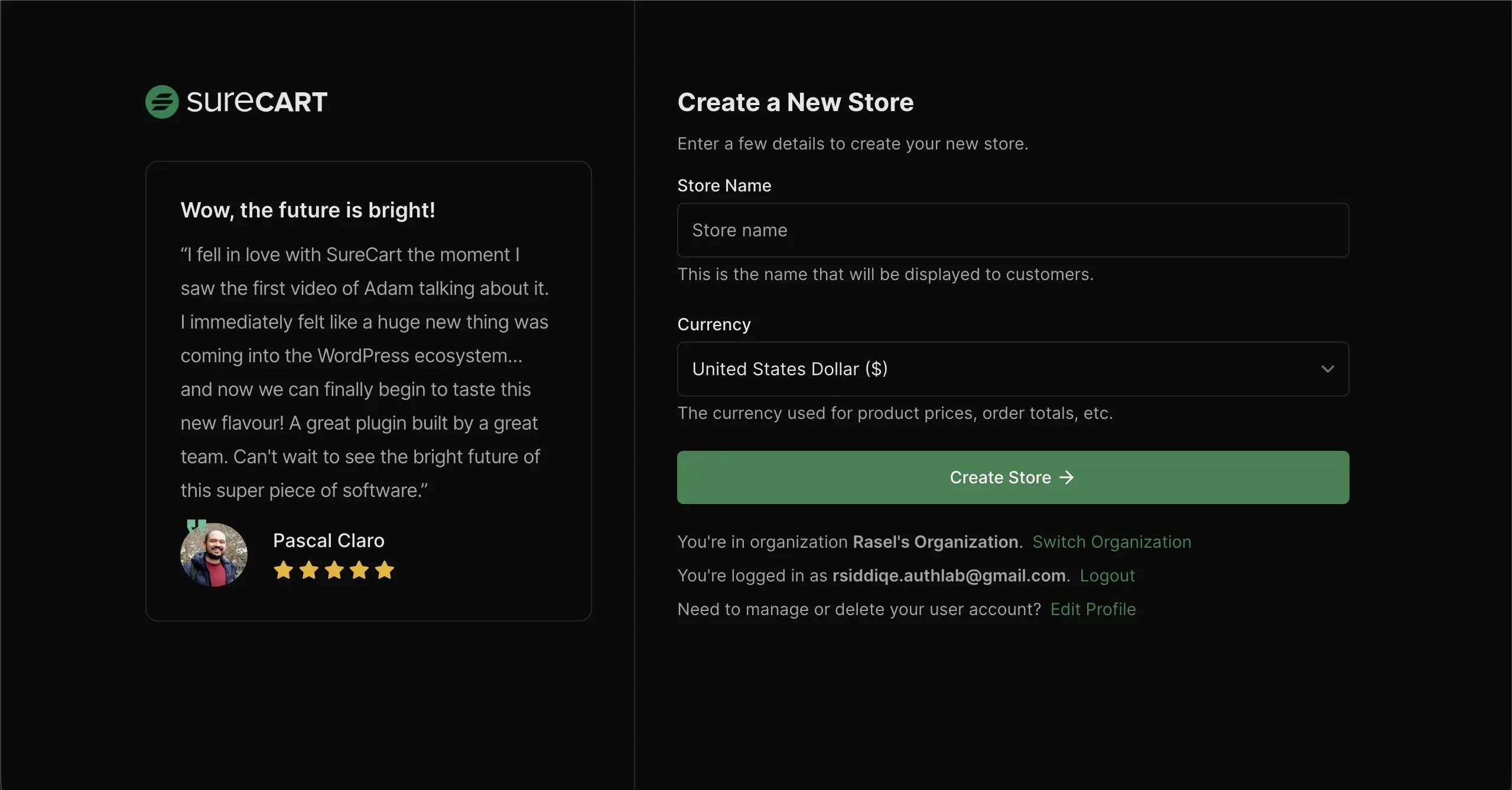
SureCart arrived in 2022 with a different idea. Put the heavy commerce logic on a hosted platform, and let WordPress handle presentation. Tax calculation, subscription billing, and payment processing run on SureCart’s infrastructure. Products, customers, and transactions are stored there too.
The upside is real. Your database stays small. Your hosting does less work. One plugin covers ground that would take five or six extensions on the other side. Setup takes minutes. It works with any theme, because SureCart renders its own storefront components instead of depending on theme support.
The catch is also real, and we will get to it.
Pricing and The Growth tax Nobody Quotes
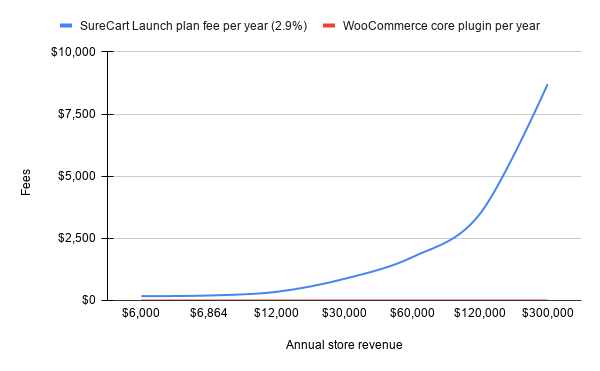
Here is the number that changes the whole comparison. SureCart’s free Launch plan carries a 2.9% platform fee on every sale, charged on top of your payment processor’s cut. SureCart’s Pro plan removes that fee at $199 per year for one store. A one-time license runs $699.
The WooCommerce core plugin charges nothing on sales at any level. Whatever you spend on WooCommerce is a flat, chosen cost: an extension here, a premium theme there. Sell twice as much next year and the plugin bill does not move.
Now do the arithmetic on the free plan.
| Monthly store revenue | Annual store revenue | SureCart Launch plan fee/yr (2.9%) | SureCart Pro plan/yr | WooCommerce core plugin/yr | Cheaper SureCart option |
|---|---|---|---|---|---|
| $500 | $6,000 | $174 | $199 | $0 | Launch |
| $572 | $6,864 | $199 | $199 | $0 | Break-even point |
| $1,000 | $12,000 | $348 | $199 | $0 | Pro |
| $2,500 | $30,000 | $870 | $199 | $0 | Pro |
| $5,000 | $60,000 | $1,740 | $199 | $0 | Pro |
| $10,000 | $120,000 | $3,480 | $199 | $0 | Pro |
| $25,000 | $300,000 | $8,700 | $199 | $0 | Pro |
A store doing $500 a month pays $174 a year in platform fees. The free plan looks like a bargain there. Push that to $2,500 a month and the fee reaches $870 a year. At $10,000 a month it costs $3,480 a year, which buys a lot of extensions.
The break-even against the Pro plan sits near $572 a month in revenue. Past that line, the free tier is no longer the cheap option, and most sellers cross it earlier than they expect.
None of this makes SureCart’s pricing unreasonable. A hosted service has server costs, and someone has to pay them. The point is narrower. A fee that scales with revenue is a tax on growth. A flat license is not. Over five years of a store that works, those two lines diverge badly.
There is a second cost that never appears on a pricing page: the plan you get pushed onto. A free tier with a revenue fee gets uncomfortable by design. The upgrade prompt arrives exactly when the store starts working. Flat licensing has no such moment.
WooCommerce has a cost story too, and it is not $0. A subscriptions extension, a decent checkout add-on, and a shipping plugin can pass $500 in a year. The difference is that you pick each one and know the number in advance. It stays the same at ten orders or ten thousand.
Where Your Store Data Lives
With WooCommerce, every product, order, and customer record sits in your WordPress database on your hosting. With SureCart, that data lives on SureCart’s servers and is displayed through your site. Both are legitimate designs. Only one of them is yours.
This is not a security argument. SureCart runs professional infrastructure. Plenty of stores sit safer on managed servers than on the cheap shared hosting they would buy otherwise. It is an ownership argument.
Ask what happens on a bad day. If SureCart’s platform has an outage, your checkout is affected and you wait. If your own server goes down, you can act: restore a backup, call your host, move the site. Self-hosting does not remove the risk. It puts the fix in your hands.
Then ask what happens on a good day, three years in, when you want to move. WooCommerce data already sits in tables you control, so a database export is the whole migration.
Hosted data has to be requested, exported, and mapped into whatever comes next. That is not a trap. It is friction, and friction always arrives at the worst moment.
Agencies feel this earliest. A client site on hosted commerce carries a dependency the agency did not choose and cannot fix. Renewals, outages, and pricing changes still land on the agency’s desk. Self-hosted builds keep that surface small.
For sellers under GDPR or working with clients who write data-residency clauses into contracts, this stops being philosophical. “The customer records are in our database, on our server, in this country” is an answer. “Our vendor holds them” starts a longer conversation. Pairing self-hosted commerce with hosting that can carry a growing store is what makes that answer hold up.
Features You get Without Buying Anything
Out of the box, SureCart ships more than WooCommerce does. That is the plain truth, and any honest SureCart vs WooCommerce comparison has to say it. Subscriptions, tax calculation, and a block-editor checkout are in the plugin. On WooCommerce, subscriptions alone are a paid extension.
Here is how the two line up across the things stores ask about most.
| Comparison point | SureCart | WooCommerce |
|---|---|---|
| Core plugin cost | $0 on the Launch plan | $0 for the core plugin |
| Platform fee on sales | 2.9% on the Launch plan; none on Pro | None at any revenue level |
| Paid plan (1 store) | $199 per year or $699 one-time | No paid plan for the core plugin |
| Where product and order data lives | SureCart servers | Your own WordPress database |
| Account required to sell | Yes | No |
| Checkout hosting | Served from SureCart infrastructure | Served from your own site |
| Subscriptions | Built in | Paid extension |
| Tax and EU VAT calculation | Built in | Extension recommended |
| Abandoned cart recovery | Built in on paid plans | Paid extension |
| Theme compatibility | Works with any WordPress theme | Theme needs WooCommerce support |
| Extension library | Small and mostly first-party | Thousands of free and paid plugins |
| Bulk product and order editing | Not available | Built in |
| Physical product catalog depth | Workable for simple catalogs | Built for large catalogs |
| Direct vendor support | Included on every plan | Support tickets and community forums |
| Data portability if you leave | Export from SureCart | Data already sits in your database |
A few of these deserve a note rather than a row. SureCart works with any theme. That matters if you already have a site you like and would rather not rebuild it. WooCommerce expects theme support, and while most modern themes have it, “most” is not “all”.
On the other side, WooCommerce has bulk editing in the core plugin. You can change price, stock, SKU, and category on many products at once from the product list. SureCart handles products one at a time, which is fine for 20 products and painful for 500.
Marketing features split the same way. SureCart includes order bumps and recovering abandoned carts on its paid plans. WooCommerce needs an extension for each, from a different developer, with its own update cycle and its own renewal date.
Speed, and What Makes a Store Slow
SureCart is usually the lighter install, and the reason is structural rather than clever coding. Tax math, subscription billing, and transaction records run on SureCart’s servers, so your hosting never does that work. Fewer plugins also means fewer scripts and a smaller admin to load.
WooCommerce speed comes down to two things you control: your hosting and your plugin count. A lean WooCommerce store on decent hosting is fast. A WooCommerce store carrying fourteen extensions on $4 shared hosting is not. The plugin then takes blame that belongs to the server.
That distinction matters because the fix differs in each case. If a hosted checkout is slow, you wait for the vendor to ship a fix. If your own store is slow, you can profile it, cut plugins, add caching, or move hosts this afternoon.
Checkout speed is where the gap narrows most. Both plugins render checkout through block-editor components, and both hand the payment step to a processor. The page weight gap is real but small. Caching and hosting quality move that number far more.
Treat performance as a hosting decision first and a plugin decision second. That one reframe saves more milliseconds than any plugin swap.
Support When Something Breaks
SureCart wins this one outright, and it is not close. Every plan, including the free tier, comes with direct vendor support. You email one company that owns the whole stack. That team answers for the plugin, the checkout, and the payment flow together.
WooCommerce support is spread across three parties. The core plugin has documentation and a WordPress.org forum, extension developers handle their own products, and your host covers the server. When a checkout breaks, working out which of the three to contact is part of the job.
The trade is the depth of public knowledge. Fifteen years and seven million installs produced a huge body of tutorials, forum threads, and developers who know the codebase. Most WooCommerce problems have been solved in public by somebody else first.
Weigh this by who runs the store day to day. A solo seller with no developer should take vendor support seriously. A broken checkout on a Friday afternoon is a real emergency. An agency with a developer on staff usually prefers the open code and the forums. Reading the source beats waiting in a ticket queue.
Where Each Genuinely Wins
Neither plugin wins everywhere, and the marketing on both sides pretends otherwise. Sorting by scenario beats sorting by feature count. Most sellers care about the five or six rows that describe their own store.
| Scenario | Better fit | Why |
|---|---|---|
| Selling a handful of digital products fast | SureCart | One plugin covers checkout, subscriptions, and tax with no add-ons to pick |
| You want a person to email when something breaks | SureCart | Direct vendor support is included on every plan, including the free one |
| Your theme has no commerce support | SureCart | The plugin renders its own storefront components on any theme |
| You need a store live this week | SureCart | Setup wizard, hosted checkout, and no extension research |
| Revenue is growing past a few thousand a month | WooCommerce | No percentage of sales is taken by the plugin at any level |
| Hundreds or thousands of physical SKUs | WooCommerce | Category hierarchy, attributes, and bulk editing are built in |
| You update stock and orders in bulk every day | WooCommerce | Quick edit and bulk actions exist in the core plugin |
| Compliance or client contracts require data on your own server | WooCommerce | Every order and customer record stays in your database |
| You want to fork, extend, or self-audit the code | WooCommerce | The whole commerce layer is open source and local |
| Migrating away later without a vendor export | WooCommerce | Your data never left your hosting in the first place |
SureCart is the better pick when
Speed of setup is worth more to you than long-run cost. You sell a small number of digital products or subscriptions. Revenue is modest and steady, and you want one vendor to email when something breaks. A course creator with six products and a $600 month is genuinely better served here.
WooCommerce is the better pick when
You sell physical goods at volume, are managing stock across a large catalog, or expect revenue past a few thousand a month. It also wins whenever a contract, a regulator, or your own preference says the data stays on your server.
Why Self-hosting is The Choice that Ages Best
Self-hosting is the decision that compounds. Reverse any other item on this list in an afternoon: swap a theme, add an extension, change a payment gateway. Moving your commerce data off a hosted platform is the one migration that costs real time and real money.
Three things follow from owning the stack:
The counterargument is fair: self-hosting means you own the problems too. Backups, updates, and server capacity are yours. Plenty of store owners would rather pay someone to carry that, and that is a reasonable trade at small scale.
It stops being reasonable at the point where the percentage fee exceeds what good managed hosting costs. For a store doing $10,000 a month, that point is well past. You would be paying platform rent on top of hosting you are already buying.
The Middle Ground: Self-hosted without The Plugin Pile
The usual complaint about WooCommerce is not the hosting model. It is the assembly. Six plugins from five developers, five renewal dates, and a checkout that needs a paid add-on to remove a field. That complaint is what sent a lot of people to SureCart in the first place.
The self-hosted side has answers now. FluentCart is a self-hosted commerce plugin built for WordPress. It keeps subscriptions, licensing, tax and EU VAT handling, a customer portal, and store analytics inside one plugin. The transaction fee is 0%, and the data sits in your own database. It offers one-time and annual license options rather than a cut of revenue.
That is the argument worth having. Not hosted versus self-hosted feature lists, but whether self-hosted is now convenient enough to make the hosted trade unnecessary. More store owners are having that conversation in public, and it is a better conversation than another feature table.
Picking the One you Won’t Regret
You now have the pieces that decide this. SureCart gives you a fast, well-supported store in exchange for a percentage of your sales and custody of your data. WooCommerce gives you a free, open core in exchange for the work of assembling and maintaining it. Both statements are true, and neither one is a criticism.
Run your own number before you choose. Take last month’s revenue, multiply by 2.9%, and multiply by twelve. If that figure makes you wince, the free plan is not the free option. The decision is already made for you.
If it does not make you wince yet, ask when it will. Stores that work grow. The plugin you pick in month one is the plugin you carry in month thirty.
Self-hosted commerce is worth the extra afternoon of setup. Own the data, own the checkout, keep the growth. Want to see that without the six-plugin pile? Look at what FluentCart covers in one install, then come talk it through with the store owners building the same way.
P.S.

Rasel leads the marketing function at FluentCart, driving both high-level strategy and ground-level execution across the product’s growth engine. He plays a central role in defining how FluentCart is positioned, how it enters the market, and how it evolves based on user behavior and feedback. His responsibilities span go-to-market planning, funnel architecture, conversion strategy, and narrative development. He works across teams to ensure that product decisions, marketing efforts, and customer experience stay tightly aligned.

Subscribe now
Related Articles and Topics
-
FluentCart vs PrestaShop: Honest Comparison for Store Owners
FluentCart vs PrestaShop compared on features, pricing, and what comes built in. See which ecommerce platform fits your…
-
Credit Card Payment Plugins Compared: Which Should You Choose?
Compare 10 credit card payment plugins for 2026. See the hidden 1.9% to 3% fees on free plans,…
-

Best Membership Website Hosting in 2026
Membership website hosting isn’t a separate kind of hosting. It’s regular managed cloud or VPS hosting that happens…



Add your first comment to this post