
Best Membership Website Hosting in 2026
Membership website hosting isn’t a separate kind of hosting. It’s regular managed cloud or VPS hosting that happens to have what a membership site needs: fast storage, an object cache such as Redis, and enough CPU, RAM, and PHP workers to serve signed-in members without queuing.
This guide is for membership sites built on WordPress. It compares Rocket.net, Cloudways, Hostinger VPS, Kinsta, and SiteGround Cloud by what a member-ready setup costs once object caching and renewal prices are counted, and it ends with a setup checklist.
So, let’s start reading.
TL;DR
- Membership website hosting isn’t a separate product. It’s regular managed cloud or VPS hosting with fast storage, an object cache such as Redis, and enough PHP workers to serve signed-in members without queuing
- Rocket.net. $30 per month, unmetered visitors, unlimited PHP workers. Best for unpredictable or fast-growing traffic
- Cloudways. About $46 per month for a 4GB server with Object Cache Pro included. Best for managed servers with a choice of provider
- Hostinger VPS. $8.99 per month, renews at $14.99. The most RAM for the price. Best for owners comfortable doing their own server work
- Kinsta. From $35 per month, plus a $100 per month Redis add-on. Best for hands-off hosting with 24/7 support
- SiteGround Cloud. $100 per month flat, no Redis, uses Memcached instead. Best for moving off shared hosting at a fixed price
- Compare hosts by object caching, PHP worker count, and renewal price, not just the plan’s sticker price
- Confirm object caching is actually running and test a real member signup before opening the site to real members
Membership Website Hosting at a Glance
| Host | Type | Monthly cost of a member-ready setup | Renewal pricing | Trustpilot | Best for |
|---|---|---|---|---|---|
| Rocket.net | Managed WordPress | About $30 (unmetered visits, unlimited PHP workers) | No increase | 4.8 (252 reviews) | Unmetered traffic at the lowest managed price |
| Cloudways | Managed cloud | About $46 (DigitalOcean 4GB, Object Cache Pro included) | Per-server pricing | 4.5 (about 4,000 reviews) | Managed servers with a choice of provider |
| Hostinger VPS | Self-managed VPS | $8.99 on a 24-month term, plus your setup time | Rises to $14.99 | 4.7 (about 67,000 reviews, all products) | The most RAM per dollar |
| Kinsta | Managed WordPress on Google Cloud | About $215 (five-site plan plus the Redis add-on) | Free first month, then the plan price | 4.7 (about 1,100 reviews) | Hands-off hosting with 24/7 support |
| SiteGround Cloud | Managed cloud | $100 (Jump Start) | Flat monthly price | 4.9 (about 30,000 reviews, all products) | A fixed-price step up from shared hosting |
What Exactly Is Membership Website Hosting
Membership website hosting is hosting that can build a personal page for every signed-in member without slowing down.
On a normal website, the server saves one copy of each page and shows that same copy to everyone. This saved copy is called a page cache, and it takes almost no work per visit.
A membership site cannot use it for signed-in members, because each member sees their own account, content, and access. As a result, the server builds each of those pages from scratch every time a member clicks.
For example, the effect is largest on an online community, where many members are active at the same time.
That extra work falls on three parts of the server:
Two more things sit outside the web server. Scheduled tasks, such as renewal reminders, run more reliably with server-side cron jobs. Large files and video belong on outside storage and video services, which keeps them off your web server.
The 5 Best Membership Website Hosts
Five hosts fit different budgets and needs, compared below by cost, caching, and support. Review scores are from Trustpilot at the time of writing. They mostly rate support, and they say less about how a host performs under signed-in traffic.
1. Rocket.net: Best Value for Unmetered Traffic
Signed-in members create heavy, uncached traffic, and most managed hosts limit it by visits or by PHP workers.
Rocket.net limits neither. Every managed plan has unmetered visitors and unlimited PHP workers. Member requests are not held back by a worker limit, and a busy launch day does not add visit-based overage charges.
Starter costs $30 per month, or $25 per month billed annually, for one site. Pro costs $60 per month for three sites.
Cloudflare Enterprise CDN serves images, scripts, and styles from locations near each member. Signed-in pages still run on the origin server, which is why the worker and caching details matter as much as the CDN.
Every plan includes daily backups with 30-day retention, a 99.99% uptime guarantee, and 24/7 support through live chat and tickets. Rocket.net states that renewal prices never rise, covers new accounts with a 30-day money-back guarantee, and charges $1 for the first month.
Reviews: 4.8 out of 5 on Trustpilot from 252 reviews. Reviewers mostly praise fast, patient support and page speed.
Keep in mind: Starter includes 10GB of storage and 50GB of bandwidth, and overages cost $2 per GB of storage and $0.08 per GB of bandwidth. Keep large files and video on outside services. Rocket.net’s pricing page lists Object Cache Pro and Relay on its Enterprise plans only, which start at $649 per month. Reviews report standard Redis on the managed plans. Ask support to enable it on yours.
| Best for: Membership sites with unpredictable or fast-growing traffic.
2. Cloudways: Best Managed Cloud Choice
You rent a whole server, and the server size you pick sets your capacity.
When signed-in traffic grows, you resize the server instead of moving to a higher plan tier.
The 4GB RAM, 2 vCPU server on DigitalOcean is the popular starting point and costs about $46 per month, or about $54 for the premium NVMe version.
The free Redis option is available on every server, and Object Cache Pro, the premium Redis cache for WordPress, is included on the 4GB server above. Staging environments, automated backups, and free SSL come with every plan, and one server hosts unlimited sites.
You can create servers on DigitalOcean, Vultr, Linode, AWS, or Google Cloud, and the stack combines Nginx, Apache, Varnish, Memcached, Redis, and PHP-FPM.
Reviews: 4.5 out of 5 on Trustpilot from about 4,000 reviews. Reviewers mostly praise fast, knowledgeable support agents.
Keep in mind: Cloudflare Enterprise CDN is a paid add-on. AWS and Google Cloud servers cost more than DigitalOcean for similar resources.
| Best for: Owners who want managed servers with room to scale, and agencies that run several sites.
3. Hostinger VPS: Best for RAM per Dollar
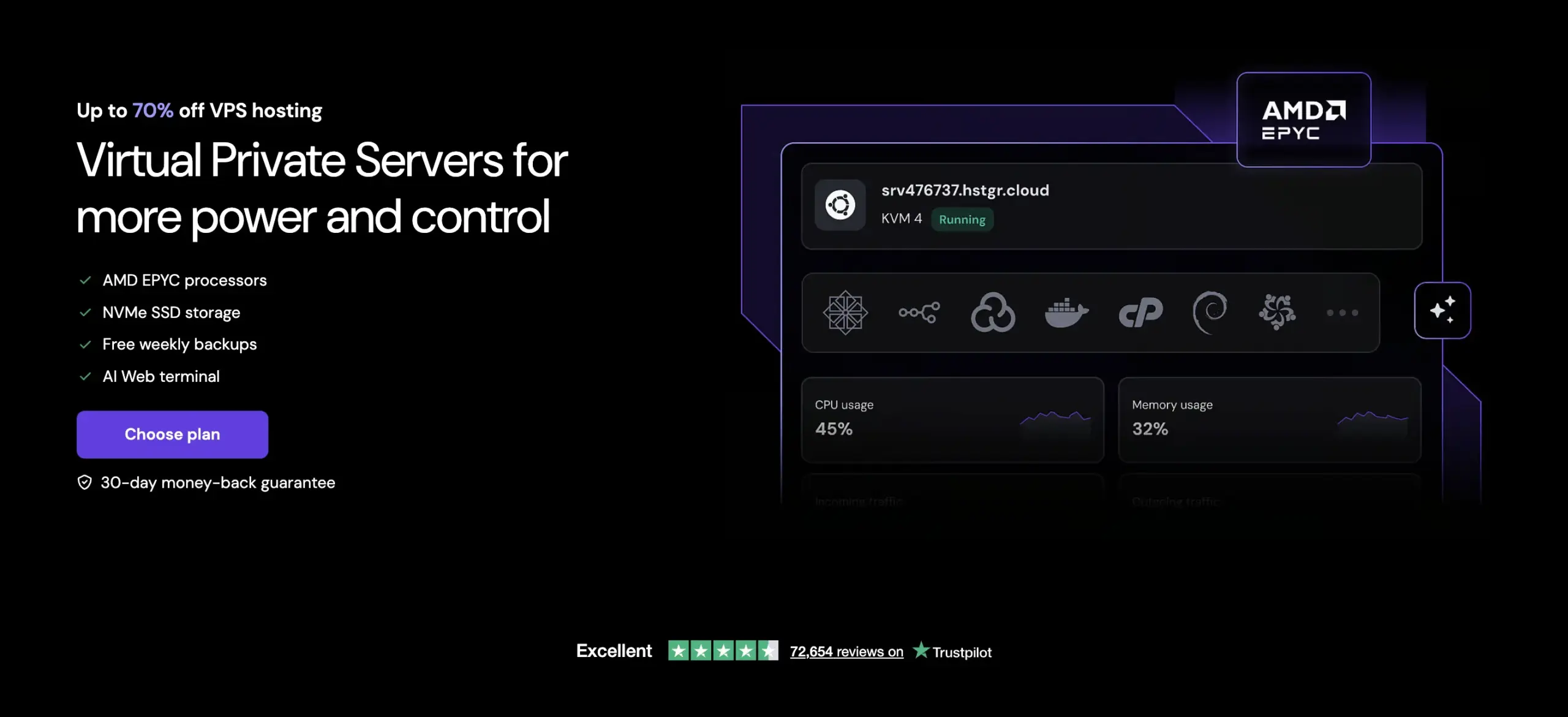
The KVM 2 plan gives you 8GB of RAM and 2 vCPU cores for $8.99 per month on a 24-month term. That memory lets PHP, the database, and Redis each run with room to spare, and signed-in traffic needs all three.
No other plan in this guide offers as much RAM for the price. It renews at $14.99 per month.
The plan includes 100GB of NVMe storage, 8TB of bandwidth, and full root access. Redis is not listed among the plan’s features. You install it yourself or through a control panel, and you set up cron jobs the same way.
Hostinger includes free weekly backups. Add daily backups yourself, because member accounts change every day. A 24/7 customer success team answers non-technical questions, and the VPS itself is self-managed.
Reviews: 4.7 out of 5 on Trustpilot from about 67,000 reviews, across all Hostinger products. Reviewers mostly praise helpful support staff. An independent review of the VPS line notes that support is chat-first with no phone line.
Keep in mind: A VPS arrives without a management layer. You handle updates, security patches, and monitoring, or you pay for a control panel to handle them.
| Best for: Owners comfortable with server work who want the most memory for the price.
4. Kinsta: Best for Support and Diagnostics

Kinsta sells operations more than raw resources. It runs on Google Cloud, offers 24/7 support, and includes a free monitoring tool that shows which plugin or database query slows a page.
On a membership site every signed-in page is uncached, and that visibility helps you find the slow one.
The entry plan costs $35 per month for one site and 35,000 monthly visits, and new accounts get the first month free. The two-site plan costs $70 for 70,000 visits, and the five-site plan costs $115.
Kinsta calls PHP workers PHP threads.
The entry plan and the two-site plan include 2, and the five-site plan includes 4. Kinsta has recommended a plan with at least 4 for membership sites, because they carry a lot of uncacheable content and concurrent users.
Redis object caching is a $100 per month add-on per site, according to Kinsta’s documentation. The five-site plan with Redis costs about $215 per month, and the entry plan with Redis costs about $135.
Plans are also metered by monthly visits. Estimate your members’ page views before you pick a tier. Every plan includes staging, a free CDN, backups with 14-day retention, and free migrations. Kinsta lists a 30-day money-back guarantee.
Reviews: 4.7 out of 5 on Trustpilot from about 1,100 reviews. Reviewers mostly praise the speed and expertise of the support engineers.
Keep in mind: Rocket.net offers unlimited PHP workers and unmetered visits at $30. Kinsta meters both and sells Redis separately. Its cost rises quickly for a busy membership site.
| Best for: Owners who want the host to handle server work and answer support questions at any hour.
5. SiteGround Cloud: Best Fixed-Price Step Up From Shared Hosting

SiteGround’s low-cost plans are shared hosting, and membership sites outgrow them. The cloud plans give you dedicated CPU and RAM with the same managed care.
Jump Start costs $100 per month for 4 CPU cores, 8GB of RAM, 40GB of SSD storage, and 5TB of transfer. That is twice the CPU of the 2 vCPU servers elsewhere in this guide.
Business costs $200 per month for 8 cores and 12GB of RAM, and Business Plus costs $300 for 12 cores and 16GB.
Every cloud plan includes Memcached, dynamic caching, staging with Git, a free CDN, and 7 days of daily backups stored off the server. You can turn on autoscaling to add resources automatically during traffic spikes. The cloud plans are fully managed, with 24/7 priority support and a 14-day money-back guarantee. Cloud pricing stays flat, while the shared StartUp plan costs $2.99 per month for the first term and renews at $17.99.
Reviews: 4.9 out of 5 on Trustpilot from about 30,000 reviews, across all SiteGround products. Reviewers mostly praise support that answers quickly on live chat.
Keep in mind: The entry price of $100 per month is roughly double a Cloudways 4GB server. Object caching is Memcached, and the plan list does not mention Redis.
| Best for: Owners moving off shared hosting who want managed care at a fixed price.
Even with the right host, something usually needs adjusting once members start logging in. The FluentCart community has membership site owners with the experience to share what that looked like for them.
Real store owners. Real problems. Real answers. Join the FluentCart Community.
How to Match a Host to Your Situation
Each situation below points to a different host, based on what matters most for how you run the site.
You Want the Lowest Managed Price With Traffic That Can Spike
Start with Rocket.net Starter. Visitors are unmetered and PHP workers are unlimited. A launch day adds no visit-based overage charges, and the plan costs $30 per month.
You Want Managed Cloud Servers and a Choice of Provider
Start with the Cloudways 4GB server. You pick the provider and the server size, and you resize as members grow. Object Cache Pro comes with the 4GB server, which costs about $46 per month on DigitalOcean.
You Are Comfortable With Server Work and Want the Most RAM per Dollar
Start with Hostinger KVM 2. It gives you 8GB of RAM and 2 vCPU cores for $8.99 per month on a 24-month term, renewing at $14.99. You install Redis yourself and add daily backups.
You Want Hands-Off Hosting With 24/7 Support
Start with Kinsta. Budget about $215 per month for the five-site plan with Redis, which gives you 4 PHP threads. Kinsta handles the server work and answers support questions at any hour.
You Are Moving Off Shared Hosting and Want a Fixed Monthly Price
Start with SiteGround Cloud Jump Start. It costs $100 per month for 4 CPU cores and 8GB of RAM, and the price stays flat. The plan includes staging, daily backups, and autoscaling.
You Run Several Sites for Clients
Start with Cloudways. One server hosts unlimited sites, and you resize the server as the client list grows.
What to Check Before You Choose a Host
Use these nine checks to compare any host, including ones outside this guide.
VPS or Cloud Server
A shared plan splits CPU and memory with other sites. A VPS or cloud server gives your site its own allocation. Signed-in members tend to arrive together after a launch email or a new lesson, and they all need CPU at the same moment. SiteGround’s cloud plans list dedicated CPU and RAM, and Hostinger’s KVM 2 gives you a fixed 2 vCPU cores and 8GB of RAM. Cloudways sells servers sized by RAM and CPU cores.
Object Caching
Object caching keeps the results of repeated database queries in memory. Signed-in pages depend on it because they skip the page cache. Look for Redis or Memcached, and check whether it is included. Cloudways includes Object Cache Pro on its 4GB server, and SiteGround Cloud includes Memcached. Kinsta sells Redis as a $100 per month add-on per site. On a Hostinger VPS you install Redis yourself. Rocket.net lists Object Cache Pro and Relay on its Enterprise plans, and reviews report standard Redis on the managed plans.
PHP Workers
Each PHP worker handles one uncached request at a time, and extra requests wait in line. Kinsta calls them PHP threads. Look for the worker count in the plan details. Rocket.net offers unlimited PHP workers. Kinsta’s entry and two-site plans include 2 threads, and its five-site plan includes 4. SiteGround lists CPU cores and memory instead of a worker count.
NVMe Storage
NVMe drives read and write faster than standard SSDs, which speeds up database reads and writes. Hostinger’s KVM 2 includes 100GB of NVMe storage, and Cloudways’ premium DigitalOcean servers use NVMe. SiteGround’s cloud plans list SSD storage.
Current PHP Version
Newer PHP versions often build uncached pages faster, according to Kinsta’s documentation. Check which versions the host offers and whether you can switch from the dashboard. Rocket.net lists versions up to PHP 8.4.
Server-Side Cron
WordPress runs scheduled tasks, such as renewal reminders, when pages load. A server-side cron job runs them on a fixed schedule. This keeps them on time when traffic is quiet. Ask the host whether you can set one up. On a VPS such as Hostinger’s KVM 2 you have root access to add it yourself.
Daily Backups
Member accounts and orders change every day, and a week-old backup loses a week of them. SiteGround Cloud keeps 7 days of daily backups, Rocket.net keeps daily backups for 30 days, and Kinsta keeps backups for 14 days. Hostinger’s KVM 2 includes weekly backups, and you can add daily backups yourself.
Staging
A staging site is a copy where you test plugin updates before they reach live members. Kinsta includes staging on every plan, SiteGround Cloud includes staging with Git, and Cloudways includes staging environments. Hostinger’s VPS plan does not list staging, and you would build the copy yourself.
Renewal Price
Introductory prices often rise at renewal. Hostinger’s KVM 2 goes from $8.99 to $14.99 per month. SiteGround’s shared StartUp plan goes from $2.99 to $17.99, while its cloud plans stay flat. Rocket.net states that renewal prices never rise. Compare hosts by the renewal price.
Setup Checklist After You Pick a Host
That checklist covers the hosting side. Getting a membership site ready for real members involves pricing decisions, policies, and a few things worth testing before anyone signs up.
Get the Membership Site Setup Checklist
A step-by-step checklist for planning, building, and launching a paid membership site, from the first pricing decision to the first week after launch.
Membership Website Hosting FAQs
The Bottom Line
No single host wins on every count. Rocket.net gives up support depth for unmetered capacity, Kinsta gives up price for hands-off management, and Hostinger gives up convenience for raw resources.
The right choice comes down to which of those you’re prepared to handle yourself and which you’d rather pay someone else to handle.
Whichever one you pick, confirm object caching is actually running and test a real member signup before anyone else sees the site.
Five hosts, five different trade-offs, and only one of them fits how your store runs. The FluentCart community is where you can ask membership site owners which one they chose and why.
Real store owners. Real problems. Real answers. Join the FluentCart Community.

Hi, this is Sajid, a Marketing Strategist who creates content and visuals designed for maximum audience engagement. I also love exploring different tech tools, always curious to see what’s out there.

Subscribe now
Related Articles and Topics
-
Teachable vs Kajabi vs MemberPress: Which One Fits You Best in 2026?
Teachable vs Kajabi vs MemberPress compared on pricing, fees, and features to help you choose the right platform…
-

SureCart vs WooCommerce: Best Solution for Growing Stores
SureCart vs WooCommerce: pricing, ownership, and the cost of growth.
-

8 Best Gumroad Alternatives for 2026: Compared on Fees and Creator Ownership
The best Gumroad alternatives for 2026, ranked by fees and control.




Leave a Reply