
FluentCart 1.5.3 – A Store That Answers
Most of what a store owner wants to know is already sitting in the store. Which product actually makes money once cost and discounts come out. What gets charged next week. Whether last month’s refunds were a blip or a pattern.
The data has always been there. Getting a straight answer out of it has meant exporting, filtering, and doing the arithmetic yourself. FluentCart 1.5.3 closes that gap, and while it is at it, tightens the calculations that decide what a customer is charged.
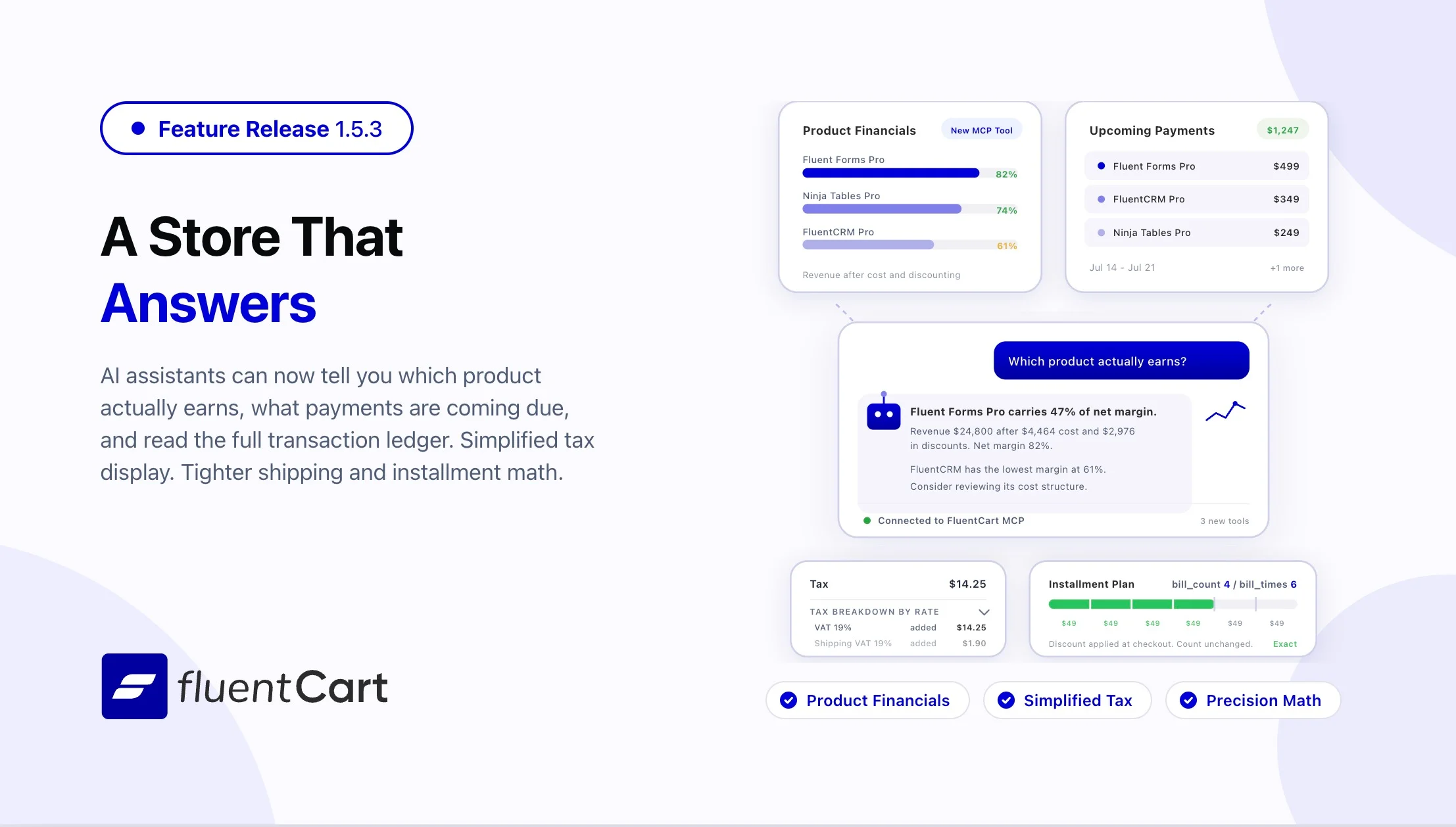
Ask your store what a product actually earns
Connecting an AI assistant to FluentCart is not new. What it could tell you was, until now, mostly a list: here are your orders, here are your customers, here is your revenue. The questions store owners actually ask sit one layer deeper.
1.5.3 teaches the connection three new things:
- What a product truly earns, once cost and discounting are accounted for. “Which of these is carrying the store” stops being a spreadsheet exercise.
- Which subscription payments are coming due, and when. Next month’s cash flow turns from a guess into a number.
- The payment and refund ledger, read directly. A question about a specific charge gets a specific answer.
The reporting underneath grew up at the same time. Reports now understand real date ranges, down to the hour and back across custom windows. Live figures are drawn from live orders alone, with test-mode orders kept separate. Long answers page cleanly. Coupon usage counts come back with the coupons, and per-product figures carry the discount and margin detail that makes a product’s performance legible.
This is the difference between an assistant that can fetch and an assistant that can advise.
Answers are free, actions are not
Handing an AI assistant a view of your store is one thing. Handing it a refund button is another, and FluentCart treats the two very differently.
An assistant connects as a real user on your site, holding a real FluentCart role, with an application password you issue and can revoke. It sees exactly what that person would see in the admin, no more. A view-only account stays view-only no matter how the question is phrased.
Where money moves, there is a second gate. A refund or a subscription cancellation cannot be fired straight from a request. The assistant has to ask for a preview first, showing precisely what would happen, and that preview is pinned to the order as it stands right now. If anything about the order changes in between, someone else refunds it, a payment lands, the preview goes stale and the action is refused until a fresh one is taken. A retried refund returns the result of the first one rather than sending a second.
You can let an assistant work across your whole store without lying awake about what it might do to a customer’s card.
The feature ships switched off. Turn it on under Settings → Features & Addons, where it appears as “MCP for AI Agents”. It is part of free FluentCart core.
A simpler way to show tax
Some stores want the full arithmetic on the page: every rate, every line, itemized. Others sell to customers who want one number and a way to check it if they care. Until now FluentCart only offered the first.
A new Tax Display Style setting under Tax Configurations adds the second. Choose Simplified and tax collapses to a single line with a details view a click away, the way most large retailers present it. A companion Tax Line Label field lets you name that line what your customers call it: VAT, MwSt, GST, or simply Tax.
The choice follows the order everywhere it is shown: checkout, the thank-you page, receipts, invoices, emails, the customer’s own order view, and the admin order page.
Nothing changes unless you ask for it. Existing stores and new installs both stay on the itemized breakdown until you switch.
Shipping and tax, calculated precisely
A total is a promise, and the parts of it have to add up. This release tightens the arithmetic underneath shipping and tax so that every component of an order agrees with every other.
- Subscription shipping. Shipping on a subscription that includes physical goods, paid through Stripe, is derived from a single calculation on the first invoice.
- Tax on shipping. Shipping tax is computed from the shipping method the customer actually selected, including in stores where VAT applies.
- Per-item shipping shares. Shares sum precisely to the shipping charged, without a cent of rounding drift, and recalculate whenever the cart changes partway through checkout.
For any store that ships anything, the invoice, the tax filing, and the customer’s card statement describe the same transaction.
Installment plans, counted precisely
When a customer buys on an installment plan, the promise is precise: a set number of payments, no more and no fewer. A discount applied at checkout should change the amount of each payment, never how many payments there are.
1.5.3 secures that guarantee at its source, so the number of installments holds regardless of any discount applied along the way. Plans already running are re-synchronized automatically on update, and the same counting carries through to Authorize.Net and Mollie so their scheduled billing cycles stay in step with what FluentCart expects.
Customers on a payment plan are charged exactly the number of times they agreed to, and the books match the promise.
Authorize.Net subscriptions set up reliably, even when the gateway lags
Setting up a subscription depends on the gateway confirming it, and gateways are not always instant. When Authorize.Net takes a moment to make a new subscription available, FluentCart now waits rather than giving up.
This release makes Authorize.Net subscription creation patient and self-correcting. It gives the gateway time to catch up, guards against duplicate subscription profiles, and retries on a sensible schedule rather than hammering or abandoning the attempt.
New subscriptions start on the first try far more often, with nothing left over to reconcile later.
Improvements
Tax classes without the pop-up. Creating a tax class is now done inline in the tax class tab bar, on the base tax screen and on the EU VAT screens alike. Type the name where the classes already are, and it appears. On narrow screens the tabs wrap rather than overflow.
Compliance without typing. The reverse charge declaration that EU B2B invoices are required to carry is now printed automatically on every document that needs it, instead of depending on the customer to type it into a free-text box at checkout. That box is gone. The wording remains modifiable via filter hook for stores whose counsel prefers their own phrasing.
Reports that make room for add-ons. The reports sidebar now accepts sections contributed by add-ons, so an add-on’s reports sit alongside the built-in ones instead of being exiled to a menu of their own.
Storefront and builder polish. Bricks element names read cleanly in the builder, without a repeated “(FluentCart)” suffix on every label. Storefront buttons, the checkout, and the cart drawer received styling refinements. More of the admin and storefront text is now available for translation.
Developer control over product updates. Product pricing can be updated one field at a time from an integration, without resending the entire product.
Fixes and Stability
Tax and compliance. Orders under reverse charge now display the same per-rate tax breakdown as every other order, across checkout, receipts, the thank-you page, emails, invoices, the customer dashboard, and the admin order page. The figures behind that breakdown are read from the order’s own line items, so each rate reports its true taxable base.
Payments and gateways. Amounts sent to PayPal are formatted exactly as PayPal expects them. A PayPal installment plan that has run to completion is recognized as finished when a cancellation is requested, so the two systems agree on where the plan stands.
Checkout and orders. Checkout releases a cart left behind by an order that was already completed, so a returning logged-in customer can always place a new order. Database upgrades that follow a plugin update run reliably.
Catalog and storefront. Editing a product preserves its creation date, so catalog pages, related products, and Bricks listings sorted by newest stay in the order customers expect. A product’s SKU can be hidden when you choose to hide it. The stock badge on a default variant shows the label that matches its status. The Bricks products collection shows a loading indicator while it fetches, and the price range label on Bricks product pages reads correctly.
Licensing and downloads. Licensed add-on downloads, including Page History, resolve reliably.
Security and maintenance. This release includes ongoing security audits and routine hardening across both FluentCart core and FluentCart Pro.
Getting the update
1.5.3 is a core and Pro update. Update FluentCart and FluentCart Pro from your WordPress dashboard under Plugins.
To connect an AI assistant, go to Settings → Features & Addons, enable MCP for AI Agents, and connect your assistant using a WordPress application password for a user who holds the FluentCart role you want the assistant limited to.
Running installment plans are re-synchronized automatically after the update.
Full Changelog
Features
- New Tax Display Style setting: Simplified single tax line with a details view, or the existing itemized per-rate breakdown. Includes a customizable Tax Line Label
- AI assistants connected to FluentCart can now report product profitability after cost and discount, forecast upcoming subscription payments, and read the payment and refund ledger
- Reporting for connected assistants gained real date ranges and hourly windows, live and test mode separation, pagination, coupon usage counts, and per-product discount and margin figures
- Report add-ons can register their own sections in the reports sidebar
Improvements
- Refunds and subscription cancellations requested by an assistant require a state-pinned preview and confirmation before anything is charged back; a retried refund never sends twice
- Inline tax class creation across the base tax and EU VAT screens, replacing the pop-up dialog
- The EU B2B reverse charge declaration is printed automatically on every document, replacing the free-text checkout field
- Authorize.Net subscriptions set up reliably under gateway delay, guard against duplicate subscription profiles, and retry on a sensible schedule
- Bricks element labels read cleanly, without a repeated “(FluentCart)” suffix
- Storefront button, checkout, and cart drawer styling polish
- Subscriptions in a past-due state are included when filtering by expiration
- Wider translation coverage across admin and storefront text
- Product pricing supports partial field updates from an integration
Fixes
- Shipping on a Stripe subscription containing physical goods is derived from a single calculation on the first invoice
- Shipping tax is computed from the shipping method the customer selected, including where VAT applies
- Per-item shipping shares sum exactly to the shipping charged, and recalculate when the cart changes mid-checkout
- Reverse-charge orders show the full per-rate tax breakdown on every surface, including the admin order page, with taxable bases read from line items
- Installment counts hold regardless of any discount applied at checkout; running plans are re-synchronized automatically
- Authorize.Net and Mollie billing cycles stay in step with the installment count
- Amounts sent to PayPal are formatted exactly as PayPal expects
- A completed PayPal installment plan is recognized as finished when a cancellation is requested
- Checkout releases a cart left behind by an already-completed order for logged-in customers
- Editing a product preserves its creation date, keeping “newest” sorting stable
- Product SKU can be hidden
- Stock badge label matches its status on the default variant
- Bricks products collection shows a loading indicator while it fetches
- Price range label on Bricks product pages reads correctly
- Database upgrades that follow a plugin update run reliably
- Licensed add-on downloads, including Page History, resolve reliably
- Ongoing security audits and hardening across FluentCart core and Pro
In case you missed
1.5.2 (Jul 01, 2026)
- Adds SSLCommerz payment gateway support
- Adds Product template type support for Bricks Builder
- Adds Inline variant selector in Advanced Variations group-edit summary bar
- Adds Per-variant checkboxes to scope bulk updates to selected variants only
- Adds Card update redirect flow for customer portal (Paddle and redirect-only gateways)
- Adds Dynamic extra settings fields extension point for Email Notifications
- Adds Filter fluent_cart/transaction/max_refundable_amount for gateway-level refund cap
- Fixes Variation attribute label leaking into Authorize.Net and Mollie gateway names
- Fixes Duplicated variation titles in cart and checkout display
- Fixes Dark mode colors for alerts, inputs, icon buttons, and popover links
- Fixes Aategory block select border issue
- Improves Admin order builder to show labeled variation attributes
- Improves Tax breakdown with per-rate VAT lines across checkout, emails, PDF, and order views
- Improves EU VAT validation to work independently of reverse charge for domestic B2B
- Improves Subscription and order item names to show resolved variation attribute labels
- Improves Paddle multi currency handle
- Improves Labeled variation attributes consistently across Cart, Checkout, Customer dashboard, Emails, Invoices, PDF receipt, and admin order
1.5.0 (Jun 23, 2026)
- Advanced Variations product type: build a product from several option sets at once and auto-generate every combination, each with its own price, stock, and image
- Attribute Manager: define reusable option sets once and reuse them across every product, with server-side search, drag-to-reorder values, and inline term creation
- Eight ready-made attribute sets ship out of the box: Color, Size, Material, Storage, Memory, Weight, Style, and Pattern, each pre-filled with common values and real color swatches
- Four display types per attribute: color swatches, image swatches, dropdown select, and button pills
- Smart storefront selector: only valid in-stock combinations stay selectable, color and image choices swap the product photo, and the entire selector is fully keyboard accessible
- Group Bulk Edit: select a variant group and update price, stock, or status across every combination in that group in one action
- Staged saves with a persistent save bar: option changes, term edits, and price updates accumulate visually and nothing persists until you press Save
- Accordion variant navigation: groups expand and collapse with smooth animation, so large catalogs stay manageable
- Scroll-loaded child rows: products with hundreds of combinations expand on demand instead of loading everything at once
- Active or inactive toggle per combination: hide a sold-out variant from shoppers and restore it later with its price and history intact
- Default variation auto-set to the first combination, so the storefront always opens with a valid selection
- Select variation type (Simple or Advanced) right when creating a new product
- Inline term creation: add a new attribute value from the option picker without leaving the product editor
- Cross-tab attribute freshness: terms created in one browser tab appear immediately in another
- New
{{order.payment_link}}smart code outputs a guest-accessible payment link, so a customer can pay an unpaid order straight from an email or receipt without logging in - Persistent save bar: faster saving without a full editor reload, clearer Discard/Save spacing, and visual staging of every pending change
- Group edit icon on parent rows, visible when a group is expanded
- Clickable group header rows: the entire row toggles expand/collapse, not just the arrow
- Attribute breadcrumbs with edit shortcuts and scroll-to-reveal for newly created groups and terms
- Smooth accordion animation with stable column widths and no mobile image overflow
- Option group and term writes deferred to the Save bar so partial saves cannot occur
- Option delete staged instead of persisting immediately, matching the rest of the staged-save flow
- Group prices revert correctly on discard and no longer force unnecessary decimals
- Bundle (Map) items refresh automatically when advanced-variation combinations change
1.4.2 (Jun 18, 2026)
- Adds EU/German withdrawal (Widerrufsbutton) compliance with public withdrawal page and two-step confirmation flow
- Adds Full order details, invoice numbers, and line items support for Authorize.net transactions
- Adds Paddle cross-currency handling support
- Fixes Customer profile page issues when avatar requests are blocked by cookie banners
- Fixes Paddle currency detection during cross-currency validation
- Fixes Paddle and Authorize.net setup instructions and documentation
- Fixes Currency formatting consistency in the withdrawal admin table
- Fixes Security issues with ongoing audits and platform hardening

I’m Jewel, founder of FluentCart and CEO at WPManageNinja, the team behind Fluent Forms, Fluent CRM, Fluent Support, FluentLogs and a handful of other WordPress plugins. I have been writing WordPress code since 2009 and still think of myself as a developer first and an entrepreneur second. Most of what I write on this blog comes from arguments we have had inside the team about how to build software people can actually depend on.

Subscribe now
Related Articles and Topics
-
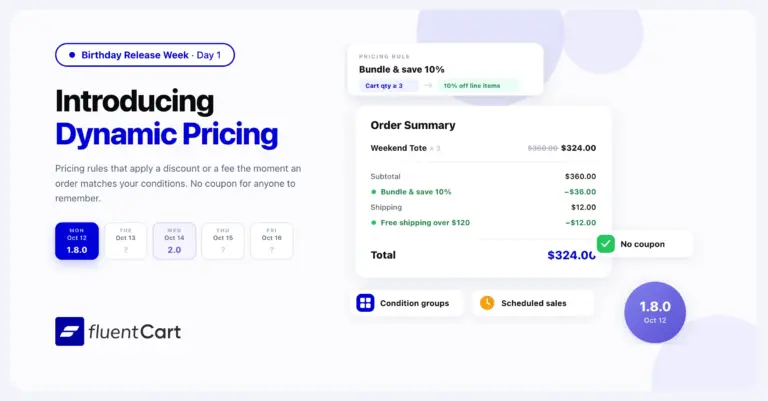
FluentCart 1.8.0 – Dynamic Pricing that follows your conditions
FluentCart 1.8.0 adds Dynamic Pricing to FluentCart Pro. A pricing rule adds a discount or a fee at…
-
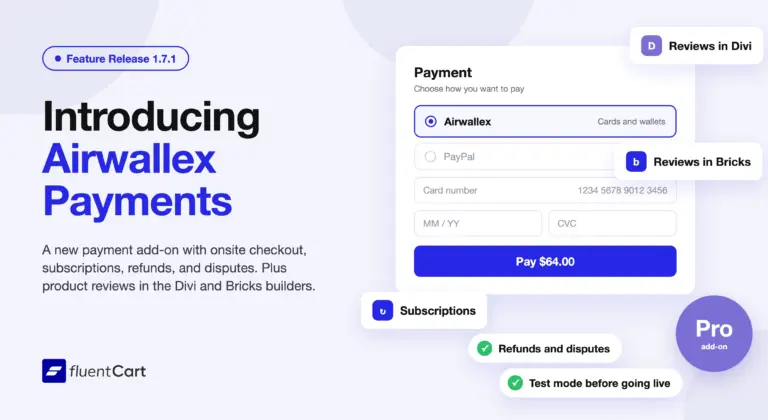
FluentCart 1.7.1 – Airwallex payments and builder reviews
FluentCart 1.7.1 adds Airwallex as a payment method through a new add-on, Airwallex for FluentCart. Airwallex subscriptions, refunds,…
-
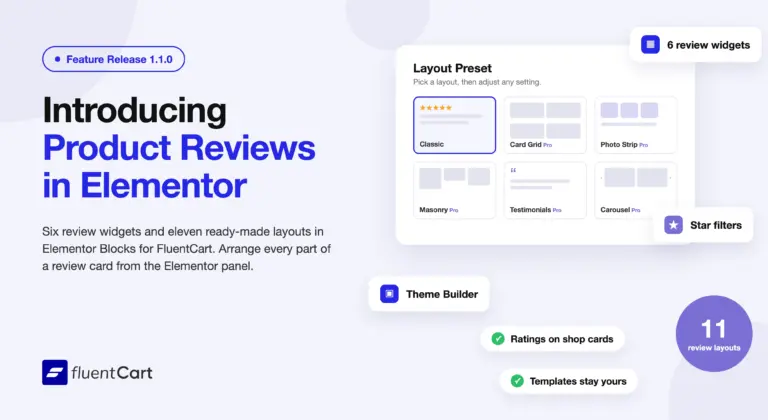
Elementor Blocks for FluentCart 1.1.0 – reviews, placed in Elementor
Elementor Blocks for FluentCart 1.1.0 adds six product review widgets, eleven review layouts, ratings on shop cards, and…



Add your first comment to this post