
FluentCart 1.6.1 – Built Into the Divi Builder
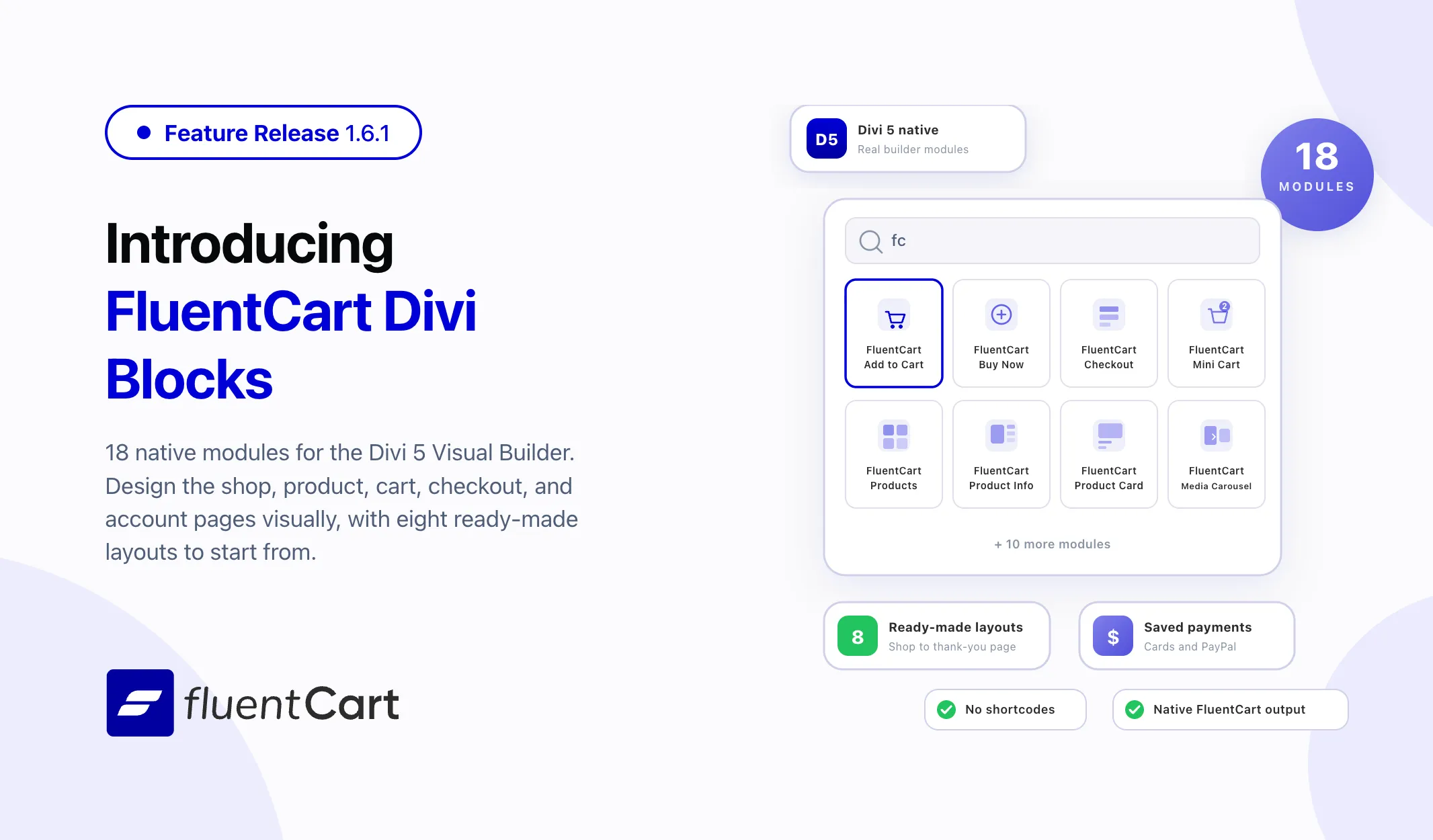
Running FluentCart on a Divi site used to mean pasting shortcodes into a text module, adding a little custom CSS, and finding out how the page actually looked only after hitting preview. FluentCart 1.6.1 ships FluentCart Divi Blocks, a new add-on that puts eighteen native FluentCart modules directly inside the Divi 5 Visual Builder. Alongside it, FluentCart Pro gains Saved Payment Methods for both cards and PayPal accounts, so returning customers pay with something they already saved.

Eighteen FluentCart modules, right in the Divi module picker
Divi users have had two options for FluentCart pages: accept the default templates, or rebuild them with shortcodes and custom styling. Neither gives the drag-and-drop control that made people choose Divi in the first place.
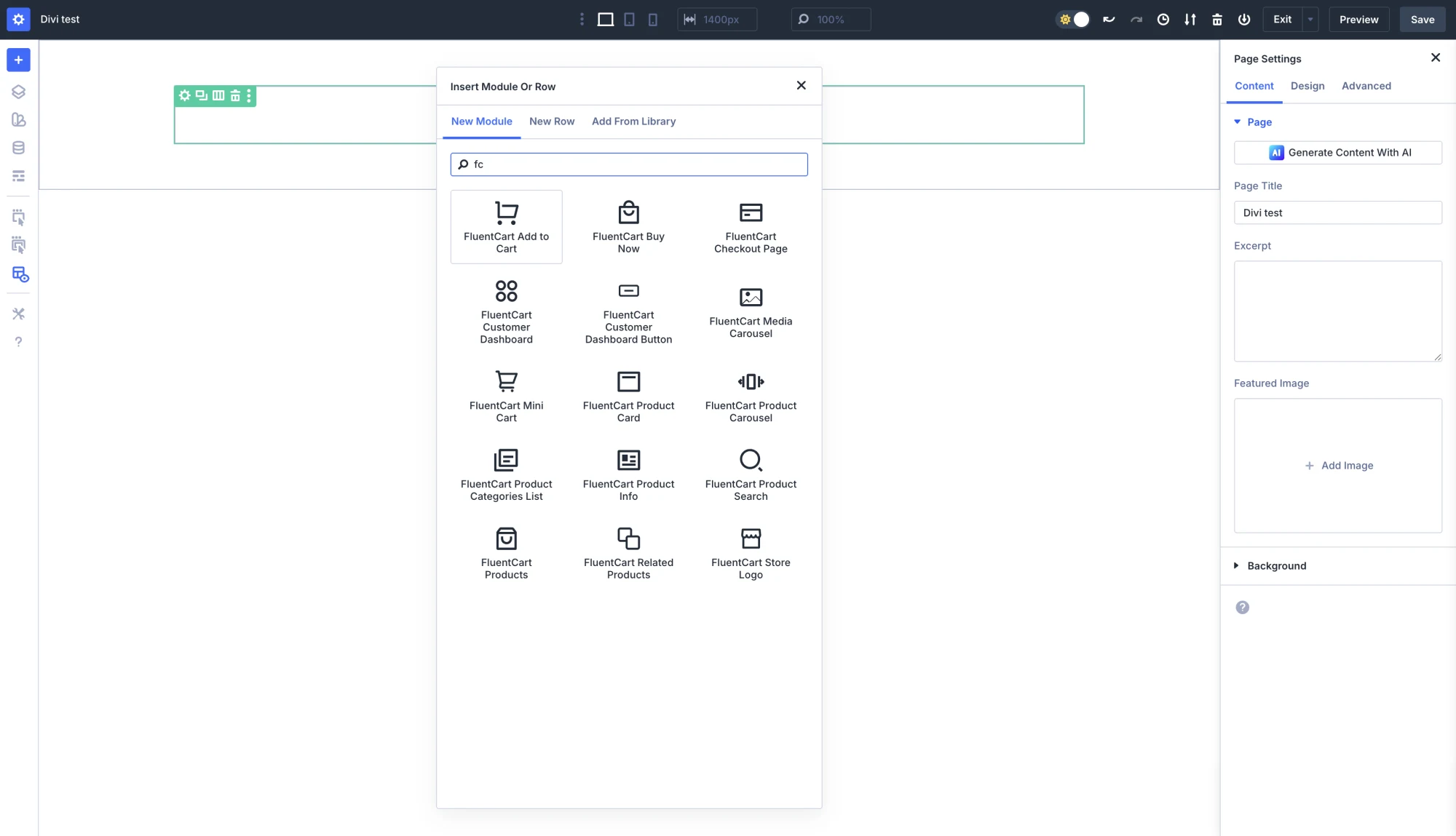
FluentCart Divi Blocks adds eighteen modules that appear in the Insert Module panel like any other Divi module, gathered in their own FluentCart Modules folder. Products for a full catalog grid with sorting, filters, and category and brand pickers. Product Info, Product Card, Product Carousel, Media Carousel, and Related Products for product pages and collections. Product Search and Product Categories List for navigation. Add to Cart and Buy Now for purchase actions, each with a searchable product picker so the right variation is one search away, and Buy Now with an optional modal checkout. Mini Cart with a live item count. Cart, Checkout, and Receipt for the full purchase path. Customer Dashboard, Customer Dashboard Button, Store Logo, and Archive Header for the store and account surfaces.
Every module puts out FluentCart’s own storefront output, not a rebuild of it, so pricing rules, variations, subscriptions, coupons, taxes, and payments behave exactly as they do everywhere else. Styling flows through Divi’s own Design tab: typography, colors, buttons, product cards, carousels, backgrounds, borders, spacing, and shadows. No custom stylesheet, no theme template to maintain.
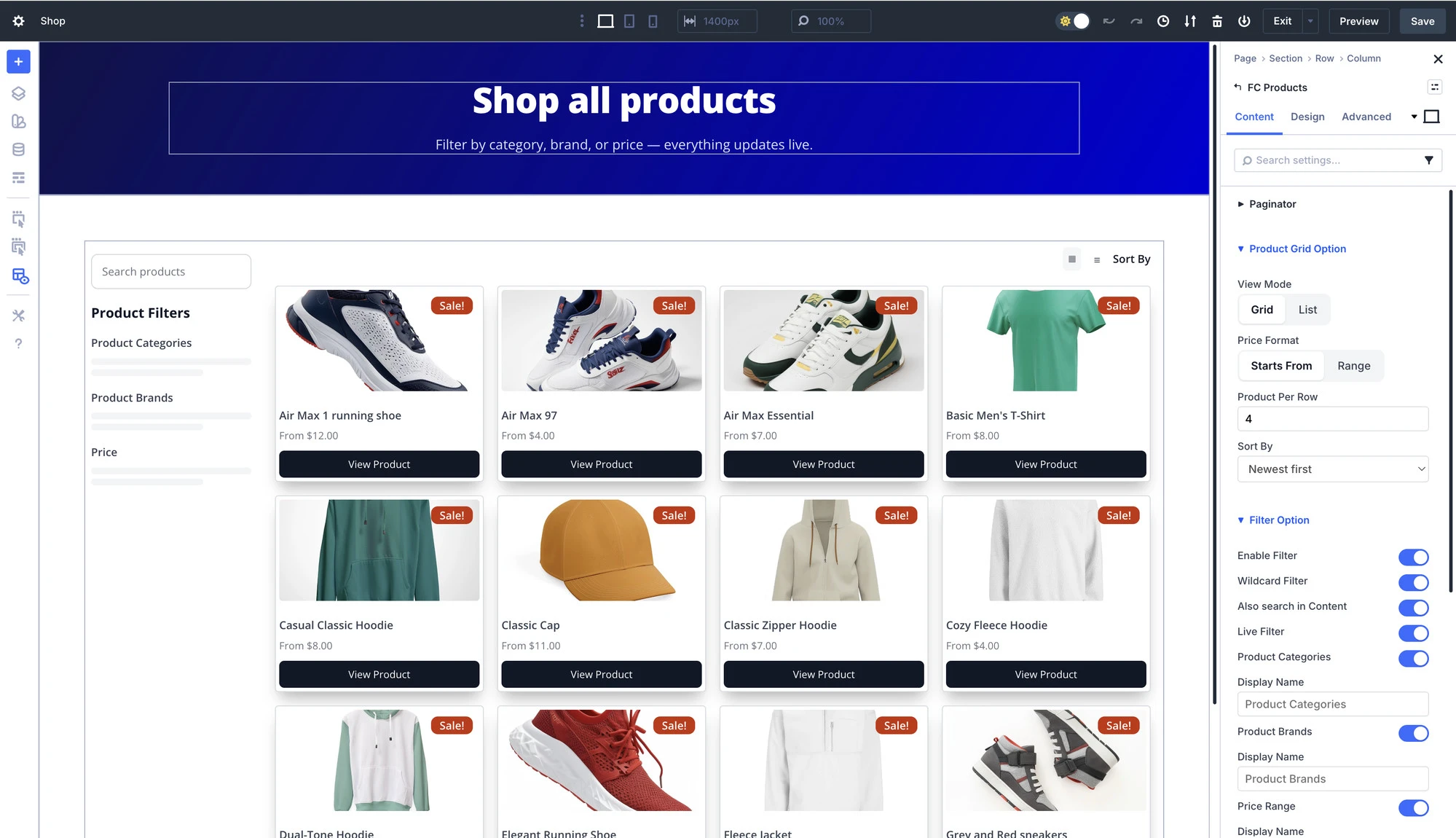
The practical impact: a Divi store gets built from the shop grid to the thank-you page without leaving the builder.
Real previews, so the page you design is the page you ship
Commerce modules have a habit of showing a grey placeholder box in the builder and the real thing only on the live page. The product modules here preview for real inside the builder: actual products, actual prices, actual variations, actual badges.
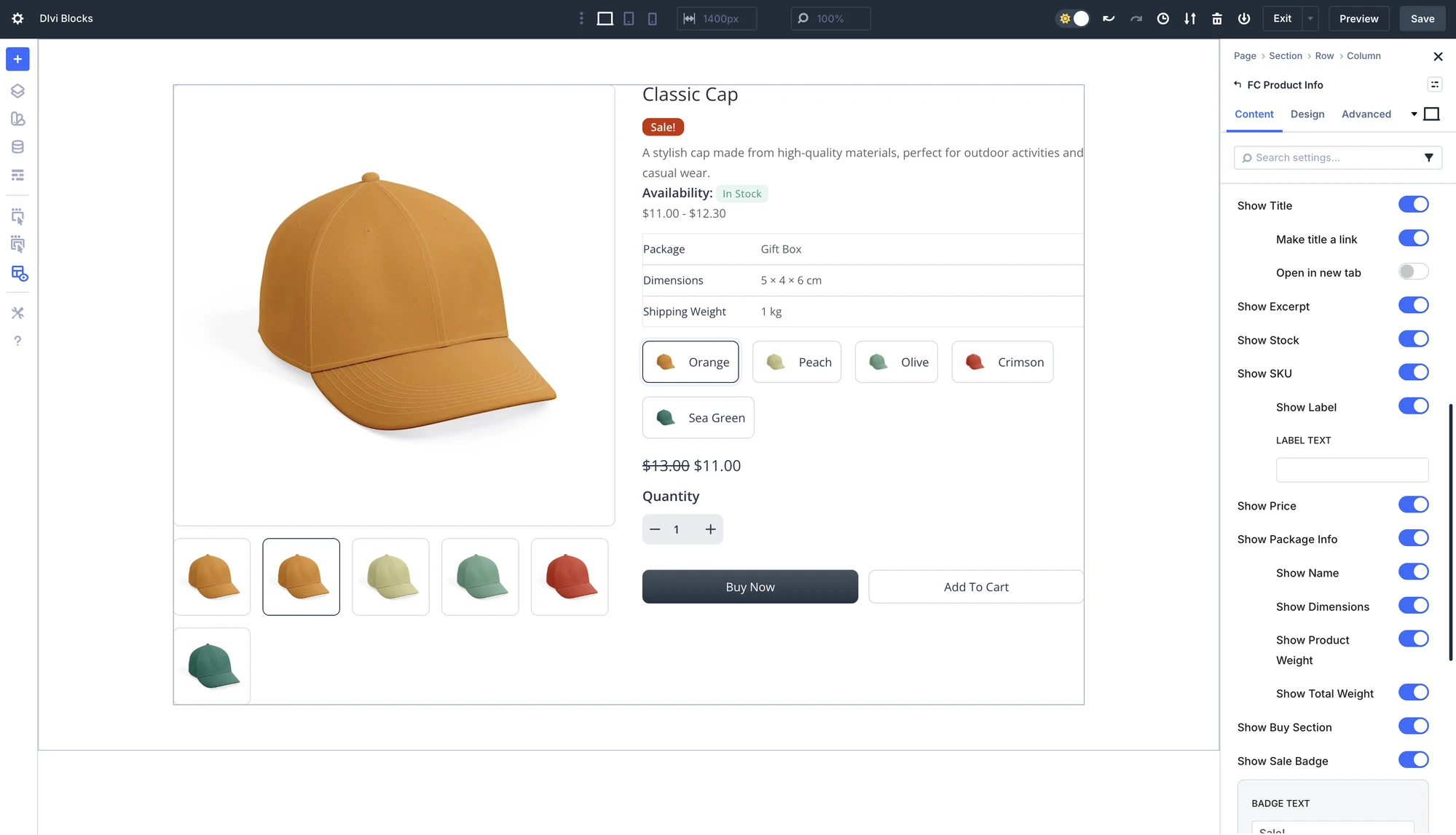
Sale and Sold Out badges are settings inside the product modules rather than a separate plugin, available as a corner overlay on the grid modules and as an inline row on Product Info. Dynamic Content tokens make FluentCart product fields available in any Divi text or image field, and Theme Builder support means one product template resolves whichever product a visitor is looking at.
The checkout and account modules follow the same rule. What sits on the canvas is the real checkout, field for field, and the real customer dashboard, ready to be styled with Divi’s Text, Input Fields, and Button controls.
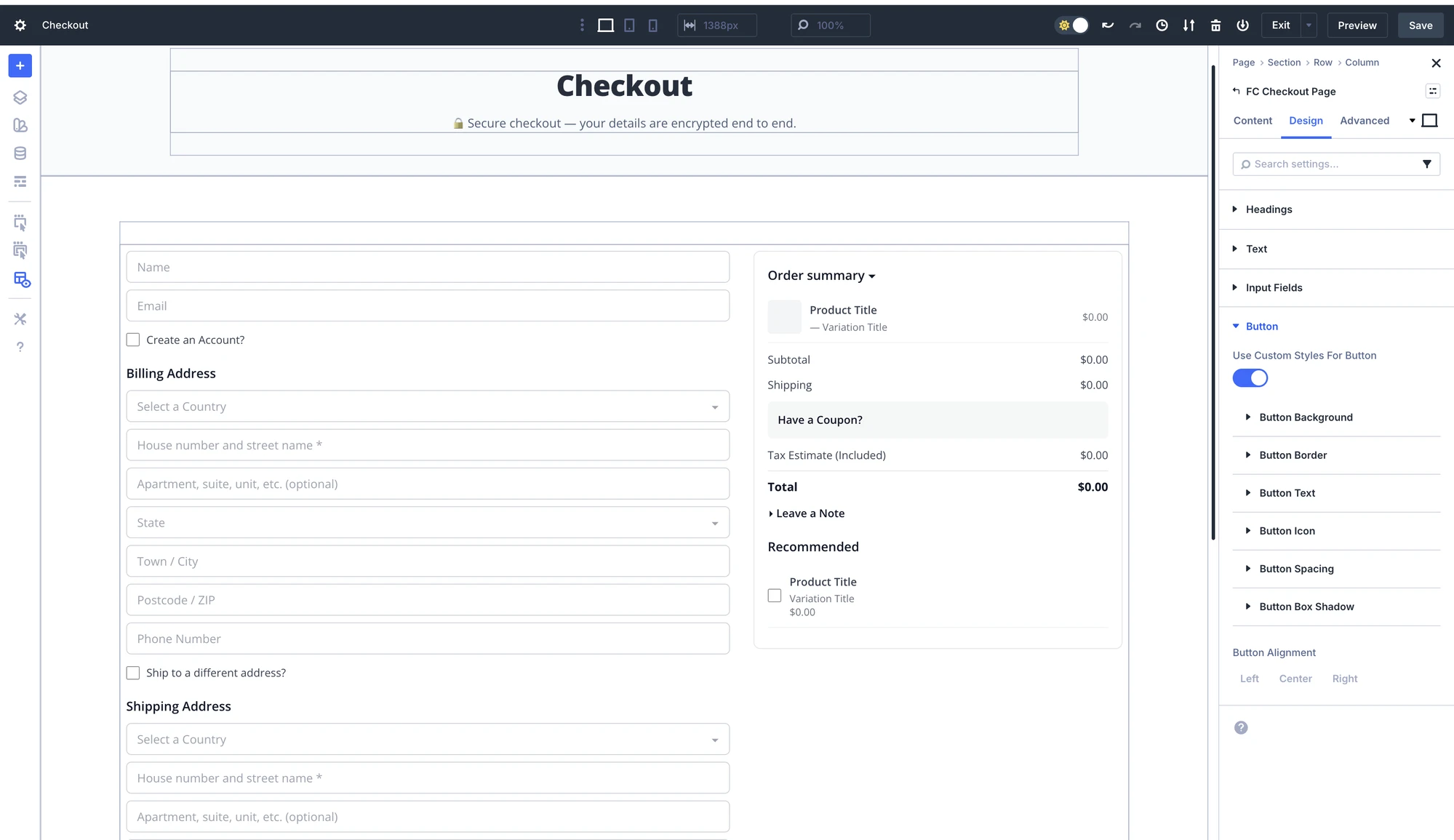
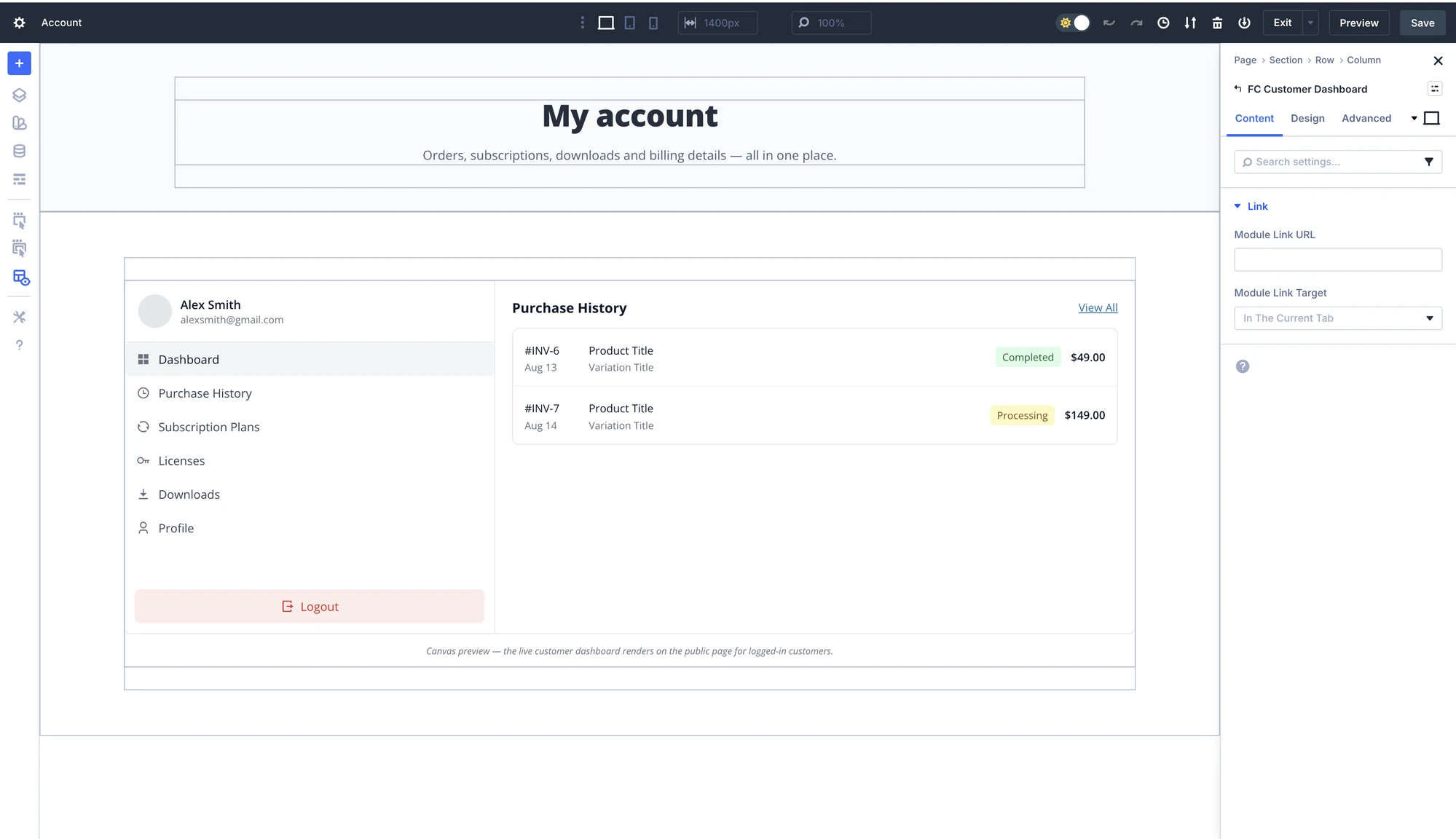
Layout decisions get made once, in the builder, with the real store in front of you.
Eight ready-made layouts, seeded into the Divi Library
Starting from a blank canvas is the slowest part of launching a store. FluentCart Divi Blocks seeds eight complete layouts into the Divi Library: Shop, Single Product, Cart, Checkout, Thank You, Product Category, Customer Dashboard, and Campaign Landing. Each arrives with a preview thumbnail, loads from Load From Library like any saved layout, and is fully editable once it lands on the page.
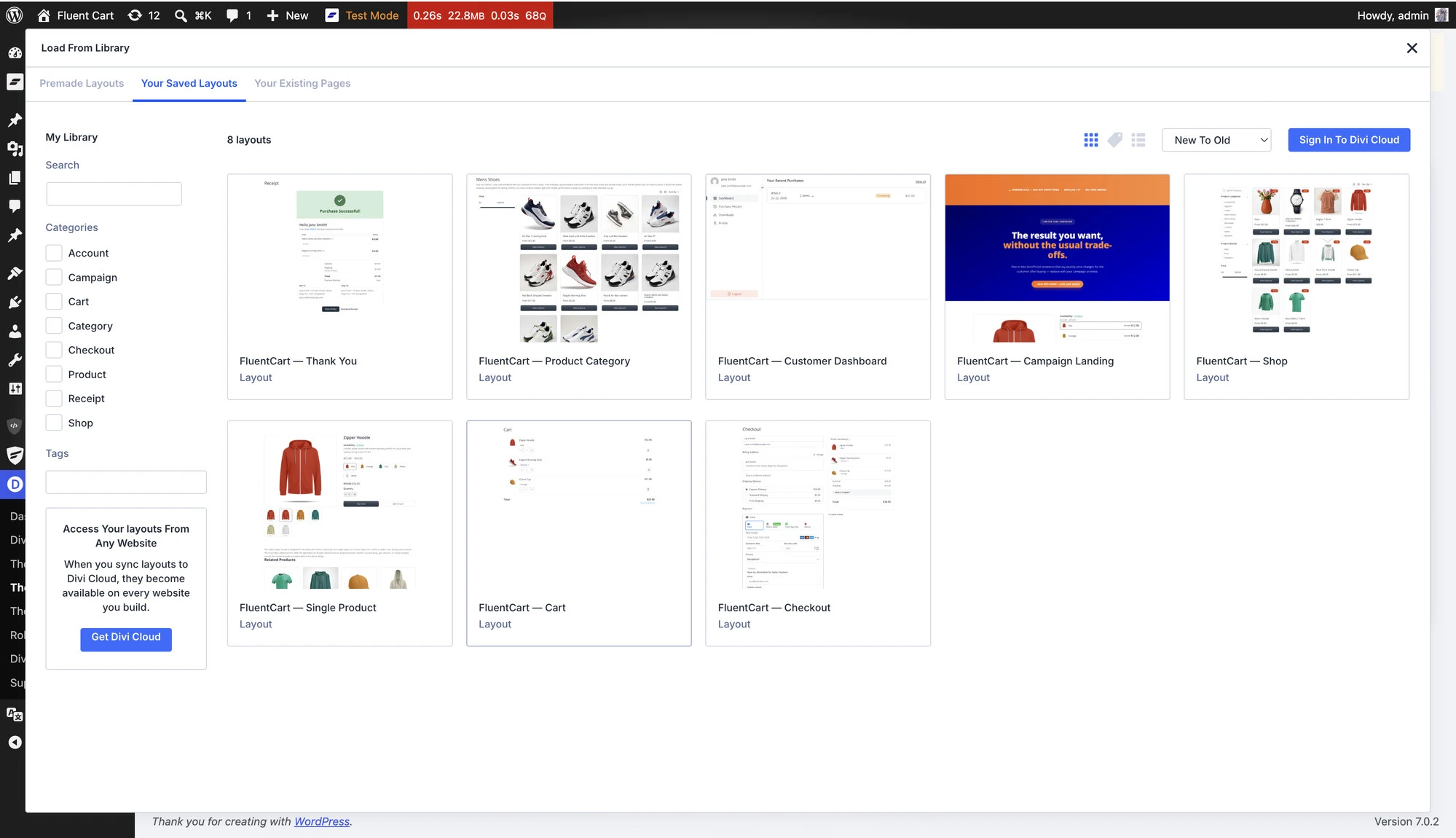
Category and brand archives are covered by one layout rather than one per term, since the Archive Header and catalog modules scope themselves to whatever the shopper is browsing. The Campaign Landing layout rounds it out, built for promos, product launches, and ad traffic: create a page, open it with Divi, load the layout from Add From Library, and you have a focused landing page ready to point a campaign link at in minutes instead of designing one from scratch.
The practical impact: a working storefront on day one, edited rather than assembled.

Saved cards and saved PayPal turn a repeat purchase into one click
Repeat customers pay a small tax on every order: find the card, type sixteen digits, get the expiry right. For subscription and invoice-driven stores, that friction shows up as slow payments and abandoned renewals.
FluentCart Pro now offers Saved Payment Methods, covering both cards and PayPal accounts. Customers can save a payment method at checkout, manage saved methods from a Payment Methods page in their account, choose a default, and remove one at any time. Removing a saved PayPal account revokes it at PayPal as well, so nothing stays chargeable after the customer has taken it away.
Open invoices and renewals gain instant Pay Now, so a customer settles an outstanding amount with a saved method in a single step, and a saved PayPal account completes the payment in place instead of sending the customer off to PayPal and back.
Saving is always opt-in. Store owners can turn the whole feature on or off from a single store setting, and can choose to have the save box arrive pre-selected if that suits their market. If a PayPal account is not approved for saving payment methods, the store owner is told rather than left to wonder why nothing is being saved.
For subscription, membership, and service stores, this shortens the distance between an invoice arriving and money landing.
Coupons that behave the same everywhere
A coupon should mean the same thing on the storefront as it does on an admin order, and several places where the two drifted apart are now settled.
Stacking follows one rule on both sides. The first coupon a customer applies is the one that stays, so a large non-stackable coupon no longer disappears the moment a second code is tried. A maximum discount cap is honored at checkout, not only on admin orders, so a percentage coupon with a cap stops at the cap on a large cart.
Restrictions that were only enforced on the storefront now hold on the admin apply path too: email restrictions, per-customer limits, maximum spend, and unknown codes. Coupon settings that used to be accepted and then quietly misbehave are rejected on save instead, applying a coupon to an admin order containing product variations works as expected, and the coupon list shows the real number of times a coupon has been applied.
A quieter kind of trouble, handled
Failed subscription renewals used to pass without a word. FluentCart now sends a notification when a renewal charge fails, to the customer by default and optionally to the store owner, with the reason the payment provider gave. Alongside it, a Stripe renewal that succeeds after an earlier failed attempt is recorded properly instead of being dropped, which is exactly the case where a store most needs the payment to land.
Getting the Divi Blocks addon
Update FluentCart from your dashboard, then head to Settings → Features & Addons → Plugin Addons. FluentCart Divi Blocks appears in the addon list and installs in a click. It needs the Divi theme with the Divi 5 Visual Builder active.
Saved Payment Methods ships with FluentCart Pro; enable it from your store settings. Everything else in this release arrives with the core and Pro updates.
Full Changelog
FluentCart Divi Blocks 1.0.0
- Divi builder addon with 18 native Divi 5 Visual Builder modules rendering FluentCart’s own markup
- Products module: full catalog grid with sorting, filters, and category/brand pickers
- Product Search and Product Categories List modules
- Product Info module with toggleable gallery, title, price, and buy sections
- Product Card, Product Carousel, Media Carousel, and Related Products modules
- Sale and Sold Out badges as settings inside the product modules
- Add to Cart module with variation awareness and a searchable product picker
- Buy Now module with a searchable product picker and optional modal checkout
- Mini Cart module with live cart item count
- Cart page module rendering the full FluentCart cart
- Checkout module embedding the full FluentCart checkout
- Receipt module for the post-purchase thank-you page
- Customer Dashboard and Customer Dashboard Button modules
- Store Logo module rendering the store logo (or a custom image), with optional homepage link
- Archive Header module and auto-scoping category/brand archive support
- Theme Builder support resolving the current product in single-product templates
- Template Library: eight ready-made layouts (Shop, Single Product, Cart, Checkout, Thank You, Product Category, Customer Dashboard, Campaign Landing) seeded into the Divi Library
- Dynamic Content tokens for FluentCart product fields
- Real front-end canvas previews for the product modules
- FluentCart Modules folder in the Insert Module dialog, with every module findable by typing fc
- Divi Design tab controls across the modules: typography, colors, buttons, product cards, and carousels
- Automatic addon updates
Features
- Saved Payment Methods for faster future checkouts, covering both saved cards and saved PayPal accounts (Pro)
- Customer Payment Methods management page (Pro)
- Instant Pay Now with a saved payment method for invoices and renewals (Pro)
- Store setting to enable or disable Saved Payment Methods (Pro)
- Customer and admin email notifications for a failed subscription renewal
- Product insertion progress on the onboarding step
- Advanced filter option gating by requested data key
- Modal checkout extension points for add-ons
- Customer portal extension point for add-on sections on Profile page
Improvements
- Customer Profile page with add-on extension support
- Bulk product editing with billing interval validation
- Merchant setting to pre-select the save payment method box at checkout (Pro)
- Admin subscription view now includes its transactions and upgrade eligibility
- Subscription search matches part of a customer email
- Coupon list shows the real applied count
- Faster Advanced Inventory screen loading
- Stripe webhook logs record why an event matched no order
- Admin-created orders are marked as admin orders, so integrations stop attributing them to the admin’s own browsing
Security
- Public product listings no longer expose cost price or raw stock counts
- Product and order endpoints accept only a known set of relation and scope parameters
- The subscription retention report sanitizes its own input
Fixes
- Duplicate charges when using saved payment methods
- Saving a card removing a previously saved PayPal account
- Saved cards not being stored in Stripe hosted checkout mode
- Refunds on saved PayPal orders being sent to the wrong provider
- A removed saved PayPal account staying chargeable at PayPal
- The Payment Methods page loading unstyled inside the customer portal
- The customer portal reporting a failure after a successful payment method update
- Licensed download links, now secured with signed URLs
- Store-managed Mollie renewals remaining unpaid
- Stripe renewal retries not being recorded after an earlier failed charge
- Reactivating a past due or expiring subscription
- Cancellation reason not saved, and subscription settings lost on concurrent updates
- Storefront coupon stacking so the first applied coupon stays
- Maximum discount cap not being applied at checkout
- Coupon email, per-customer, spend, and unknown-code restrictions not enforced on admin orders
- Coupon saving on invalid schedules, negative limits, and duplicate codes failing with a server error
- Applying a coupon to an admin order containing product variations
- Custom line items added to an existing order not being saved
- A physical custom line item not entering the shipping workflow
- Manual orders reading the subscription type from the label instead of the product
- The single transaction endpoint returning every transaction on the order
- Refunding an order with incomplete refund details ending in an error
- Payment link re-pay charging the current catalog price instead of the order price
- The shop price range slider rounding away cents
- Category filtering by parent returning unrelated categories
- Variant search not matching variation titles
- Shipping zone edits clearing the assigned shipping class
- S3 credentials being cleared when saving settings
- Settings changes not applying on hosts with persistent caching
- Shipping totals on newly created orders
- Removed the capture payments bulk action, which failed on use
In case you missed
1.6.0 (Jul 29, 2026)
- Store-Managed Subscription Engine with invoice-based renewals for any gateway
- Optional automatic renewal charging with saved payment methods on Stripe and PayPal
- Full subscription lifecycle management: pause, resume, skip, reactivate, edit, and charge controls
- Subscription emails for renewals, reminders, upcoming charges, payment failures, and past-due notices
- Coupon min/max spend basis settings and storefront polish
1.5.5 (Jul 17, 2026)
- PayPal payment flow improvements and subscription activation fixes
- Security hardening across Core and Pro
1.5.4 (Jul 17, 2026)
- Bricks Blocks dedicated add-on with 15 new blocks
- Cross-site campaign attribution with UTM tracking
- Advanced AI search across orders, customers, products, and subscriptions
1.5.3 (Jul 9, 2026)
- Configurable Tax Display Styles with customizable tax labels
- MCP AI support for profitability, subscription forecasts, and payment ledger access
- Inline tax class creation for Tax and EU VAT settings

I’m Jewel, founder of FluentCart and CEO at WPManageNinja, the team behind Fluent Forms, Fluent CRM, Fluent Support, FluentLogs and a handful of other WordPress plugins. I have been writing WordPress code since 2009 and still think of myself as a developer first and an entrepreneur second. Most of what I write on this blog comes from arguments we have had inside the team about how to build software people can actually depend on.

Subscribe now
Related Articles and Topics
-
FluentCart 1.6.5 – in your own colors
Storefront Appearance settings let your store inherit colors from the active theme or use a custom palette. Customer…
-

Introducing Product Videos – FluentCart 1.6.4
Most of what makes a store trustworthy happens when nobody is watching: the product page a shopper studies…
-
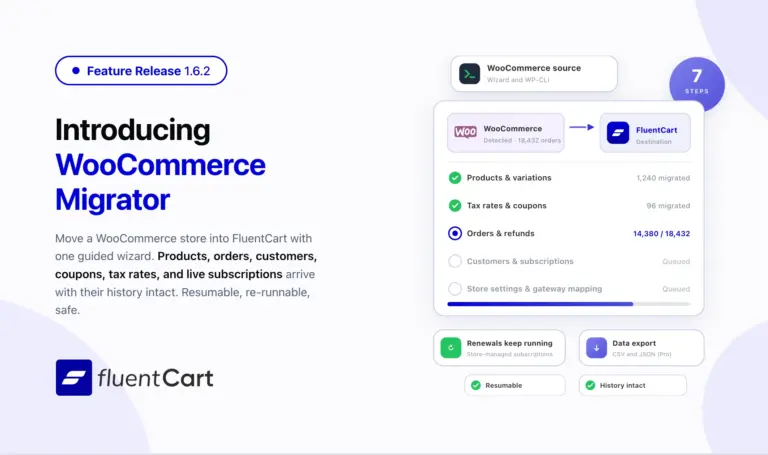
FluentCart 1.6.2 – Bring your WooCommerce store to FluentCart.
Switching platforms is the decision most store owners put off, not because the new platform is worse but…



Leave a Reply