
FluentCart 2.3.1 – Offers where shoppers decide
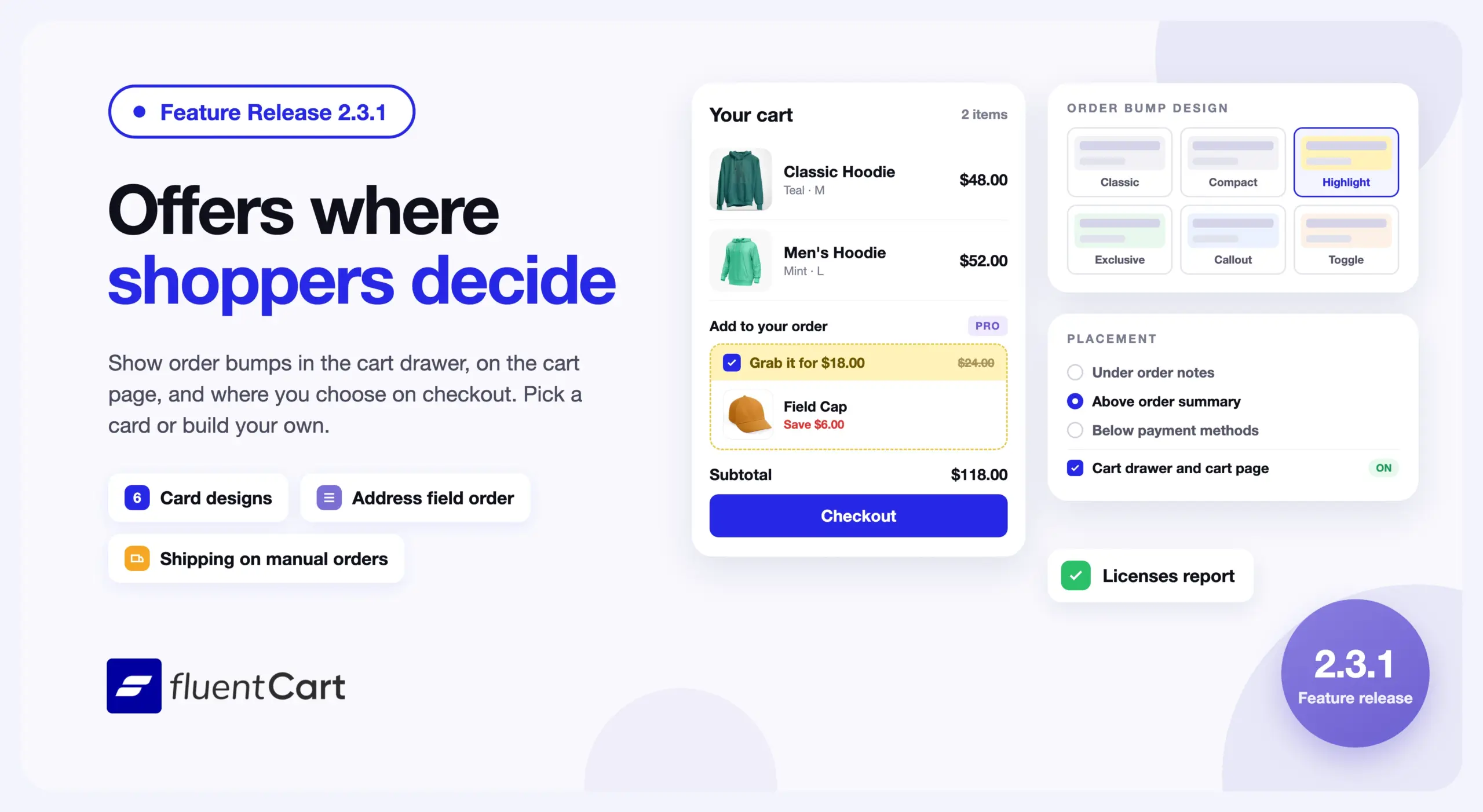
An order bump in FluentCart Pro showed in one place, under the order notes on checkout. A shopper saw the offer only after they reached the checkout page, near the end of the order. Store owners had fixed layouts in two other places too. The billing and shipping address fields came in one order, and a manual order had no shipping charge.
FluentCart 2.3.1 lets you show order bumps in the cart drawer, on the cart page, and at the checkout position you choose. You can also set the order of the address fields and add shipping to orders you create by hand.
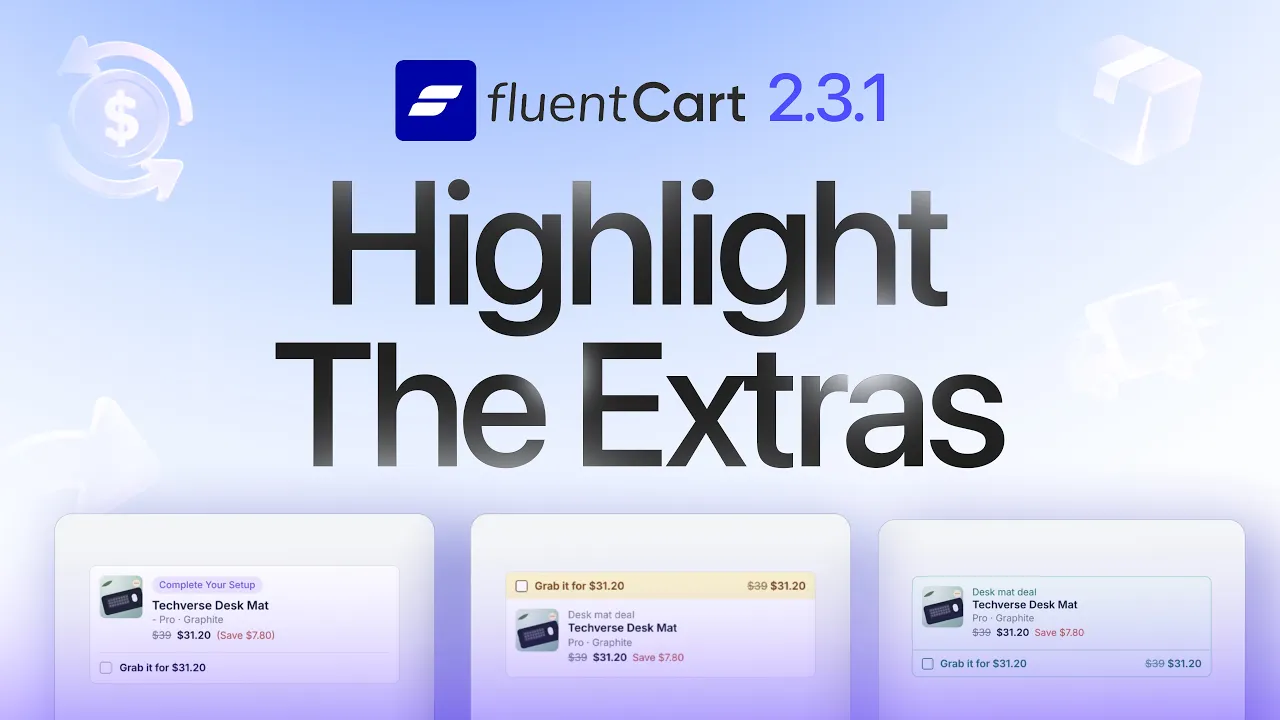
This is a feature-led release, and order bumps in FluentCart Pro lead it. Bumps get new positions, six card designs, and cards you build yourself. FluentCart Pro also adds a Licenses report. In free FluentCart, you can rearrange checkout address fields, and manual orders can carry a shipping charge.
Order bumps show where shoppers decide
Until now, FluentCart Pro showed every bump under the order notes on checkout, so a shopper saw the offer near the end of the order.
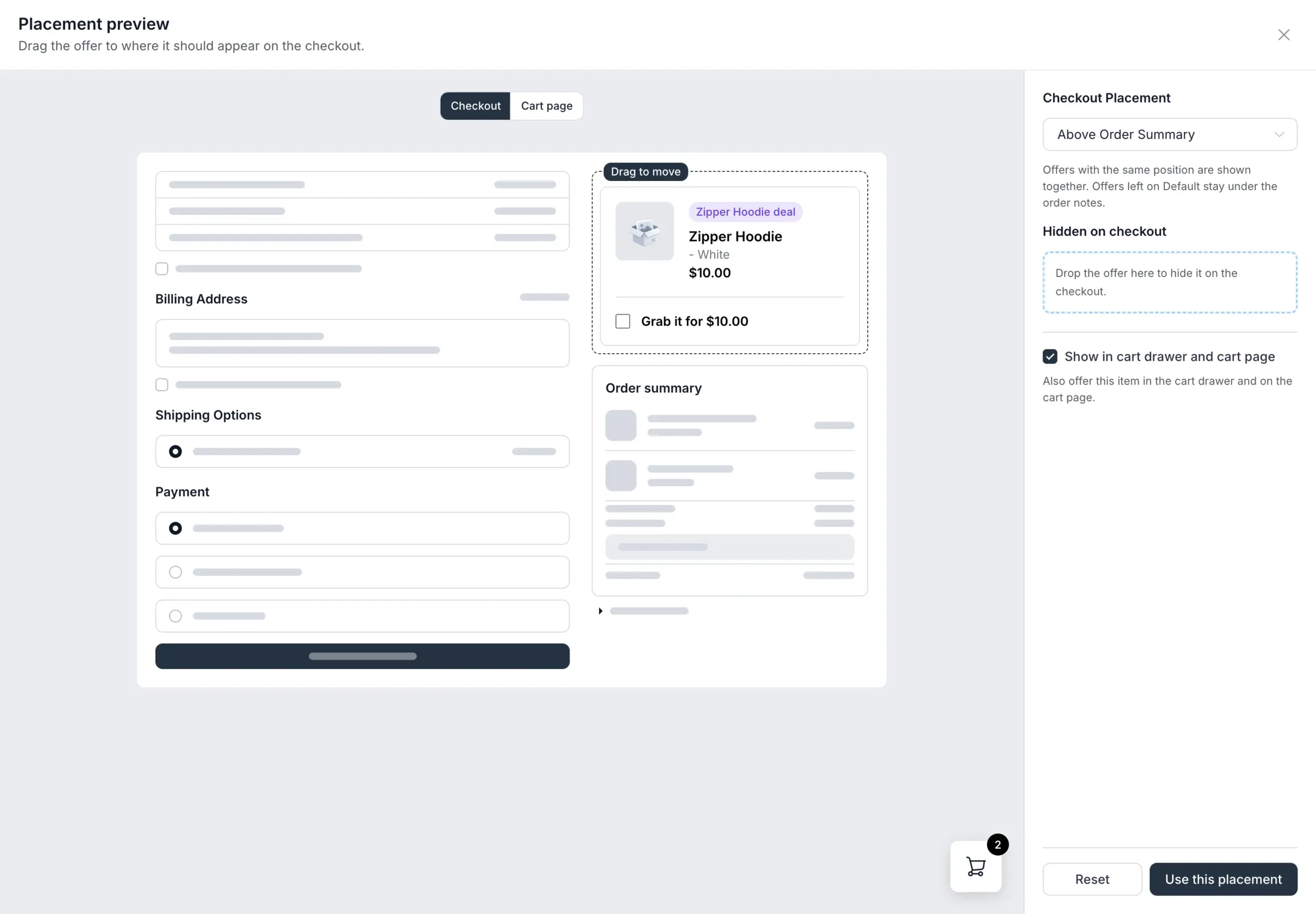
Each bump now has a Placement section. The default stays under the order notes. You can also show the bump above or below the customer details, the order summary, or the payment methods, or hide it on checkout. The Placement preview shows a sample checkout. Drag the offer to the position you want and click Use this placement.
In the same preview, turn on Show in cart drawer and cart page. The bump then shows in the cart drawer and on the cart page, under the heading “Add to your order”. Each of these two places shows up to two offers.
The order bump list has a Design button, which opens the Order Bump Design page. Pick one card, and FluentCart uses it at checkout, in the cart drawer, and on the cart page. The built-in cards are Classic Card, Compact Card, Highlight Box, Exclusive Card, Callout Card, and Toggle Card.
Customize opens the card in the FluentCart block editor, with blocks for the image, title, price, savings, and buttons. Add Template creates a custom card from the Classic design, and you can keep up to 20 custom cards. Each bump can also have its own image, which shows in place of the product image.
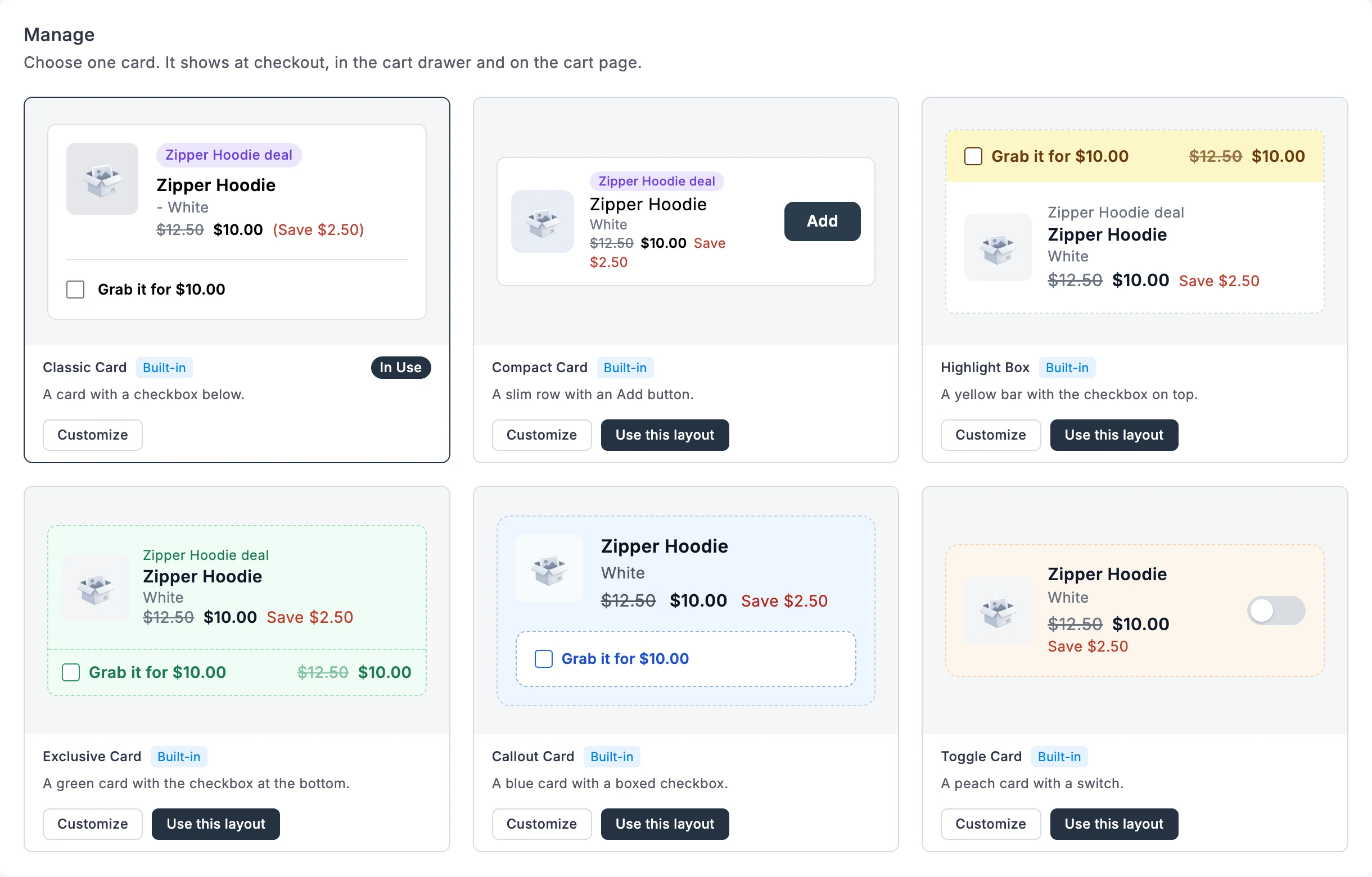
The checkbox now reads “Grab it for” followed by the offer price, and the Recommended heading above checkout bumps is gone. The order bump list shows the offer, both prices, the discount, and where each bump shows. A switch in each row turns the bump on or off.
Two rule changes to know before you edit a bump. A bump now needs a discount above zero before you can save it or turn it on. The Greater Than condition no longer matches a subtotal equal to the amount. A bump set to “Greater Than 50” no longer shows on a 50.00 cart. A custom card must keep a checkbox, or both an Add button and a Remove button. If it does not, the shop shows that card’s default design. Order bumps do not show in the modal checkout.
For developers. New actions place content around the customer details, the order summary, and the cart drawer and cart page items, for example fluent_cart/before_order_summary and fluent_cart/cart_drawer/after_items. The fluent_cart/order_bump/cart_drawer_limit and fluent_cart/order_bump/cart_page_limit filters change the number of offers in each place.
License sellers see how their licenses are used
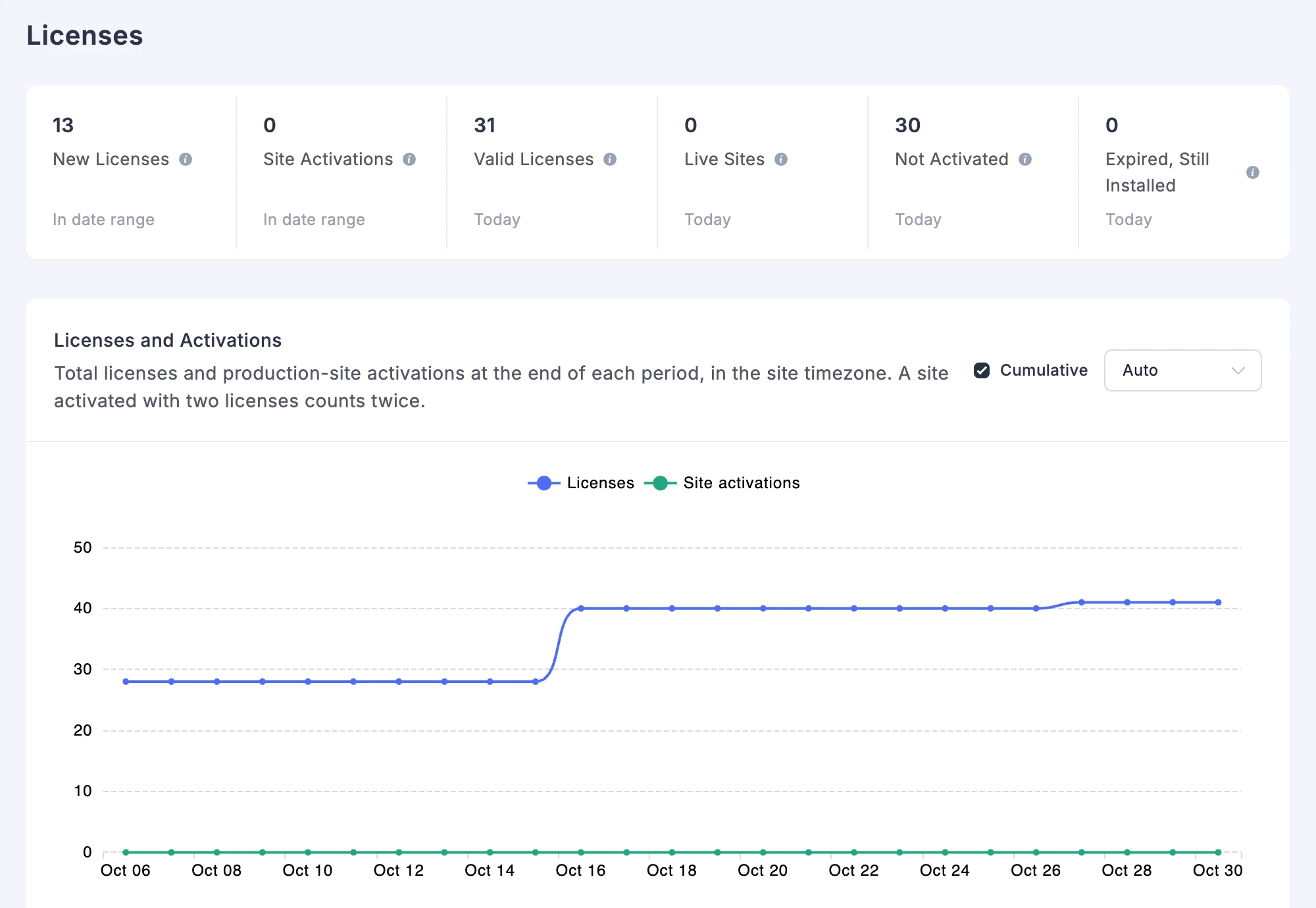
Stores that sell plugins, themes, or other licensed software had license charts on the Licenses list and no report. FluentCart Pro adds a Licenses page under Reports, which shows how customers activate their licenses and on what sites.
The summary cards show New Licenses, Site Activations, Valid Licenses, Live Sites, Not Activated, and Expired, Still Installed. The Licenses and Activations chart shows bars for each period, or a Cumulative view of the totals.
The Products table shows how much of each site limit customers use, and Unlimited where almost every valid license has no limit. Its At limit column counts the valid licenses that use every site they allow. Those customers are the ones most likely to need a bigger plan. You can export the table as a CSV.
Pick one product to see its Versions in Use and its Site Environment, with the server and platform each site reports. The product filter is the only filter on this page.
For developers. FluentCart Pro now runs the fluent_cart/plan_changed action when a customer’s upgrade completes.
Address fields follow the order you set
Until now, the billing and shipping address fields showed in one fixed order on checkout. In Settings, open Checkout Fields. The Billing Address and Shipping Address sections each have a Rearrange button. Click it, drag the fields into the order you want, and click Done to save. The checkout form and the add address window follow that order. City and postcode share a row only when they sit next to each other.
Improvements
Checkout payments. The payment form shows a loading placeholder while it reloads, with its own shape for Stripe and PayPal. PayPal now accepts CNY and RUB.
Payment Settings. Payment method logos have even sizes and dark-mode versions. The drag handle shows “Drag to reorder. Checkout shows payment methods in this order.” A payment method whose add-on is missing shows Install & Activate or Activate.
Product Compare in FluentCart Pro. The report now runs when you click Compare. Each card loads on its own and has its own Retry, so one slow card does not hold up the rest.
Add-on suggestions. A Recommended for your store card on the dashboard and in Features & addon suggests add-ons that match your store. Examples are Customer Rights for stores in the EU and Shipping For FluentCart for stores with physical products. The Carriers page offers Shipping For FluentCart. The product edit page suggests the FluentCart add-on for Elementor, Bricks, or Divi when that builder is active, and you can dismiss it. In FluentCart Pro, E-Invoice settings warn when Fluent PDF is missing and offer to install it.
Admin screens. Product category and brand screens have a Products field for attaching products to the term. The settings sidebar groups Customer Accounts and add-on pages under Compliance. Settings, report, and shipping screens have one main heading and no skipped heading levels, so screen readers announce them in order.
Fixes & Stability
Orders, tax, and refunds. Shipping tax no longer drops to zero when you edit an order. Tax breakdowns show the right taxable amount when shipping is taxed and on subscription renewals. Refunded orders keep the right paid total, and the customer portal shows the right balance due. One-time bundle orders save their bundled items again. In FluentCart Pro, the accounting export reads taxed shipping correctly, including shipping split across tax rates.
Coupons, prices, and checkout. The coupon editor uses the store timezone, so end dates no longer land a day early. A coupon no longer replaces one cart line with another when the same variation sits on two lines. Price fields no longer turn a grouped price such as 4,314 into 4.31 while you edit it. Saved cards no longer show on a free order in FluentCart Pro. A payment method whose add-on is missing no longer shows a toggle and a Save button that did nothing.
Subscriptions and gateways. A PayPal payment method switch no longer leaves two active PayPal subscriptions when the customer closes the tab. FluentCart cancels the old subscription after PayPal confirms the switch. In FluentCart Pro, a Mollie reactivation now keeps the subscription active after the charge, and an Authorize.Net reactivation no longer bills one installment too many. Paddle checkout recovery sends a partly paid order to the payment link, not the receipt.
Compatibility and translations. Accordion and mobile menu blocks work again in Firefox on block themes with FluentCart active. Pages that stopped loading with some SEO plugins and with Breakdance load again. In the customer portal, status badges such as Refunded and Past Due, bundle labels, and notice titles now use your site’s translation.
Admin polish. The shipping method drawer fits Per Weight tiers and opens without old errors. The integration settings page shows the error instead of loading forever. The product drawer and the Channel Rules dialog on reports open above the top bar. Alert close buttons and tabs work from the keyboard, and Escape closes a dialog after you pick from a select. The advanced variation table fits its card, and the errors on variant subscription pricing and on Advanced Filter are gone. In FluentCart Pro, unlimited licenses no longer show “0 / 0” on mobile and in the customer portal.
Security and maintenance. This release includes ongoing security audits and routine hardening across FluentCart core and FluentCart Pro, including the new order bump screens.
Getting 2.3.1
Update FluentCart and FluentCart Pro from your dashboard. The Licenses report in FluentCart Pro 2.3.1 needs FluentCart 2.3.1. On an older FluentCart, Pro shows an Update FluentCart card in its place.
To place an order bump, go to Order Bump, open the bump, and click the Placement section. To change its card, click Design on the order bump list.
To rearrange address fields, go to Settings → Checkout Fields and click Rearrange on the Billing Address or Shipping Address section.
Full Changelog
Features
- Adds order bump positions on checkout, in the cart drawer, and on the cart page. Pro only.
- Adds six order bump cards, custom cards, and an optional image for each bump. Pro only.
- Adds a Licenses report under Reports. Pro only.
- Adds a Rearrange button for the billing and shipping address fields in Checkout Fields settings.
- Adds a shipping method and a shipping charge to the Create Order screen.
- Adds a Products field to the product category and brand screens.
- Adds a loading placeholder for the payment form at checkout.
- Adds CNY and RUB to PayPal.
- Adds suggestions for add-ons that fit your store.
- Adds the
fluent_cart/shipping/available_ratesfilter and checkout and cart actions for developers. - Adds
fluent_cart/order_bump/*filters and thefluent_cart/plan_changedaction for developers. Pro only. - Adds shared admin components and new admin, email, and customer portal hooks for add-on developers.
Improvements
- Improves the order bump list with offer, price, and placement columns and a status switch. Pro only.
- Improves order bumps, which now need a discount above zero. Pro only.
- Improves the order bump Greater Than condition, which no longer matches an equal subtotal. Pro only.
- Improves Payment Settings logos, the reorder handle, and installs for missing add-ons.
- Improves Product Compare, which now runs when you click Compare. Pro only.
- Improves E-Invoice settings with a Fluent PDF install prompt. Pro only.
- Improves admin headings for screen reader users.
Fixes
- Fixes shipping tax on edited orders, and the taxable amount on renewals and taxed shipping.
- Fixes taxed shipping in the accounting export. Pro only.
- Fixes the paid total on refunded orders, and missing items on one-time bundle orders.
- Fixes coupon end dates in the store timezone, and coupons on carts with a repeated variation.
- Fixes price fields saving a grouped price such as 4,314 as 4.31 during an edit.
- Fixes PayPal payment method switches that left two active subscriptions.
- Fixes Mollie and Authorize.Net reactivations, which left a subscription expired or billed an extra installment. Pro only.
- Fixes Paddle checkout recovery for partly paid orders. Pro only.
- Fixes saved cards showing on free orders. Pro only.
- Fixes the toggle and Save button on payment methods whose add-on is missing.
- Fixes the shipping method drawer for Per Weight tiers and old errors.
- Fixes the integration settings page after an error, and report dialogs under the top bar.
- Fixes keyboard use of alerts, tabs, and dialogs.
- Fixes the advanced variation table width, and errors in variant pricing and Advanced Filter.
- Fixes “0 / 0” for unlimited licenses. Pro only.
- Fixes customer portal status badges, bundle labels, and notice titles that stayed in English.
- Fixes Accordion and mobile menu blocks in Firefox, and pages that broke with some SEO plugins and Breakdance.
In case you missed
2.3.0, Nov 3, 2026
- Adds Shippo live rates at checkout, priced in the shopper’s checkout currency.
- Adds split shipments on the order page, created step by step in a Create shipment drawer.
- Adds shipment tracking to the customer portal order page, and a delivery status in Purchase History.
- Adds an Overview report with key figures, a net sales trend, top lists, and a Needs Attention list.
- Adds Coupons, Payment Methods, Locations, and Installments reports.
2.2.0, Oct 16, 2026
- Improves right-to-left layouts on the checkout, cart, shop, product pages, customer portal, and receipts.
- Improves notification emails and the store digest email, which now lay out right to left on right-to-left stores.
- Adds Slovak, Czech, and German labels for the store’s business IDs, such as IČO and USt-IdNr., when your store country matches.
- Improves orders in another currency, where the create and edit order screens now price products, coupons, and totals in that currency. Pro only.
2.1.0, Oct 15, 2026
- Adds a Compare report under Products, with a totals table and a chart for two or more products. Pro only.
- Adds Customers, Discounts, and Top Sold Variants cards and a Units Sold by Period table to the Products report.
- Adds a Renewals by Variant table to the Future Renewals report.
- Adds a Field Labels setting with Docked, Floating, and Placeholder only styles for checkout fields, with Docked as the new default.

I’m Jewel, founder of FluentCart and CEO at WPManageNinja, the team behind Fluent Forms, Fluent CRM, Fluent Support, FluentLogs and a handful of other WordPress plugins. I have been writing WordPress code since 2009 and still think of myself as a developer first and an entrepreneur second. Most of what I write on this blog comes from arguments we have had inside the team about how to build software people can actually depend on.

Subscribe now
Related Articles and Topics
-
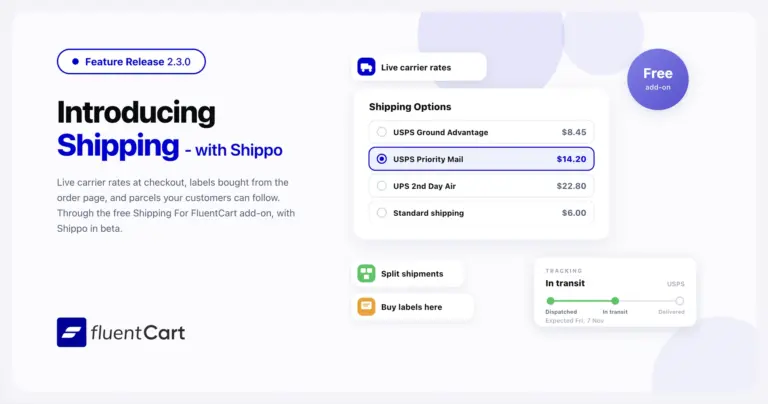
FluentCart 2.3.0 – Shipping, start to finish
FluentCart 2.3.0 brings Shippo rates, labels, and tracking through the free Shipping For FluentCart add-on, plus split shipments,…
-
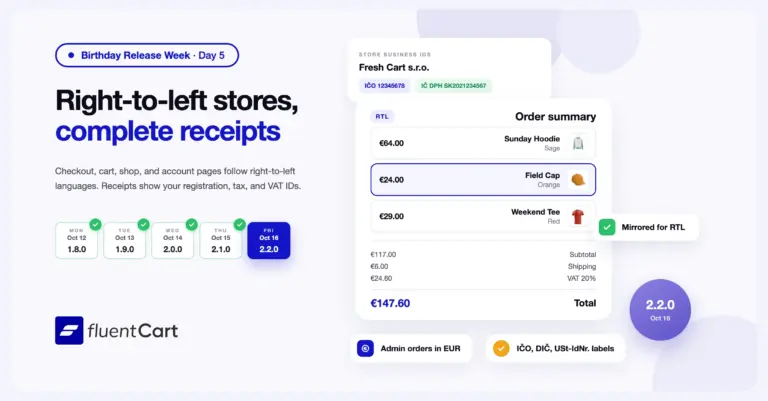
FluentCart 2.2.0 – RTL stores and complete receipts
FluentCart 2.2.0 lays out the storefront for right-to-left languages, and receipts and order emails now show the registration,…
-
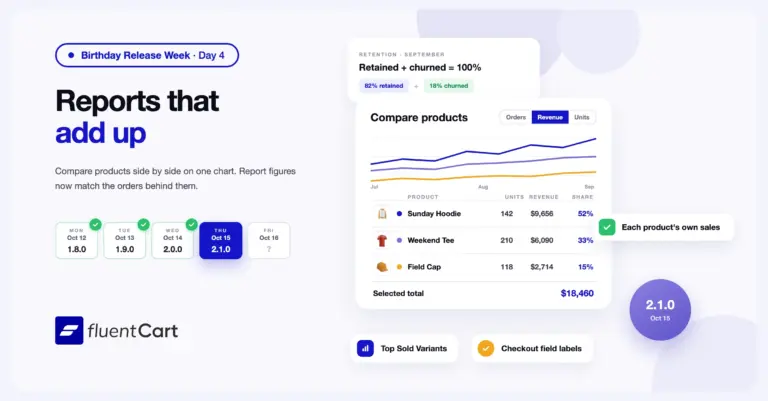
FluentCart 2.1.0 – Reports that add up
FluentCart 2.1.0 adds a Compare report that puts two or more products on one chart and one table,…



Add your first comment to this post