
FluentCart 1.6.2 – Bring your WooCommerce store to FluentCart.
Switching platforms is the decision most store owners put off, not because the new platform is worse but because the move itself feels like a gamble. Years of orders, customers, coupons, and live subscriptions are not something you rebuild by hand. FluentCart 1.6.2 is built around taking that gamble off the table: FluentCart Migrator now moves a WooCommerce store into FluentCart, products through subscriptions, with the same guided wizard that has been carrying Easy Digital Downloads stores across. Around it, a data-and-operations release: export from every list screen, settlement times on transactions, advanced filters on the Order Sources report, and a Stripe checkout that recovers cleanly from a failed card step.
WooCommerce stores can now move to FluentCart, history intact
A WooCommerce store that has been running for a few years is not just a product list. It is order history that customers expect to see in their account, coupons still printed on flyers, tax rates tuned by jurisdiction, and subscriptions that must renew next month without anyone noticing a change of platform. The migration is only worth doing if all of that arrives.
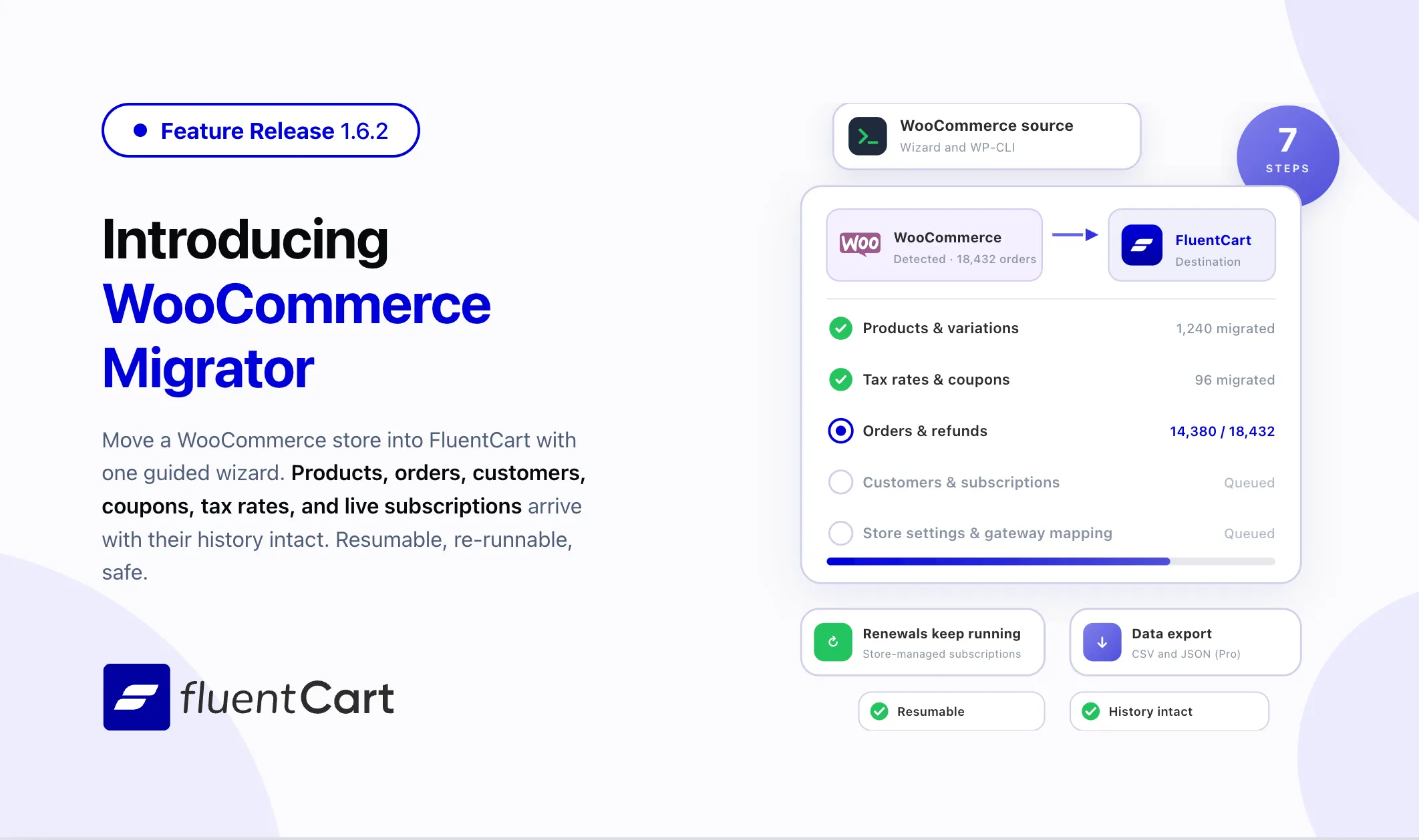
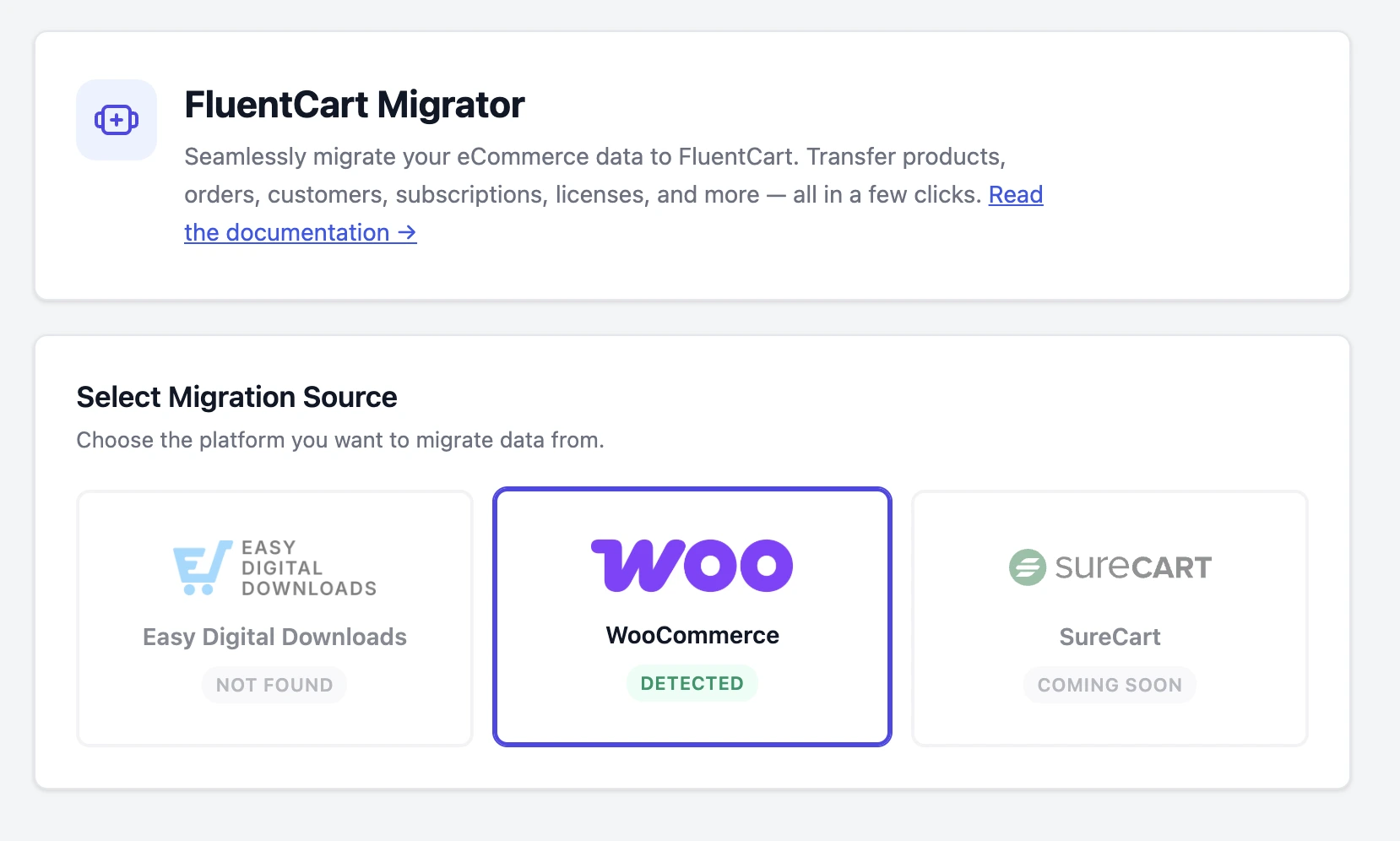
FluentCart Migrator 1.1.0 adds WooCommerce as a migration source, alongside Easy Digital Downloads. Open FluentCart, pick Migrator, and WooCommerce appears as a detected source. The wizard checks compatibility first, then shows a summary of what it found: products, orders, paid orders, customers, coupons, subscriptions, the payment gateways in use, and the spread of order statuses, so you know the shape of the move before anything is written. From there the steps run in order: store settings, products, tax rates, coupons, orders, an optional pass for registered customers who never placed an order, and a final recount that rebuilds coupon usage, customer lifetime value, and subscription billing counts from the migrated data. Large stores can run the same steps from the command line with a single WP-CLI command.
Products come across as FluentCart products. Simple and variable products, categories with their parent hierarchy, featured images, downloadable files, SKUs, and stock levels all carry over. WooCommerce attributes become FluentCart advanced variations drawn from one shared attribute library, so a store with color and size across two hundred products ends up with two attributes, not four hundred. Grouped products and Product Bundles become FluentCart bundles. External and affiliate products land as catalog-only listings that keep their outbound link and button text. Store address, country, currency, and currency format are filled in only where FluentCart does not already have a value.
Orders arrive with their original order numbers, line items, totals, full and partial refunds down to the line, billing and shipping addresses, applied coupons, the tax breakdown, and shipping status, and every order note moves into the FluentCart activity log. Stripe, PayPal, and offline payments map to the right FluentCart payment method. Customers get an address book, and tax rates migrate with tax-inclusive or tax-exclusive behavior preserved, so every migrated order’s tax lines point at the rate that produced them.
Subscriptions were the hard part, and they are handled the way WooCommerce itself handles them. WooCommerce Subscriptions bills from the store rather than from a gateway-side plan, so migrated subscriptions land on FluentCart’s store-managed billing with their status, interval, cycle count, trial, renewal and cancellation dates, amounts, and notes intact. A subscription with a saved Stripe card keeps auto-charging from FluentCart on its next due date. The rest continue as invoice-based renewals, with the Pay Now email and dunning flow doing the work. Nobody’s renewal falls into a gap.
The practical impact: a WooCommerce store can test the move on staging in an afternoon, see its real history in FluentCart, and decide with evidence rather than hope.
What gets migrated and what stays identical
Here is exactly what transfers from WooCommerce to FluentCart, and what your customers will never notice changed.
Products
| WooCommerce | FluentCart | What stays the same |
|---|---|---|
| Simple products | Single-variation products | Title, content, slug, featured image, author, SKU, stock |
| Variable products | Advanced-variation products | Per-variation price, SKU, stock, image, attributes shared in one library |
| Grouped products | Bundle products | Parent-child structure preserved |
| WC Product Bundles | Bundle products | Per-variation bundle access rules |
| External / Affiliate | Catalog-only listings | Outbound URL and button text kept as product meta |
| Downloadable files | Product downloads | File names and per-variation conditions |
| Product categories | Categories | Parent-child hierarchy, name, slug, description |
| WC attributes (color, size, etc.) | Shared attribute library | Color swatches and image swatches carry over |
| Subscription products | Subscription variations | Interval, signup fee, trial days, billing limits |
Orders & Transactions
| WooCommerce | FluentCart | What stays the same |
|---|---|---|
| Orders | Orders | Original order ID, timestamps, invoice number |
| Order items | Order items | Unit price, quantity, tax, discount per line |
| Transactions | Transactions | Stripe payment intent IDs, PayPal transaction IDs |
| Refund orders | Refund transactions | Amounts distributed per item, full and partial |
| Billing address | Order address | Full address including company and phone |
| Shipping address | Shipping address | Full address preserved |
| Applied coupons | Applied coupons | Coupon code and discount amount per order |
| Order notes | Activity log | Content, timestamps, user attribution |
| Tax breakdown | Tax lines | Rates linked to the migrated tax rate that produced them |
Order statuses mapped:
| WooCommerce Status | FluentCart Order Status | FluentCart Payment Status |
|---|---|---|
| Completed | Completed | Paid |
| Processing | Processing | Paid |
| On Hold | On Hold | Pending |
| Pending | On Hold | Pending |
| Partially Refunded | Completed | Partially Refunded |
| Refunded | Canceled | Refunded |
| Cancelled | Canceled | Failed |
| Failed | Failed | Failed |
| Trashed / Draft | Skipped (not migrated) | |
Subscriptions
| WooCommerce Subscriptions | FluentCart | What stays the same |
|---|---|---|
| Subscription record | Subscription | Status, interval, recurring amount, trial, dates |
| Stripe customer ID | Vendor customer ID | Stripe continues billing with saved card |
| PayPal payer ID | Vendor customer ID | Reference preserved for invoice-based renewals |
| Subscription notes | Activity log | Full note history preserved |
| Signup fee | Signup fee | Amount in cents |
| Trial period | Trial days | Converted to days |
| Bill times / length | Bill times | 0 = until cancelled |
Subscription statuses mapped:
| WooCommerce Status | FluentCart Status |
|---|---|
| Active | Active (or Expired if end date passed, Trialing if trial active) |
| On Hold | Paused |
| Pending | Pending |
| Pending Cancel | Canceled (keeps remaining paid period) |
| Cancelled | Canceled |
| Expired | Expired |
| Switched | Canceled |
Billing intervals mapped:
| WooCommerce Interval | FluentCart Interval |
|---|---|
| Every day | Daily |
| Every week | Weekly |
| Every month | Monthly |
| Every 3 months | Quarterly |
| Every 6 months | Half Yearly |
| Every year | Yearly |
Collection method (system vs manual billing):
| Condition | FluentCart Billing |
|---|---|
Stripe with saved pm_ payment method | System (auto-charge on next due date) |
Stripe with legacy src_ or card_ tokens | Manual (invoice-based renewal) |
| PayPal billing agreement | Manual (invoice-based renewal) |
| Manual renewal flagged in WooCommerce | Manual (invoice-based renewal) |
| Offline or unknown gateway | Manual (invoice-based renewal) |
Customers
| WooCommerce | FluentCart | What stays the same |
|---|---|---|
| Customer from orders | Customer | Email, name, WordPress user link, country, city, state |
| Billing address | Address book entry | Full address with company, phone, email |
| Shipping address | Address book entry | Full shipping address |
| Registered users with no orders | Customer | Migrated separately from WC profile data |
Coupons
| WooCommerce | FluentCart | What stays the same |
|---|---|---|
| Percentage discounts | Percentage coupons | Code, amount, usage count |
| Fixed cart / product discounts | Fixed coupons | Amount converted to cents |
| Free shipping coupons | Free shipping coupons | Detected automatically |
| Usage limits | Coupon conditions | Max uses, per-customer limit |
| Min / max purchase amount | Coupon conditions | Amounts in cents |
| Product and category restrictions | Coupon conditions | Mapped to FluentCart product and category IDs |
| Expiry date | End date | Date preserved |
| Individual use flag | Stackable flag | Inverted: individual use = not stackable |
| Recurring / renewal coupons | Recurring coupons | Subscription renewal discounts preserved |
Tax Rates
| WooCommerce | FluentCart | What stays the same |
|---|---|---|
| Tax rates by country and state | Tax classes | Country and state-level rates generated and mapped |
| Tax-inclusive pricing | Tax inclusion setting | Inclusive or exclusive behavior preserved |
| Per-order tax lines | Tax line references | Each migrated order’s tax lines point at the rate that produced them |
Store Settings
| WooCommerce Setting | FluentCart Setting | Notes |
|---|---|---|
| Store name | Store name | Only fills empty values |
| Store address | Store address | Address, city, postcode, country, state |
| Currency | Currency | Code and position (before/after) |
| Decimal separator | Decimal separator | Comma or dot |
Payment Gateway Mapping
| WooCommerce Gateway | FluentCart Gateway |
|---|---|
| Stripe (all variants) | Stripe |
| PayPal (PPCP, PayPal Standard, etc.) | PayPal |
| Cash on Delivery | Offline Payment |
| Check / Bank Transfer (BACS) | Offline Payment |
| Paystack | Paystack |
| Airwallex | Airwallex |
| Other gateways | Passed through with original ID |
The Migration Pipeline
| Step | What it does | Resumable? |
|---|---|---|
| 1. Store Settings | Syncs currency, address, and store name (only fills empty values) | Safe to re-run |
| 2. Products | Migrates all products with categories, variations, bundles, downloads, and attributes | Re-run updates existing products in place |
| 3. Tax Rates | Enables tax settings and generates FluentCart rates for all WooCommerce countries | Skips if already completed |
| 4. Coupons | Migrates all coupons with product and category restrictions | Matches on code, updates existing |
| 5. Orders | Migrates orders, customers, transactions, subscriptions, refunds, and activity notes | Tracks last page, resumes from next batch |
| 6. Missing Customers | Picks up registered users (customer/subscriber roles) who never placed an order | Skips existing customers |
| 7. Recount | Rebuilds coupon usage, customer lifetime value, subscription billing counts | Safe to run multiple times |
WP-CLI Commands
# Full migration in one pass
wp fluent_cart_migrator migrate_from_woo --all

# Or step by step
wp fluent_cart_migrator migrate_from_woo --products
wp fluent_cart_migrator migrate_from_woo --tax_rates
wp fluent_cart_migrator migrate_from_woo --coupons
wp fluent_cart_migrator migrate_from_woo --payments
wp fluent_cart_migrator migrate_from_woo --missing-customers
wp fluent_cart_migrator migrate_from_woo --recount

# Preview before migrating
wp fluent_cart_migrator migrate_from_woo --stats

# Review failures
wp fluent_cart_migrator migrate_from_woo --log
What is not migrated (and why)
| Not Migrated | Reason |
|---|---|
| Payment gateway API keys | Transaction records transfer; credentials never do |
| Email templates | FluentCart has its own notification system |
| Trashed and draft orders | Deliberately filtered out, these are not real transactions |
| Download history logs | WooCommerce file download tracking logs are not read |
| Third-party plugin metadata | Only known WooCommerce fields are parsed; custom meta from other plugins is not preserved |
| Refund reason text | Amounts and dates transfer; the reason is not extracted separately |
Requirements
| Requirement | Details |
|---|---|
| WooCommerce | Active on the same WordPress installation |
| FluentCart | Installed and activated |
| FluentCart Pro | Required only if migrating WC Subscriptions with system billing |
| PHP Memory | 256 MB+ recommended for larger stores |
| WP-CLI | Required only for command-line workflows |
Export the records you are already looking at
Finance wants a spreadsheet of last quarter’s orders. Support wants a list of every active license. Marketing wants the customers who bought a particular product. Until now each of those meant a workaround.
Orders, Customers, Subscriptions, and Licenses each gain an Export action under the More actions menu of their list screen. Choose the records to export: the current page, a selection, everything matching the current search and filters, or all records, and the dialog tells you when a filter is in play so a partial export is never a surprise. Choose CSV and pick the columns, or choose JSON and pick the related data to include, such as order items, addresses, transactions, and tax lines. The export streams to your browser with a progress bar and a cancel button, so a large store does not wait on a page that appears to have stalled. Payment credentials and activation secrets are never included, and spreadsheet formulas cannot be smuggled in through a cell. New role permissions cover who may export customers, subscriptions, and licenses.
The export engine ships with FluentCart Pro, and the dialog on a free store explains that plainly rather than failing quietly.
For store owners, reporting and reconciliation stop needing a developer; the data leaves FluentCart in the shape the next tool expects.
Numbers you can reconcile against the bank
A transaction’s timestamp in FluentCart used to be the moment FluentCart heard about it, which is not always the moment the money moved. Transactions now record and display the payment provider’s own settlement time for Stripe, PayPal, Mollie, Paddle, and Authorize.net, so the admin order view lines up with the provider’s dashboard and the bank statement.
The Order Sources report now accepts the same Advanced Filter as the Orders table, by product, customer, country, coupon, UTM fields, and more, applied to the comparison period too, so “which channel sold this product in Germany last month” is a filter, not an export. Report chart tooltips show exact, consistently formatted amounts with full country names. Ad click identifiers from Google, Microsoft, and Facebook are captured separately from UTM fields and listed on the order’s UTM card, so a paid click still gets credit when the buyer comes back a week later through a newsletter. Attribution is strictly last-touch, and every order, including renewals and admin-created ones, carries its source.
Improvements
Inventory at scale. The Inventory screen now makes a handful of database calls where it used to make hundreds, loads variants in pages with a Load More button, and computes stock totals on the server. Stores with thousands of variants open it in a moment rather than a long pause. The variant pricing drawer also gains an inline switch to turn on product-level inventory management without backing out to another panel.
Prices in every locale. Product prices with comma decimal or thousand separators now load and save correctly in the editor, and CSV import honors the shop’s decimal separator, so “1.234,56” means what it says.
License renewals that meet customers where they are. A customer whose subscription is cancelled but whose license is still active can now reactivate from their profile, and early renewal is allowed rather than refused. Software sellers can optionally attach a Release Manifest and Release Signature on a product’s License settings, delivered with every update check so customer sites verify a package before installing it.
Payments and redirects. The payment success URL is filterable on every gateway, and Stripe and Mollie hosted payments are confirmed before any custom redirect runs, so a developer’s redirect can no longer leave a payment unconfirmed. Mollie’s checkout method list is now requested with the real cart amount and currency, ending duplicate card icons and showing only recurring-capable methods on subscription checkouts. Stripe notifications from a mixed test and live setup resolve with the event’s own mode, with the reason logged when one cannot be matched.
Developer surface. Product regions such as image, title, price, quantity, and the buy buttons can be hidden per surface with the requesting builder identified, which makes catalog-mode stores and custom layouts straightforward. Paddle checkouts accept custom data from third-party code. A hook fires when a licensed product’s version changes, license check responses include customer name, masked email, and subscription status, S3 uploads can be set to never overwrite an existing file, and admin table sort options are extensible, with Coupons gaining an Expiry Date sort. Admin translations now flow through WordPress’s own translation system with contextual strings. An opt-in Edit Vendor IDs tool on the admin subscription page corrects a subscription’s Stripe or PayPal identifiers, with a Verify lookup and an activity-log entry. Dates throughout the admin follow the store’s WordPress date and time format settings, and the media modal toolbar is compatible with WordPress 7.1.
Fixes & Stability
Stripe and PayPal. A Stripe subscription checkout that failed at the card confirmation or 3D Secure step could leave the customer unable to retry for up to a day; the in-flight attempt is now reused or cleanly replaced, and the customer simply tries again. Card changes made at Stripe now show in FluentCart, duplicate saved-card records on a subscription no longer accumulate, and PayPal’s capture fallback no longer fails on an empty request.
Order delivery and email. A timing race could fire the order-paid moment twice, producing duplicate emails and duplicate integration runs; exactly one now wins. The admin order-paid email is sent after integrations have done their work, so its dynamic fields are filled. Subscription reactivation links from emails work after the customer logs in, and login redirects are hardened.
Licensing. A license now fetches only its own product’s package files. Lifetime detection handles legacy records, background errors on saving license settings are gone, and the Order Sources “Equals” filter on order hash and payer email matches again.
Money displayed correctly. The customer dashboard and the admin order screens show the order’s own currency rather than the store currency. The variant profit readout no longer shows one hundred times the real figure, and stock adjustments on an unsaved variant stay local until the variant exists.
Storefront and admin polish. Advanced-variation variants appear in the admin Add to Cart and Buy Now pickers. Downloadable files stored in nested folders on Cloudflare R2 and other S3-compatible storage download again. “Includes” filters on customer email and UTM fields match part of a value. The report product filter searches the whole catalog, fluctuation badges hide when comparison is off, dashboard report cards lose a permanent scrollbar strip, the export dialog no longer runs off-screen, and settings panels size correctly on mobile browsers. Order bumps stay off checkouts that cannot take extra items, such as payment links, renewals, installments, and upgrades. Add-on payment gateways keep their Active badge, the dashboard page-setup warning links to the right settings page, checkout no longer stalls if traffic attribution fails to load, Mollie payments with a custom success URL are confirmed properly, and the required billing address field is now optional on Mollie checkouts.
Security and maintenance. This release includes ongoing security audits and routine hardening across FluentCart core, FluentCart Pro, and the Migrator.
Download and install the Migrator
The Migrator is a separate plugin that runs alongside FluentCart. We keep it separate so we can iterate fast without shipping every update to the main plugin. It is in beta for now, so you grab it from us directly, not from the WordPress.org repo.
Download
It is also available from the GitHub repository.
Install
From your WordPress admin:
- Go to Plugins → Add New → Upload Plugin
- Pick the zip you just downloaded
- Click Install Now
- Activate the plugin once it finishes installing
Or install it from inside FluentCart: go to Settings → Features & Addons → Plugin Addons, find FluentCart Migrator in the list, and install in a click.
Run the migrator
Once activated, a new menu shows up at FluentCart → Migrator in your admin sidebar. Open it and WooCommerce appears as a detected source when WooCommerce is active. The wizard starts from Step 1 and walks you through every stage. Back up your database first, run the migration on a staging copy, and connect FluentCart to the same Stripe account WooCommerce used so migrated subscriptions keep charging their saved cards.
Prefer the terminal? The WP-CLI commands are available right away, no extra setup needed. Stores with a large order history can run wp fluent_cart_migrator migrate_from_woo --all and the whole migration finishes without touching a browser.
Download and install FluentCart Customer Rights
FluentCart Customer Rights is a separate add-on for EU and German withdrawal (Widerrufsbutton) compliance. It ships independently so stores that need it can stay current without waiting for a core release.
Download
Install
From your WordPress admin:
- Go to Plugins → Add New → Upload Plugin
- Pick the zip you just downloaded
- Click Install Now
- Activate the plugin once it finishes installing
Or install it from inside FluentCart: go to Settings → Features and Addons → Plugin Addons, find it in the list, and install in a click.
Download and install FluentCart Elementor Blocks
Download
Install
From your WordPress admin:
- Go to Plugins → Add New → Upload Plugin
- Pick the zip you just downloaded
- Click Install Now
- Activate the plugin once it finishes installing
Or install it from inside FluentCart: go to Settings → Features and Addons → Plugin Addons, find it in the list, and install in a click.
Configure
Once it is active, open the new Withdrawal (EU) settings page. From there you configure button placement, form behavior, category exclusions, time windows, and notification emails.
Data export ships with FluentCart Pro. Everything else in this release arrives with the core and Pro updates.
Full Changelog
FluentCart Migrator 1.1.0-beta
- WooCommerce migration: products, orders, customers, coupons, tax rates, and subscriptions, via wizard or WP-CLI
- Resumable, re-runnable migration with duplicate protection
FluentCart Elementor Blocks 1.0.3
- Adds Template Library with 8 professionally designed store page templates for Shop, Single Product, Product Category, Cart, Checkout, Thank You, Customer Dashboard, and Campaign Landing pages.
- Adds automatic template seeding with version-aware updates, duplicate protection, and support for preserving user-created templates.
- Adds Cart widget with full FluentCart cart functionality, including items, quantities, totals, empty state, and styling controls.
- Adds Order Receipt widget with real-order previews, section controls, custom messages, action buttons, and styling options.
- Adds FluentCart shortcodes to Order Receipt custom texts with a shortcode picker in the editor.
- Adds Customer Dashboard widget with a labeled loading-skeleton preview in the Elementor editor.
- Adds styling controls to the Related Products widget for headings, grids, cards, titles, prices, and buttons.
- Adds styling controls to the Product Info widget for package descriptions, stock badges, Buy Now, and Add to Cart buttons.
- Adds Sale badges to Product Card, Products, Product Carousel, Related Products, and Product Info widgets.
- Adds Sold Out badges to the Products widget when out-of-stock products are enabled.
FluentCart Customer Rights 0.1.3
- Improved: Withdrawal notifications dispatch through core’s mailer with smartcode support for the email editor
- Fixed: A declined withdrawal request no longer blocks a new declaration
- Fixed: Dashboard onboarding warning now links to the Withdrawal (EU) settings screen
- Fixed: 18 untranslatable admin strings registered in the Withdrawal Requests table
Features
- Data export for Orders, Customers, Subscriptions, and Licenses in CSV or JSON (Pro)
- Export permissions per role
- Transaction settlement time from the payment provider
- Advanced Filter on the Order Sources report
- Ad click identifiers captured and shown on the order’s UTM card
- Signed release fields on product License settings (Pro)
- Opt-in Edit Vendor IDs tool on the admin subscription page
- Inline Inventory Management switch in the variant pricing drawer
- Developer controls to hide product regions per surface
- Developer hook for Paddle checkout custom data (Pro)
- Developer hook on licensed product version change (Pro)
- Developer option to prevent S3 file overwrites
- Developer-extensible admin table sorting; Coupons gain Expiry Date sort
Improvements
- Inventory screen speed with paged variants and Load More
- Export dialog labels and filter-applied flag
- Product prices with comma decimal separators in the editor and CSV import
- License renewal with early renewal and reactivation from the customer profile
- Traffic attribution is last-touch on every order
- Payment success URL filter across all gateways, confirmation-safe
- Mollie checkout method list using the real cart amount and currency (Pro)
- Stripe notifications for mixed test and live events
- Admin translations through WordPress’s translation system
- Report chart tooltips
- Addons screen for the renamed FluentCart Divi Modules
- Date display using the store’s WordPress date and time format settings
- WordPress 7.1 compatibility for the media modal toolbar
- Removed legacy non-working CSV export path
Fixes
- Stripe subscription checkout stuck after a failed card or 3D Secure step
- Stripe card changes not syncing and duplicate saved-card records
- PayPal capture fallback failing on an empty request
- Duplicate order-paid emails and integration runs
- Admin order-paid email sent before integrations ran
- Subscription reactivation links failing after login
- Licensed downloads limited to the license’s own product (Pro)
- Lifetime license detection and license settings save errors (Pro)
- Order Sources “Equals” filter on order hash and payer email (Pro)
- Mollie payments unconfirmed with a custom success URL (Pro)
- Order currency shown instead of store currency in dashboard and admin
- Add-on gateway Active badge in Payment settings
- Dashboard page-setup warning link for add-on pages
- Advanced-variation variants missing from admin product pickers
- Variant profit readout and stock adjustments on unsaved variants
- Nested-folder downloads on Cloudflare R2 and S3-compatible storage
- “Includes” filters on customer email and UTM fields
- Report product filter search and fluctuation badge display
- Order bump shown on checkouts that cannot take extra items
- Checkout blocked when attribution failed to load
- Settings panel heights on mobile, export dialog overflow, report-card scrollbar
- Required billing address made optional on Mollie checkouts (Pro)
Other Changes
- Removed all deprecated hook bridges from previous versions, check the full list here.
In case you missed
1.6.1 (Aug 11, 2026)
- FluentCart Divi Blocks add-on with 18 native Divi 5 Visual Builder modules and 8 ready-made layouts
- Saved Payment Methods for cards and PayPal accounts (Pro)
- Coupon hardening across storefront and admin orders
- Failed subscription renewal email notifications
1.6.0 (Jul 29, 2026)
- Store-Managed Subscription Engine with invoice-based renewals for any gateway
- Optional automatic renewal charging with saved payment methods on Stripe and PayPal
- Full subscription lifecycle management: pause, resume, skip, reactivate, edit, and charge controls
- Subscription emails for renewals, reminders, upcoming charges, payment failures, and past-due notices
- Coupon min/max spend basis settings and storefront polish
1.5.5 (Jul 17, 2026)
- PayPal payment flow improvements and subscription activation fixes
- Security hardening across Core and Pro
1.5.4 (Jul 17, 2026)
- Bricks Blocks dedicated add-on with 15 new blocks
- Cross-site campaign attribution with UTM tracking
- Advanced AI search across orders, customers, products, and subscriptions

I’m Jewel, founder of FluentCart and CEO at WPManageNinja, the team behind Fluent Forms, Fluent CRM, Fluent Support, FluentLogs and a handful of other WordPress plugins. I have been writing WordPress code since 2009 and still think of myself as a developer first and an entrepreneur second. Most of what I write on this blog comes from arguments we have had inside the team about how to build software people can actually depend on.

Subscribe now
Related Articles and Topics
-
Elementor Blocks for FluentCart 1.1.0 – reviews, placed in Elementor
Elementor Blocks for FluentCart 1.1.0 adds six product review widgets, eleven review layouts, ratings on shop cards, and…
-
FluentCart 1.7.0 – reviews, built in
A product page carries two voices: the store’s, and the customers who already bought. Until now a FluentCart…
-
FluentCart 1.6.5 – in your own colors
Storefront Appearance settings let your store inherit colors from the active theme or use a custom palette. Customer…



Add your first comment to this post