
FluentCart 1.6.5 – in your own colors
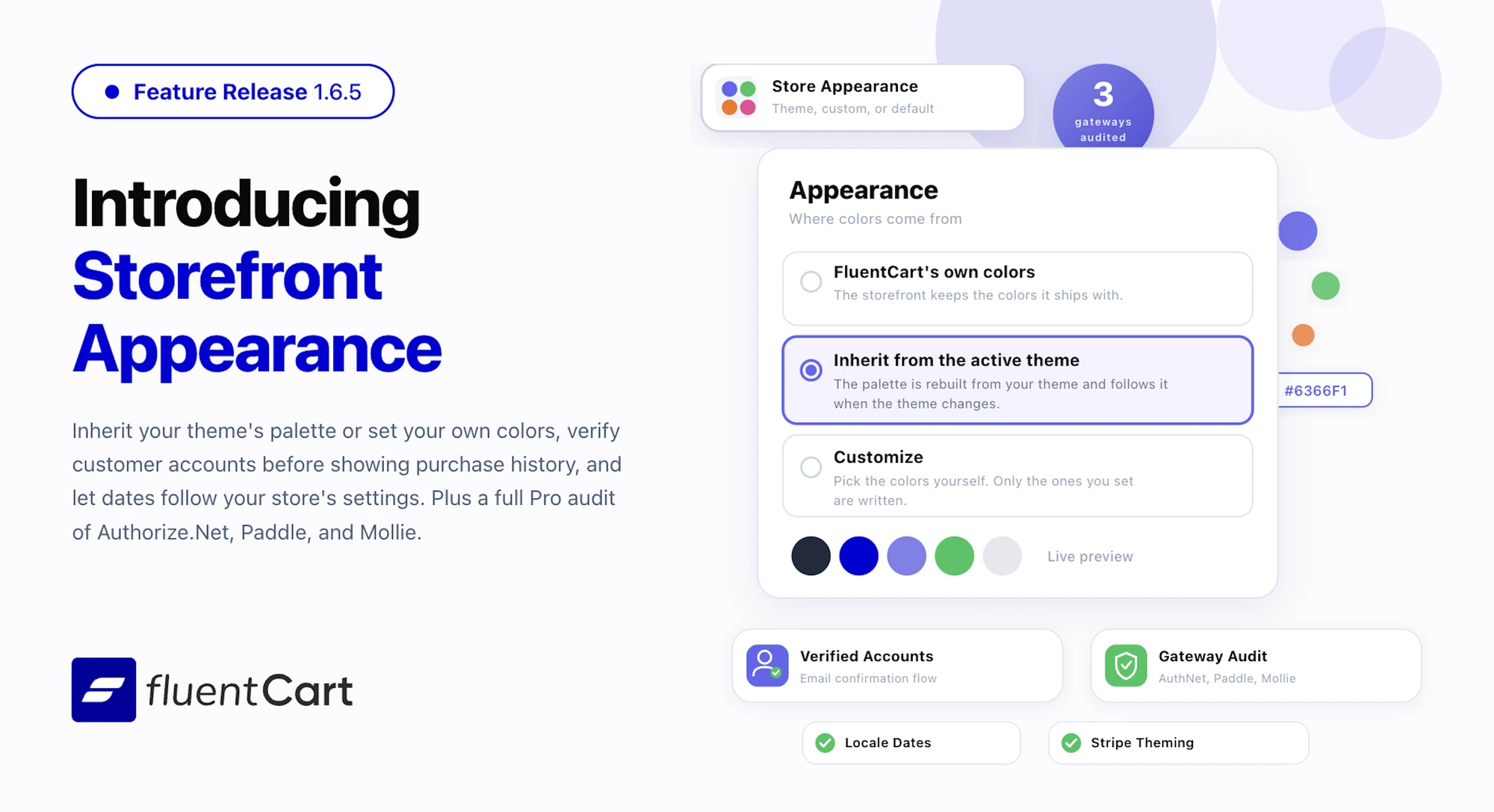
Every store carries small signals of whose store it is: the colors on the product card, the name a customer sees on their own order history, the way a date is written in a renewal email. FluentCart 1.6.5 works on those signals. The storefront can now take its palette from your theme or from colors you choose, customer accounts prove who they belong to before any history is shown, dates follow your store’s own settings everywhere, and FluentCart Pro carries a full audit of Authorize.Net, Paddle, and Mollie against the edge cases that only show up once a store has real subscribers.
The storefront now wears your colors
Every FluentCart storefront shipped in the same palette, and until now changing it meant custom CSS or a third-party plugin exposing dozens of color fields. 1.6.5 adds an Appearance tab under Store Settings with a single choice: where colors come from.
- FluentCart’s own colors keeps the defaults.
- Inherit from the active theme rebuilds the storefront palette from your theme’s own colors and follows along when the theme changes. Block themes and popular frameworks are read directly.
- Customize opens a small set of global colors for surfaces, text, accents, and buttons. Only the ones you set are written to the page, and anything you leave blank keeps FluentCart’s default, so a half-finished palette never produces an invisible button.
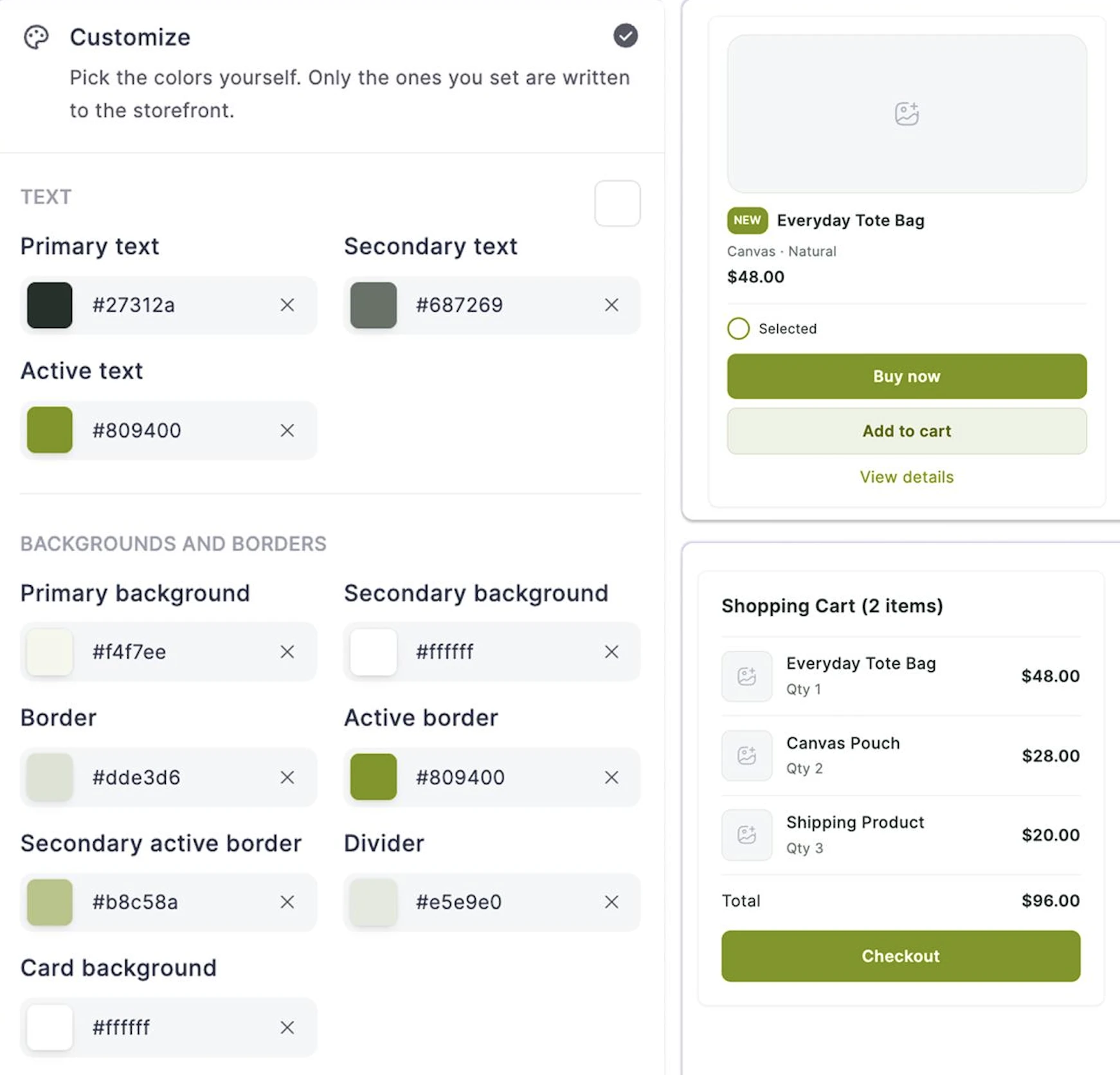
The palette reaches every storefront surface: product cards, the shop page, single product pages, the cart drawer, checkout, and the customer dashboard. It also reaches inside Stripe’s embedded payment form, so card fields sit in the same colors as the rest of the checkout instead of standing out as a foreign box. Button text is picked for readability against the color you chose rather than assumed white, and the color picker accepts a typed hex code for anyone pasting values from a brand guide.
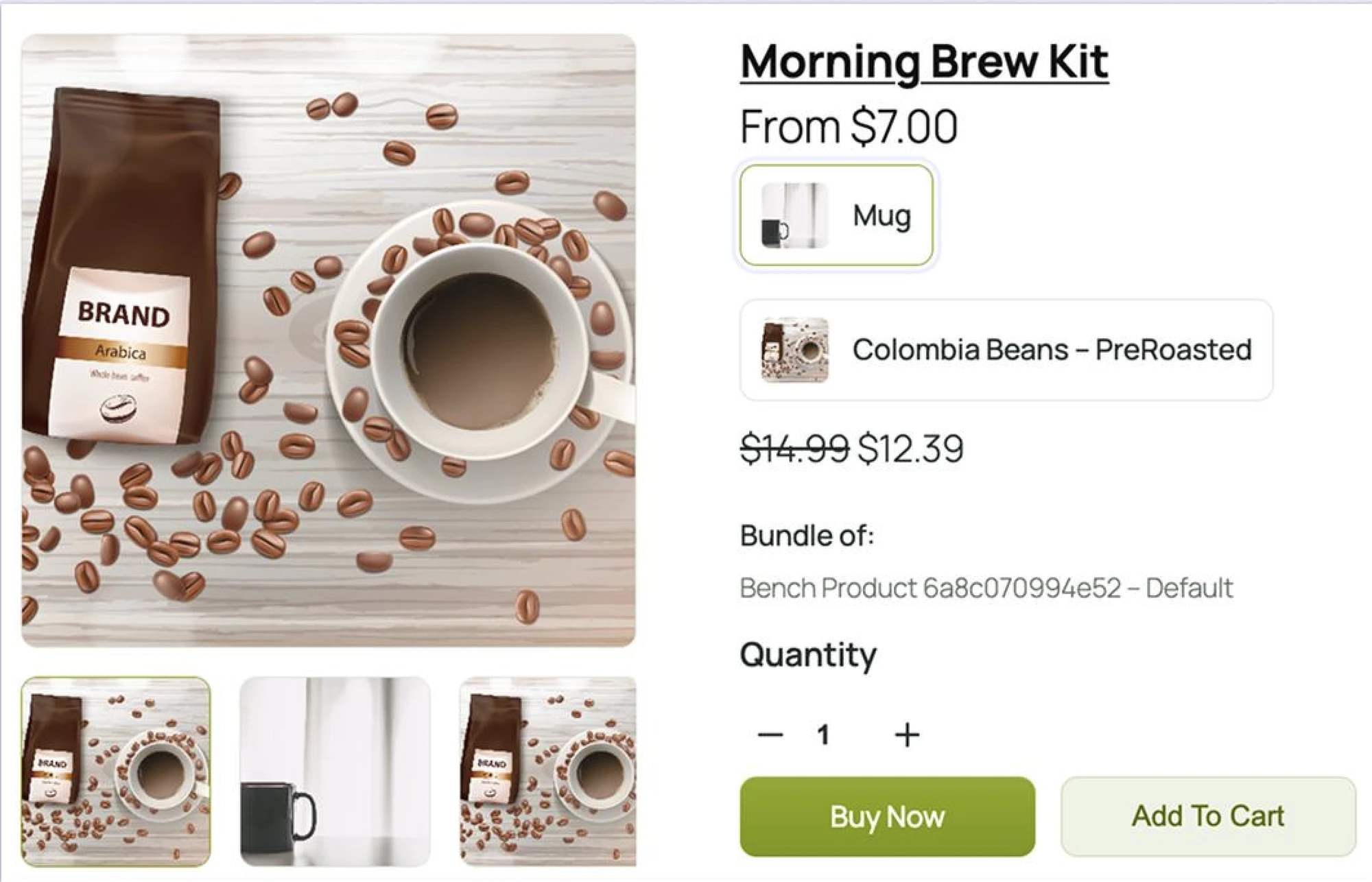
For agencies and store owners alike, matching the store to the site is now a five-minute job in settings instead of a stylesheet to maintain.
Customer accounts now prove who they belong to
FluentCart 1.6.5 gives every customer a verified relationship with their account. When a customer opens the dashboard, FluentCart confirms the email address belongs to them before showing any purchase history. A confirmation link goes to the account’s inbox, works only for that account, and expires in 24 hours. Once confirmed, any guest purchases made with that address are brought into the account – in the background for large histories, so the dashboard opens immediately. Completing a WordPress password reset counts as confirmation too, so returning customers are not asked twice.
A new Compliance section in settings decides whether FluentCart logs customers in automatically when it creates their account during registration or after checkout. The default is now logged out, which suits stores under stricter privacy rules. Stores that prefer the convenience can turn automatic login back on with one switch.
The customer dashboard becomes a personal space: verified, tied to its owner, and ready with every past order the moment the email is confirmed.
Dates now follow your store’s settings
A German store showing “Aug 16, 2026 03:30 PM” in a renewal email looks like someone else’s software. Until now every date FluentCart rendered used a fixed English pattern. Month names were translated, but the order of day and month and the 12-hour clock were not.
1.6.5 renders every user-facing date through the store’s own WordPress date format, time format, and timezone: transactional and reminder emails, invoices, the thank-you page, the order, subscription, and license shortcodes, the FluentCRM integration, the admin dashboard, and the customer dashboard. Compact forms such as table columns and chart labels derive from the same setting, so a short date keeps the locale’s field order rather than an English guess. The timezone change also corrects a quieter defect where subscription and license dates could report the wrong day either side of midnight.
This changes rendered output on every store, including English ones, and that is the intent: a WordPress plugin should follow the site. Developers who need the old strings can pin them with a filter.
A full audit of Authorize.Net, Paddle, and Mollie
Subscription gateways earn trust on the bad days: the timeout that swallows a response, the card that declines on the first cycle, the refund notice that arrives out of order. FluentCart Pro 1.6.5 carries the results of a systematic audit of three gateways against exactly those days.
Authorize.Net. Timeout recovery recognises a charge that succeeded at the gateway even when the response never came back, adopting it on the next attempt so no payment is lost or duplicated. The card a customer enters at checkout is the one billed and subscribed, saved-card selection follows the customer’s choice, and a failed card registration stops the checkout cleanly. Subscription activation waits for a confirmed first payment before granting access. Billing schedules carry the correct amount, currency, and interval from the start, renewal tracking distinguishes approved, declined, and held outcomes so each follows its own path, and resynced subscriptions advance their next billing date from the latest approved charge. Reactivated subscriptions pick up their schedule with the correct renewal amount and remaining cycles. Store-managed subscriptions stay on FluentCart’s own billing without an unnecessary gateway schedule, notifications are matched under the names Authorize.Net uses, and cancellation outcomes are logged on the subscription record.
Paddle. Reopening a checkout reuses the Paddle transaction already prepared for it, so a payment made through an earlier overlay is honoured and a late payment is captured. Reactivations keep the subscription on its original gateway until Paddle confirms payment, so cancel and resync always point to the right provider. Refunds map back to the line that billed them, zero-decimal currencies are handled in the correct units, and out-of-order refund notices are recorded accurately. Signup fees and add-ons appear on the initial payment line, next billing dates are read reliably after renewals, and a coupon that only touches the first cycle is sent to Paddle as a one-off discount. Checkout items, discount, and currency are locked by FluentCart before the payment overlay opens, so the store controls exactly what gets billed.
Mollie. Charge deduplication ensures a checkout produces exactly one payment, and stale attempts clean themselves up. Each subscription keeps its own identity at Mollie regardless of product overlap. Refund tracking waits for completion before moving totals and handles simultaneous notifications cleanly. Subscription resync walks the full payment history, follow-up calls use the live or test mode the original payment was created under, and gateway error messages are translated into clear responses for checkout and admin screens.
For stores running subscriptions through any of these gateways, the practical effect is tighter accuracy across charges, renewals, refunds, and billing schedules. These changes ship with the Pro update.
Improvements
Recurring coupons on subscriptions. A coupon that discounts every cycle used to make checkout believe the first cycle was cheaper than the rest, so it expressed the difference as a simulated trial with a separate “Initial Payment” charge, and gateways sent trial emails for a plain discounted subscription. The per-cycle price now nets out the recurring discount first, so only a first-cycle-only coupon takes the trial path.
Admin footer. FluentCart admin screens now show the FluentCart version, and the Pro version when it differs, in the footer, along with a link to tell us what you think on WordPress.org.
Search guide. The admin search guide documents wildcard matching, so “sku = ABC*”, “*123”, and “*ABC*” are discoverable without guessing.
Store Setup tab. Date & Time Format and Timezone now sit with the rest of the store preferences at the end of the tab, so identity fields read first and display preferences last.
Subscription details. The admin subscription page shows the payment method’s name, such as Authorize.Net, instead of its internal identifier.
Order bumps. The promotions box follows the storefront palette, and integrations such as FluentBooking can allow order bumps on carts they have locked, so a booking checkout can carry an add-on. Developers enable this through a filter hook.
Stripe payment form fonts. Developers styling Stripe’s embedded payment form can pass a font list alongside the appearance settings, so a custom font family resolves inside Stripe’s frame. Modifiable via filter hook.
License recovery. License lookups are faster when purchases are recovered into a verified account, which matters on stores with large license histories.
Fixes & Stability
Checkout and payments. Stripe’s embedded checkout now surfaces the message when payment details are incomplete or a wallet sheet fails to open, instead of leaving the button disabled with no explanation. Stripe lookups for gateway notifications, disputes, and saved payment methods use the payment’s own live or test mode rather than the store’s global setting. Re-submitting a checkout keeps the details a gateway stored on the previous attempt, so Paddle and others reuse what they created rather than starting over. A manual fixed discount such as 9.95 is now stored as 995 cents rather than 994.
Storefront and admin polish. The classic product archive no longer reports “Showing 1 to 0 of 0 Items”. The product video gallery styles that went missing are back. The bulk-actions Confirm button on the products list stays disabled until an action is chosen. Under a custom palette the checkout button always has a background and the secondary button keeps its outline. State and region names for Western regions translate correctly. FluentCart Super Admin and Manager roles can attach order notes again. A background error when checkout-page detection ran outside a normal page is gone.
Receipts and promotions. PDF receipt item tax badges show the configured rate precisely, so 4.75% no longer rounds to 5%. Unticking an order bump removes only the line the bump added, never a booking item that happens to share the same product.
Security and maintenance. This release includes ongoing security audits and routine hardening across both FluentCart core and FluentCart Pro.
Getting 1.6.5
Update FluentCart and FluentCart Pro from your dashboard. The Appearance tab appears under Store Settings, and the Compliance setting for automatic login sits in the same settings area. Dates pick up your WordPress date, time, and timezone settings automatically after the update. The Authorize.Net, Paddle, and Mollie changes ship with the Pro update.
Full Changelog
Features
- Adds Appearance tab under Store Settings with FluentCart, theme-inherited, or custom color palettes.
- Adds Theme-inherited palettes for block themes, Astra, Kadence, and GeneratePress.
- Adds Storefront palette support for Stripe embedded payment forms.
- Adds Editable hex color fields and live preview.
- Adds Customer email verification and guest purchase recovery.
- Adds Compliance setting for automatic login after account creation.
- Adds Store-wide date, time, and timezone settings.
- Adds Wildcard search guidance in admin.
- Adds Feedback link and FluentCart version details in admin footer.
- Adds First-cycle Paddle coupons as one-time discounts.
- Adds Developer filter for order bumps on locked carts.
Improvements
- Improves Recurring coupon handling without simulated trials.
- Improves Store Setup organization for date, time, and timezone.
- Improves Admin subscription payment method display.
- Improves Order bump styling with storefront colors.
- Improves License lookup performance.
- Improves Paddle subscription discount handling
- Improves Multiple Authorize.Net, Paddle , Mollie payment, renewal, resync, card, and scheduling handling.
- Improves PayPal connect authentication.
Fixes
- Fixes Guest orders incorrectly linking to existing accounts.
- Fixes Customer email changes moving purchase history without verification.
- Fixes Manual fixed discounts being stored one cent short.
- Fixes Stripe embedded checkout errors and disabled button issues.
- Fixes Stripe live/test mode lookup issues.
- Fixes Duplicate gateway transactions on resubmitted checkouts.
- Fixes Order note permissions for Manager and Super Admin roles.
- Fixes Product bulk-action button state.
- Fixes Custom palette button background and outline issues.
- Fixes Empty product archive count display.
- Fixes Product video gallery styling.
- Fixes State and region translations.
- Fixes Checkout page detection background errors.
- Fixes PDF receipt tax badge rounding.
- Fixes Order bump removal affecting booking items.
In case you missed
1.6.2 (Aug 20, 2026)
- Adds Data Export for orders, customers, subscriptions, and licenses in CSV or JSON.
- Adds WooCommerce Migration support for products, orders, customers, coupons, tax rates, and subscription management in FluentCart migrator
- Adds Export permissions by user role.
- Adds Transaction settlement time from payment providers.
- Adds Advanced filtering to the Order Sources report.
- Adds Ad click identifiers to the order UTM card.
- Adds Signed release fields to product license settings.
- Adds An opt-in tool to edit vendor IDs from the subscription page.
1.6.1 (Aug 11, 2026)
- FluentCart Divi Blocks add-on with 18 native Divi 5 Visual Builder modules and 8 ready-made layouts
- Saved Payment Methods for cards and PayPal accounts (Pro)
- Coupon hardening across storefront and admin orders
- Failed subscription renewal email notifications
1.6.0 (Jul 29, 2026)
- Store-Managed Subscription Engine with invoice-based renewals for any gateway
- Optional automatic renewal charging with saved payment methods on Stripe and PayPal
- Full subscription lifecycle management: pause, resume, skip, reactivate, edit, and charge controls
- Subscription emails for renewals, reminders, upcoming charges, payment failures, and past-due notices
- Coupon min/max spend basis settings and storefront polish
1.5.5 (Jul 17, 2026)
- PayPal payment flow improvements and subscription activation fixes
- Security hardening across Core and Pro

I’m Jewel, founder of FluentCart and CEO at WPManageNinja, the team behind Fluent Forms, Fluent CRM, Fluent Support, FluentLogs and a handful of other WordPress plugins. I have been writing WordPress code since 2009 and still think of myself as a developer first and an entrepreneur second. Most of what I write on this blog comes from arguments we have had inside the team about how to build software people can actually depend on.

Subscribe now
Related Articles and Topics
-

Introducing Product Videos – FluentCart 1.6.4
Most of what makes a store trustworthy happens when nobody is watching: the product page a shopper studies…
-
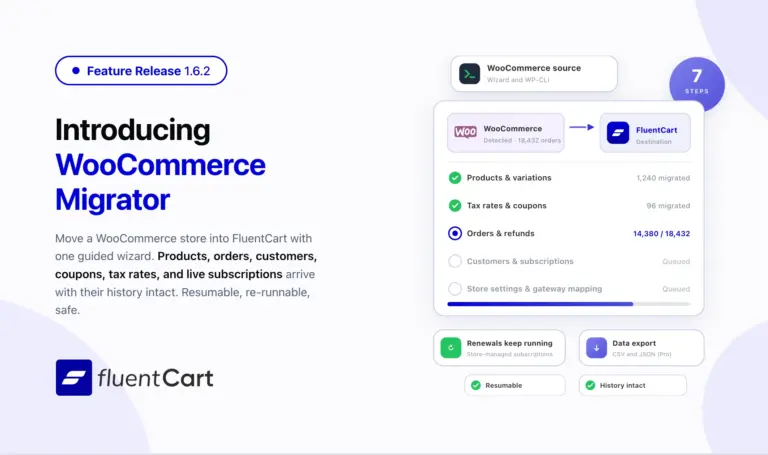
FluentCart 1.6.2 – Bring your WooCommerce store to FluentCart.
Switching platforms is the decision most store owners put off, not because the new platform is worse but…
-
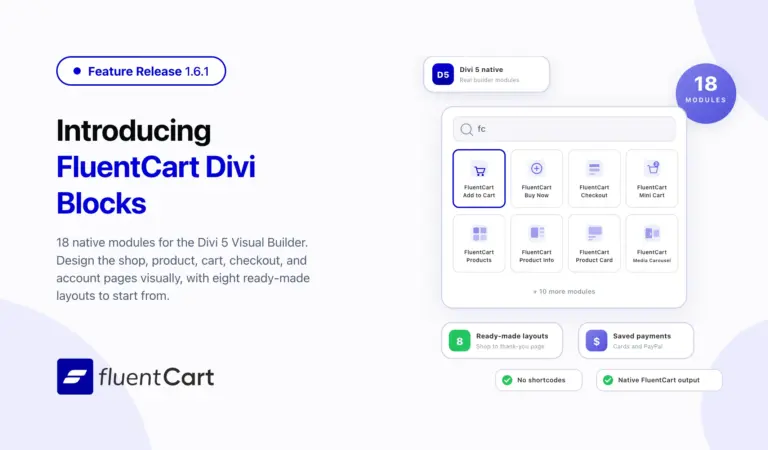
FluentCart 1.6.1 – Built Into the Divi Builder
FluentCart 1.6.1 ships FluentCart Divi Blocks, a new add-on with eighteen native Divi 5 Visual Builder modules, eight…



Leave a Reply