
Best WooCommerce Plugins: For Physical and Digital Sellers
The best WooCommerce plugins depend on what you sell, and most roundups never ask. Physical sellers need shipping, stock, and discount tools. Digital sellers need licensing, renewals, and safe downloads, so we split this list that way and picked six add-ons for each.
You know how this goes.
Twelve tabs. Five “top 30” lists. Still no answer on what to install this week.
So we kept the list short, and under every pick we checked whether you need to buy anything at all. So let’s keep reading.
TL;DR
- Pick WooCommerce add-ons by store type, since physical and digital sellers need different stacks.
- Physical sellers: shipping labels, stock and catalog tools, bundles, discount rules, paperwork, and storefront polish.
- Digital sellers: licensing, subscriptions, installments, download storage, VAT, and upsells and upgrades.
- WooCommerce extensions are priced individually, so a full stack adds up fast. Check each vendor’s page for current pricing.
- Keep the stack small and add a tool only when a real problem shows up.
Why most “must have WooCommerce plugins” lists let you down
WooCommerce core is free. The extensions that make it run your actual business are not, and most “must have WooCommerce plugins” lists rank them by popularity without asking what you sell.
WooCommerce addons, also called extensions or plugins, are add-on software that gives the free core plugin jobs it can’t do by itself.
So we split this list by store type, and checked each pick against four things: it solves one named job, it stays maintained, it doesn’t overlap with another pick, and its price is easy to defend against the time it saves.
Best WooCommerce plugins for physical goods sellers
Boxes bring problems downloads never do: rates, stock counts, paperwork, and a checkout that has to feel quick. These six cover the ground.
1. Shipping rates and label printing
WooCommerce Shipping is free, and it lets you buy discounted USPS, UPS, and DHL Express labels from your dashboard. It does not show live carrier rates at checkout, though. For that, Woo points you to separate USPS and UPS shipping method extensions. If you use a wider set of carriers, ShipStation’s WooCommerce integration connects them, but it needs a paid ShipStation plan.
So shipping is where a physical store usually collects its first two or three add-ons. If the pick, pack, and ship side is new to you, our ecommerce fulfillment guide covers the basics.
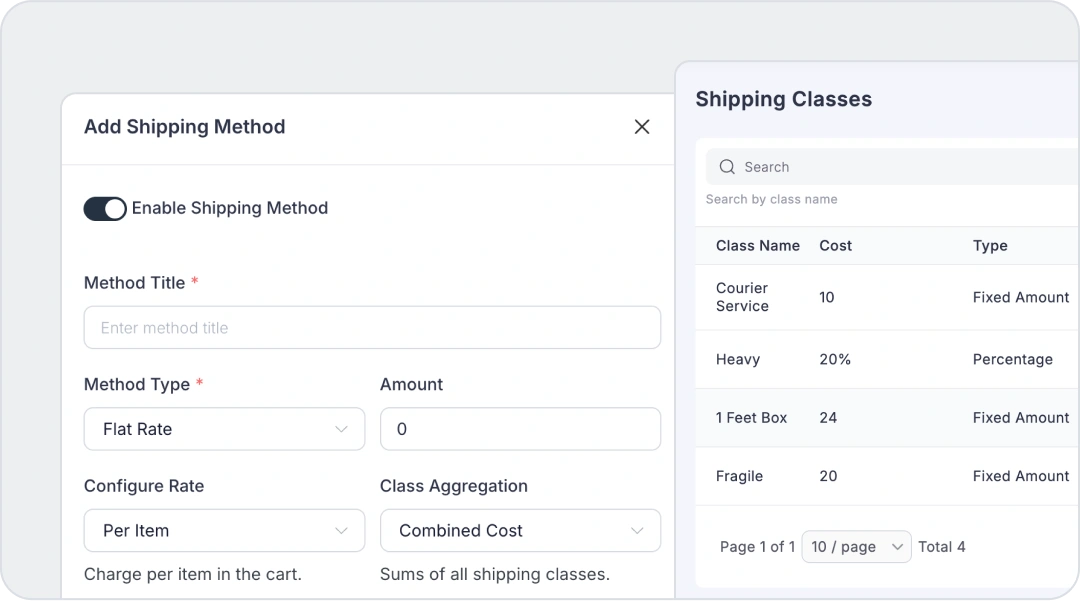
FluentCart’s shipping covers zones, methods, classes, and packages for free, so rates by zone and class work without an add-on. Live carrier rates, label printing, and a ShipStation or WooCommerce Shipping style connection are all yet to be developed, so high-volume shippers will feel that gap for now.
2. Inventory and bulk catalog tools
Woo tracks stock counts by itself. Bulk changes, adjustment reasons, and a history of who changed what usually come from an extension. Let’s say a supplier ships you 400 units and you correct 60 counts by hand. Three weeks later the numbers drift, and nobody knows who touched what.
The log settles that argument in ten seconds. That way, you fix the process rather than argue about it.
Catalog work has the same flavor. Import Export Suite for WooCommerce moves products, orders, coupons, subscriptions, and customers in and out by CSV or XML. WebToffee also offers a product-only version with a free tier on WordPress.org.
FluentCart’s Inventory Manager is on Free, and Pro adds bulk stock adjustments, reasons and notes, and a history with staff names, covered in the Advanced Inventory release notes. Bulk CSV product import and the WooCommerce migrator add-on are both free too.
3. Product bundles
Buyers get excited about a starter kit, and you get a bigger order. WooCommerce’s Product Bundles extension covers physical, virtual, and downloadable bundles, and it mixes simple, variable, and subscription products.
FluentCart Bundles need Pro. They can mix physical and digital items, with a compare-at price to show the saving. The bundle setup guide describes fixed bundles only, so if you need buyers to build their own box, test that first.
4. Discount rules and conditional fees
Woo’s coupons cover the basics. Order Discounts & Conditional Fee for WooCommerce builds rules on 15+ cart conditions, like weight, user role, purchase history, and shipping zone. It adds fees as well as discounts. If you only need buy-one-get-one deals, cart conditions, and scheduled offers, Advanced Coupons covers that narrower job.
FluentCart’s free coupons handle schedules, usage limits, and product, customer, and email restrictions, and Pro adds conditional promotional offers and order bumps. A rule engine for role or purchase-history pricing is yet to be developed, though, and conditional fees mean a developer working with the Fees API for now.
5. Invoices and packing slips
Physical orders create paperwork: invoices, packing slips, and credit notes when something comes back. The All-in-one PDF Invoice and Packing Slips Suite covers those plus delivery notes, shipping labels, UBL e-invoices, and VAT or GST fields. Buyers feel calm when the invoice lands with the order email, and you feel calm when the warehouse prints the right slip.
FluentCart covers invoices and packing slips on the free plan, and Pro adds the visual PDF invoice editor and e-invoice formats, both listed on the Free vs Pro comparison. The suite’s label printing has no match here, since shipping-label printing itself is yet to be developed in FluentCart.
6. Mini cart, instant checkout, badges, and carousels
These four look small, and they sit right where buyers decide. Shoppers get excited at the product page and nervous at the payment step. A mini cart shows the basket without a page load, instant checkout skips the cart page, badges flag sales and low stock, and carousels surface related products.
Woo stores usually buy them one by one: Product Badges, Instant Checkout, Product Slider and Carousel, and Mini Cart. Four small add-ons at their individual prices, plus four more things to keep updated. Baymard’s review of 50 studies puts the average cart abandonment rate at 70.22%, so every tool between a buyer and the pay button has to earn its spot. If checkout drop-off is your main worry, our guide to reducing cart abandonment goes deeper.
FluentCart covers all four jobs on Free: mini cart and product carousel blocks, instant modal checkout, and badge blocks. The badges are sale and sold-out only, though, so countdown timers and custom badge designs are yet to be developed.
Real store owners. Real problems. Real answers. Join the FluentCart Community.
Best WooCommerce plugins for digital product sellers
You skip shipping, but the moving parts multiplied. Includes keys, renewals, taxes, and files that must never leak. These six handle them.
1. Software licensing
Sell a plugin, theme, or app, and you need license keys, activation limits, expiry dates, and an update feed. WooCommerce ships with none of it. Software Add-on for WooCommerce and License Manager for WooCommerce both cover this, with the latter offering a free tier. We walked through the full sale-to-license flow in how to sell a WordPress plugin.
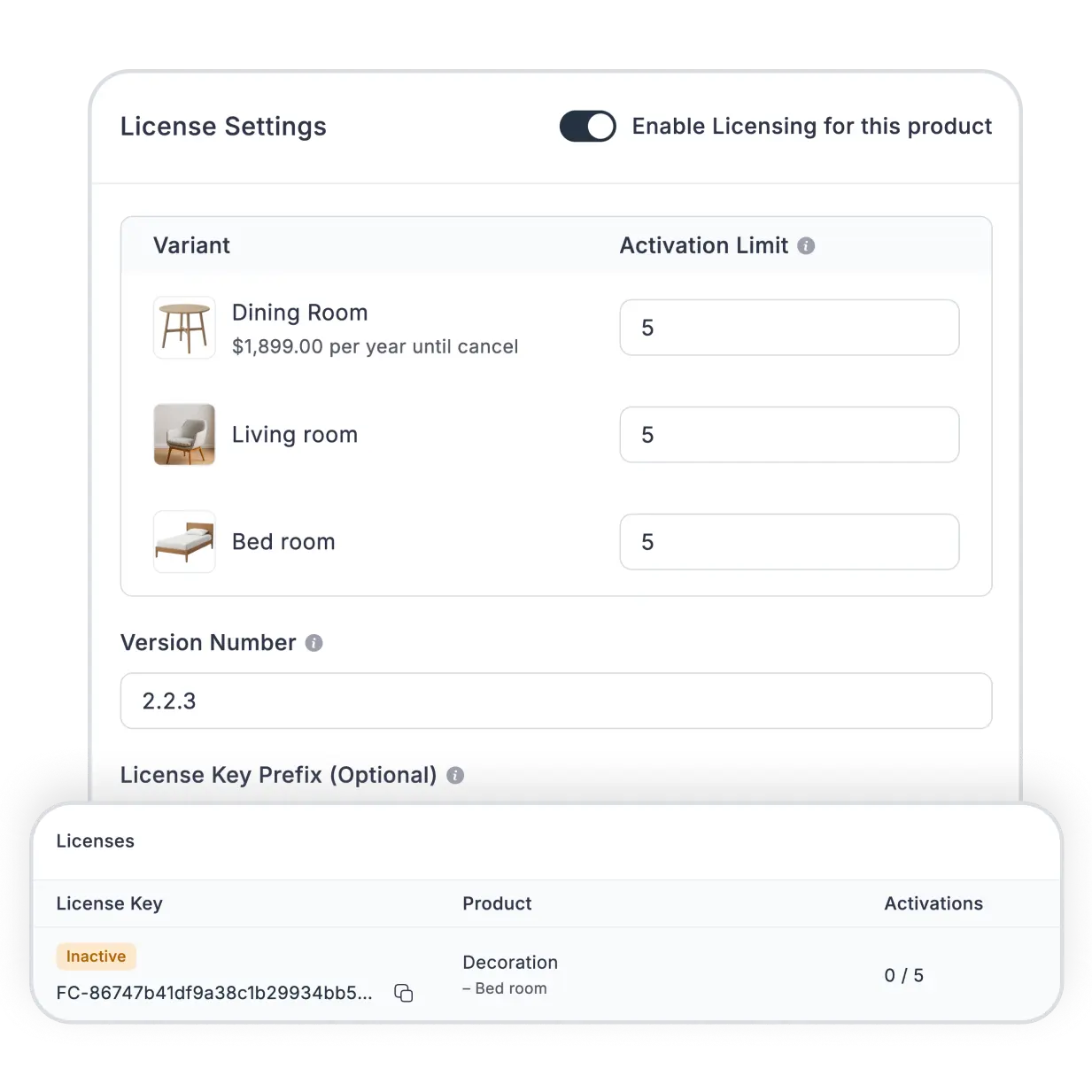
FluentCart’s licensing needs Pro. It covers key generation, activation limits, lifetime and expiring licenses, a customer license portal, and an update server for WordPress plugins and themes, laid out on the licensing feature page. It also includes floating or concurrent-user licenses, offline activation, and a built-in expiry email campaign; for those, you can connect FluentCRM.
2. Subscriptions and renewal reminders
WooCommerce Subscriptions is the standard pick, and recurring discounts come included. Reminder emails are a separate purchase. Email Reminders for WooCommerce Subscriptions needs Subscriptions installed first.
Stack the two together and the bill grows before your first customer even renews. As you can see, the base tool is only the start of it.
FluentCart’s basic subscriptions, trials, and recurring-discount coupons sit on Free, and Pro adds store-managed billing, pause and skip, reactivation, and renewal reminders. Automatic renewal charging is also builtin in FlunetCart besides payment gateway’s mechanism. For setup, see selling subscriptions on WordPress.
3. Installments and payment plans
Higher-priced products sell easier when buyers can split the cost. Ultimate Payment Plans for WooCommerce covers deposits, installments, and layaway. It charges automatically through WooCommerce Stripe and PayPal Payments.
FluentCart’s installment products need Pro, with a minimum of two installments and an early-payment option. Free does not include them. How each payment cycle bills depends on the gateway, so test yours on a staging site first.
4. Download delivery and storage
Woo’s built-in downloads work until files get large or links get shared. According to the Amazon S3 Storage extension’s listing, the Force Download method streams files through PHP, and the Redirect method serves raw URLs that buyers can pass around. That extension moves delivery to Amazon S3 or Cloudflare R2 with time-limited links.
FluentCart’s protected downloads and Amazon S3 storage are on Free. Cloudflare R2 storage and S3 overwrite protection need Pro.
5. EU VAT numbers and digital tax
Sell digital goods to EU buyers and VAT becomes your job, whether you planned for it or not. EU VAT Number for WooCommerce validates VAT numbers at checkout and removes VAT for eligible EU businesses, though it can no longer validate UK VAT numbers. For invoices, the PDF suite from the physical list adds VAT and UBL e-invoice fields.
FluentCart’s EU VAT collection, number validation, and B2B reverse charge are on Free, and we cover the setup in EU VAT in FluentCart. The visual PDF invoice editor and e-invoice formats need Pro, so Free stays with standard receipts.
6. Order bumps, upsells, and upgrade paths
Selling a plan and an order bump for a small add-on takes one checkbox. Sell a plan buyers outgrow, and upgrade paths let them move up without buying twice. On the WooCommerce side, funnel tools like FunnelKit cover bumps and one-click upsells. What is upselling covers it.
FluentCart’s order bumps, conditional offers, and configurable upgrade paths with prorated credit all need Pro. One limit: standard upgrade paths do not apply to bundle line items.
The list at a glance
To start the WooCommerce store, here is your full stack of Woo Extensions.
Physical goods sellers
- Shipping rates and labels: WooCommerce Shipping, plus a carrier connection like ShipStation for live rates
- Inventory and bulk catalog: Import Export Suite for WooCommerce
- Product bundles: Product Bundles
- Discount rules and conditional fees: Order Discounts & Conditional Fee for WooCommerce
- Invoices and packing slips: All-in-one PDF Invoice and Packing Slips Suite
- Storefront polish: Product Badges, Instant Checkout, Product Slider and Carousel, Mini Cart
Digital product sellers
- Software licensing: Software Add-on for WooCommerce, or License Manager for WooCommerce
- Subscriptions and renewals: WooCommerce Subscriptions, plus Email Reminders for WooCommerce Subscriptions
- Installments and payment plans: Ultimate Payment Plans for WooCommerce
- Download delivery and storage: Amazon S3 Storage for WooCommerce
- EU VAT and digital tax: EU VAT Number for WooCommerce
- Order bumps and upgrade paths: a funnel tool like FunnelKit
How many WooCommerce plugins is too many?
No single number works. Ten plugins can drag a store down if one loads scripts on every page, and thirty tidy ones can run fine. So count jobs, not plugins.
Here is a quick audit:
- List every plugin you run.
- Name its one job.
- Cut anything that repeats a job.
- Test changes on a staging copy.
- Recheck after every big update.
That way, you catch conflicts before your customers do. If pages feel slow after you add tools, our guide to WordPress caching explains why carts and checkout need special handling.
Now the money side. Stack up the paid add-ons in either list, and the yearly total adds up fast, since each one is billed separately. Nobody needs all of them at once.
For comparison, FluentCart Pro is sold as a single plan that covers most of what’s listed as Pro above, rather than one extension per feature. Check the FluentCart pricing page for what it costs today. The comparison has limits, though. WooCommerce’s ecosystem is far bigger, and a few jobs above, like label printing, are yet to be developed in FluentCart.
What to install first
Start with the job that eats the most time this month. For a physical store, that is often shipping. For a digital store, often licensing, renewals, or VAT. Add the rest when a real problem shows up.
The best WooCommerce plugins are the ones you can name a job for.
Pick by job. It is a must.
You can start your store now
Download FluentCart for free and setup your online store and start selling from today.

Hi, this is Abir, a Deputy Marketing Lead, passionate product designer, and WordPress core contributor. Creating interesting content and products that ensure a 360-degree customer experience is my daily job.

Subscribe now
Related Articles and Topics
-
Teachable vs Kajabi vs MemberPress: Which One Fits You Best in 2026?
Teachable vs Kajabi vs MemberPress compared on pricing, fees, and features to help you choose the right platform…
-
eCommerce Platform Migration: Guided Migration w/ Checklist
Ecommerce platform migration checklist: move WooCommerce to FluentCart Free.
-

How to Build an Online Community With FluentCart
Learn how to build an online community with FluentCart and FluentCommunity, from planning access levels to testing the…




Leave a Reply