
Elementor Blocks for FluentCart 1.1.0 – reviews, placed in Elementor
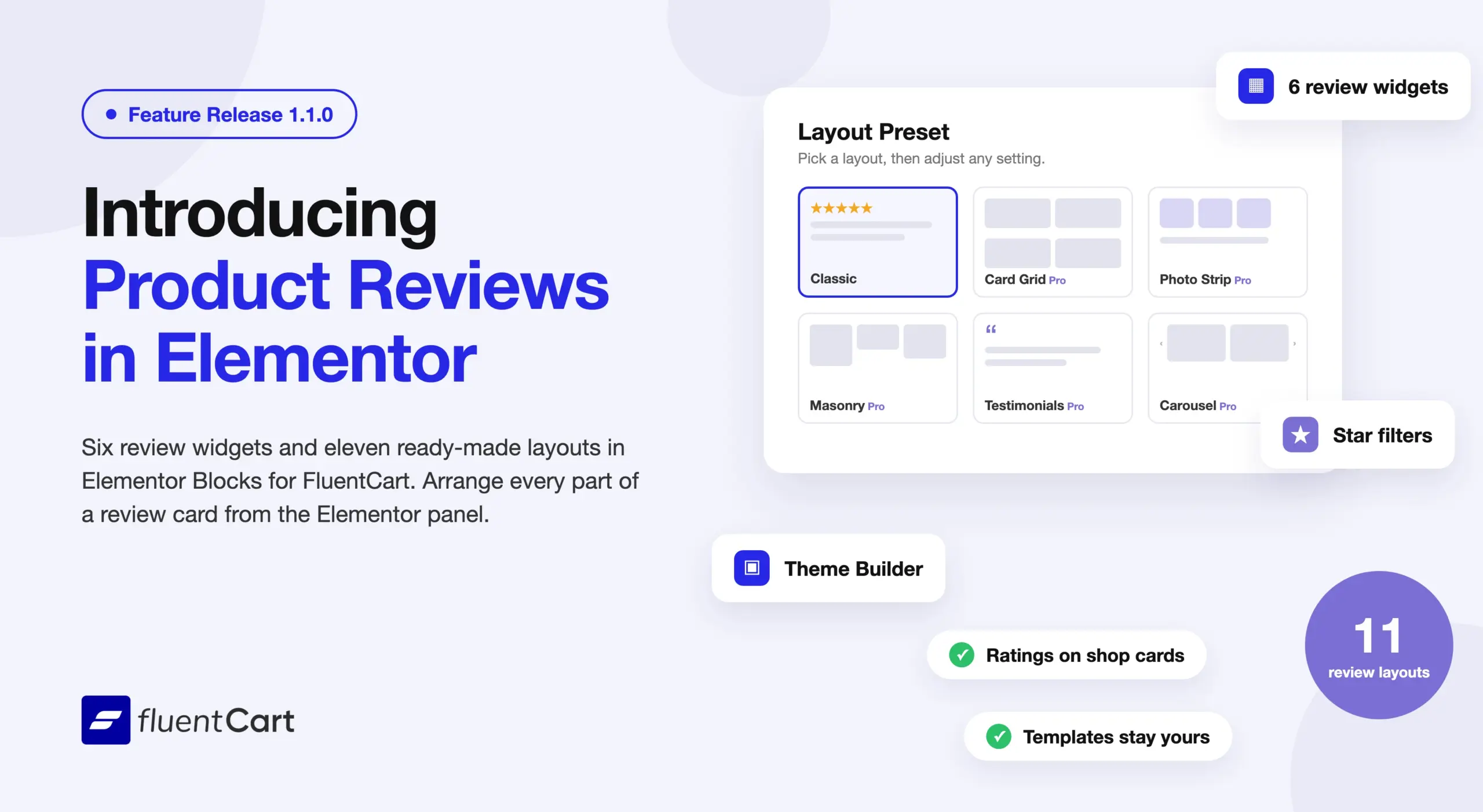
FluentCart 1.7.0 added product reviews to the storefront. Until now, Elementor Blocks had no widget to place them. Elementor Blocks for FluentCart 1.1.0 adds six review widgets, the eleven review layouts from the block editor, and settings for each part of a review card.
Six review widgets for the product page
Some stores show the star rating under the title, the summary in the sidebar, and the full list lower down. Others use one section that holds everything.
The add-on now ships six widgets for both cases. Product Reviews adds the whole section with the summary, the filters, the list, and the review form. Product Review List, Review Summary, Review Form, Write a Review Button, and Product Rating let you place each part of the section on its own. All six work in Elementor Theme Builder, so one single product template shows the reviews for whichever product the shopper is viewing.
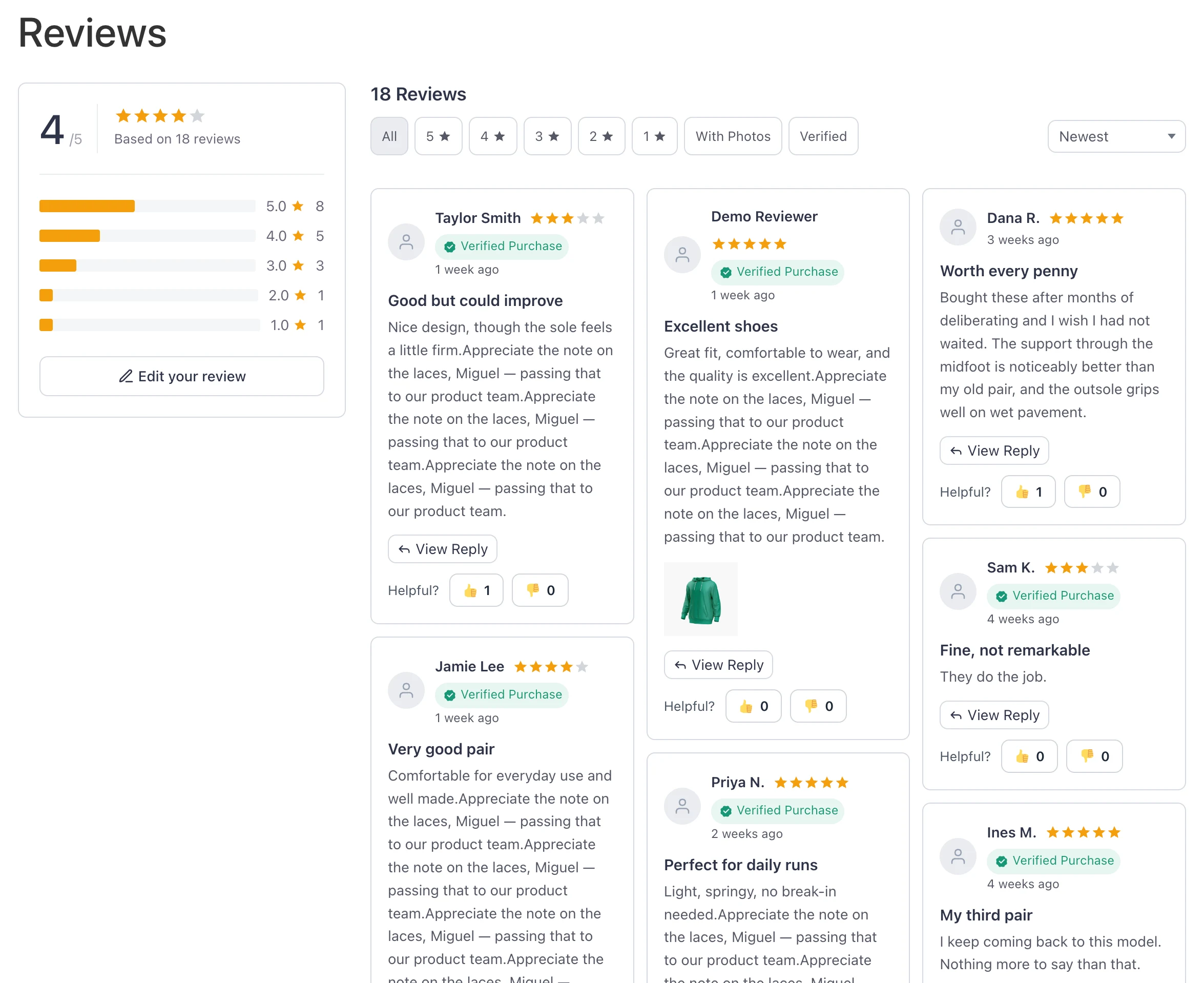
The review widgets need FluentCart 1.7.0 or later. On an older version, your other FluentCart widgets keep working, and the review widgets appear after you update FluentCart.
You can build the review area of a product page in Elementor without a shortcode or a second plugin.
The layout picker shows each layout before you apply it
A layout name alone does not tell you what “Photo Strip” or “Summary on Top” looks like. The Layout Preset control now shows the eleven review layouts as small preview cards in the Elementor panel. The layouts are Classic, Minimal List, Compact, Card Grid, Masonry, Summary on Top, Photo Grid, Photo Wall, Photo Strip, Carousel, and Testimonials.
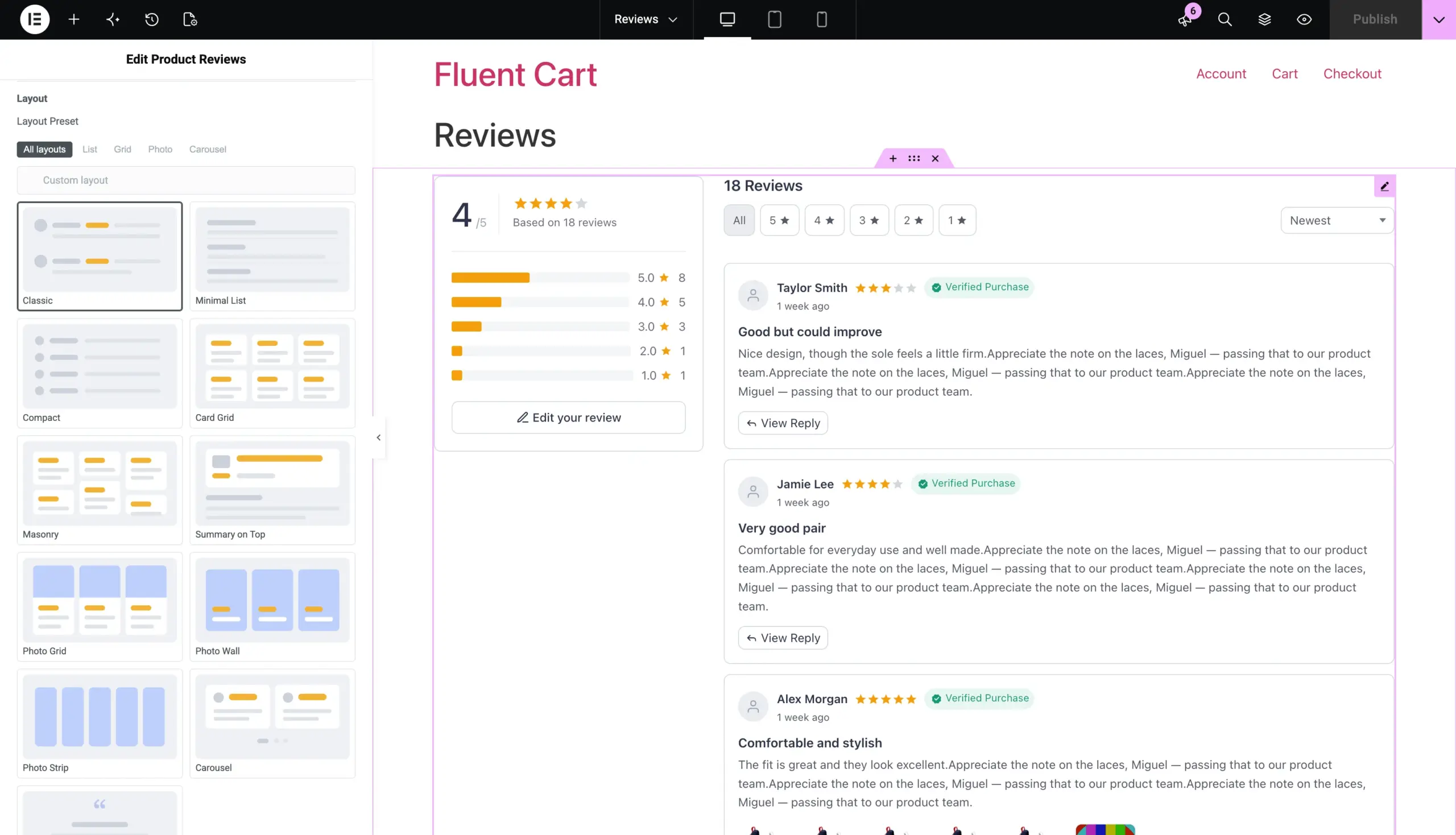
A layout sets only the starting arrangement, as in the block editor. Any setting you change afterwards keeps your value. If you adjust the controls until they match no layout, the picker shows Custom.
Classic is free. The other ten layouts need FluentCart Pro. Without Pro, those cards appear greyed out, and a note in the panel explains that they need Pro.
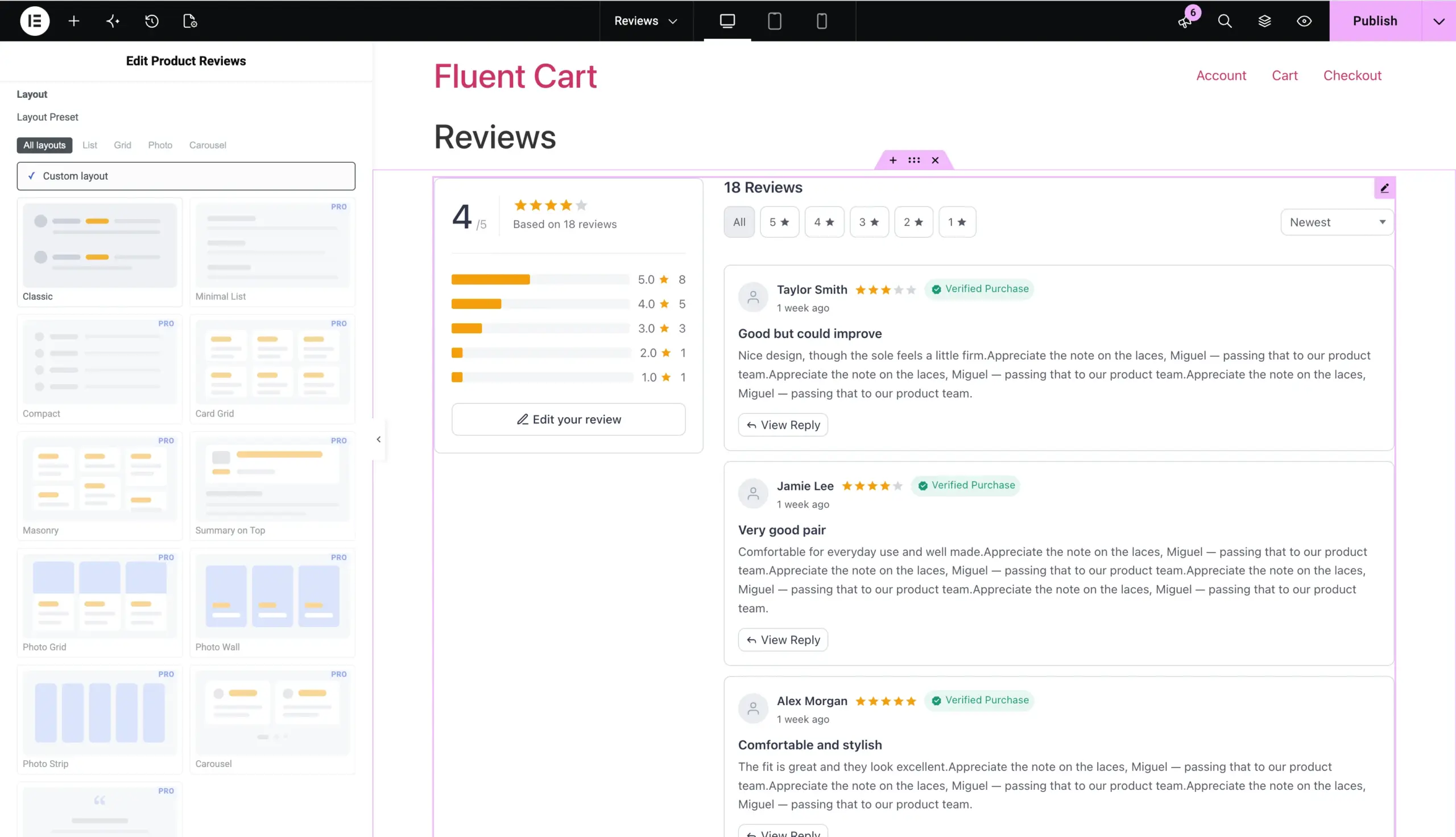
One click applies a full review layout, and you can change any setting after that.
Reorder or hide each part of a review card
A clothing store may want the photo first in each review. A software store may want the text and the verified badge first.
The Product Review List widget now lets you reorder or hide each field on a review card. The fields are the avatar, title, text, attachments, variation, footer, and Meta Line. You also choose whether the photos, the stars, or the verified badge come first. The rating summary can sit beside the reviews or above them, or you can show the Write a Review button alone.
The list itself shows in List, Grid, Masonry, or Slider view, with up to six columns. Grid, Masonry, and Slider need FluentCart Pro. Shoppers can filter by star rating, sort by any order your store offers, and page through the results.
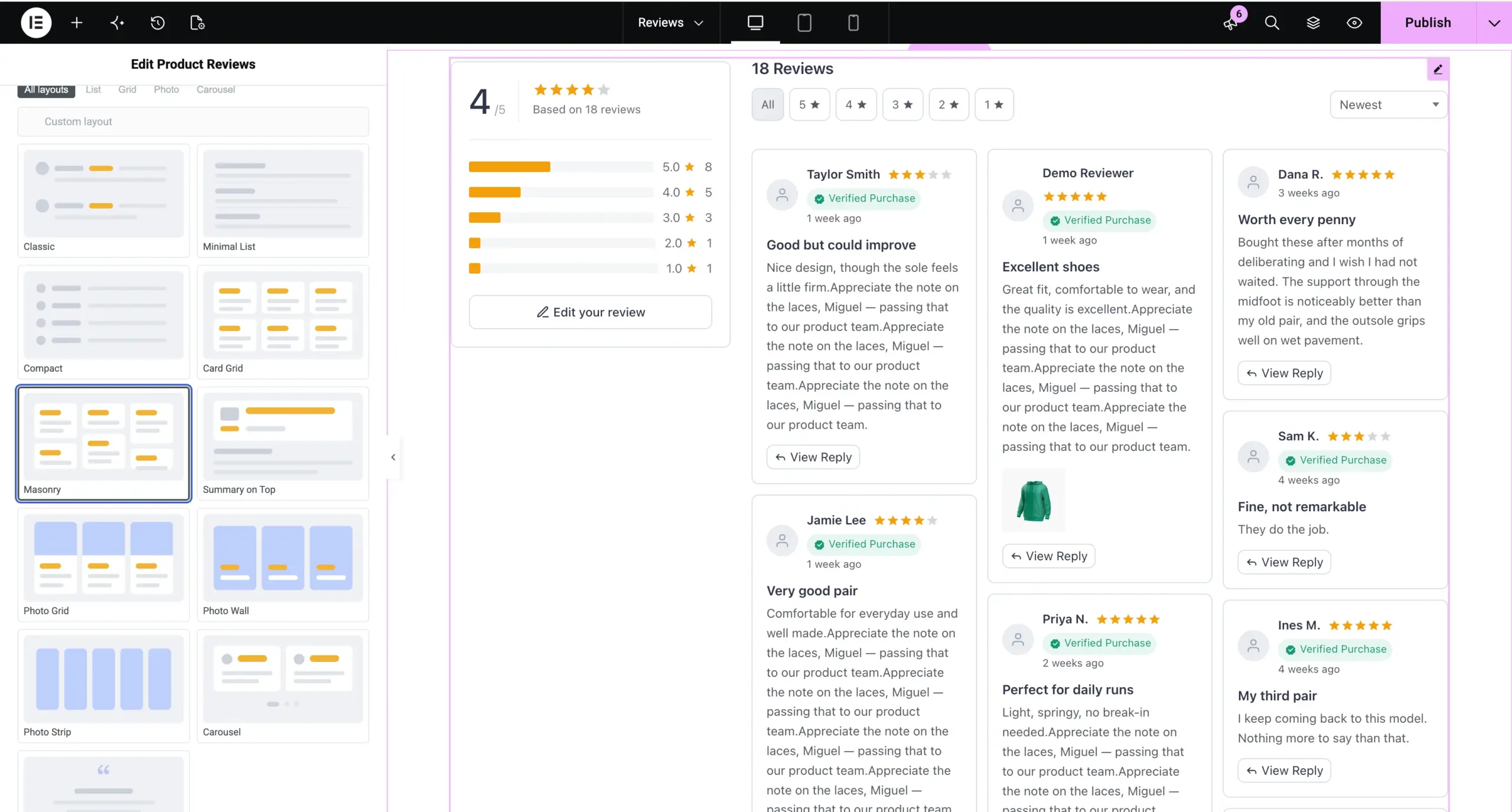
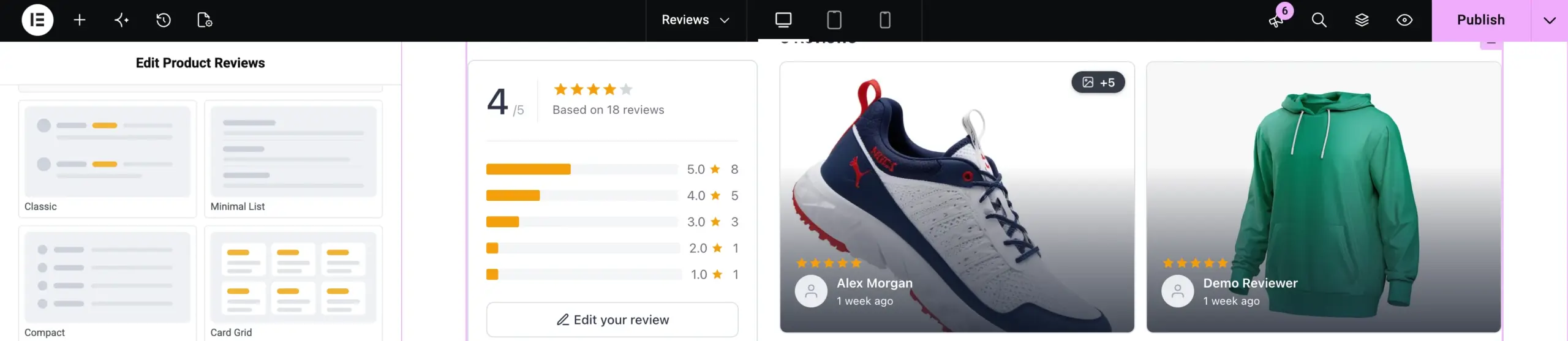
Photo reviews get their own settings. You choose how many photos each review shows, the tile width and height, and whether a photo spans the full width of the card. A + counter shows how many photos the limit left out. With Pro, a full-width photo can also become the background of the card or sit flush against its top edge.
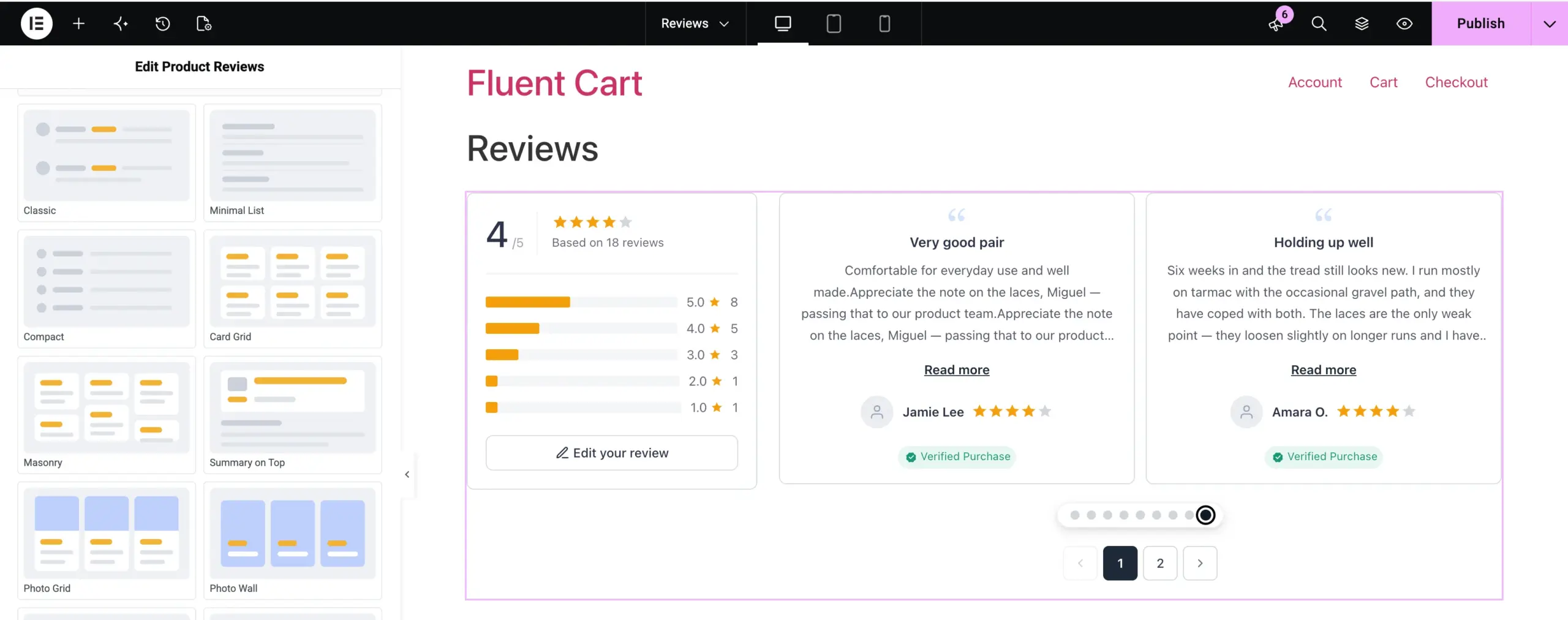
The review slider has its own controls too. Pagination can show as dots, a fraction, a progress bar, or segments. Arrows can sit on the reviews, beside them, or below them, and autoplay can run only while the shopper hovers over the slider. Star Color, Filled Star Color, and Empty Star Color sit together in the Style tab.
The same widget works for a review list led by photos and for one led by text.
Star ratings on Elementor shop cards
The FluentCart storefront shows a rating on each shop card. Until now, the shop card in the Elementor Products widget had no Rating element.
Rating is now a shop card element in the Products widget, next to Image, Title, Price, and Button. The bundled Shop template lists it between Title and Price. It follows the Show Rating In Shop setting in your store, and products without reviews show no stars. The bundled Single Product template now includes a reviews section.
New stores get ratings on the shop page and reviews on the product page from the first template they insert.
Bundled templates stay the way you left them
Earlier versions replaced a bundled template whenever the plugin shipped a newer one. If you had edited that template, an update could undo your work.
The add-on no longer overwrites a bundled template. When a newer version is available, the Saved Templates screen shows an Update button on that template, and a confirmation tells you what the update replaces. If you deleted a bundled template, the same screen offers to add it back. Nothing changes until you click.
You decide when a template changes, and plugin updates keep your edits.
Improvements
Settings that match the block editor. The review widget settings use the same names and the same order as the FluentCart blocks in the block editor. If you set up reviews in one builder, you find the same settings in the other.
Show empty toggle for shop filters. The Products widget has a Show empty toggle for each category and brand filter. New widgets hide empty terms by default. Existing widgets keep their current behavior.
Fixes & Stability
Checkout and editor polish. Checkout columns set to full width now stack on mobile. The Text Editor widget toolbar keeps its Paragraph, Bold, and Link buttons. Earlier, the Order Receipt short code button hid the whole toolbar row in other widgets.
Security and maintenance. This release includes ongoing security audits and routine hardening across FluentCart core and FluentCart Pro, including the new review widgets.
Getting Elementor Blocks for FluentCart 1.1.0
Update FluentCart to 1.7.0 or later from your dashboard. Then update Elementor Blocks for FluentCart from the Plugins screen. To install it for the first time, go to Settings → Features & Addons → Plugin Addons and install Elementor Blocks. It needs Elementor 3.34 or later. To show reviews, turn on Product Reviews under Store Settings → Reviews. To use the Pro layouts and views, activate FluentCart Pro.
Review blocks for other page builders will get the updates in the coming weeks.
Full Changelog
Features
- Adds six Product Review widgets: Product Reviews, Product Review List, Review Summary, Review Form, Write a Review Button, and Product Rating, which need FluentCart 1.7.0 or later.
- Adds a Layout Preset picker that shows the eleven review layouts as preview cards, with Classic free and the other ten in Pro.
- Adds List, Grid, Masonry, and Slider views for the review list, with up to six columns. Grid, Masonry, and Slider are Pro only.
- Adds control over each part of a review card, with fields you can reorder or hide.
- Adds placement for the rating summary: beside the reviews, above them, or the Write a Review button alone.
- Adds star filter chips, every sort order the store offers, and pagination to the review list.
- Adds attachment settings for how many photos show, the tile size, full width, and a + counter for the photos left out.
- Adds two full-width photo styles, as the card background or flush to the top edge of the card. Pro only.
- Adds slider pagination as dots, fraction, progress bar, or segments, plus arrow placement and autoplay on hover for the review slider.
- Adds Star Color, Filled Star Color, and Empty Star Color to the Style tab.
- Adds Rating as a shop card element, and adds it to the bundled Shop template.
- Adds a reviews section to the bundled Single Product template.
- Adds a Show empty toggle for each category and brand filter in the Products widget.
- Adds Add back and Update buttons for bundled templates on the Saved Templates screen.
Improvements
- Improves the review widget settings, which now use the same names and order as the FluentCart blocks in the block editor.
- Improves bundled templates, which a plugin update no longer overwrites.
Fixes
- Fixes Checkout full-width columns not stacking on mobile.
- Fixes the Text Editor widget toolbar losing its formatting buttons.
In case you missed
1.7.0, Sep 29, 2026
- Adds Product Reviews with star ratings on the product page.
- Adds Review settings under Store Settings: who may review, auto-approve, the verified purchase badge, star rating on or off and required, reviews per page.
- Adds Review moderation screen in the admin, with a reply from the store on each review.
- Adds My Reviews in the customer dashboard, with the reviews written so far, each one editable.
- Adds Review your order page, on a page the store chooses, reached by a link tied to the order, with every item on it reviewable.
1.6.5, Sep 24, 2026
- Adds Appearance tab under Store Settings with three color sources: FluentCart’s own colors, inherit from the active theme, or customize your own palette.
- Adds Theme-inherited storefront palettes for block themes, Astra, Kadence, and GeneratePress, with readable button text chosen automatically.
- Adds Customer email verification before the customer dashboard opens, with guest purchases recovered into the account after confirmation.
- Adds Store date format, time format, and timezone applied to every date in emails, invoices, shortcodes, admin, and the customer dashboard.
1.6.4, Sep 11, 2026
- Adds FluentPlayer videos to product galleries with inline playback.
- Adds Upgrade option for eligible one-time purchases in the customer dashboard.
- Adds Cart block with Cart Items, Cart Total, and Checkout Button blocks.
- Adds Three-stage overdue renewal reminder emails.

I’m Jewel, founder of FluentCart and CEO at WPManageNinja, the team behind Fluent Forms, Fluent CRM, Fluent Support, FluentLogs and a handful of other WordPress plugins. I have been writing WordPress code since 2009 and still think of myself as a developer first and an entrepreneur second. Most of what I write on this blog comes from arguments we have had inside the team about how to build software people can actually depend on.

Subscribe now
Related Articles and Topics
-
FluentCart 1.7.0 – reviews, built in
A product page carries two voices: the store’s, and the customers who already bought. Until now a FluentCart…
-
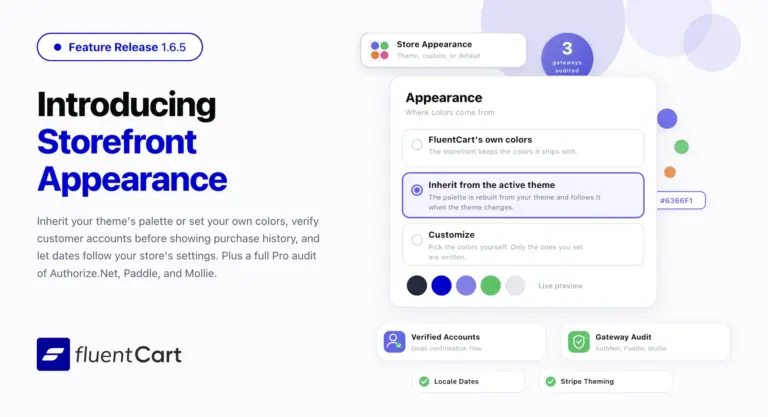
FluentCart 1.6.5 – in your own colors
Storefront Appearance settings let your store inherit colors from the active theme or use a custom palette. Customer…
-

Introducing Product Videos – FluentCart 1.6.4
Most of what makes a store trustworthy happens when nobody is watching: the product page a shopper studies…



Add your first comment to this post