
FluentCart 1.7.1 – Airwallex payments and builder reviews
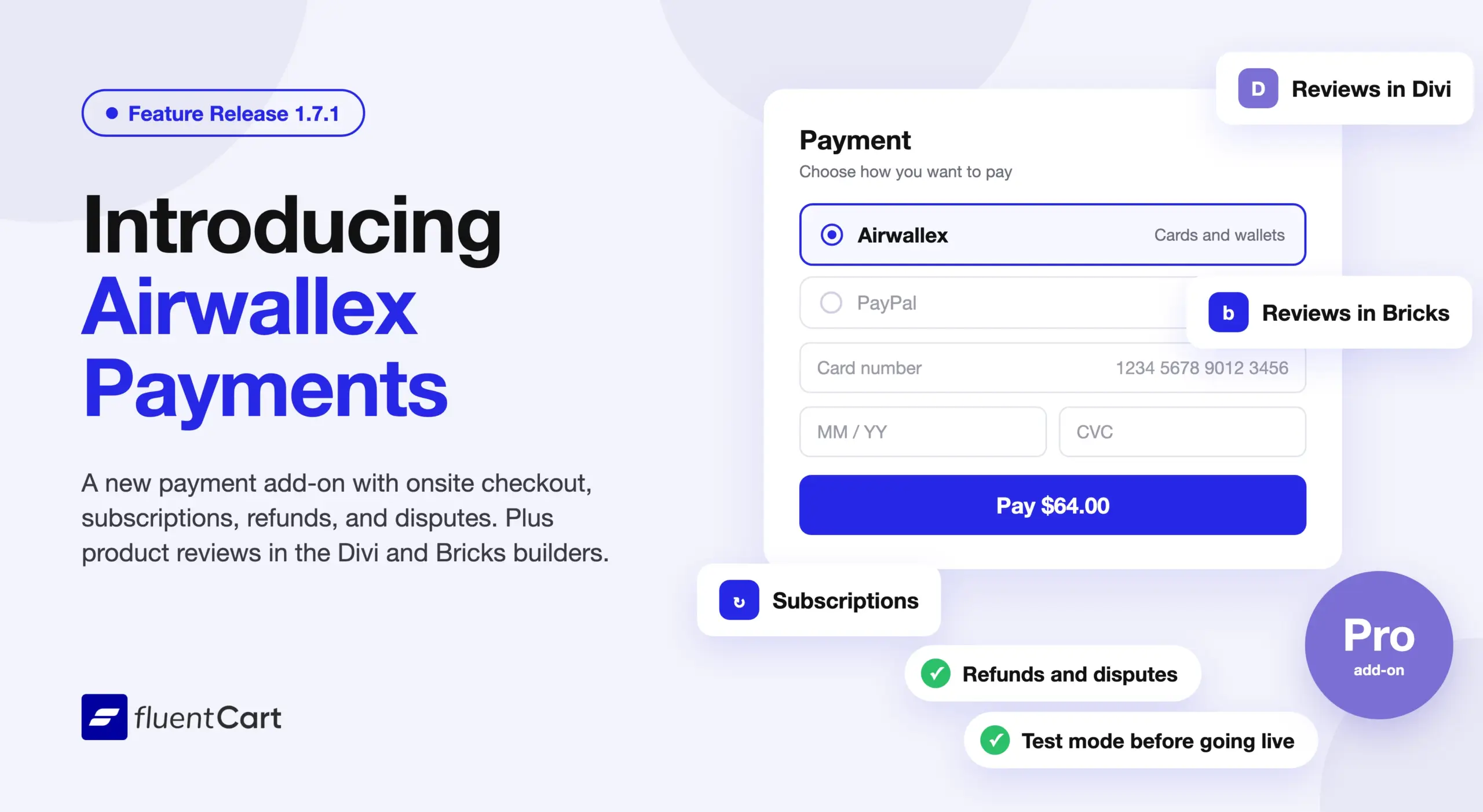
Until now, FluentCart stores could not take payments through Airwallex. FluentCart 1.7.1 adds that option through Airwallex for FluentCart, with subscriptions, refunds, and disputes in the same admin as your orders. This release also brings product reviews to Divi as six modules and Bricks as six elements.
This feature-led release also adds storefront corner controls, a brand name setting for PayPal checkout, and review filters for shoppers and store owners. The fixes cover checkout fields, order notes, and the customer dashboard.
Shoppers can choose Airwallex at checkout
Airwallex for FluentCart 1.0.0 adds Airwallex as a payment method. The shopper selects Airwallex and clicks Place Order, and the Airwallex Drop-in form opens in a modal on the checkout page. The form offers the cards and wallets your Airwallex account allows. Some payment methods send the shopper to Airwallex and back.
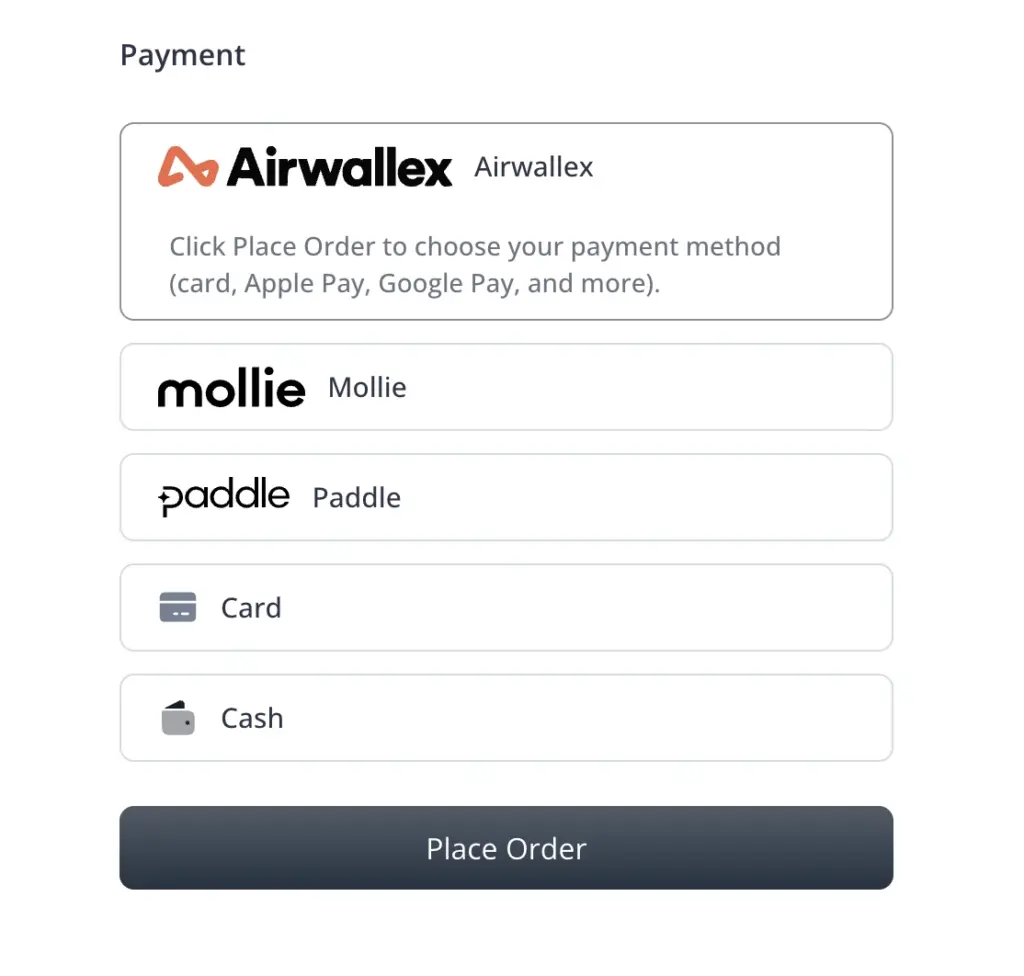
Subscriptions run through Airwallex as well, with trials, first-cycle discounts, installment plans, and reactivation. Full and partial refunds start from the FluentCart order screen. When a shopper disputes a charge, the dispute details show on the transaction, and you can accept the dispute from FluentCart. If the shopper closes the browser before the receipt page loads, FluentCart still records the payment and updates the order. A Test mode lets you try Airwallex payments before you take live ones.
The add-on needs FluentCart Pro, active and licensed. Once it is on, you handle Airwallex payments, subscriptions, refunds, and disputes from the admin you already use for orders.
Refer to Airwallex for FluentCart documentation here to learn more.
Product reviews reach the Divi and Bricks builders
FluentCart 1.7.0 introduced product reviews on the product page and in the block editor, and Elementor Blocks 1.1.0 added review widgets for Elementor. Until now, a store built in Divi or Bricks had no module to place them. FluentCart Divi Modules 1.1.0 and FluentCart Bricks Blocks 1.1.0 close that gap, and each one brings the eleven review layouts from the block editor. Classic is free, and the other ten need FluentCart Pro.
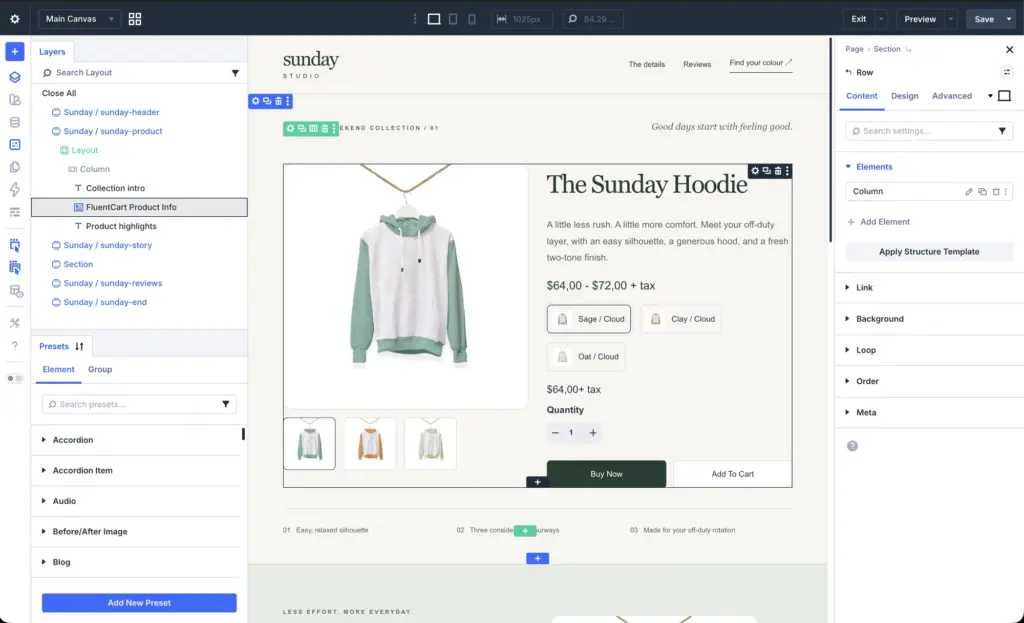
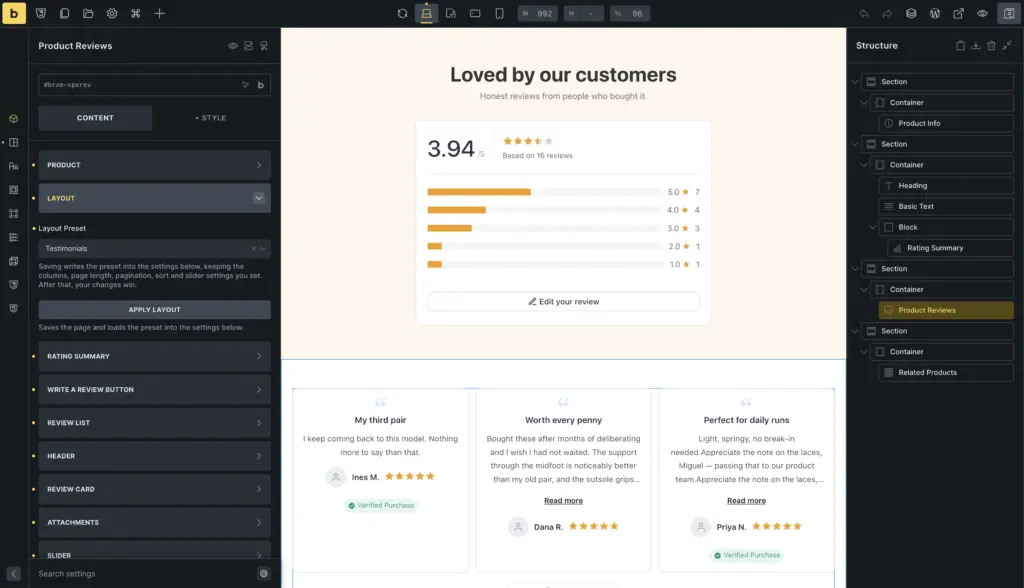
Divi adds six review modules: Product Reviews, Product Review List, Rating Summary with Review, Review Form, Product Rating, and Write a Review. You pick a layout from preview cards, and the Visual Builder shows live reviews while you work. The review list shows in List view. Pro adds Grid, Masonry, and Slider views with up to six columns. Show Rating Breakdown adds a bar chart of star counts. On Pro, Show Helpful Votes adds the vote buttons. A minimum star rating hides the reviews below the rating you pick.
Shop grid cards gain star ratings with a Show Rating control. The store’s Show Rating In Shop setting still decides whether ratings appear at all. The bundled Single Product layout gains a Reviews row.
The Design tab styles review cards, avatars, text, badges, filter chips, and pagination. It also sets the review stars, the summary bar height, form field spacing, and the alignment of the Write a Review button. On the Divi Library screen, an Add missing layouts button restores any bundled FluentCart layout missing from your library. An outdated layout shows an update link with the bundled version number. Product cards load inside the Visual Builder canvas again.
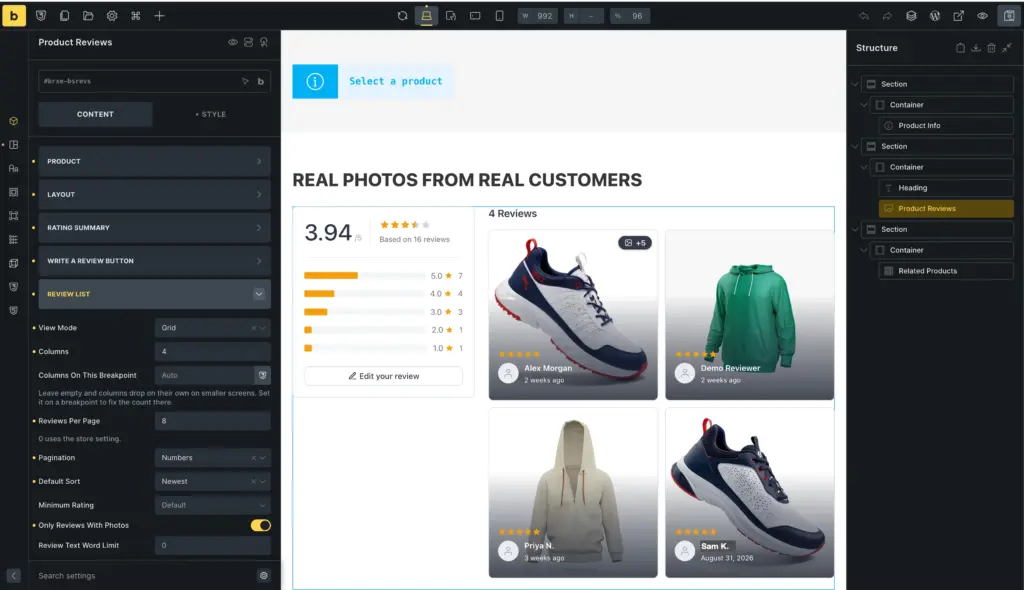
Bricks adds six review elements: Product Reviews, Review List, Rating Summary, Review Form, Write a Review, and Product Rating. The Review List element shows reviews in List view. Pro adds Grid, Masonry, and Slider views, and in Grid and Masonry you set the column count for each screen size. A custom review row lets you pick and order the fields each review shows. Shoppers get star filter chips, sorting, and pagination.
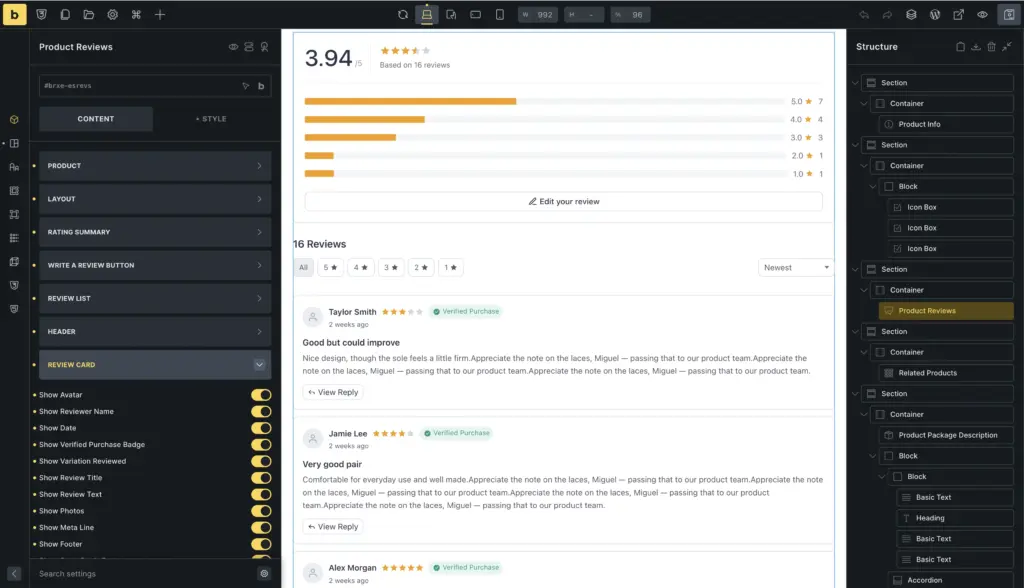
Photo controls set the number of photos, the tile size, and full-width photos. On Pro, a photo can fill the card background or sit flush to the card edges. The Style tab covers review cards, avatars, text, stars, badges, chips, sorting, pagination, the summary, the form, and buttons.
Outside reviews, the Manual Product ID field now accepts dynamic data in the Product Card, Product Info, Package Description, SKU, and Related Products elements. The Product Card and Product Carousel elements show Sale and Sold Out badges.
A Divi or Bricks store now places and styles its reviews from the builder it already uses.
Storefront buttons and form fields take your theme’s corners
If your theme rounds every button, square FluentCart buttons stand out. Customize now has Border radius controls for storefront cards, buttons, and form fields. With Inherit from the active theme selected, FluentCart uses the button and form field corner settings your theme supports. Supported themes are block themes, Astra, Blocksy, Kadence, Divi, and Bricks. Product cards keep FluentCart’s corners under that option.
Filters narrow reviews on the storefront and products in the admin
Shoppers can now pick more than one star rating at once to narrow a long review list. On Pro, the With Photos and Verified filters combine with the star filters. The reviews shortcode gains a minimum star rating option, and the shortcode keeps that minimum when shoppers sort, filter, or page through the reviews.
The admin products list gains a Reviews filter, so you can list products with reviews, products with written reviews, or products by average rating. The
A complete eCommerce management suite that helps teams build stores and manage sales with subscriptions and licensing. Built for speed and simplicity.
shortcode gains a 
FluentCart Pro
taxonomies attribute, for a product list filtered by categories, brands, and custom classifications.
PayPal checkout can show your brand name
Some stores trade under a name their customers know better than the registered business name. The new Brand name setting for PayPal shows your chosen name on the PayPal checkout instead of your business name.
Fixes & Stability
Reviews on the storefront. Under the Bricks theme, product reviews no longer shrink to the summary column. The review sort dropdown no longer shows a second arrow in themes such as Bricks. The review drawer no longer opens behind page sections or under the WordPress admin bar. When you turn off Product Reviews, FluentCart hides the review settings and page setup prompts. On Pro, helpful vote buttons now use one shape across review layouts. They no longer cover photos in the Photo Wall, Photo Strip, and Testimonials layouts. On Pro, a script conflict no longer stops helpful votes from loading.
Checkout and payments. Enabled First Name and Last Name fields now appear in modal checkout, and the System badge is back on First Name in Checkout Fields settings. When you turn off a checkout field, FluentCart also clears its Required setting. PayPal subscriptions no longer show zero completed payments until a later sync. On Pro, Stripe trial checkout for store-managed subscriptions works when the shopper selects Save this card. On Pro, a script conflict no longer makes Authorize.net, Mollie, and Paddle checkout fail.
Order notes. Saving an order in the admin no longer erases its notes or removes their line breaks. The mark-as-paid note now goes to the order activity instead of replacing the order note.
Storefront palette and theme. The thank-you page, the single product tab underline, the customer dashboard tabs, and the Download and Cancel buttons now follow the storefront palette. On Pro, so does the Payment Methods page in the customer dashboard. Theme focus highlights now cover the whole customer dashboard form field. Cart quantity controls on the cart drawer and cart page keep their styling under the theme. The shop page no longer leaves an empty grid when a filter returns no products. Variation options stay selectable after a product import rolls back.
Admin polish. The product description editor window now closes after a save in the classic editor. The dashboard heat map shows order totals when country names are translated. Tooltips no longer break words in the middle. The top menu, the WordPress sidebar, and the mobile menu highlight the current page. The WordPress sidebar no longer shifts when you open a Products page. The FluentCart MCP switch shows in Features & addon when no connector plugin is installed. On Pro, the License settings page no longer shows an active license after you removed the site from it.
Security and maintenance. This release includes ongoing security audits and routine hardening across FluentCart core and FluentCart Pro, including the new Airwallex add-on.
Getting 1.7.1
Update FluentCart and FluentCart Pro from your dashboard.
To add Airwallex, use FluentCart 1.7.0 or later with FluentCart Pro active and licensed. Go to Settings → Payment Settings and click Manage on the Airwallex card. Click Install & Activate. If the add-on is installed but inactive, click Activate Addon. Without Pro, the card shows Upgrade to Pro.
To connect your Airwallex account, go to Settings → Store Settings → Store Setup and pick Live or Test under Store Mode. Return to Settings → Payment Settings and open Airwallex. Under Live credentials, enter the Live Client ID and Live API Key. For testing, enter the Test Client ID and Test API Key under Test credentials instead. In your Airwallex Console, go to Developers → Webhooks and add the URL and events listed under Webhook Configuration. Create one for Live and one for Test if you use both. Copy the signing secret into Live Webhook Secret or Test Webhook Secret to match. Turn on Payment Activation and click Save Settings.
For FluentCart Divi Modules, activate the Divi theme with Divi 5. For FluentCart Bricks Blocks, activate the Bricks theme. Go to Settings → Features & addon. Under Plugin Addons, find FluentCart Divi Modules or FluentCart Bricks Blocks. With Pro active, click Install & Activate. Without Pro, click Download to open the add-on download page, then install the plugin through WordPress. If the add-on is installed but inactive, click Activate. If you already use it, update it from the Plugins screen. Go to Settings → Product Reviews, turn on Enable Product Reviews, and save. To use the Pro layouts and views, activate FluentCart Pro.
Full Changelog
Airwallex for FluentCart 1.0.0
- Adds Airwallex payments through the new Airwallex for FluentCart add-on. Pro only.
- Adds one-time payments through an Airwallex Drop-in modal after Place Order, with the cards and wallets your Airwallex account allows.
- Adds Airwallex subscriptions with trials, first-cycle discounts, installment plans, and reactivation.
- Adds full and partial Airwallex refunds from the FluentCart order screen.
- Adds Airwallex dispute details on the transaction, with an option to accept a dispute from FluentCart.
- Adds automatic order updates for Airwallex payments, even when the shopper closes checkout before the receipt page.
- Adds a Test mode for trying Airwallex payments before you take live payments.
FluentCart Divi Modules 1.1.0
- Adds six review modules: Product Reviews, Product Review List, Rating Summary with Review, Review Form, Product Rating, and Write a Review.
- Adds eleven review layouts picked from preview cards. Classic is free, and the other ten are Pro only.
- Adds List view and live review previews in the Divi Visual Builder.
- Adds Grid, Masonry, and Slider review views with up to six columns. Pro only.
- Adds a Show Helpful Votes switch to the review modules. Pro only.
- Adds a Show Rating Breakdown switch to the review modules.
- Adds a minimum star rating for the reviews a review list shows.
- Adds star ratings and a Show Rating control to Shop grid cards, with previews in the Visual Builder.
- Adds Design tab controls for review cards, avatars, text, badges, filter chips, and pagination.
- Adds Design tab controls for review stars, summary bar height, form field spacing, and Write a Review button alignment.
- Adds a Reviews row to the bundled Single Product layout.
- Adds an Add missing layouts action and versioned update links for bundled FluentCart layouts on the Divi Library screen.
- Fixes product cards failing to load inside the Visual Builder canvas.
FluentCart Bricks Blocks 1.1.0
- Adds six review elements: Product Reviews, Review List, Rating Summary, Review Form, Write a Review, and Product Rating.
- Adds eleven review layout presets. Classic is free, and the other ten are Pro only.
- Adds List view for the Review List element.
- Adds Grid, Masonry, and Slider review views, with a column count for each screen size in Grid and Masonry. Pro only.
- Adds a custom review row, where you pick and order the fields each review shows.
- Adds star filter chips, sorting, and pagination to the review list.
- Adds controls for the number of review photos, the tile size, and full-width photos.
- Adds review photos as the card background or flush to the card edges. Pro only.
- Adds Style tab controls for review cards, avatars, text, stars, badges, chips, sorting, pagination, the summary, the form, and buttons.
- Adds dynamic data in the Manual Product ID field of the Product Card, Product Info, Package Description, SKU, and Related Products elements.
- Adds Sale and Sold Out badges to the Product Card and Product Carousel elements.
Features
- Adds Border radius controls in Customize for storefront cards, buttons, and form fields.
- Adds theme matching for supported button and form field corners in block themes, Astra, Blocksy, Kadence, Divi, and Bricks.
- Adds a Brand name setting for PayPal, shown on the PayPal checkout instead of your business name.
- Adds a Reviews filter to the admin products list, for products with reviews, with written reviews, or by average rating.
- Adds multi-select star filters for product reviews.
- Adds With Photos and Verified review filters that combine with the star filters. Pro only.
- Adds a
taxonomiesattribute toFluentCart Pro
A complete eCommerce management suite that helps teams build stores and manage sales with subscriptions and licensing. Built for speed and simplicity.
From $99.00 - Adds a minimum star rating option to the reviews shortcode, kept when shoppers sort, filter, or page through reviews.
Improvements
- Improves Product data for search engines with the brand, subscription billing periods, and whether prices include VAT.
- Improves rating stars with one rounded shape on product pages, product cards, the admin, and the customer dashboard.
- Improves admin page headings by placing them at the same height on pages with and without buttons.
- Improves the WordPress footer alignment next to the settings sidebar.
- Improves shop list view cards with a compact square thumbnail beside the product details.
Fixes
- Fixes product reviews shrinking to the summary column under the Bricks theme.
- Fixes a second arrow on the review sort dropdown in themes such as Bricks.
- Fixes the review drawer appearing behind page sections or under the WordPress admin bar.
- Fixes enabled First Name and Last Name fields missing from modal checkout.
- Fixes the product description editor window staying open after a save in the classic editor.
- Fixes Stripe trial checkout failing for store-managed subscriptions when Save this card is selected. Pro only.
- Fixes the missing System badge on First Name in Checkout Fields settings.
- Fixes checkout fields staying Required after you turn them off.
- Fixes an admin order save erasing order notes.
- Fixes the mark-as-paid note replacing the order note. It now goes to the order activity.
- Fixes an order save removing line breaks from notes.
- Fixes the thank-you page not following the storefront palette.
- Fixes the single product tab underline not following the storefront palette.
- Fixes customer dashboard tabs and the Download and Cancel buttons not following the storefront palette.
- Fixes theme focus highlights covering only part of customer dashboard form fields.
- Fixes missing order totals on the dashboard heat map when country names are translated.
- Fixes the shop page leaving an empty grid when a filter returns no products.
- Fixes cart quantity controls on the cart drawer and cart page losing their styling to the theme.
- Fixes variation options turning unselectable on the storefront after a product import rolled back.
- Fixes PayPal subscriptions showing zero completed payments until a later sync.
- Fixes admin tooltips breaking words in the middle.
- Fixes uneven helpful vote button shapes across review layouts. Pro only.
- Fixes helpful vote buttons covering photos in the Photo Wall, Photo Strip, and Testimonials layouts. Pro only.
- Fixes missing current-page highlights in the top menu, the WordPress sidebar, and the mobile menu.
- Fixes the WordPress sidebar shifting when you open a Products page.
- Fixes review settings and page setup prompts staying visible when Product Reviews is turned off.
- Fixes the FluentCart MCP switch missing from Features & addon when no connector plugin is installed.
- Fixes the License settings page showing an active license after the site was removed from it. Pro only.
- Fixes Authorize.net, Mollie, and Paddle checkout failing when another script on the page conflicts. Pro only.
- Fixes review helpful votes failing to load when another script on the page conflicts. Pro only.
- Fixes the Payment Methods page in the customer dashboard not following the storefront palette. Pro only.
In case you missed
Elementor Blocks 1.1.0, Oct 1, 2026
- Adds six Product Review widgets: Product Reviews, Product Review List, Review Summary, Review Form, Write a Review Button, and Product Rating.
- Adds a Layout Preset picker that shows the eleven review layouts as preview cards, with Classic free and the other ten in Pro.
- Adds Grid, Masonry, and Slider review views with up to six columns. Pro only.
- Adds control over each part of a review card, with fields you can reorder or hide.
- Adds Rating as a shop card element, and adds it to the bundled Shop template.
1.7.0, Sep 29, 2026
- Adds Product Reviews with star ratings on the product page.
- Adds Review settings under Store Settings: who may review, auto-approve, the verified purchase badge, star rating on or off and required, reviews per page.
- Adds Review moderation screen in the admin, with a reply from the store on each review.
- Adds My Reviews in the customer dashboard, with the reviews written so far, each one editable.
- Adds Review your order page, on a page the store chooses, reached by a link tied to the order, with every item on it reviewable.
1.6.5, Sep 24, 2026
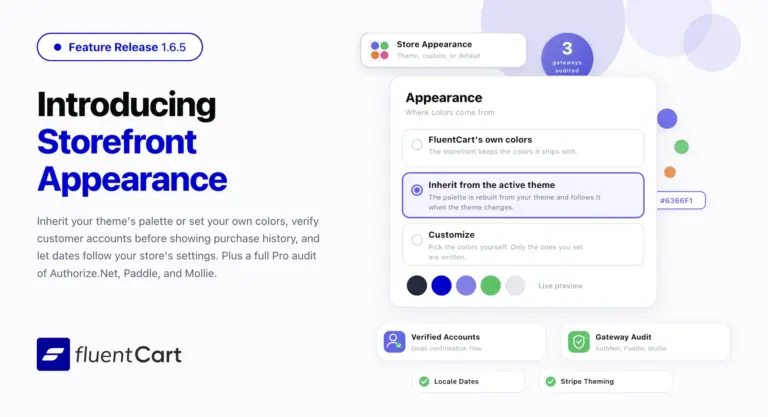
- Adds Appearance tab under Store Settings with three color sources: FluentCart’s own colors, inherit from the active theme, or customize your own palette.
- Adds Theme-inherited storefront palettes for block themes, Astra, Kadence, and GeneratePress, with readable button text chosen automatically.
- Adds Customer email verification before the customer dashboard opens, with guest purchases recovered into the account after confirmation.
- Adds Store date format, time format, and timezone applied to every date in emails, invoices, shortcodes, admin, and the customer dashboard.

I’m Jewel, founder of FluentCart and CEO at WPManageNinja, the team behind Fluent Forms, Fluent CRM, Fluent Support, FluentLogs and a handful of other WordPress plugins. I have been writing WordPress code since 2009 and still think of myself as a developer first and an entrepreneur second. Most of what I write on this blog comes from arguments we have had inside the team about how to build software people can actually depend on.

Subscribe now
Related Articles and Topics
-
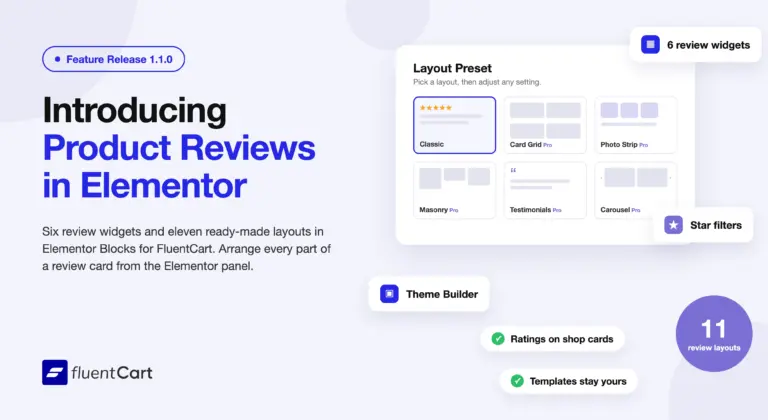
Elementor Blocks for FluentCart 1.1.0 – reviews, placed in Elementor
Elementor Blocks for FluentCart 1.1.0 adds six product review widgets, eleven review layouts, ratings on shop cards, and…
-
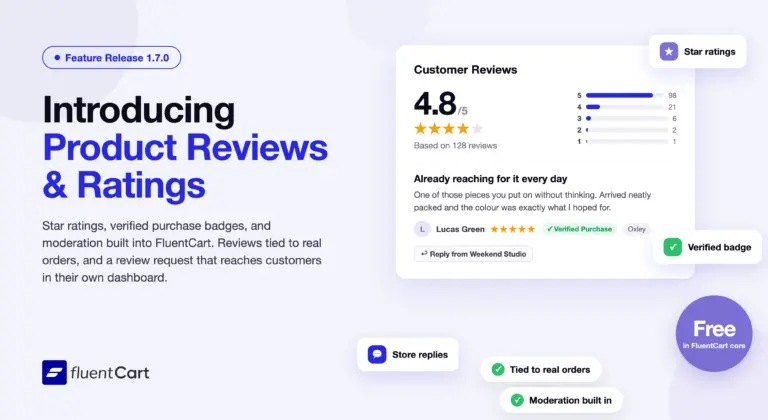
FluentCart 1.7.0 – reviews, built in
A product page carries two voices: the store’s, and the customers who already bought. Until now a FluentCart…
-
FluentCart 1.6.5 – in your own colors
Storefront Appearance settings let your store inherit colors from the active theme or use a custom palette. Customer…



Add your first comment to this post