
FluentCart 2.0: Multi Currency for our first birthday
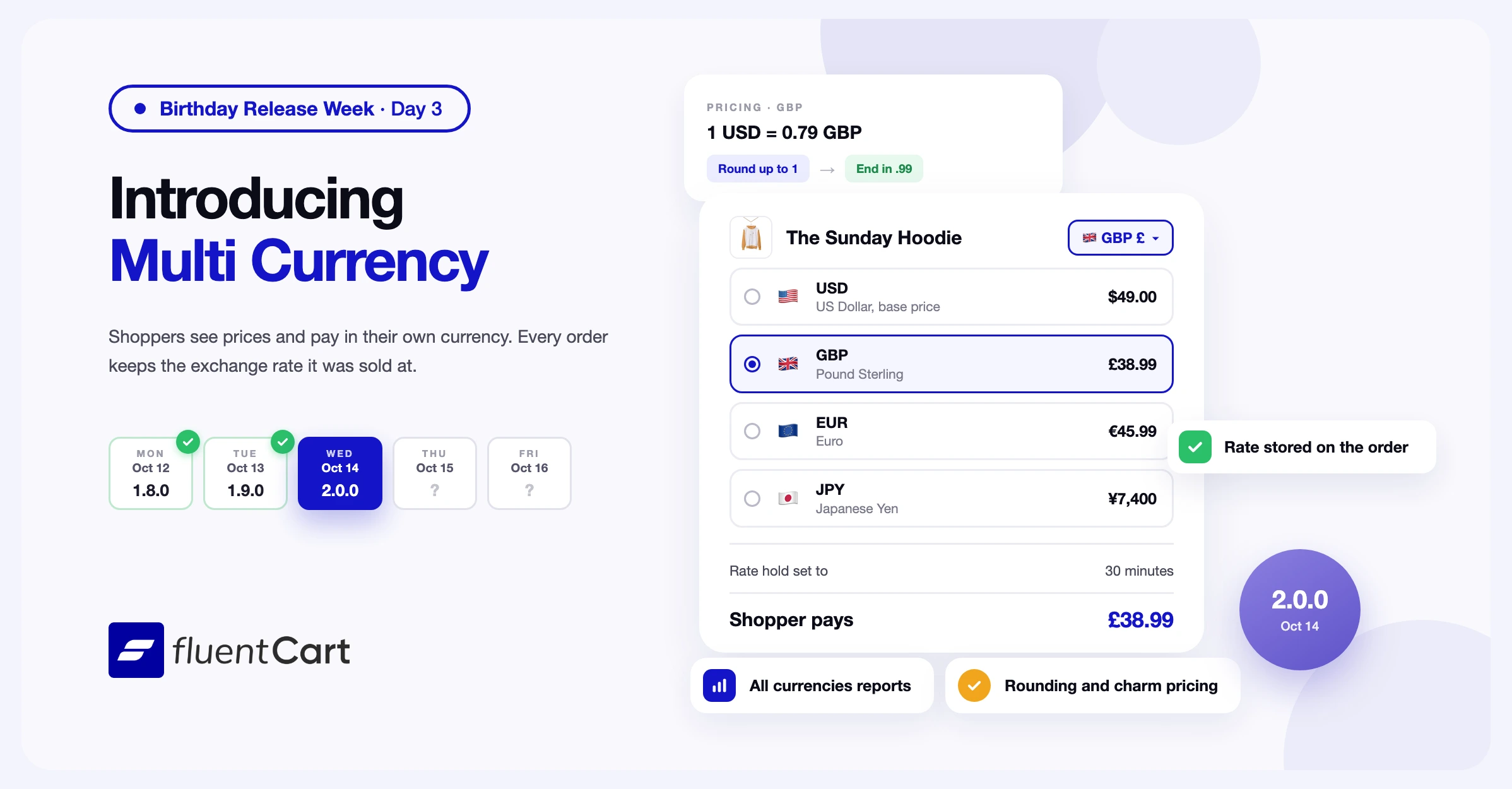
A shopper in London opens your product page and sees $49. They work out the pounds in their head and wonder what their bank adds for a payment in dollars. Some of them close the tab before they reach checkout.

Until now, every FluentCart store sold in one currency, so every overseas visitor had to do that sum. FluentCart 2.0.0 adds Multi Currency, and the same shopper sees £38.99, pays £38.99, and finds £38.99 on their card statement.
This is the biggest release since FluentCart launched, and that is why the version number moves to 2.0.0. Multi Currency is part of FluentCart Pro, together with an accounting export. Stores on free FluentCart keep selling in their base currency. This is day 3 of Birthday Release Week.
Why 2.0, and why today
A year ago today we released FluentCart to the public. The changelog for that first version had one line: Hello World.
Since then we shipped 50 more updates, and 9,000+ stores now run on FluentCart.
We picked Multi Currency for 2.0 because you asked for it more than anything else. It also fits why we built FluentCart in the first place. Selling online should be simple, for you and for the person buying from you. A shopper in London should not need a calculator to buy your product.
A few things did not change this year, and they won’t. Zero transaction fees, on Free and Pro. Your data stays on your server. And your store stays fast.
If you want the full story of the year, why we built this, the team behind it and the numbers, I wrote it here: A Year of Refining the WordPress eCommerce Experience.
Multi Currency is in beta. Test it on a staging site before you use it in your live store. If you find an issue, tell our support team.
Shoppers browse, pay, and get their emails in their own currency
A shopper who sees a foreign currency has to convert the price before they buy. With Multi Currency, you keep one price for each product in your base currency. You add the currencies you want to sell in, and FluentCart converts storefront prices, the cart, and checkout at the rate you set. Fixed coupon amounts, coupon spending limits, and shipping rates convert at the same rate. Order emails use the order’s currency, and so do the emails that go out for renewals.
Shoppers pick a currency with the Currency Switcher block or the fluent_cart_currency_switcher shortcode. A link that ends in ?currency=GBP opens any store page in pounds, which suits a campaign aimed at one country. You can also put a currency switcher in your site menu. The menu switcher, the block, and the shortcode show a button with each currency’s flag, code, and sign.
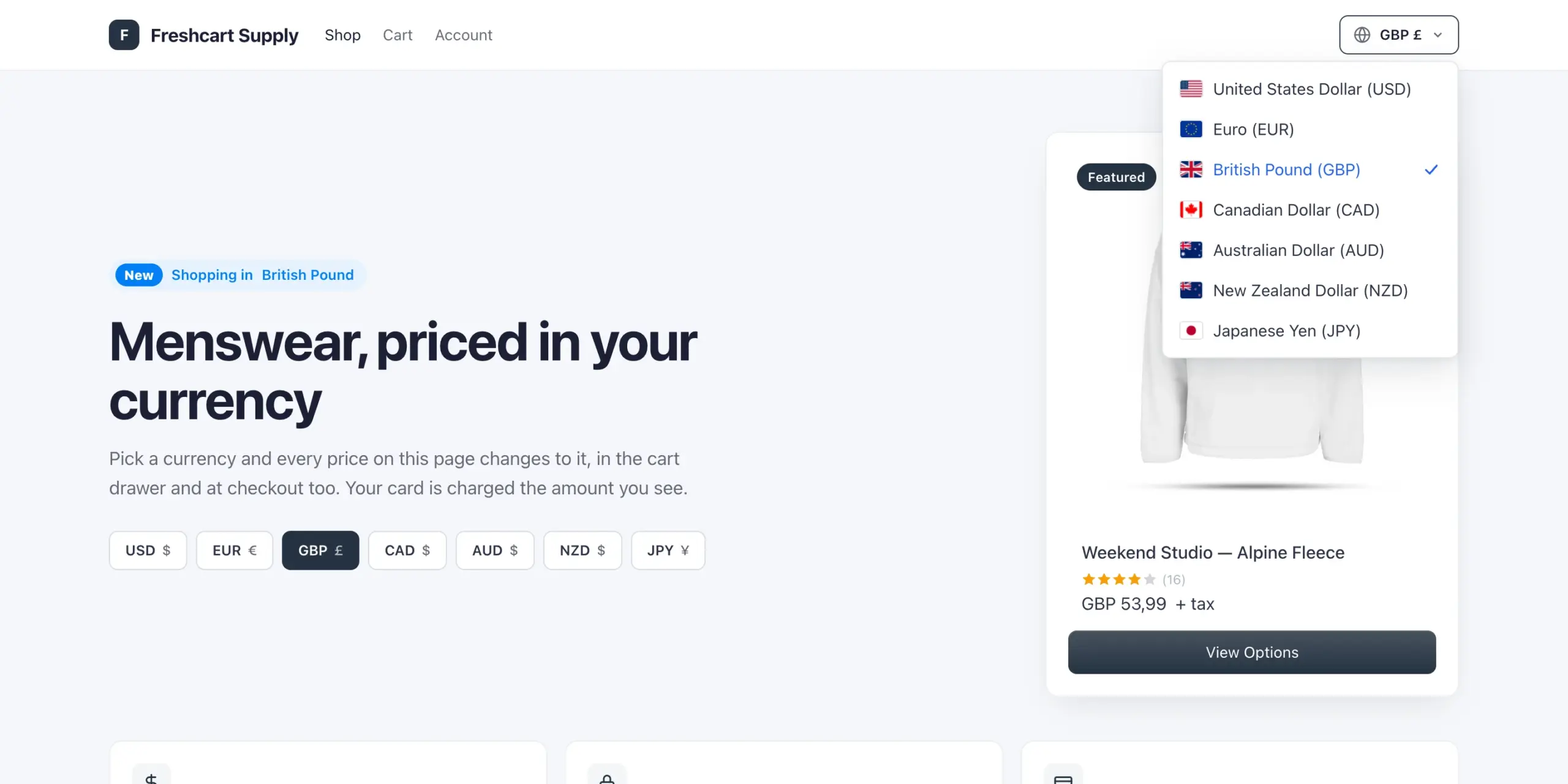
Stripe, PayPal, Mollie, Paddle, Airwallex ,Flutterwave, Razorpay, SSLCommerz, saved cards, and cash on delivery take payment in the shopper’s currency. Checkout hides payment methods like that do not support other currencies. Authorize.Net appears only when the cart is in your Authorize.Net account’s currency. FluentCart creates a separate Stripe customer for each currency, so one shopper can hold Stripe subscriptions in pounds and in euros.
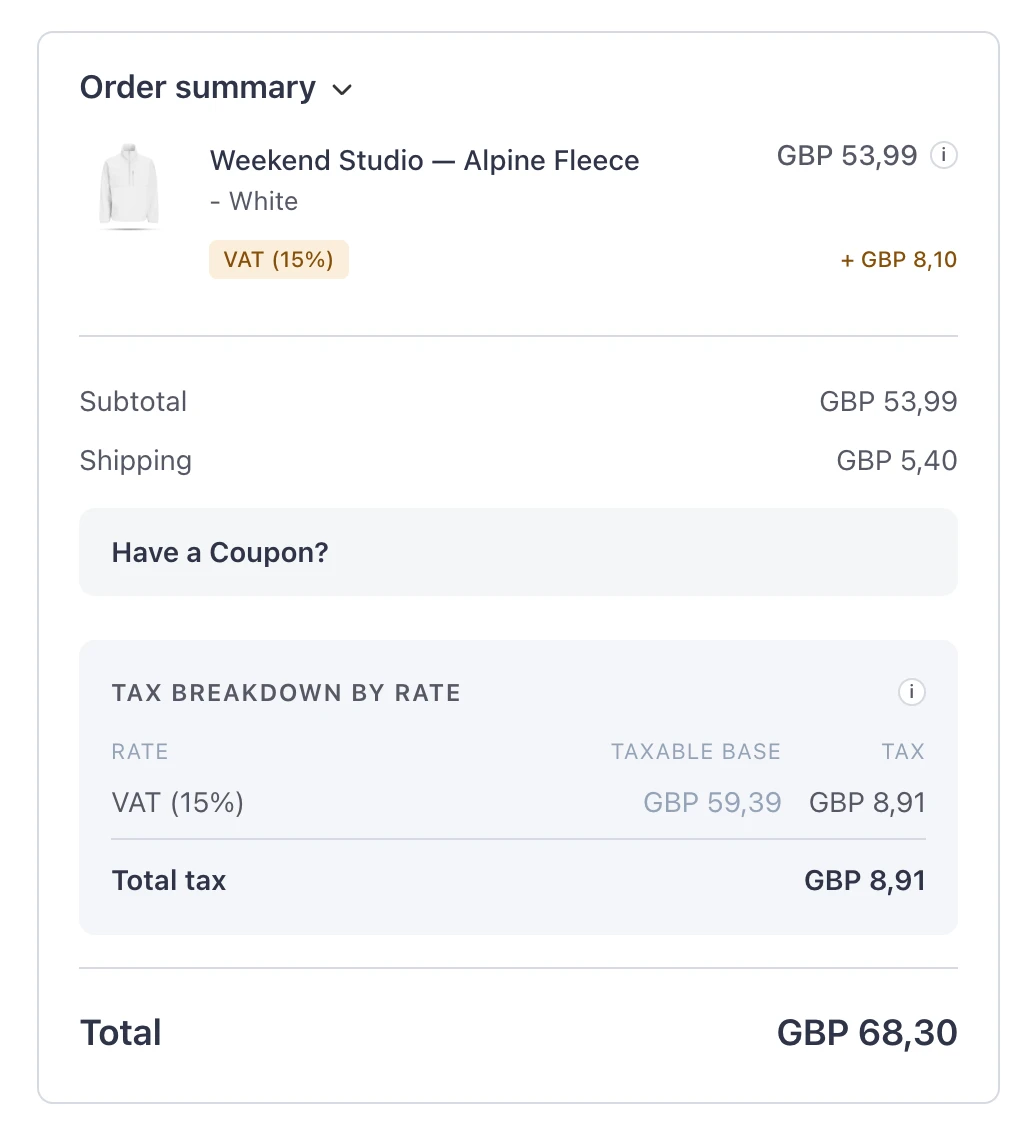
By default, the storefront uses a new rate at once. If the rate changes while a shopper is at checkout, checkout updates the prices once, reloads the page, and tells the shopper why. To keep converted prices steady for longer, set a hold of up to 24 hours under Rate changes.
A few limits worth knowing before you add currencies. Search engines see your product prices in the base currency. Pages for a shopper in another currency skip your page cache. FluentCart does not offer currencies with three decimal places, such as Kuwaiti dinar.
Each currency rounds prices the way you choose
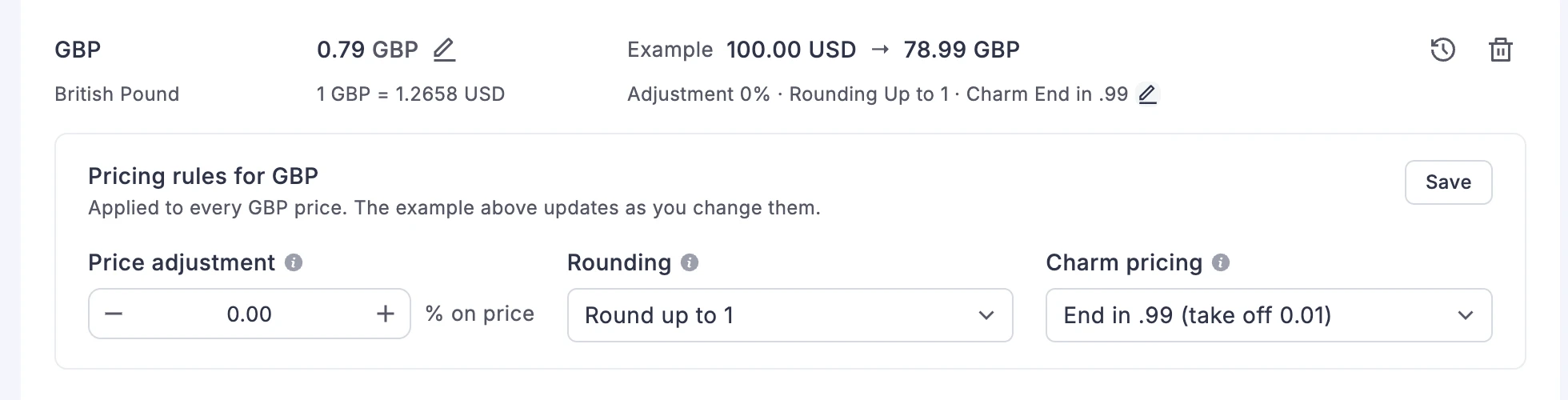
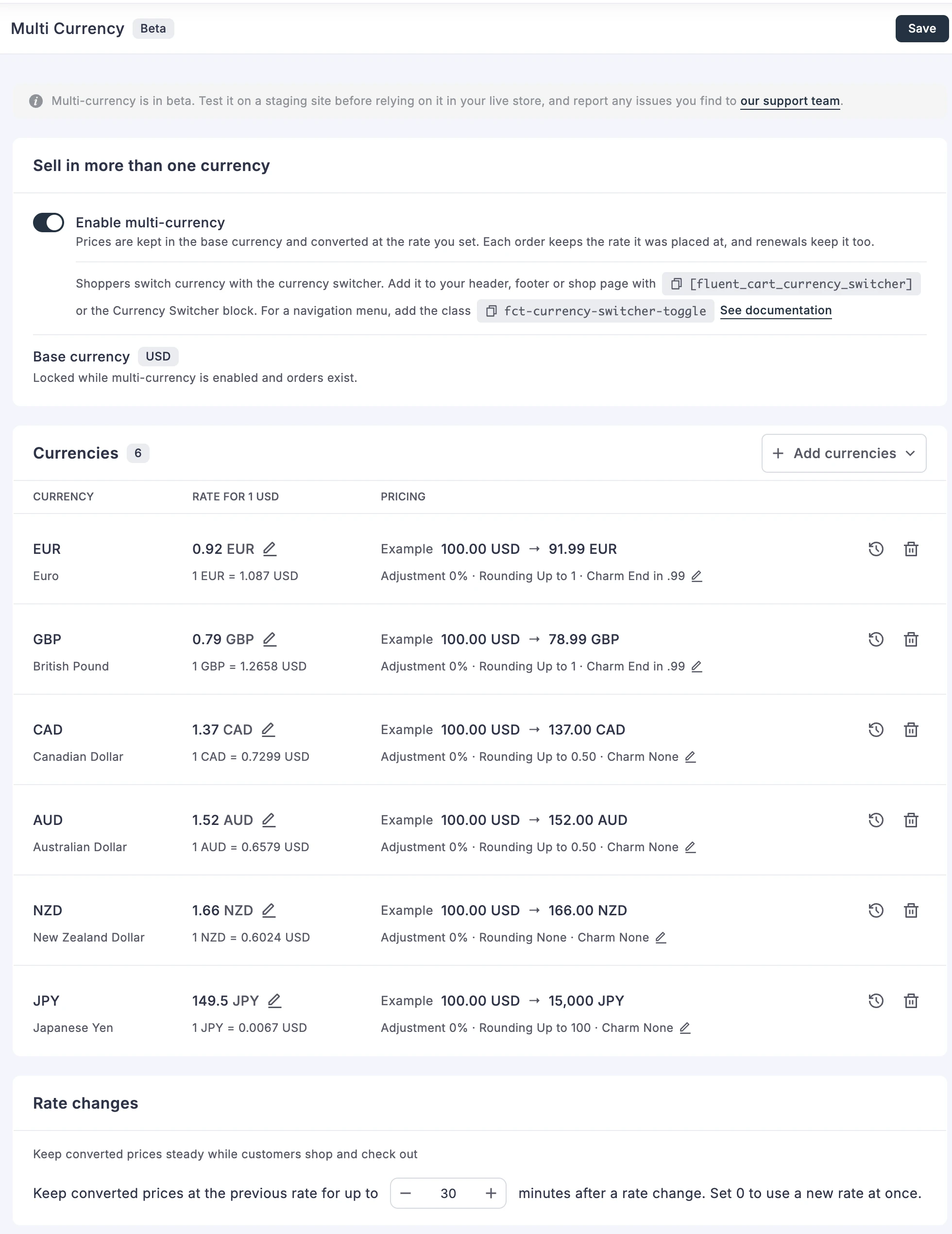
A straight conversion of $49 at a rate of 0.79 gives £38.71. Each currency has its own Pricing settings to turn that into a price you would set yourself.
Price adjustment raises or lowers every price in that currency by a percentage, for example to cover higher costs in one market. Rounding rounds prices up to a step you pick, from 0.05 to 100. Charm pricing ends prices in .99 or .95. With Round up to 1 and End in .99, the $49 product sells at £38.99. The settings screen previews an example price in each currency before you save. Japanese yen and other currencies without decimals round to whole units and skip charm endings.
Orders, renewals, upgrades, and refunds keep the rate they were sold at
Exchange rates change every day. If a store converted old orders again at today’s rate, last quarter’s revenue would change each time you opened a report. FluentCart converts an amount once, when it first goes on an order, and stores the rate on that order. Refunds and later payments use the stored rate. A subscription sold in pounds renews in pounds at its own rate, so next year’s renewal is £38.99 again.
When you edit an order, FluentCart keeps its currency and rate, and products you add use the order’s rate. A plan upgrade can move to the currency the shopper picks. The credit for the old plan converts from the amount they paid. Order bump prices and fixed Dynamic Pricing discounts and fees convert to the cart’s currency too.
Orders placed in another currency before 2.0.0 have no stored rate, and FluentCart does not guess one. Those orders keep their amounts and stay out of converted totals. While Multi Currency is on and the store has orders, FluentCart does not let you change the base currency. If you turn off FluentCart Pro, the storefront goes back to the base currency, and reports and orders still show past orders in their own currency.
Reports show each currency, or all of them in your base currency
Revenue in five currencies does not add up to one number on its own. When the date range holds orders in more than one currency, reports show a currency picker and one currency at a time. The All currencies view converts each order to your base currency at the rate the order was placed at. A past month’s total stays the same when rates move. The Dashboard revenue and refund totals convert the same way and count the orders they leave out.
One limit worth knowing. The subscription overview chart and the cohort reports show one currency at a time and have no All currencies view.
You set each rate, and it changes only when you edit it
You type each rate in the Currencies table, and the row shows the reverse rate beside it, for example 1 GBP = 1.2658 USD. A rate changes only when you edit it. Each currency keeps a history of its past rates. The history marks the rate in use as Current and shows the change from the rate before it.
For developers. Filters let you pick a visitor’s currency by country, change a rate, add rounding options, and change how long a cart holds its rate. An action runs when a rate changes. Another filter changes each row of the accounting export.
An accounting export for your VAT and OSS records
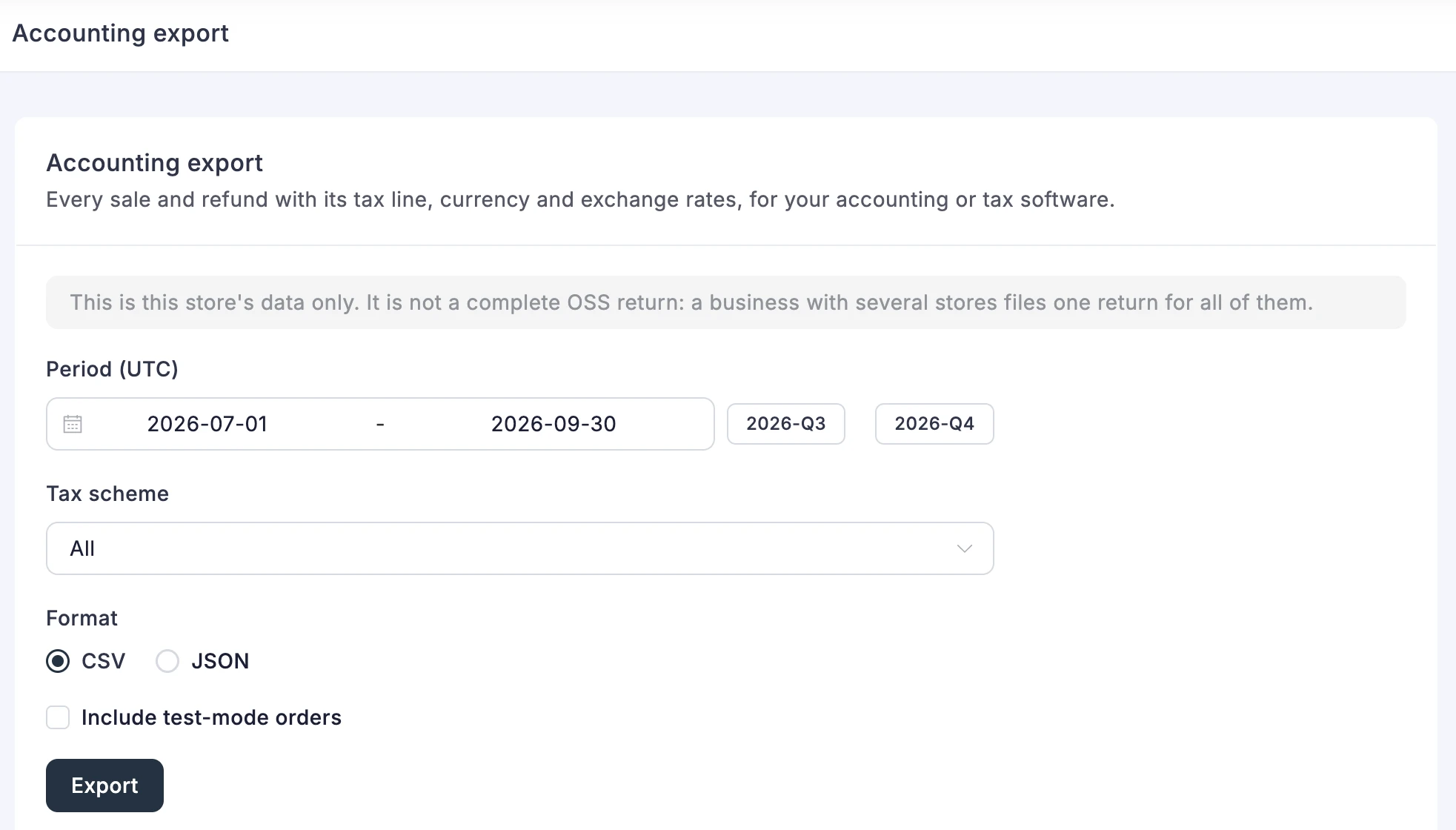
Selling across borders means tax records in several currencies. Reports → Export writes every sale and refund with its tax line, as CSV or JSON for your accounting or tax software. The export dates each sale by its payment, not by the order, so each sale counts in the period you received the money.
Each row has the order’s currency and the base currency amounts at the order’s rate. Refunds are negative rows. Their tax is an estimate, marked in the Tax estimated column. The export is a record for one store and not a complete OSS return, because one business files one return across all its stores.
Fixes & Stability
Currencies and payments. Tax in Japanese yen and other zero-decimal currencies now rounds to whole units. Stripe now charges the full price in Ugandan shillings, where it charged one hundredth of the price before. Stripe charged the wrong amount in three-decimal currencies such as Kuwaiti dinar, and Stripe checkout now declines those payments. Editing an order placed in another currency no longer relabels its amounts with the store currency.
Checkout and admin. A fee from a Dynamic Pricing rule you turned off no longer stays on carts and gets charged. Dynamic Pricing percentage fees now apply to the price after coupons and discounts, so a 100% coupon no longer leaves a fee to pay. The tax breakdown shows the exact taxable base when fees are taxed. If a refund fails, the refund dialog keeps the amount you typed instead of resetting to the full amount. The save bar no longer stays active after you create a coupon, and on-page checkout checkboxes have a fixed 16px size.
Exports. The Orders, Customers, Subscriptions, and Licenses exports keep the filters you set before the export started, even if you change one while it runs.
Security and maintenance. This release includes ongoing security audits and routine hardening across FluentCart core and FluentCart Pro, including the new Multi Currency screens.
Getting 2.0.0
Update FluentCart and FluentCart Pro from your dashboard. Multi Currency needs an active FluentCart Pro license.
To sell in more than one currency:
- Go to Settings → Multi Currency and turn on Enable multi-currency.
- Click Add currencies and pick the currencies you want to sell in.
- For each currency, click Set rate, or the edit icon beside a rate, and enter the rate for 1 unit of your base currency.
- To round prices, click the edit icon beside the currency’s pricing summary, and set Price adjustment, Rounding, and Charm pricing. Click Save in the panel.
- Click Save Settings.
For each setting on this screen, read the Multi Currency settings guide.
To let shoppers pick a currency, add the Currency Switcher block to a page or a template, or add the fluent_cart_currency_switcher shortcode. The switcher appears when you offer more than one currency.
The shortcode takes display with name_code, name, code, symbol, or flag, and flag="no" hides the flag. For example, display="code" flag="no" shows the code alone. The block has the same options under Switcher Settings and Dropdown List.
To add the switcher to a classic theme menu, add a Custom Link with # as the URL. Then type fct-currency-switcher-toggle in its CSS Classes field. In a block theme, add a Custom Link to the Navigation block and type the same class in Additional CSS class(es).
To export sales and refunds, go to Reports → Export, pick a period, a tax scheme, and a format, and click Export.
Year one, release by release
- Oct 2025: Public launch. Mollie, multiple and compound tax rates, UTM reports.
- Nov to Dec 2025: REST API docs and new hooks, Paystack, quarterly and half-yearly billing, a paid Patchstack audit, Authorize.Net, private products, checkout block.
- Jan to Mar 2026: Bundle products, Stripe hosted checkout, Razorpay, retention and cohort reports, Mercado Pago, instant checkout, block theme support, Elementor widgets, SKUs, Flutterwave, bulk import, a Gutenberg email editor.
- Apr to May 2026: Visual PDF invoices, ZUGFeRD and Factur-X e-invoices, Fees API, EDD migrator, Cloudflare R2, Square.
- Jun 2026: EU VAT rebuilt with B2B reverse charge, MCP support for AI agents, the EU withdrawal button, Advanced Variations free in core, SSLCommerz.
- Jul 2026: AI profit and forecast answers, the Bricks add-on, cross-site attribution, and our own subscription engine that works with any gateway.
- Aug 2026: Divi 5 modules, saved payment methods, WooCommerce migrator, data export.
- Sep 2026: Product videos with FluentPlayer, store color palettes, guest purchase recovery, built-in Product Reviews with schema.
- Oct 2026: Airwallex, Dynamic Pricing, on-page checkout, and today, Multi Currency.
Every version is on the changelog page.
Full Changelog
Features
- Adds Multi Currency as a beta, so shoppers see prices, the cart, and checkout in their own currency. Pro only.
- Adds Price adjustment, Rounding, and Charm pricing settings for each currency, with charm endings of .99 and .95. Pro only.
- Adds a rate hold, which keeps converted prices at the previous rate for up to 24 hours after a rate change. Pro only.
- Adds a stored exchange rate on every order, which the order’s renewals and refunds reuse. Pro only.
- Adds a currency switcher with flags as a block, a shortcode, and a site menu item. Pro only.
- Adds Multi Currency checkout for Stripe, PayPal, Mollie, Paddle, saved cards, and cash on delivery. Pro only.
- Adds the shopper’s currency to plan upgrades, order bumps, and Dynamic Pricing. Pro only.
- Adds a currency picker to reports, with an All currencies report view in your base currency. Pro only.
- Adds Reports → Export, an accounting export of every sale and refund with its tax line, as CSV or JSON. Pro only.
- Adds
fluent_cart/currency/*filters and actions for choosing a visitor’s currency and changing rates and rounding. Pro only. - Adds the
fluent_cart/dynamic_pricing/fee_baseandfluent_cart/dynamic_pricing/fee_amountfilters for changing how a percentage fee is measured. Pro only.
Improvements
- Improves the Dashboard revenue and refund totals, which convert orders in other currencies to your base currency.
Fixes
- Fixes tax in Japanese yen and other zero-decimal currencies, which now rounds to whole units.
- Fixes Stripe charging one hundredth of the price for payments in Ugandan shillings.
- Fixes Stripe charging the wrong amount in three-decimal currencies such as Kuwaiti dinar, which Stripe checkout now declines.
- Fixes editing an order placed in another currency, which relabelled its amounts with the store currency.
- Fixes Orders, Customers, Subscriptions, and Licenses exports, which now keep the filters set when the export started.
- Fixes a fee from a Dynamic Pricing rule you turned off staying on carts and being charged. Pro only.
- Fixes the save bar staying active after you create a coupon.
- Fixes a failed refund resetting the refund amount to the full refundable amount.
- Fixes the taxable base shown in the tax breakdown when fees are taxed.
- Fixes Dynamic Pricing percentage fees, which now apply to the price after coupons and discounts. Pro only.
- Fixes the checkbox size in on-page checkout product lists. Pro only.
Birthday Release Week
- Mon: 1.8.0 Dynamic Pricing
- Tue: 1.9.0 On-page checkout
- Wed: 2.0.0 Multi Currency (you are here)
- Thu: Surprise update
- Fri: Another surprise update

I’m Jewel, founder of FluentCart and CEO at WPManageNinja, the team behind Fluent Forms, Fluent CRM, Fluent Support, FluentLogs and a handful of other WordPress plugins. I have been writing WordPress code since 2009 and still think of myself as a developer first and an entrepreneur second. Most of what I write on this blog comes from arguments we have had inside the team about how to build software people can actually depend on.

Subscribe now
Related Articles and Topics
-
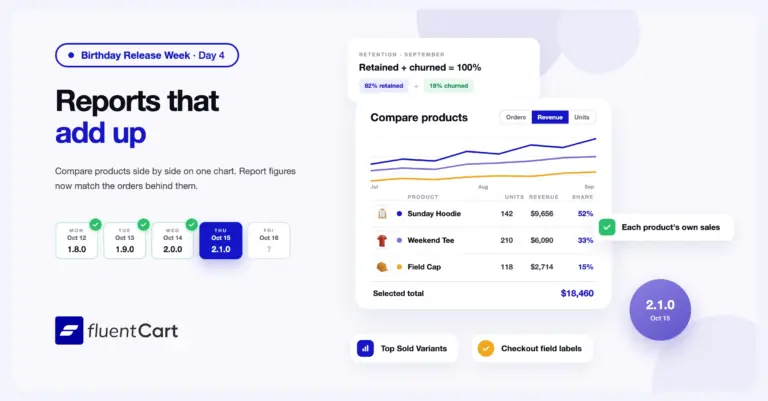
FluentCart 2.1.0 – Reports that add up
FluentCart 2.1.0 adds a Compare report that puts two or more products on one chart and one table,…
-
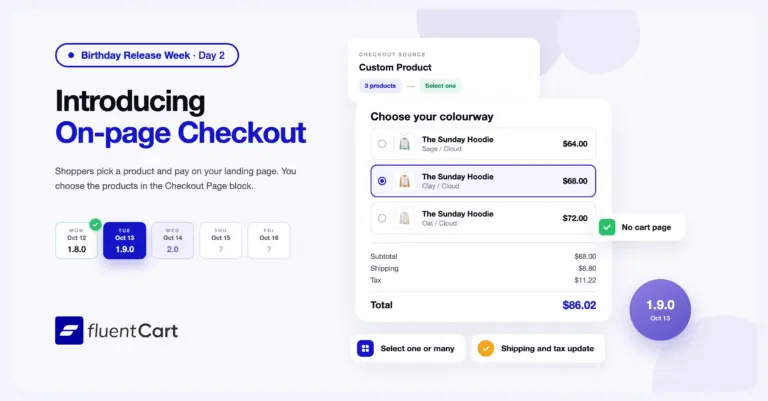
FluentCart 1.9.0 – One page, from offer to order.
FluentCart 1.9.0 adds on-page checkout to FluentCart Pro. You choose the products in the Checkout Page block, and…
-
FluentCart 1.8.0 – Dynamic Pricing that follows your conditions
FluentCart 1.8.0 adds Dynamic Pricing to FluentCart Pro. A pricing rule adds a discount or a fee at…



Add your first comment to this post