

FluentCart 2.3.2 – Pick it on the card
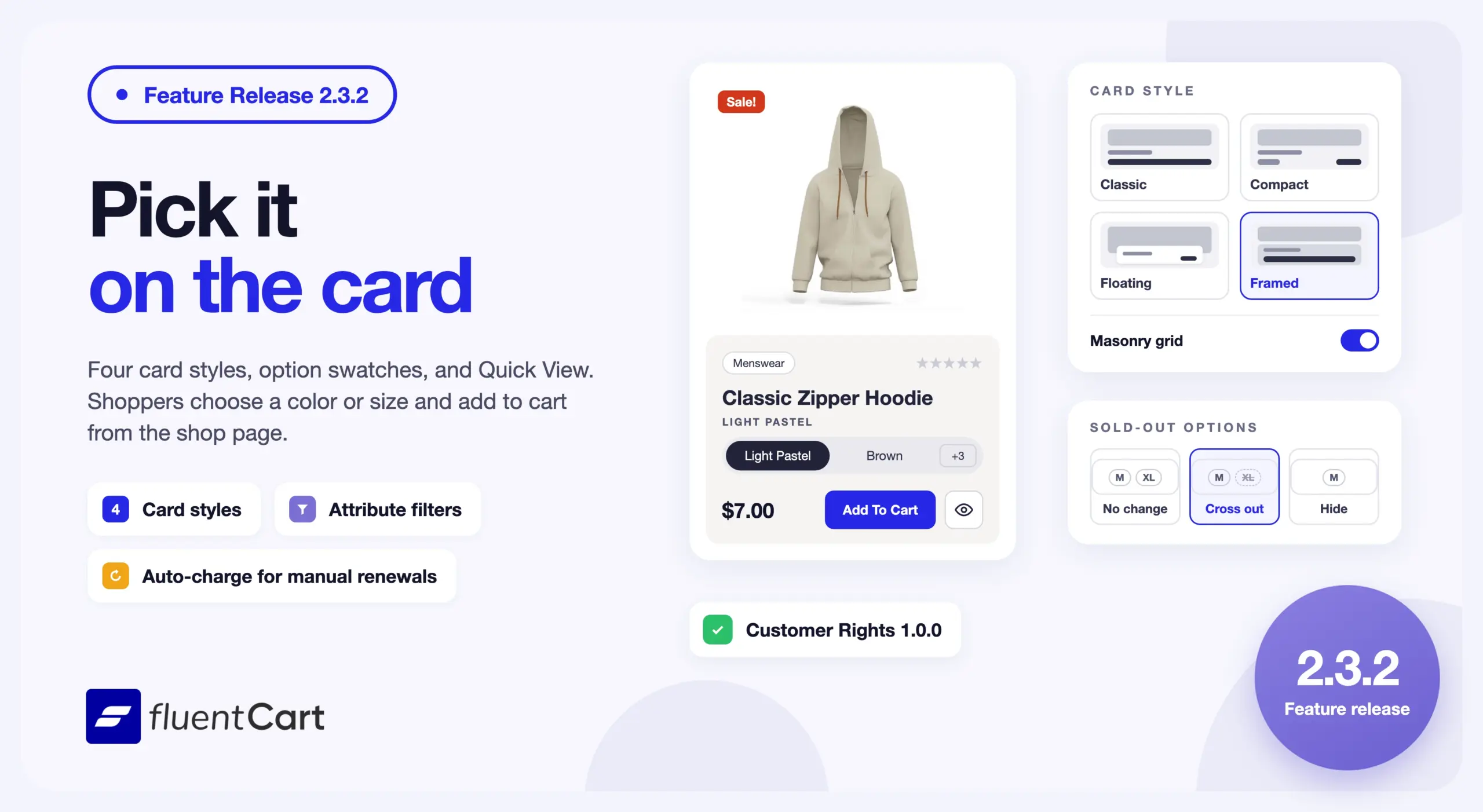
A shopper on your shop page sees a picture, a price, and a View Options button. To buy the cap in orange, they open the product page or a quick view window first. Each extra page is a place where a shopper can stop. Until now, every product grid also used the same card, whether it held T-shirts in six colors or a few large product photos.
FluentCart 2.3.2 puts the choice on the card. You pick one of four card styles, the card shows the product’s options, and a shopper adds the chosen variant to the cart from the shop page. Shoppers can also narrow the shop by color, size, or any other attribute.

This is a feature-led release about the shop page. It also lets a manual subscription switch to automatic charging. FluentCart Customer Rights 1.0.0 ships with it, and so does a new add-on, Address Autofill for FluentCart. The fixes cover shop pagination, product saves and SKUs, the customer portal, Bricks, and staging copies in test mode.
Product cards now fit the catalog you sell
A grid of T-shirts in six colors and a grid of large product photos need different cards. Until now, the Products block gave both the same one.
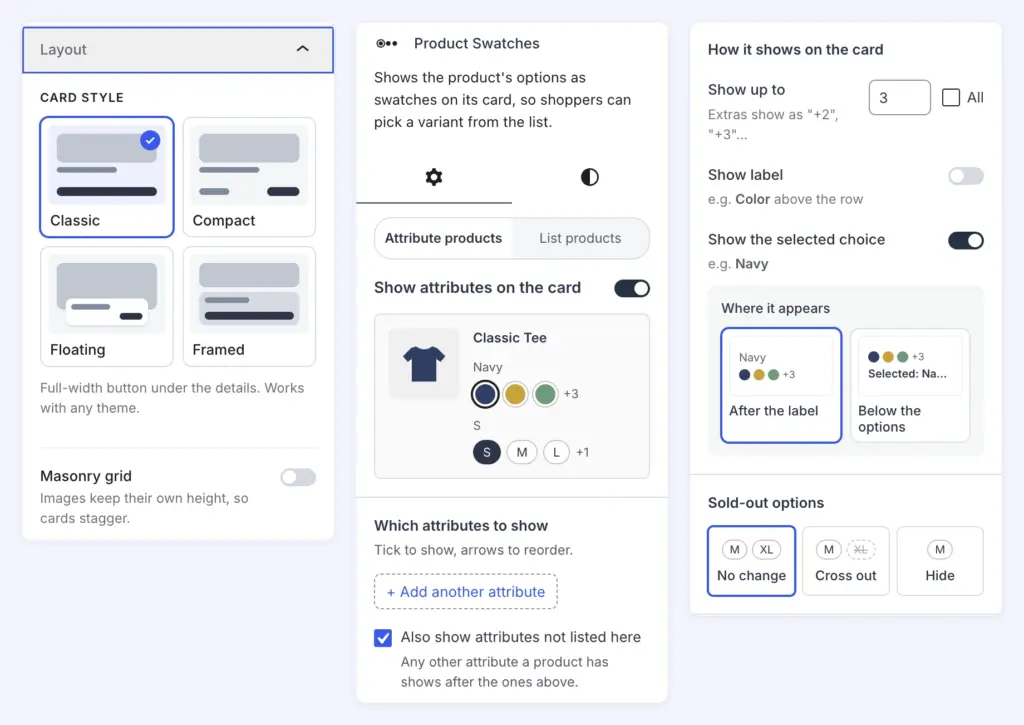
Select a Products block in the block editor and open Layout. Under Card style, pick Classic, Compact, Floating, or Framed. Classic puts a full-width button under the details and works with any theme. Compact puts the price and the button on one row, which suits grids of four or more columns. Floating lays the details over a tall image, which suits catalogs with strong product photos. Framed puts the details in an inset tile, for products with many options.
Floating shows as a grid only, so FluentCart hides the grid and list switch for it. The Masonry grid switch works with every style. Each image keeps its own height, and the cards stagger.
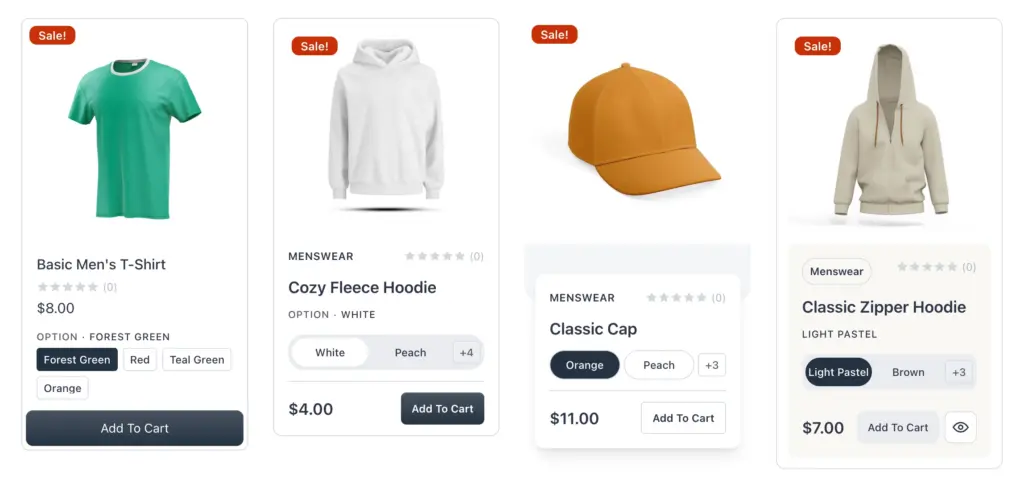
New Products, Product Carousel, and Related Products blocks start with the new Product Card. In Product Carousel and Related Products, the Layout panel is on that Product Card. Pages you built before keep their current cards. An older Product Card shows a notice with a Switch button, and Undo switches it back.
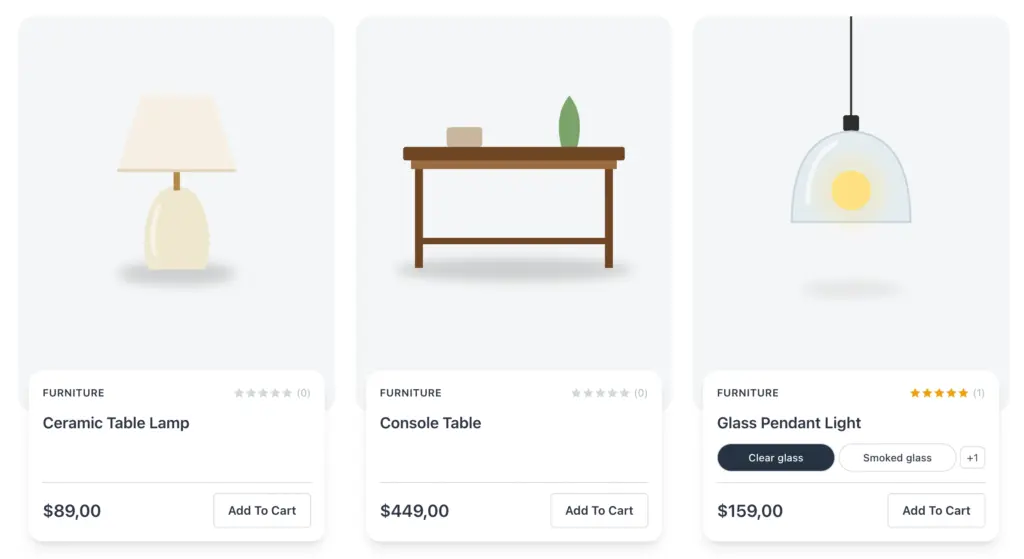
Shoppers choose options and buy from the shop page
The new Product Swatches block shows a product’s options on its card. A shopper taps a color or a size, and the price changes to match. View Options turns into Add To Cart, or into Buy Now for a subscription variant. When the chosen option is out of stock, the button says so and stays disabled.
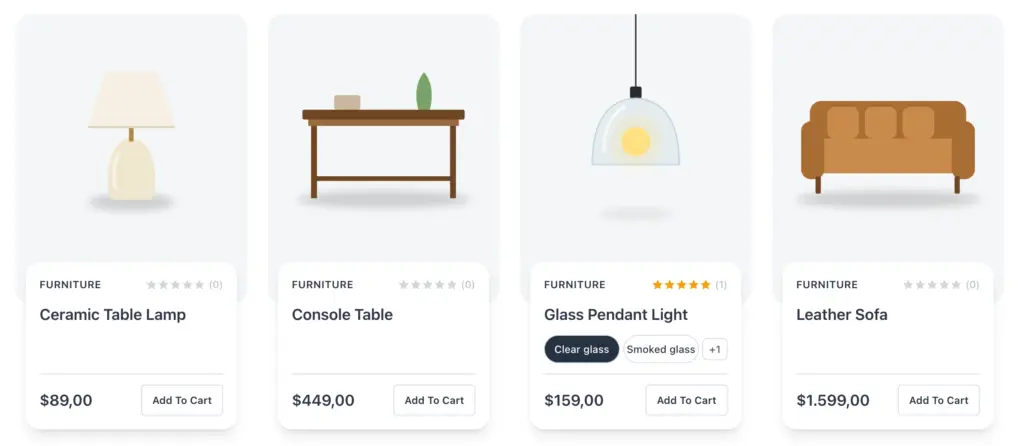
The block settings have two tabs. Attribute products covers products with attributes, such as a T-shirt with Color and Size. List products covers products with a simple list of choices, such as coffee pods in packs of 6, 12, or 24.
In each tab, tick and reorder the attributes to show. Show up to sets how many options appear before a “+2” chip, or tick All. Show label puts the attribute name above the row, and Show the selected choice names the option the shopper picked. Sold-out options shows sold-out choices as they are, crossed out, or hidden.
The Product Quick View block adds a Quick View button that opens the product in a quick view window. Place it on the image, always or on hover, or beside the card’s button. Simple products get no Quick View button, because their card button already adds them to the cart.
Shoppers narrow the shop by color, size, and other attributes
A shopper looking for a medium hoodie should not have to scroll past every small one. In the Products block, open Filter Option and turn on Attribute Filters. Pick the Attributes to offer, and turn on Show counts or Show empty if you want them.
Color attributes show color swatches, image attributes show images, and the rest show option boxes. A product matches when one of its variants has every value the shopper picked.
Classic themes and Bricks get the same cards
Not every store builds its shop in the block editor. The fluent_cart_products and fluent_cart_related_products shortcodes take a card_layout attribute, with classic, compact, floating, framed, or masonry. A masonry attribute staggers the cards. Other attributes set the swatches and Quick View, and the custom_filters attribute of the products shortcode can add attribute filters.
In Bricks, the Products element offers the same card styles, swatches, Quick View, and attribute filters. Classic is the element’s own card, and every card has a Masonry switch. The Product Title element can now show a product you pick, so it works outside the product page too.
For developers. On classic themes, the fluent_cart/product_archive/card_layout filter sets the card style for product archives. The fluent_cart/single_product_page/related_card_layout filter sets it for Related Products on the product page. Both keep the standard card unless you return a style. The fluent_cart/shop_app/product_attribute/max_groups and max_terms filters change how many attributes and values an attribute filter shows.
Bricks users need the Bricks Blocks add-on before the next update
If you build with Bricks, read this before your next FluentCart update. Eight Bricks elements still come with FluentCart itself: Product Title, Short Description, Content, Stock, Price Range, Buy Section, Gallery, and Products. From the next FluentCart release, they come with the FluentCart Bricks Blocks add-on.
Install and activate FluentCart Bricks Blocks before you update past 2.3.2, so pages that use these elements keep working. In the Bricks builder, each of these elements now shows a notice with an install link. Visitors do not see the notice.
Manual subscriptions switch to automatic charging
A manual subscription sends the customer a renewal invoice each period, and the customer has to pay it. When a customer forgets, the renewal lapses and you follow up by hand.
This change applies to stores on Store Billing with Auto-charge saved payment methods turned on. When a customer pays the renewal invoice of a manual subscription, FluentCart now saves the payment method and switches the subscription to automatic charging. With Stripe, FluentCart saves the card during that payment and shows the same notice the customer sees at checkout. With PayPal, FluentCart saves the PayPal account when the customer approves the payment. If no payment method comes back, the subscription stays manual.
For developers. FluentCart runs the fluent_cart/subscription_converted_to_system action after a subscription switches.
Customer Rights 1.0.0 keeps the order source for visitors who skip the banner
FluentCart Customer Rights adds the withdrawal function that German law requires, and a Cookie Consent gate for marketing attribution. With the gate on, FluentCart waits for consent before it stores the campaign that brought a visitor. Most visitors never answer the banner, so their orders show no source.
Version 1.0.0 adds Record the order source on the server, under Visitors who have not answered on the Cookie Consent screen. With it on, FluentCart reads the campaign and ad click IDs from the page address when the visitor adds to cart or uses Buy Now. It saves them on the order and stores nothing in the browser. FluentCart never records a visitor who refuses in the banner. The option is off by default, and the screen asks you to check with your legal adviser that it suits your store.
Withdrawal and Cookie Consent now sit under Compliance in the Settings sidebar. The Withdrawal Requests screen now comes with the add-on and matches the other FluentCart screens.
For developers. Other consent plugins can add themselves to the Cookie Consent picker through the fctcr/consent/providers filter.
Japanese shoppers fill in their address from the postal code
Japanese shoppers expect to type a 7-digit postal code and see the prefecture, city, and town appear, as they do at other Japanese stores. FluentCart asked them to type all three by hand.
Address Autofill for FluentCart 1.0.0 is a new free add-on that fills these fields at checkout. It works on the billing address, the shipping address, and the add-address window. Shoppers can type the code with or without the hyphen, and in the full-width digits that Japanese keyboards type. The add-on fills the prefecture through the State field, so shipping and tax update as they do when the shopper picks a prefecture.
The add-on keeps a building or room number that the shopper already typed in the street field. It never changes the Apt, suite, unit field.
Before you use the add-on, turn on the State field under Settings → Checkout Fields. Without it, the add-on cannot fill the prefecture.
The add-on looks up each postal code at zipcloud, a free public copy of the Japan Post postal file. It sends only the postal code, and it keeps each answer for one week.
For developers. The fluent_cart/checkout/postcode_lookup filter replaces the lookup, for example with your own copy of the Japan Post file. When a site uses it, the add-on calls no outside service. The fluent_cart/checkout/postcode_autofill_countries filter adds other countries.
Improvements
Shop page for new stores. A new store’s Shop page starts with the Classic card, with swatches, rating, and Quick View. The category template for new stores has the grid and list switch, Sort, and the brand and price filters. Existing Shop pages keep their content.
Lighter shop pages. Product cards no longer load the styles and scripts of the product page’s reviews section. The reviews stylesheet alone is 12 KB compressed, and shop and archive pages now skip it.
Related Products. In Custom mode, a product picker above the Related Products preview lets you change the product without opening the sidebar.
PDF Templates in FluentCart Pro. An edited template shows a Customized badge and a Reset button, which brings back its built-in design.
Licensing in FluentCart Pro. Sites on the xCloud demo domains wp1.site and 1wp.site count as test sites, so they use no license activation.
Fixes & Stability
Shop pages. The shop pager showed a button for every page, 188 for a catalog of 1,878 products. It now shows a short range. The pager and the “Showing X to Y” summary follow a link that sets the page size. Scroll pagination no longer stops after one extra page. A shop with no products shows its empty message and stops loading. A price filter that starts at 0 now applies, and a products shortcode with an unknown category shows no products instead of all of them.
Storefront and checkout. The item list in the checkout summary now scrolls, so a long cart no longer pushes the totals and the billing form far down the page. The coupon Apply button uses your secondary button colors. Shop layouts and quick view windows stay inside their edges in themes such as Twenty Twenty-Five. Product gallery thumbnails no longer show as empty boxes on Hello Elementor.
Products. A product save with a repeated SKU, including two SKUs that differ only in letter case, now shows “The SKU must be unique.” Before, it saved nothing and showed success or an unexplained error. A bulk edit now reports an error when variations fail to save. Products imported by the WooCommerce and EDD migrators no longer fail to save with “Title is required”. Bundle items no longer show the product name twice. In FluentCart Pro, PDF receipts no longer repeat a simple product’s title.
Customer portal and builders. The customer profile shortcode no longer cuts off part of an Elementor or Divi page for logged-out visitors. The update payment window keeps its fields inside the dialog, and the pending review badge is easier to read. FluentCart dynamic data tags in Bricks now work inside other text.
Admin. Report empty states, table totals, and breadcrumb links read correctly in dark mode. MCP product lists filtered by category no longer fail. A failed background data update no longer retries up to 100 times on every admin page load. In FluentCart Pro, the order bump card editor no longer shows an email preview button.
Staging copies. The setting Don’t bill live subscriptions from this site while it is in test mode now also stops a staging copy from expiring live subscriptions. In FluentCart Pro, a staging copy in test mode no longer retries live Authorize.Net subscription setups.
Customer Rights 1.0.0. The withdrawal form follows your storefront colors, and theme button styles no longer hide its Back link. Translators can now translate the tax note in refund estimates. With CookieYes, an advertising category ticked in advance no longer counts as the visitor’s consent.
Security and maintenance. This release includes ongoing security audits and routine hardening across FluentCart core and FluentCart Pro, including the new card styles.
Getting 2.3.2
Update FluentCart and FluentCart Pro from your dashboard.
To pick a card style, select a Products block, open Layout, and choose a Card style. To change the options on a card, select its Product Swatches block.
To install FluentCart Bricks Blocks, go to Settings → Features & Addons, or download it from fluentcart.com/fluentcart-addons. Do this before the next FluentCart update.
Update FluentCart Customer Rights from your Plugins screen. Its Withdrawal Requests screen needs FluentCart 2.3.1 or later. On an older FluentCart, the add-on shows an Update FluentCart card in its place.
To install Address Autofill for FluentCart, go to Settings → Features & Addons, or download the zip file. The add-on is free, and its Address Autofill switch on the same screen is on by default.
Full Changelog
Features
- Adds Classic, Compact, Floating, and Framed product card layouts to the Products, Product Carousel, and Related Products blocks.
- Adds a Masonry switch to every card layout, so each product image keeps its own height in a staggered grid.
- Adds a Product Swatches block that shows a product’s options on its card and turns View Options into Add To Cart or Buy Now.
- Adds Product Swatches settings for which attributes show, how many options show, labels, and sold-out options.
- Adds a Product Quick View block that opens the product in a quick view window, from the image or beside the button.
- Adds attribute filters, such as color and size, to the shop sidebar, with optional counts and empty values.
- Adds card layouts, swatches, Quick View, and attribute filters to the Bricks Products element.
- Adds
card_layoutandmasonryattributes to thefluent_cart_productsandfluent_cart_related_productsshortcodes. - Adds automatic charging for a manual subscription after the shopper saves a card or PayPal account while paying a renewal invoice.
- Adds a Bricks editor notice that FluentCart’s Bricks elements move to the FluentCart Bricks Blocks add-on in the next release.
- Adds Address Autofill for FluentCart to the Addons page.
- Adds the
fluent_cart/product_archive/card_layoutandfluent_cart/single_product_page/related_card_layoutfilters for card layouts on classic themes. - Adds
fluent_cart/shop_app/product_attribute/*filters for attribute filter limits, and thefluent_cart/subscription_converted_to_systemaction.
Improvements
- Improves the Shop page and category template for new stores, which now use the Classic layout card and show Sort and filters.
- Improves the Related Products block, where you can change the Custom product from the canvas.
- Improves the Bricks Product Title element, which can now show a product you pick.
- Improves shop page loading, because product cards no longer load the product page’s review files.
- Improves PDF Templates with a Customized badge and a Reset button for edited templates. Pro only.
- Improves licensing, which treats xCloud demo sites as test sites that use no activation. Pro only.
Fixes
- Fixes the shop pager listing every page number, and its page count when a link sets the page size.
- Fixes scroll pagination stopping after one extra page, and endless loading on a shop with no products.
- Fixes price filters that start at 0, and products shortcodes with an unknown category showing every product.
- Fixes long item lists in the checkout summary pushing the totals and billing form down the page.
- Fixes the coupon Apply button at checkout, which now uses your secondary button colors.
- Fixes shop layouts and quick view windows running past their edges in themes such as Twenty Twenty-Five.
- Fixes product gallery thumbnails showing as empty boxes on Hello Elementor.
- Fixes product saves with a repeated SKU, which saved nothing but showed success or an unexplained error.
- Fixes bulk edits that listed a product as updated when its variations failed to save.
- Fixes the “Title is required” error on products imported by the WooCommerce and EDD migrators.
- Fixes bundle items showing the product name twice.
- Fixes PDF receipts repeating a simple product’s title. Pro only.
- Fixes the customer profile shortcode cutting off part of an Elementor or Divi page for logged-out visitors.
- Fixes customer portal styles in the update payment window, the pending review badge, and accent colors.
- Fixes FluentCart dynamic data tags in Bricks when they sit inside other text.
- Fixes dark mode on report empty states, table totals, and breadcrumb links.
- Fixes MCP product lists filtered by category, which always failed.
- Fixes a failed background data update that retried up to 100 times on every admin page load.
- Fixes staging copies in test mode expiring live subscriptions.
- Fixes staging copies in test mode retrying live Authorize.Net subscription setups. Pro only.
- Fixes the email preview button showing in the order bump card editor. Pro only.
FluentCart Customer Rights 1.0.0
- Adds a Cookie Consent option that saves the order source from the server for visitors who never answer the banner.
- Adds the
fctcr/consent/providersfilter for other consent plugins. - Improves the Settings sidebar, where Withdrawal and Cookie Consent now sit under Compliance.
- Improves the Withdrawal Requests screen, which now ships with the add-on and matches FluentCart’s admin screens.
- Fixes the withdrawal form ignoring the storefront colors, and theme button styles hiding its Back link.
- Fixes the tax note in the Withdrawal Requests refund estimate, which could not be translated.
- Fixes CookieYes banners with advertising ticked in advance, which let attribution save before the visitor answered.
Address Autofill for FluentCart 1.0.0
- Adds a free add-on that fills the prefecture, city, and street at checkout from a Japanese postal code.
- Adds autofill to the billing address, the shipping address, and the add-address window at checkout.
- Accepts postal codes with or without the hyphen, and the full-width digits that Japanese keyboards type.
- Fills the prefecture through the State field, so shipping and tax update as they do when the shopper picks one.
- Keeps a building or room number that the shopper typed in the street field, and never changes the “Apt, suite, unit” field.
- Looks up postal codes at zipcloud, a free public copy of the Japan Post postal file, and sends only the postal code.
- Adds an Address Autofill switch under Settings → Features & Addons, which is on by default.
- Adds the
fluent_cart/checkout/postcode_lookupandfluent_cart/checkout/postcode_autofill_countriesfilters for other countries or a local postal file.
In case you missed
2.3.1, Nov 10, 2026
- Adds order bump positions on checkout, in the cart drawer, and on the cart page. Pro only.
- Adds six order bump cards, custom cards, and an optional image for each bump. Pro only.
- Adds a Licenses report under Reports. Pro only.
- Adds a Rearrange button for the billing and shipping address fields in Checkout Fields settings.
- Adds a shipping method and a shipping charge to the Create Order screen.
2.3.0, Nov 3, 2026
- Adds Shippo live rates at checkout, priced in the shopper’s checkout currency.
- Adds split shipments on the order page, created step by step in a Create shipment drawer.
- Adds shipment tracking to the customer portal order page, and a delivery status in Purchase History.
- Adds an Overview report with key figures, a net sales trend, top lists, and a Needs Attention list.
- Adds Coupons, Payment Methods, Locations, and Installments reports.
2.2.0, Oct 16, 2026
- Improves right-to-left layouts on the checkout, cart, shop, product pages, customer portal, and receipts.
- Improves notification emails and the store digest email, which now lay out right to left on right-to-left stores.
- Adds Slovak, Czech, and German labels for the store’s business IDs, such as IČO and USt-IdNr., when your store country matches.
- Improves orders in another currency, where the create and edit order screens now price products, coupons, and totals in that currency. Pro only.

I’m Jewel, founder of FluentCart and CEO at WPManageNinja, the team behind Fluent Forms, Fluent CRM, Fluent Support, FluentLogs and a handful of other WordPress plugins. I have been writing WordPress code since 2009 and still think of myself as a developer first and an entrepreneur second. Most of what I write on this blog comes from arguments we have had inside the team about how to build software people can actually depend on.

Subscribe now
Related Articles and Topics
-
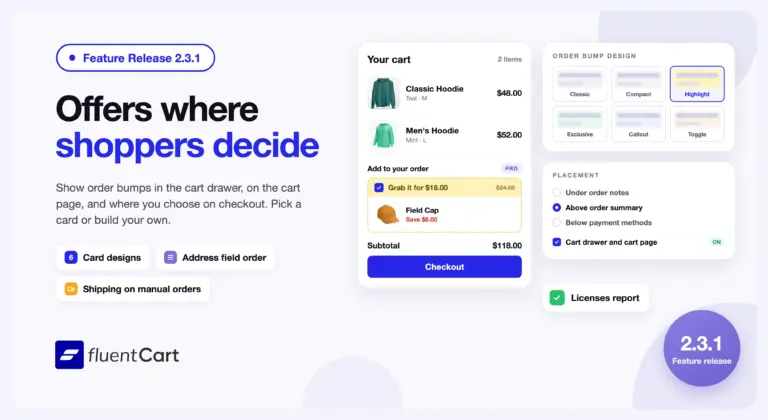
FluentCart 2.3.1 – Offers where shoppers decide
FluentCart 2.3.1 shows order bumps in the cart drawer, on the cart page, and at the checkout spot…
-
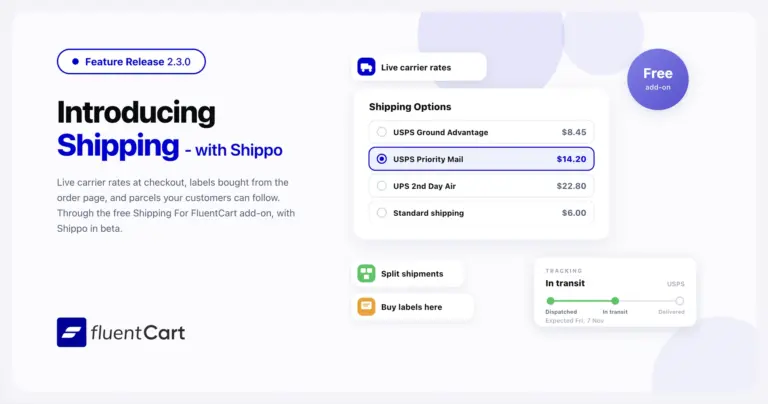
FluentCart 2.3.0 – Shipping, start to finish
FluentCart 2.3.0 brings Shippo rates, labels, and tracking through the free Shipping For FluentCart add-on, plus split shipments,…
-
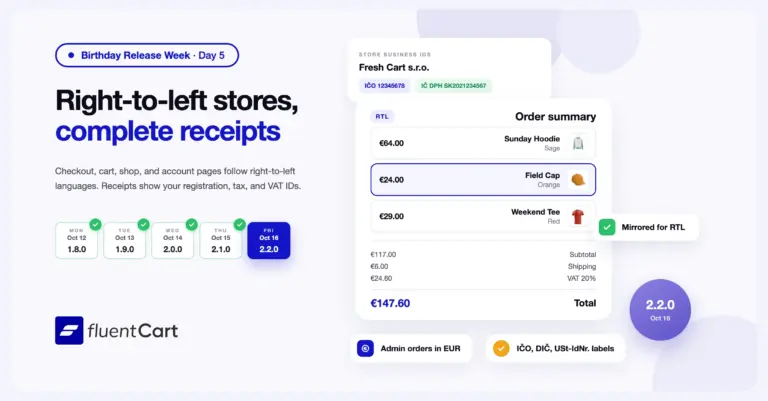
FluentCart 2.2.0 – RTL stores and complete receipts
FluentCart 2.2.0 lays out the storefront for right-to-left languages, and receipts and order emails now show the registration,…



Add your first comment to this post