
FluentCart 1.3.19 – Introducing Packing and New Variation Editor
Shipping is one of those areas where small data gaps cause big problems. If your store can’t tell a carrier the dimensions of the box, you can’t get an accurate rate. If you can’t get an accurate rate, you either overcharge customers or eat the difference.
1.3.19 closes that gap. We’re shipping first-class packaging support, which is the foundation the rest of our shipping roadmap sits on top of.
We also rebuilt the variation editor from the ground up, which makes everything from pricing to the new packaging fields much easier to manage.
Here’s what’s in this release.
Packaging Support for Physical Products
This is the main feature of the release, and it’s foundational.
Carriers and rate calculators need dimensions and weight to quote shipping accurately. Up until now, FluentCart had weight at the product level but no proper way to define the box (or envelope, or soft package) that products actually ship in. That missing piece is what blocked real dynamic rate calculations.
You’ll now find a new Packages screen under:
Settings → Shipping → Packages
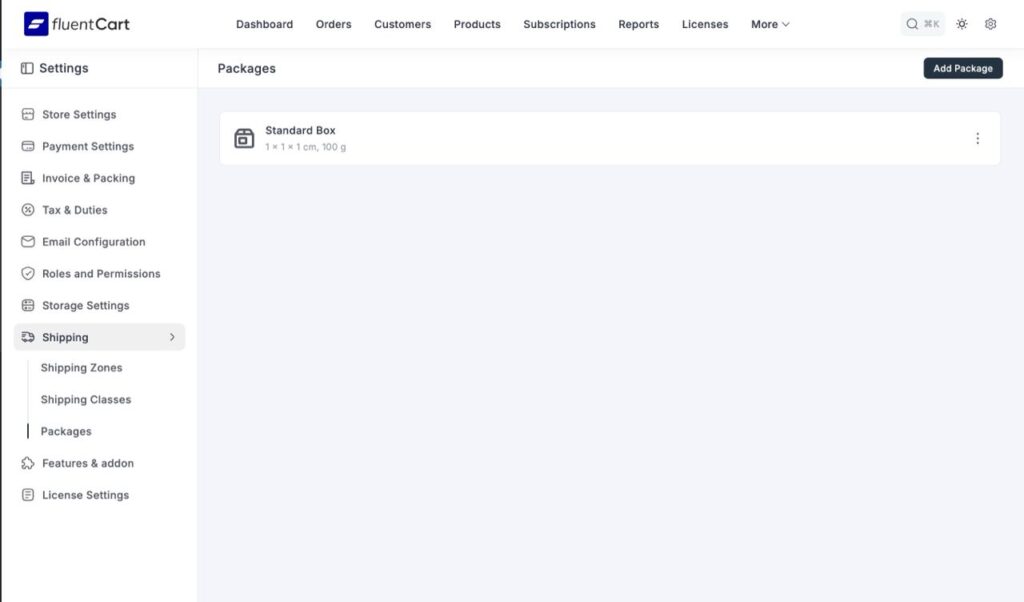
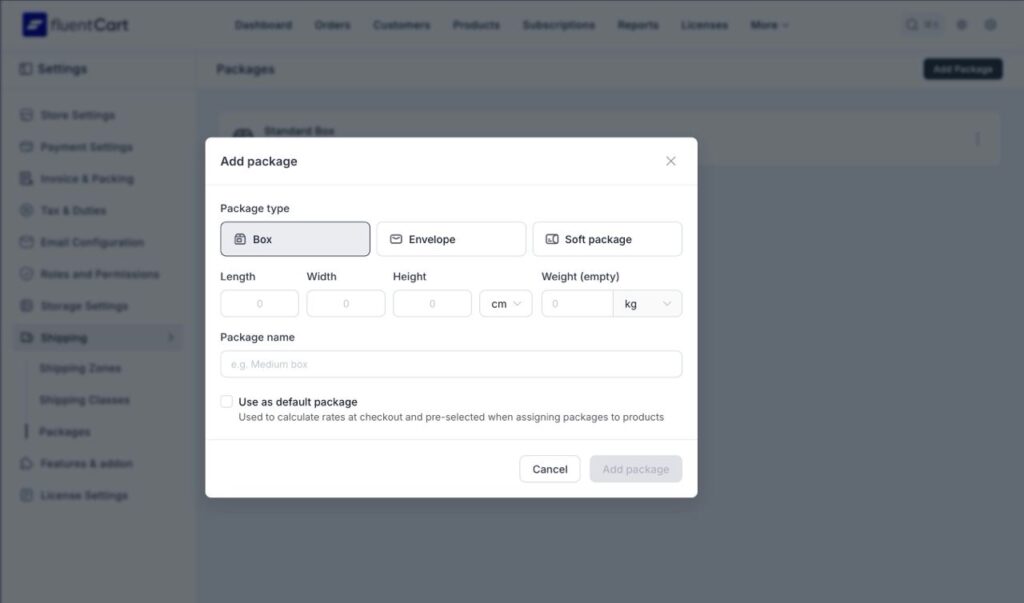
From there, you can create reusable package profiles. Three types to start:
- Box
- Envelope
- Soft Package
Each package has:
- Length, width, height
- Dimensional unit
- Empty weight
- A name
- A default flag
Flag one as default and it pre-selects when you assign packages to new products. Build your library once, use it everywhere.
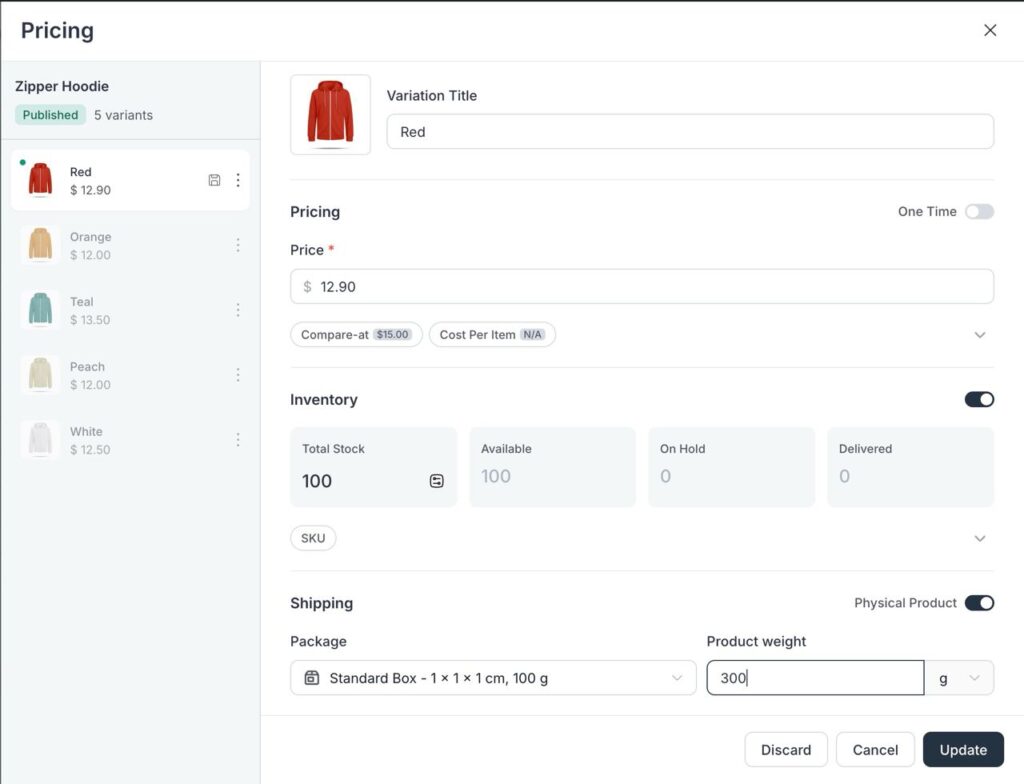
Once your packages exist, they show up in the variation editor’s Shipping section. Pick a package, set the product weight and unit (g, kg, lb, oz), and that data flows straight into the order payload. That’s exactly what dynamic shipping rate calculators need to do their job.
To be clear: this doesn’t replace shipping zones or classes. It gives your physical product data the structure that proper rate calculations depend on. This is the unlock for a lot of shipping work coming next, dynamic rate calculations, carrier integrations, per-order packing logic.
If you sell physical products, this is the release to update for.
The Redesigned Variation Editor
The old editor was a side panel with everything crammed inline. Title, SKU, fulfillment type, payment term, price, all of it in one row. It worked when products were simple. It did not work once you started adding subscriptions with trials and setup fees, or physical variants with inventory and packaging.
The new editor is a focused modal with a two-column layout.
On the left, your full variation list with thumbnails and prices. On the right, the selected variation opens into clean, collapsible sections:
- Pricing
- Inventory
- SKU
- Shipping
Every section collapses on its own. So if you’re just tweaking prices, you don’t have to scroll past fields you don’t care about.
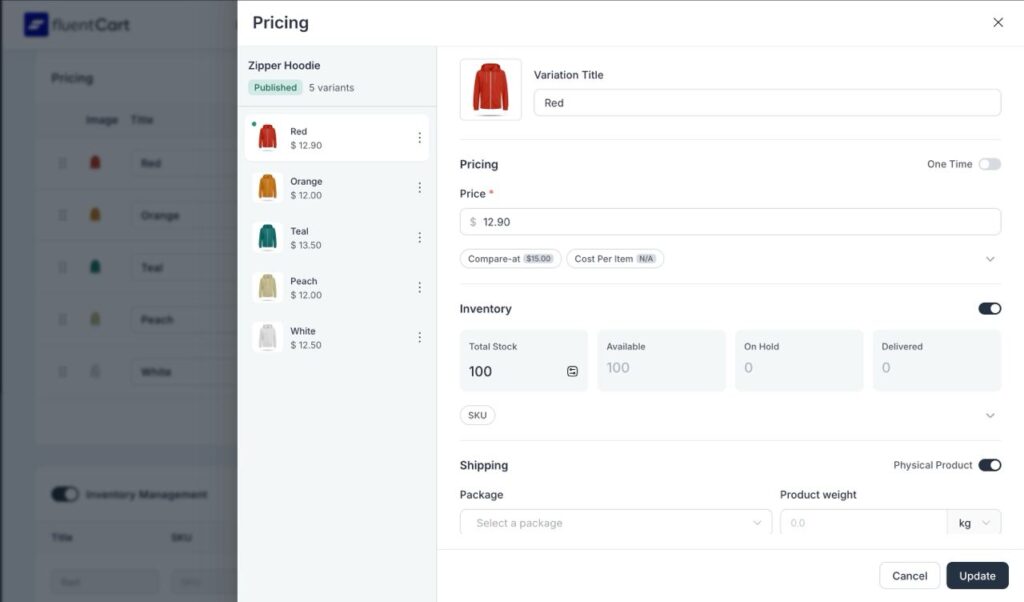
For Physical Products
The Shipping section is where the new packaging work lives. You can assign a package and enter product weight right at the variation level, not just the parent product. That matters because variations often have different sizes and weights, and your shipping rates need that data to be accurate.
For Subscription Products
The Pricing section is calmer now. Your main price stays visible. Everything else (Compare at price, Trial Days, installments, setup fee, profit/cost) tucks under an “Additional display prices” toggle. Expand it when you need it. Ignore it when you don’t.
Small change, but if you manage a lot of subscription variants, this adds up fast.
The old drag-to-reorder behavior on rows still works for simple reshuffling. The modal is where the depth sits.
For Developers: A New Filter Hook
fluent_cart/product_url_with_front
If you’re registering custom post types with a permalink structure that conflicts with the default URL prefix, this hook gives you the override point. Useful for stores with non-standard routing setups.
Improvements
Pricing format in price input fields. Values were rendering in inconsistent formats in some contexts. Something that should show as 12.90 could appear wrong. Price inputs now display cleanly across the variation editor and the product form.
Fixes
Saved views no longer conflict with filters. In the product list, saved views could pick up residual state from active filters and return unexpected results when you switched between them. Fixed. Saved views now apply cleanly without carrying over filter conditions from the previous view.
What’s Next
1.3.19 is a foundation release for physical products.
Packaging is the base layer. Dynamic rate calculations, carrier integrations, and per-order packing logic all sit on top of it, and now that the data structure is in place, those pieces can move fast.
The variation editor redesign gives us room to keep adding to the physical product workflow without the UI collapsing under its own weight. It’ll absorb new fields cleanly as the product grows.
As always, update from your dashboard and tell us how it feels. Feedback goes straight into the roadmap.

I’m Jewel, founder of FluentCart and CEO at WPManageNinja, the team behind Fluent Forms, Fluent CRM, Fluent Support, FluentLogs and a handful of other WordPress plugins. I have been writing WordPress code since 2009 and still think of myself as a developer first and an entrepreneur second. Most of what I write on this blog comes from arguments we have had inside the team about how to build software people can actually depend on.

Subscribe now
Related Articles and Topics
-

Introducing Product Videos – FluentCart 1.6.4
Most of what makes a store trustworthy happens when nobody is watching: the product page a shopper studies…
-
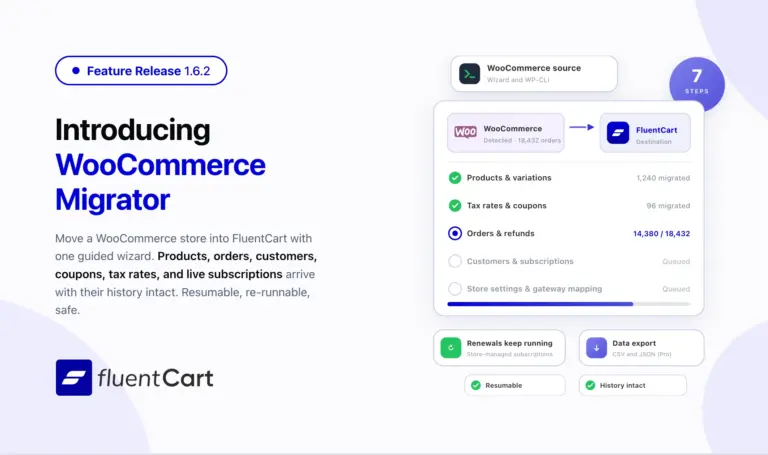
FluentCart 1.6.2 – Bring your WooCommerce store to FluentCart.
Switching platforms is the decision most store owners put off, not because the new platform is worse but…
-
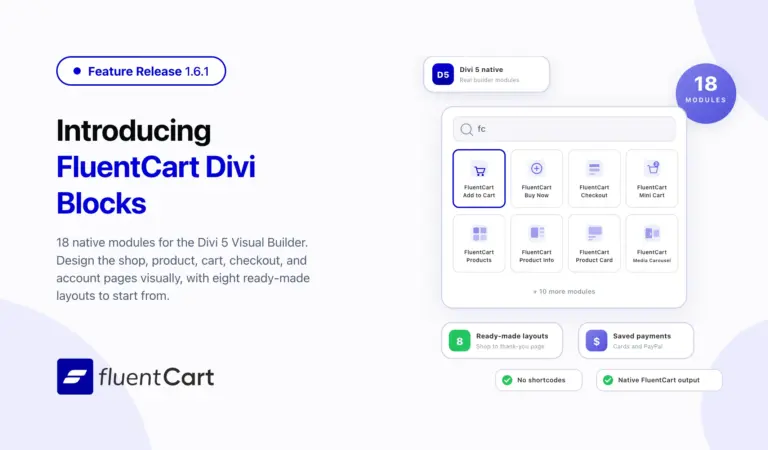
FluentCart 1.6.1 – Built Into the Divi Builder
FluentCart 1.6.1 ships FluentCart Divi Blocks, a new add-on with eighteen native Divi 5 Visual Builder modules, eight…



Leave a Reply