
Meet FluentPlayer: The Video Player for WordPress
Your hosted videos play fine. That is not the problem. The problem is everything you cannot see after someone hits play, and everything you cannot do while they are watching.
FluentPlayer is a WordPress video player with forms and lead capture built in, and it is live now. It plays your videos, but it also captures emails inside the player, tracks how far people watch, and connects what happens on screen to the rest of your site.
If you saw the first look at FluentPlayer earlier this year, this is the shipping version. By the end you will know what it does, what is free, and what is Pro. You will also see why it matters for a course or membership site.
TL;DR
- FluentPlayer is a native WordPress video player from WPManageNinja, the team behind FluentCRM and Fluent Forms. It is available now.
- You can drop a Fluent Forms form or an email capture field inside a video at a chosen timestamp. Both are free.
- The Pro plan adds video analytics: completion rate, audience retention, watch time, unique viewers, and drop-off points.
- Course and membership features include chapters, playlists, remembered playback position, subtitles, and a free migration path from Presto Player.
- It connects to FluentCRM, Fluent Forms, and FluentCommunity for free, with Mailchimp, webhooks, Google Analytics, Cloudflare R2, Cloudflare Stream, Gumlet Video, Gumlet Stream, and LearnDash on Pro.
What is FluentPlayer?
FluentPlayer is a native WordPress video player plugin from WPManageNinja, the team behind FluentCRM and Fluent Forms. It plays self-hosted video, YouTube, Vimeo, and audio, and you manage every video from one dashboard inside WordPress. It is built for sites where video drives sign-ups and sales, not just decoration.
Out of the box, you get seven player presets: Default, Modern, Simple, Minimal, Standard, Floating, and Ambient. Six are free, while Ambient and the ability to create custom presets are Pro. Video plays inline on mobile instead of forcing fullscreen.
You also get picture-in-picture, speed control, video chapters, language switching, custom thumbnails, aspect ratio control, and a title overlay. Branding is yours too: set your logo, a brand color, and a control bar color so the player matches your site.
Already running videos on Presto Player? FluentPlayer includes a free migration path, so you are not rebuilding your library from scratch.
The earlybird lifetime deal is live. Lock in your price before it goes up.
A Closer Look At The Player
Strip away the integrations for a moment and FluentPlayer is still a serious player on its own. It controls how a video loads, plays, and looks on every device, with settings you configure once and reuse across your site. Here is what runs under the hood, split across the free and Pro tiers.
Playback and Controls
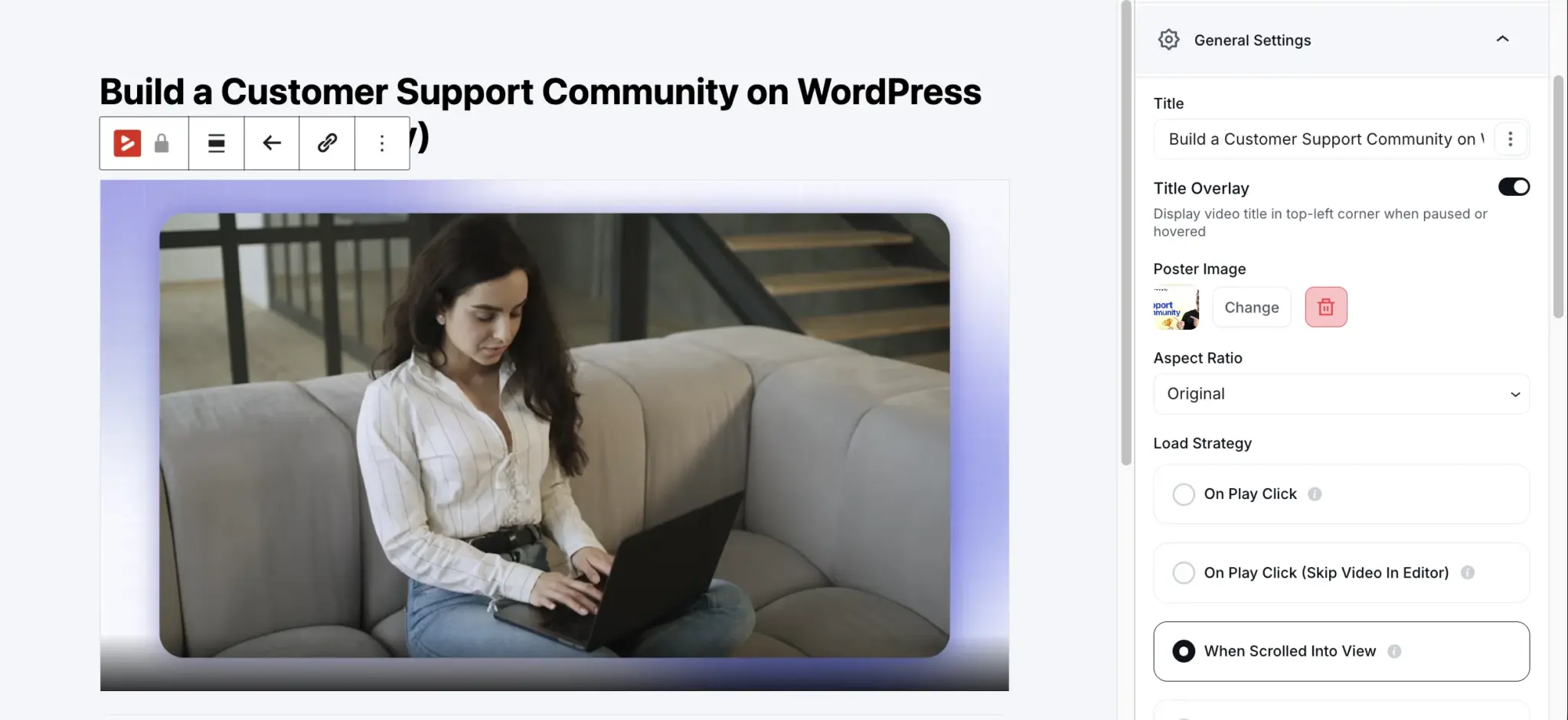
The free player covers the basics most plugins charge for. You get six presets to start from: Default, Modern, Simple, Minimal, Standard, and Floating. Autoplay runs muted or with sound. Video plays inline on mobile rather than hijacking the screen with fullscreen. Picture-in-picture keeps a lesson running while a viewer scrolls. Speed control, aspect ratio control, and language switching are all there, and shortcodes let you drop a player into any page or post.
Two free settings matter more than they sound. Load strategy controls when the player loads, so a page heavy with video does not crawl. Chapters split a long video into sections viewers can jump between, which is the single most requested feature for any lesson over ten minutes.
Pro tightens the experience further. Remembered playback position picks each viewer up where they left off, so a 40-minute lesson does not restart from zero. AJAX compatibility keeps the player working on sites that load content dynamically. Customizable presets, plus the Ambient preset let you save your own look instead of editing settings video by video.
Media sources, from self-hosted to streaming
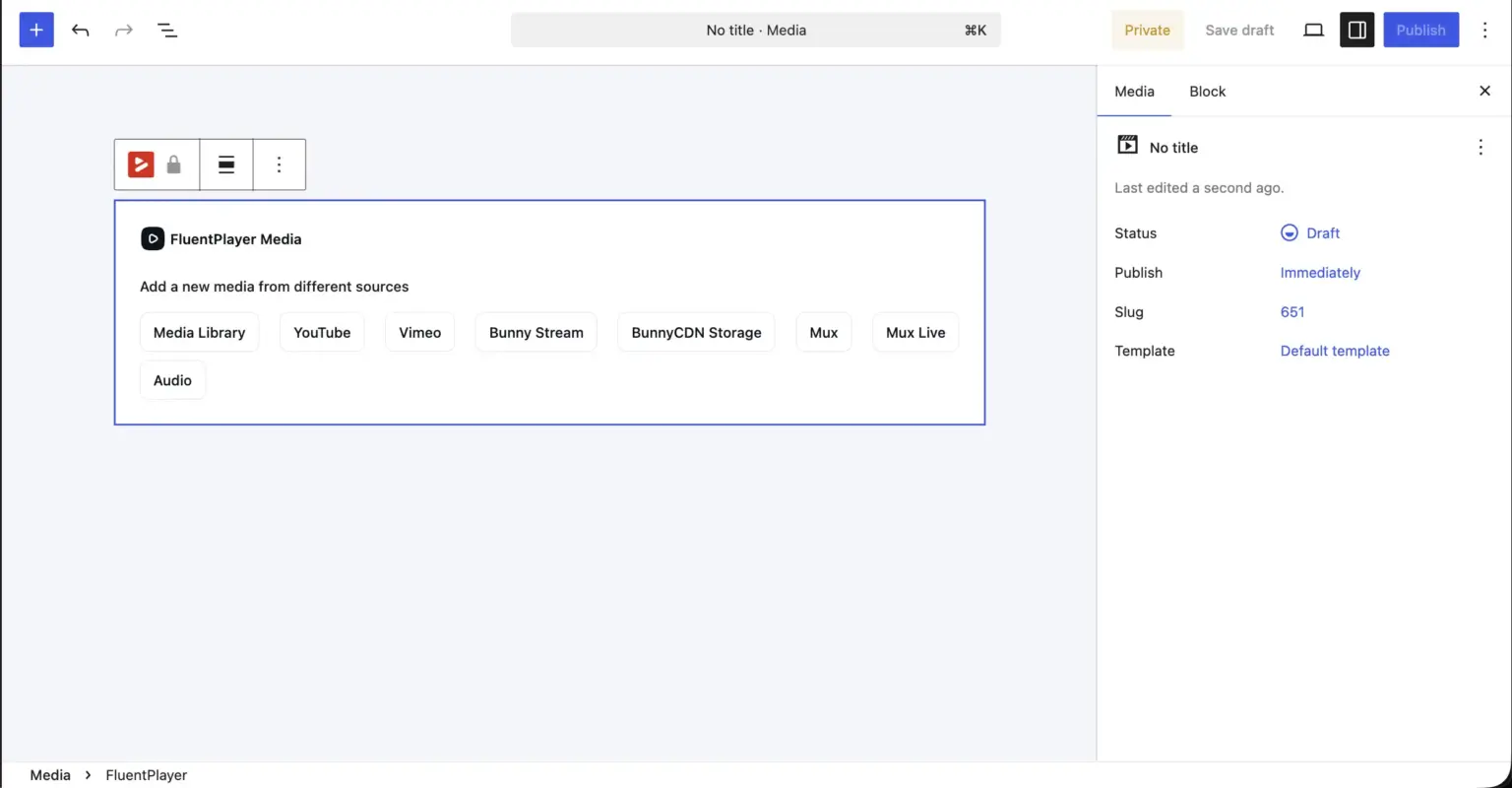
FluentPlayer does not lock you into one place to store video. The free tier plays self-hosted files, YouTube, Vimeo, and audio, so you can mix a self-hosted course lesson with an embedded YouTube trailer in the same library. That alone covers most sites.
When bandwidth and protection start to matter, Pro adds proper streaming. You can serve video through Bunny Stream, Bunny Storage, or Mux, which means adaptive quality, faster delivery, and content that is harder to rip than a raw file sitting in your uploads folder. For a paid course, that difference is the gap between a smooth lesson and a buffering complaint.
Branding and overlays
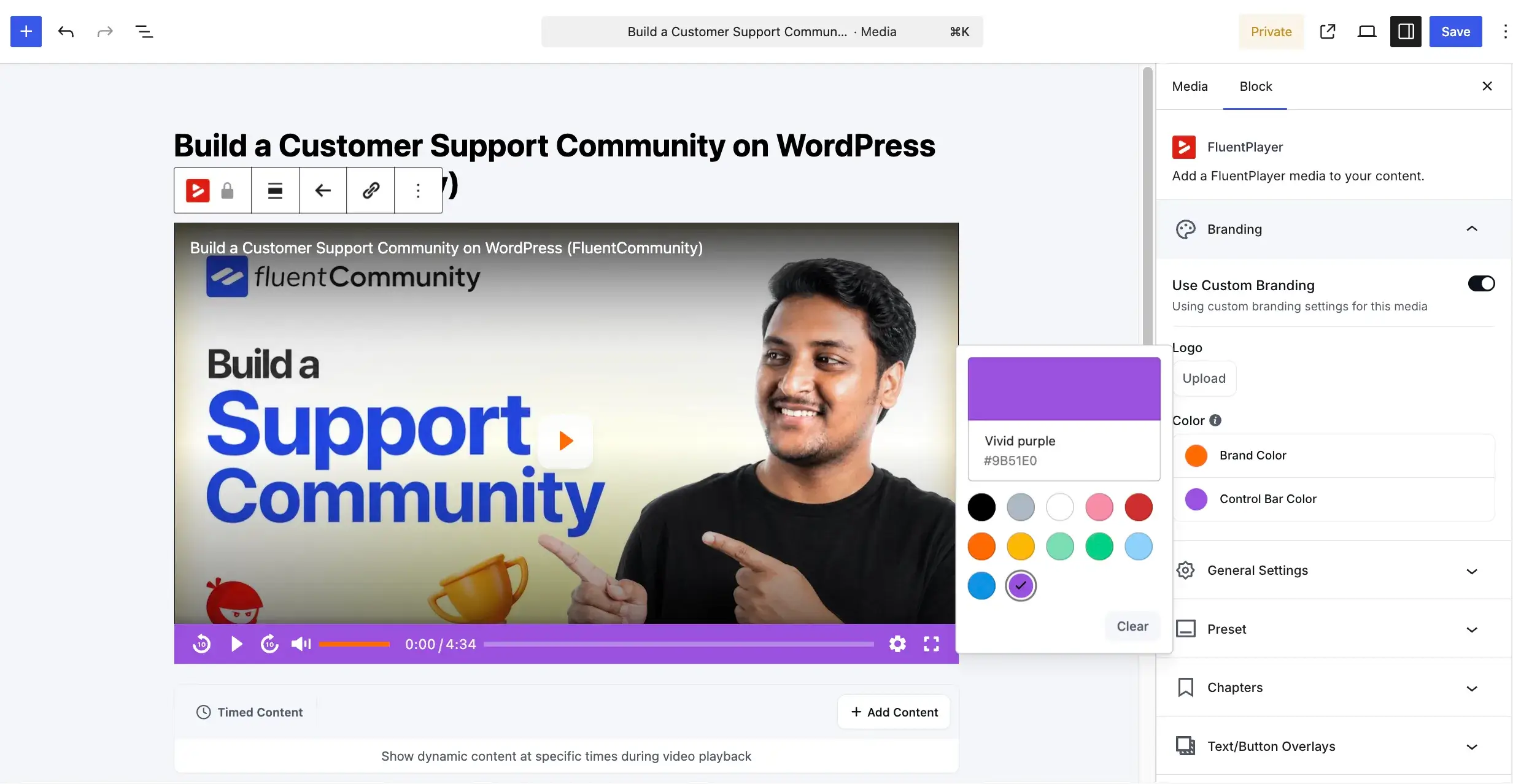
The player should look like yours, and on the free tier it can. Set a logo, a brand color, and a control bar color, and the player stops looking like a generic embed. Title overlays and custom thumbnails are free too, so the first frame a viewer sees is one you chose.
Pro adds text and button overlays on top of the video, which is useful for a name-and-title lower-third on a talking-head lesson or a persistent button during a demo. Small touches, but they are the ones that make a course feel produced rather than uploaded.
A Video Player With Forms And Lead Capture, Built In
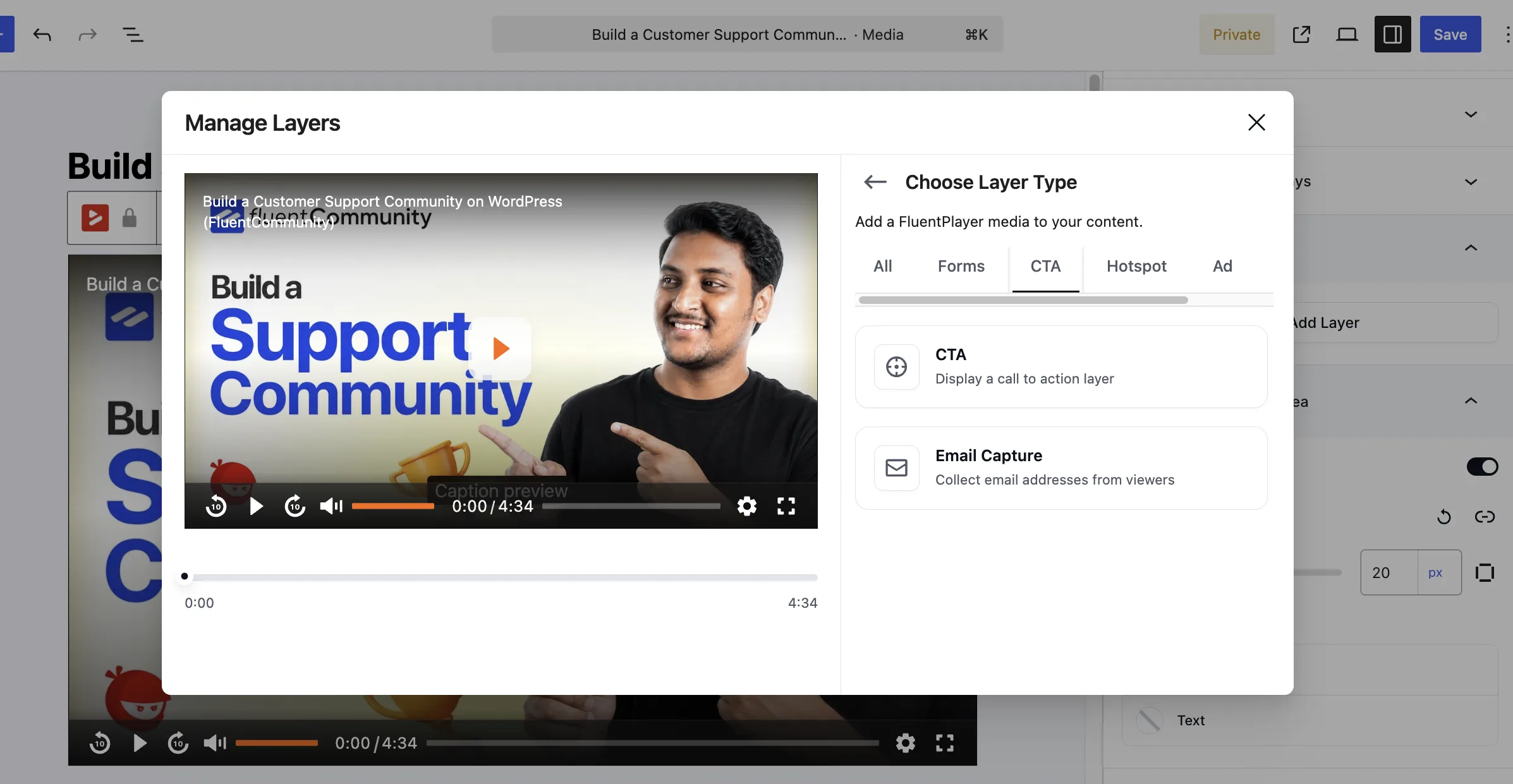
This is the part that makes FluentPlayer a video player with forms and lead capture rather than another playback tool. Interactive Layers let you place a functional element inside the video at a specific second. A Fluent Forms form or an email capture field can appear during playback, the viewer fills it out, and the video keeps going. They never leave the page.
Say you teach a free intro lesson. At the four-minute mark, right after the part people find most useful, an email capture field appears inside the player. The viewer enters their email and keeps watching. That submission can flow straight into FluentCRM and trigger a follow-up sequence. In-video forms and email capture are both free.
The Pro plan widens what you can place inside a video. You can add a call-to-action button at the persuasion moment, a clickable hotspot, an ad, or a shortcode element. Timed content lets you reveal or gate parts of a video on a schedule. The free tier covers lead capture; Pro covers the harder conversion plays.
Video Analytics That Show What Is Actually Working
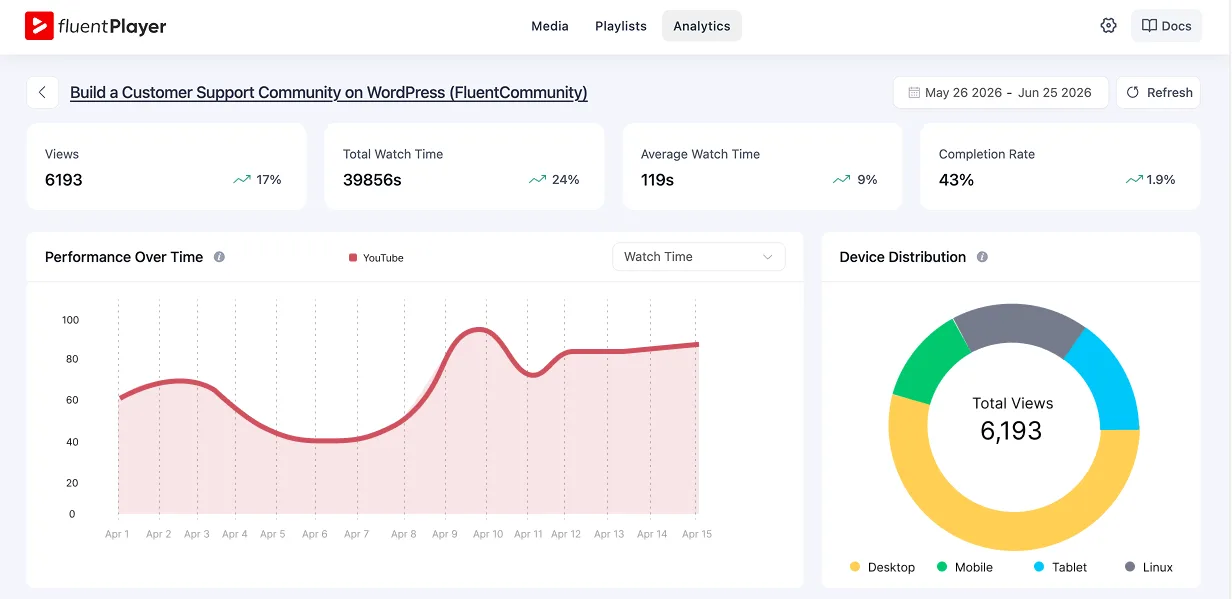
FluentPlayer Pro reports on how people actually watch. You see views, average watch time, unique viewers, completion rate, top videos, top users, new versus returning viewers, audience retention, device distribution, location breakdown, and performance over time. For a course creator, this is the difference between guessing and knowing.
A retention graph shows you where attention falls off. If lesson four loses 40 percent of viewers at the six-minute mark, you know exactly which section to re-record. Completion rate tells you which lessons hold up and which ones drag. Pair that with an honest look at what to fix in your funnel and you stop optimizing on feelings. You optimize on what people watched.
Where FluentPlayer Makes the Biggest Difference
Course and membership creators get the features that matter for structured video. Chapters break a long lesson into sections viewers can jump between, and chapters are free. On Pro, playlists organize a full course in Standard or Grid layouts, with control over color, border, typography, and box shadow. The remembered playback position picks each viewer up where they left off.
Subtitles are available on Pro, which helps if your audience spans languages or watches with sound off. For closed courses and forums, FluentPlayer connects to FluentCommunity on the free plan. On Pro, a native LearnDash integration ties video progress directly to your course structure, so lesson completion and playback data live inside the LMS your students already use. The video then sits inside the same place your members already learn and post. Moving platforms is a pain, so the Presto Player migration is free. Switching does not cost you your existing setup. Full details for all integrations, including LearnDash, are on the integrations page.
What Is Free And What Is Pro
The free plan is more than a teaser. You get six presets (Default, Modern, Simple, Minimal, Standard, and Floating), autoplay, inline mobile playback, picture-in-picture, speed control, chapters, language switching, shortcodes, custom branding, aspect ratio, title overlay, custom thumbnails, and the load strategy controls.
You also get self-hosted, YouTube, Vimeo, and audio sources, in-video Fluent Forms and email capture, the FluentCRM and Fluent Forms connections, and the Presto Player migration.
Pro is built for people pushing video harder. It adds the full analytics suite, video playlists with layout and appearance controls, remembered playback position, subtitles, the Ambient preset and customizable presets, timed content, AJAX compatibility, and media tagging.
It expands Interactive Layers with CTA banners, hotspots, ads, shortcode layers, and text or button overlays.
For media, Pro adds streaming through Bunny Stream and Mux on top of self-hosted and the free sources. If you sell digital products or sell a WordPress plugin through demo videos, the Pro layers and analytics are where the work pays off.
FluentPlayer Pricing
Every plan is a one-time purchase (Agency also offers a monthly option), and every plan includes the same feature set. What changes is how many sites you can run it on.
- Personal — 1 Site For your own site and a side project. $199, one-time lifetime license
- Freelancer — 5 Sites Covers today’s clients, and next year’s. $399, one-time lifetime license
- Studio — 25 Sites For growing studios and multi-brand sites. $599, one-time lifetime license
- Agency — 50 Sites One license for every client, forever. Pay monthly: $89 x 9 months, or pay once: $799 one-time
All plans include: every feature, all future updates, and lifetime priority support.
See full pricing and grab the earlybird rate at fluentplayer.com/pricing.
The earlybird lifetime deal is live. Lock in your price before it goes up.
How FluentPlayer Fits The Rest Of Your Stack
As we’re writing this for publication, FluentPlayer gained 1000 active installs on the WordPress repository! FluentPlayer is built to talk to tools you may already run.
The FluentCRM and Fluent Forms connections are free. An in-video form can tag a contact, start an automation, or drop someone into a sequence. No third-party connector or Zapier step needed.
On Pro, the connections widen to Mailchimp, webhooks, Google Analytics, Cloudflare R2, Cloudflare Stream, Gumlet Video, Gumlet Stream, and LearnDash. Webhooks let you push video events anywhere you like. Google Analytics ties video behavior to the rest of your site reporting. Cloudflare and Gumlet give you more streaming storage and delivery options, and LearnDash connects video progress straight to your course structure. Browse all of them on the integrations page.
If video sits in your sales flow, treat it as part of the funnel, not a side note. That is the same logic behind reducing cart abandonment: meet people at the moment of intent, not three clicks later.
The earlybird lifetime deal is live. Lock in your price before it goes up.
You Can Use FluentPlayer Today!
You now know what FluentPlayer does. It plays video well, it captures leads inside the player, and on Pro it tells you exactly how people watch. The free tier already covers lead capture and the core player. You can put it on a real lesson and see the data yourself before paying for anything.
FluentPlayer is going live, and the launch deal will be available soon. Grab it during the launch window for the best pricing. If you want it to plug straight into your store, see how it works alongside the FluentCart eCommerce plugin. Your videos have been doing real work for years. It is time you could see it.

Rasel leads the marketing function at FluentCart, driving both high-level strategy and ground-level execution across the product’s growth engine. He plays a central role in defining how FluentCart is positioned, how it enters the market, and how it evolves based on user behavior and feedback. His responsibilities span go-to-market planning, funnel architecture, conversion strategy, and narrative development. He works across teams to ensure that product decisions, marketing efforts, and customer experience stay tightly aligned.

Subscribe now
Related Articles and Topics
-
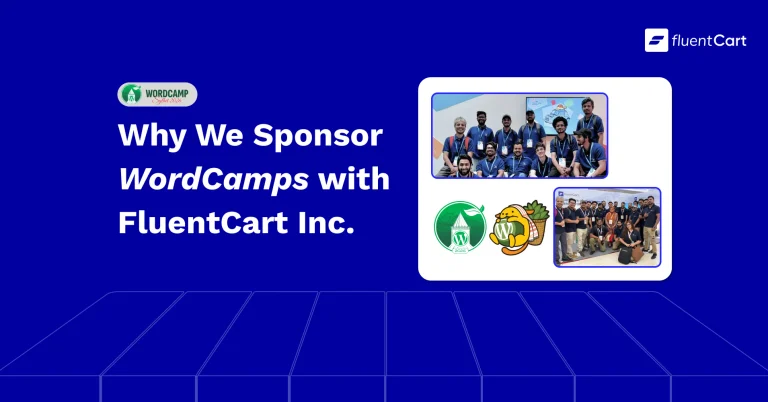
Why FluentCart Sponsors WordPress Community Events
FluentCart is a Platinum Sponsor of WordCamp Sylhet 2026. Here’s why we show up.
-
FluentCart 1.6.1 – Built Into the Divi Builder
FluentCart 1.6.1 ships FluentCart Divi Blocks, a new add-on with eighteen native Divi 5 Visual Builder modules, eight…
-
FluentCart 1.6.0 – Subscriptions on Your Terms
FluentCart 1.6.0 introduces a built-in subscription engine: sell subscriptions with any payment gateway, let your store manage renewals,…



Add your first comment to this post