
FluentCart 1.4.1 – Introducing FluentCart MCP
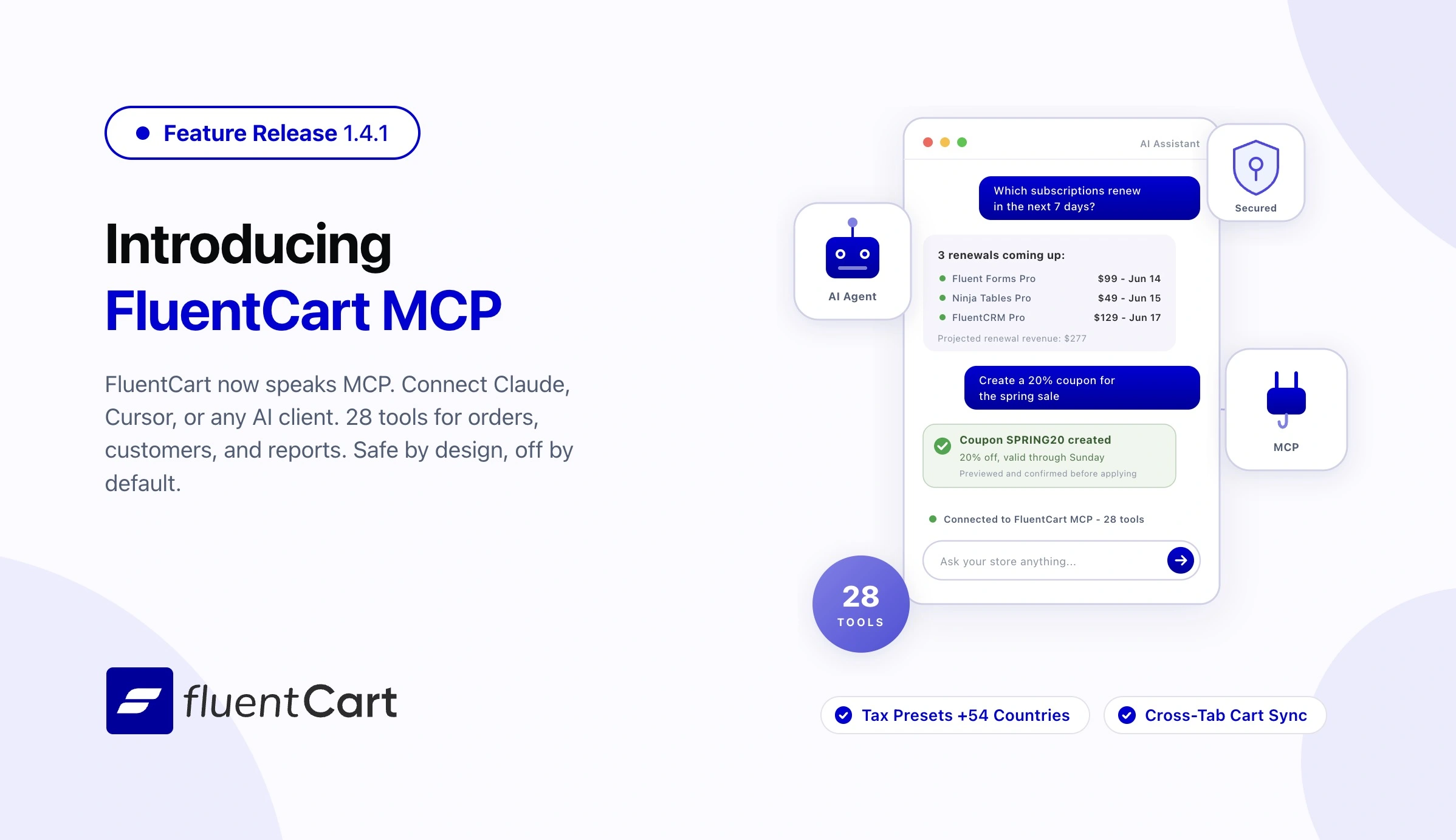
FluentCart 1.4.1 teaches your store to talk. This release ships the FluentCart MCP Server, a secure way for AI assistants like Claude and Cursor to read your store and run everyday operator tasks, with your permission, under your rules, on your terms.
Ask “who are my top customers in Germany this quarter?” or “which subscriptions renew in the next 7 days?” and get the answer in plain language, pulled live from your store. No CSV exports, no dashboard archaeology.
Meet the FluentCart MCP Server
MCP (Model Context Protocol) is the open standard that lets AI assistants connect to external systems. FluentCart 1.4.1 ships a dedicated MCP server with 30 tools covering orders, customers, products, subscriptions, coupons, and reports. Any MCP client works: Claude, Cursor, and whatever comes next. MCP Server documentation
What your AI assistant can see
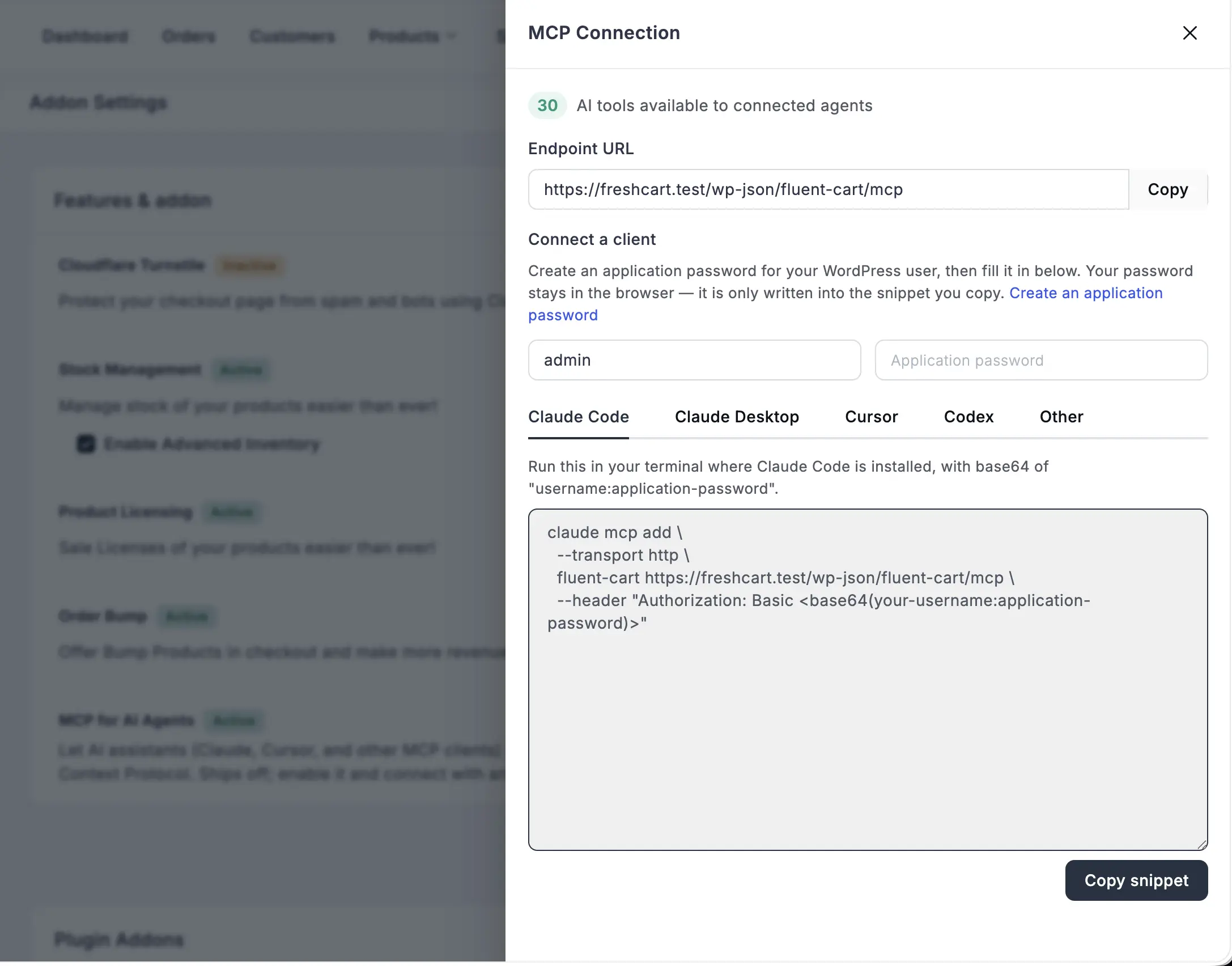
Every session starts with get-store-context: one call that tells the agent who it is, what it is allowed to do, your store currency and timezone, and every valid status value, so it never guesses. From there, 21 read tools cover the store end to end:
- Orders – list, filter, and inspect orders with full money and refund breakdowns, line items, and activity history
- Customers – search by lifetime value, order count, location, or purchase dates; pull a full profile with orders, subscriptions, and notes
- Products and inventory – catalog lookups, per-variation detail, and stock levels
- Subscriptions – “what renews in the next 7 days?” is a first-class filter, not a buried option
- Reports – sales reports, refund reports, sales trends, top products, and UTM source attribution
What your AI assistant can do
Reading is half the story. Seven operator tools handle the routine work you would otherwise click through: create or update coupons, add or update customers, apply labels, leave order notes, change order and subscription statuses, and process refunds. Tell your assistant “make a 20% coupon for the spring sale, valid through Sunday” and it is done.
Built paranoid, on purpose
Giving an AI agent access to a store that handles real money deserves real guardrails, so we built several layers of them:
- Off by default. The MCP server ships disabled. You turn it on in Settings, and until you do, there is zero overhead and zero exposure.
- No new auth system. Agents connect with a WordPress application password tied to a real user account. Revoke the password, revoke the access.
- Your existing roles apply. Permissions reuse FluentCart’s shop roles, the same checks the admin REST API runs. An accountant’s agent sees what an accountant sees. A viewer who reaches the endpoint still cannot refund anything.
- Preview before execute. Sensitive actions like refunds and cancellations require a dry-run first. The preview is bound to the record’s current state, so if anything changed in the meantime, even a second before, the action is rejected and the agent must look again. Stale numbers can never be acted on.
- No double refunds. Idempotency keys mean a retried request returns the original result instead of refunding twice.
- Real money stays locked. Live-gateway refunds and cancellations are blocked by default. Test-mode works out of the box; live mutations require an explicit opt-in.
How to connect
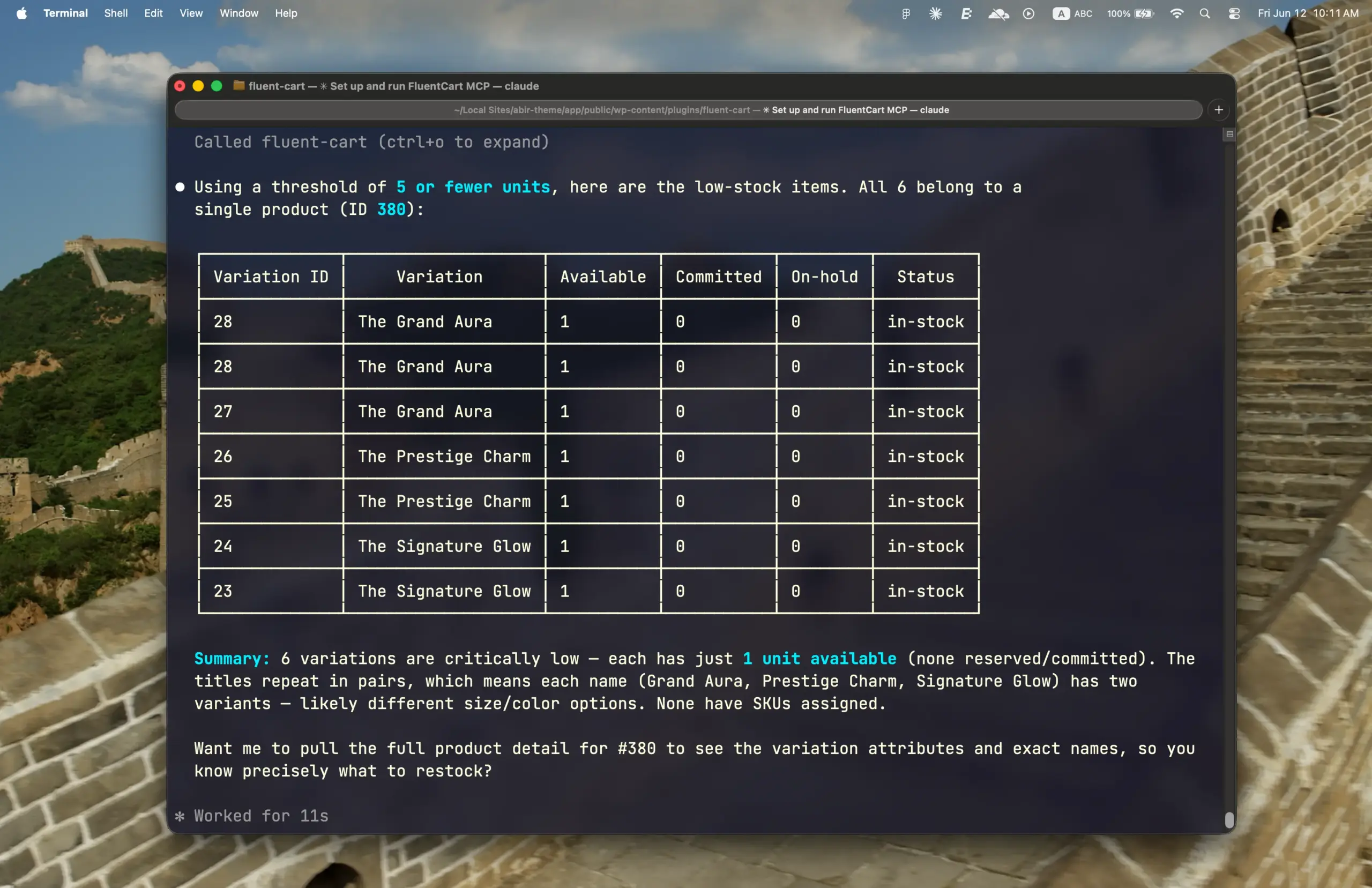
The MCP server is built on the WordPress Abilities API (WordPress 6.9+) and needs an MCP adapter. FluentHub is the recommended adapter: install it and FluentCart appears on its MCP page, ready to toggle. Enable the module in Settings, create an application password, and copy the generated connection snippet into your AI client. That is the whole setup.
For developers: extend the server with your own abilities via fluent_cart/mcp_loaded and fluent_cart/mcp_ability_names, and control live-gateway mutations with the fluent_cart/mcp_allow_live_gateway filter.
Tax Presets for More Countries
The built-in tax rate library that shipped in 1.4.0 just got broader. Additional countries and territory now added as preset, so more stores can switch tax on and start selling without researching rates first.
Carts That Stay in Sync Across Tabs
Shoppers browse with multiple tabs open. Add a product in one tab and every other tab now updates instantly, so the cart a buyer checks out with is always the cart they actually built. No refresh, no surprise at checkout.
Fixes and Stability
Update reliability. On a busy store, the seconds right after a plugin update are crowded: several visitors can hit the site at the exact moment FluentCart is bringing its data up to date, and that overlap could occasionally trigger duplicate background errors. The upgrade routine now runs exactly once per update, no matter how many requests arrive at the same instant. Updates land quietly, even at peak traffic.
Security and maintenance. This release also carries the results of our ongoing security audits, with routine hardening applied across FluentCart core.
Closing
1.4.1 is a small version number hiding a big door. Your store now speaks the same protocol as the fastest-moving tools in software, with safety rails designed for commerce: previews before mutations, idempotent refunds, role-scoped access, and live money locked behind an explicit opt-in. Connect an agent, ask your store a question, and see what running a store feels like when the data comes to you.
Full Changelog
Features
- FluentCart MCP Server with 28 tools for AI agents (orders, customers, products, subscriptions, coupons, reports)
- Dry-run preview and confirmation flow for sensitive MCP actions
- Idempotency keys for MCP write operations
- Live-gateway MCP mutations gated behind explicit opt-in
- MCP settings page with instant toggle and connection snippet generator
fluent_cart/mcp_loaded,fluent_cart/mcp_ability_names, andfluent_cart/mcp_allow_live_gatewaydeveloper filters- Built-in tax rate presets for 54 additional countries
- Cross-tab cart synchronization
Fixes
- Post-update upgrade routine now runs exactly once per update under concurrent traffic
- Ongoing security audits and routine hardening across FluentCart core
In case you missed
1.4.0 (Jun 11, 2026)
- EU B2B reverse charge flow across all order surfaces
- Per-item tax rate breakdown on checkout, admin, emails, PDF, and receipts
- Mixed cart tax handling for inclusive/exclusive products
- Per-variation tax inclusion override
- Tax class selector for shipping overrides
- City/postcode granularity for tax overrides
- Specific-country EU VAT collection mode
- Built-in tax rates for Africa, Americas, Asia, Europe, and Oceania
- Enable/disable toggle per country tax page
- Auto-calculate admin order tax on save
- Tax setup step in onboarding
- Price suffix split for inclusive/exclusive labels
- Seller Tax ID in store settings
- RC badge on Taxes admin page
fluentcart_eu_vat_number_validatefilter for third-party VAT validationfluent_cart/tax_collectingfilter for runtime tax controlreset_taxWP-CLI command- Store Digest emails (daily, weekly, monthly)
- Per-item coupon discount in line_meta with strikethrough display
- B2B badge on admin and customer order pages
- B2B purchase and reverse charge filters in orders table
- Unit price rounding tooltip on 1-cent mismatch
- Hash-based deep linking for settings sections
- Configurable product list columns
fluent_cart/show_admin_top_barfilter- Bricks BuySection with query-type product selection
- Bricks product selection controls on Gallery, Content, ShortDescription, Stock, PriceRange
- Bricks iframe embed support in product content element
- Pricing table product-per-row layout and configurable badge
- Live settings propagation without page reload
- Auto-select single shipping method at checkout
- Global search results gated by user permission
- 25+ tax-specific fixes (reverse charge, breakdown display, mixed cart, shipping labels, rate badges, tooltip, coupon base)
- Subscription currency in billing column
- Zero-value renewal orders hidden on reactivation
- Subscription expiry race condition, orphaned meta, and zero-date next_billing_date
- Canceled subscriptions expire immediately without grace period
- Missing subscription on renewal order and parent order item fallback
- Falsely blocked payment retry
- Stripe refunds fetched separately when not in charge object
- Paddle: EDD migration renewals, double-submit prevention, overlay stuck on cancel, receipt page validation, end-of-period cancellation emails (Pro)
- Mollie pre-payment tax for mixed carts (Pro)
- Checkout: saved address priority, state validation, B2B field preservation, country detection
- Modal checkout coupon strikethrough
- Coupon null dereference when no coupons applied
- Order currency displayed instead of store currency
- Fulfillment type inherited from variation on admin orders
- Shipping method title on admin order detail
- PDF: full billing name, fee lines moved to summary, seller identity bridged (Pro)
- Logo SVG path warning from build ZIP install
- Webhook 301 redirects on subdirectory installs
- Turnstile widget fallback on auto-verify failure
- NULL values in subscription report rounding
1.3.28 (May 14, 2026)
- Search Bar widget for Elementor.
- Store Logo widget for Elementor.
- Customer Dashboard Button widget for Elementor.
- Product Package Description widget for Elementor, standalone or inside Product Info.
- Draggable, reorderable summary sections inside the Elementor Product Info widget.
- Elementor Popup support for Single Product: variations, gallery, and quantity now work in popups.
- Sort By toggle for the Bricks Products Collection element.
- fluent_cart/show_admin_top_bar shortcode for hiding top menubar.
- LearnDash course management: missing pieces completed.
- Mollie payment list now respects the store’s currency.
- Coupon failures show the specific reason at checkout.
- FluentCart Elementor widgets grouped under one “FluentCart Product” category.
- 1-column checkout layout renders correctly in Elementor templates.
- All Bricks elements grouped under one “FluentCart” category.
- Cleaner admin menu spacing on mobile.
- Decimal trimming logic to only remove trailing zeros when decimal point exists, preventing incorrect formatting of integer tax rates.
- Global search is now with slash (/) instead of (cmd + k).
- Elementor Single Product widgets (Title, Price, SKU, Stock, Buy Section, Gallery) now sync to the active variation.
- Buy button reflects the active variation’s purchase state.
- Stock badge clears when a variation has no stock data.
- Stock label renders as text, not raw markup.
- Empty Elementor product widgets (Excerpt, SKU, Stock, Price) no longer leave empty wrappers.
- Product-template widgets hidden in Elementor outside Single Product documents.
- Product Info widget renders correctly in the Elementor editor; Select2 change events fire reliably.
- Pricing Table shortcode and block render correctly, including group_by tabs.
- Single Product shortcode renders fully: variations, thumbnails, and quantity all work.
- Product descriptions render correctly when third-party shortcodes or blocks need product context.
- Customer Dashboard, Product Card, Product Search, and Pricing Table blocks render in FSE templates and parts.
- Admins can always view a receipt, even on a record that would normally show the not-found page.
- Search Bar widget honors the “Same Tab” setting.
- Enter key in the product title field no longer submits the form.
- Bricks Product Title element renders consistently across layouts.
- French overseas territory VAT mapping issue.
1.3.27 (May 08, 2026)
- Licensing Sites page with top-level list, detail view, and advanced filters
- Variation details shown in licensing site view
- Bricks Builder List/Grid view switcher for product listings
- Bricks Builder customizable display names for category filters
- Bricks Builder partial-match toggle for product search
- Bricks Builder live filter toggle for instant result updates
- Bricks Builder Allow Out Of Stock control for product listings
- Subscription reactivation now triggers integrations and customer emails
- License re-activation on subscription reactivation
- Copy Variation ID action in simple product pricing panel
- Add-More button for faster variant creation
- Tax notes support in PDF receipts (Pro)
- Table filter animations with smoother search bar and fewer background requests
- Bricks Builder rendering rebuilt for speed on product-heavy pages
- Bricks Builder pagination rebuilt for larger catalogs
- Auto-expand pricing section on validation errors for faster editing
- Subscription interval labels and upgrade-path payment summary now translatable
- Offline-payment subscriptions with 100% recurring coupon not activating
- Subscription reactivation after refund failing end to end
- PayPal subscription syncing out of step with gateway
- Authorize.net subscriptions blocked on fully-discounted setups
- LearnDash course expiration not clearing on subscription completion (lifetime access)
- PDF receipts missing dynamic fields in item table
- Long file names pushing download button off-screen on receipt page
- Cart allowing multiple subscriptions in one order
- Cart allowing subscription mixed with one-time product
- Order bump free-shipping checkbox not syncing on product change
- Deleted store pages triggering background errors
- Admin menu highlight bleeding into adjacent menu items
- Bricks Builder dynamic content field and category filter inconsistencies
- Licensing Site Detail amount formatting and customer profile rendering (Pro)
- Ongoing security audits and routine hardening

I’m Jewel, founder of FluentCart and CEO at WPManageNinja, the team behind Fluent Forms, Fluent CRM, Fluent Support, FluentLogs and a handful of other WordPress plugins. I have been writing WordPress code since 2009 and still think of myself as a developer first and an entrepreneur second. Most of what I write on this blog comes from arguments we have had inside the team about how to build software people can actually depend on.

Subscribe now
Related Articles and Topics
-

Introducing Product Videos – FluentCart 1.6.4
Most of what makes a store trustworthy happens when nobody is watching: the product page a shopper studies…
-
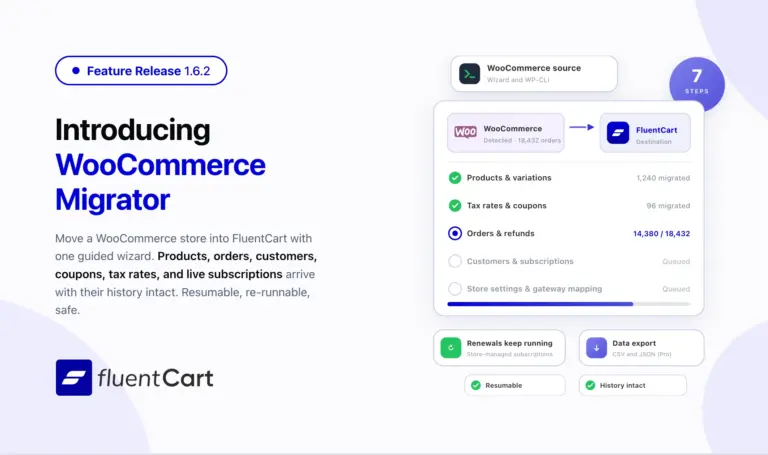
FluentCart 1.6.2 – Bring your WooCommerce store to FluentCart.
Switching platforms is the decision most store owners put off, not because the new platform is worse but…
-
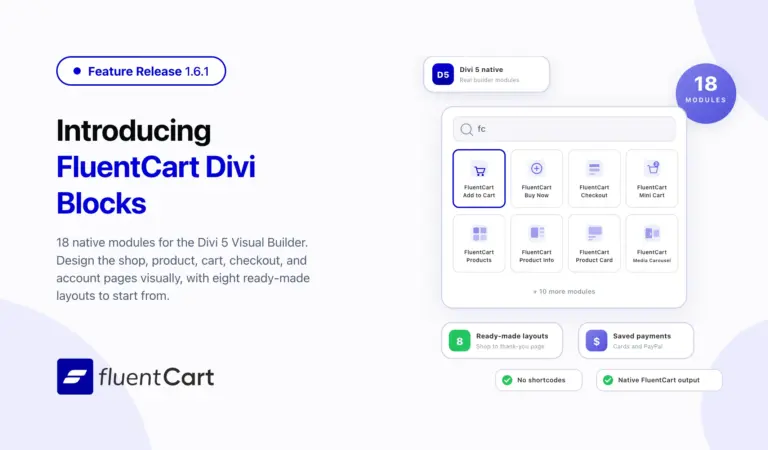
FluentCart 1.6.1 – Built Into the Divi Builder
FluentCart 1.6.1 ships FluentCart Divi Blocks, a new add-on with eighteen native Divi 5 Visual Builder modules, eight…



Leave a Reply