
FluentCart Ecommerce Plugin: Smartest WordPress Store
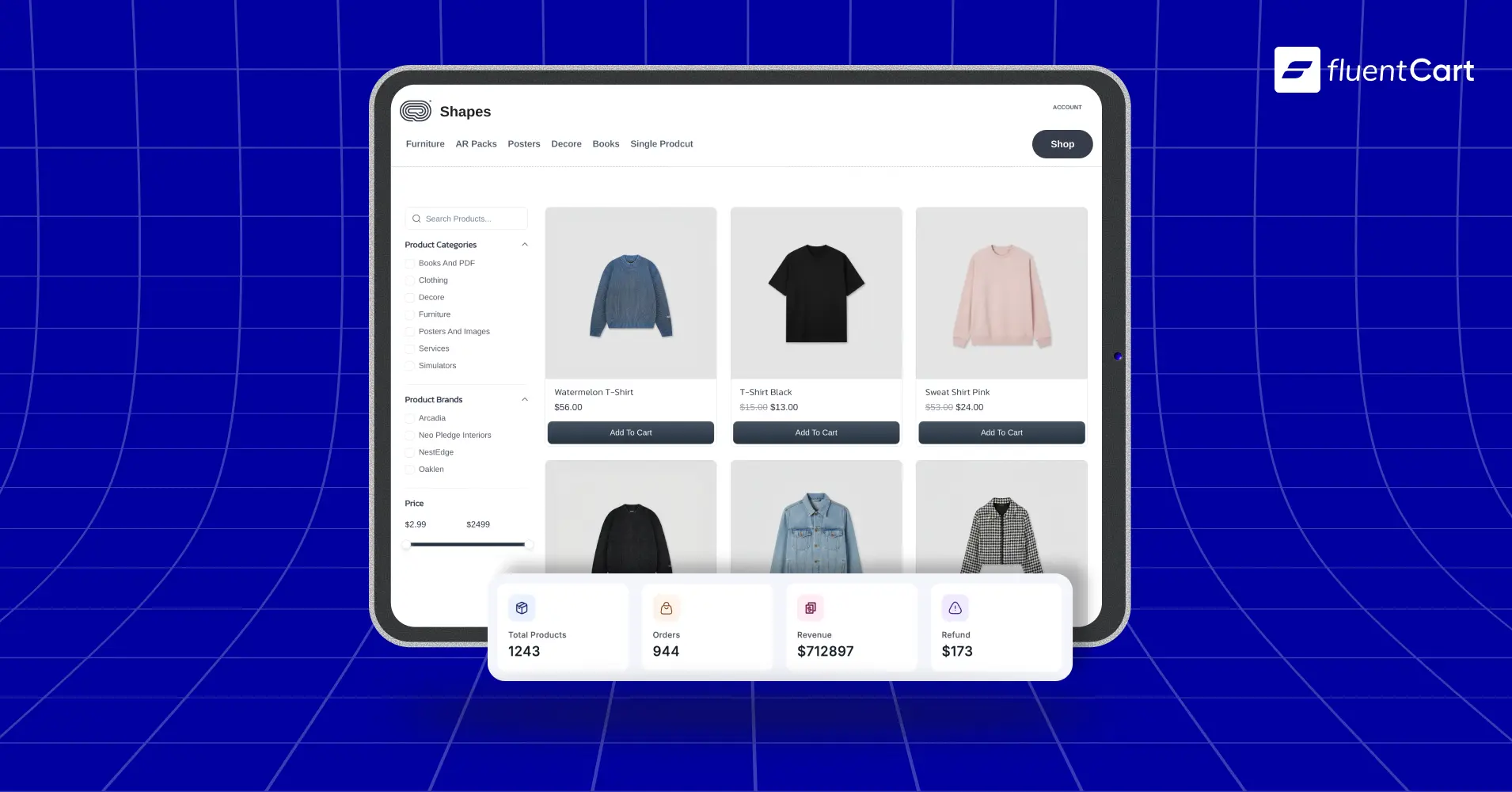
Before you build your online store, see why FluentCart eCommerce plugin solves the problems that quietly kill new businesses.

Published: August 23, 2026
Updated: August 21, 2026
Every “best WordPress ecommerce plugin” list says the same three names. WooCommerce for flexibility. Shopify if you want to leave WordPress. Something else if you only sell digital files.
None of those lists tell you what breaks once you start selling. So let’s skip the list format and go straight to the pain. Since that’s where the real decision gets made, not in a feature comparison table.
TL;DR
- Slow, bloated setups cost you sales before a customer even sees your product
- Stacking five plugins to cover subscriptions, digital delivery, tax, and coupons creates a compatibility mess
- Default WordPress checkout flows aren’t built to convert, and abandoned carts need a recovery path too
- Selling physical, digital, subscription, and license products together usually means separate tools for each
- EU VAT and tax rules can eat your margin if nothing calculates them for you
- Hosted platforms solve the technical mess but take a cut of every sale and your data
- Stitching together separate plugins to match FluentCart’s built-in features runs about $999 a year, versus FluentCart’s current $249 one-time lifetime license (limited-time earlybird price, not permanent)
- FluentCart is a standalone, self-hosted WordPress ecommerce plugin built to fix all six, with zero transaction fees
Store owners don’t fail from a bad product. They fail from the tool underneath it
Let’s say you’ve picked your niche. You know what you’re selling. Your supplier is lined up, or your digital files are ready to upload.
Then you open WordPress to build the store, and the real problem starts. Not the product. The plugin choice.
Nobody warns you that this decision compounds. A slow checkout today is lost revenue every day after. A missing feature today is three more plugins next month.
Pick wrong, and you’re not fixing a website in six months. You’re rebuilding a business.
So we’re going pain by pain. Each one is something that breaks a real WordPress store, not a hypothetical. And for each one we’ll show you where a self-hosted setup like FluentCart handles it differently.
Pain #1: Your store is slow, and slow stores don’t sell
The moment traffic hits and nothing loads
You launch. Ads start running. Traffic shows up on your product page, and then nothing happens for four, five, six seconds.
On mobile, that gap feels like forever.
Most visitors won’t wait it out. They bounce before your add-to-cart button even finishes rendering, and that bounce doesn’t just cost you that one sale. Google’s algorithm downranks slow pages over time, so your organic traffic starts drying up too.
Meanwhile your ad platform notices the same thing. A low-scoring landing page gets penalized with a worse Quality Score. That means you pay more per click for the same traffic you were already losing. Three separate problems, all tracing back to one root cause: page speed.
The mechanism nobody explains to you
Here’s what’s happening underneath. A lot of WordPress eCommerce setups store every product attribute, price, SKU, stock status, size, color, as its own row in a generic database table.
A single product can generate dozens of rows that way. A catalog of a few thousand products turns into hundreds of thousands of rows in a table. That never designed to carry that load.
You won’t notice it on day one with ten products. You’ll notice it six months in, right as your catalog and order volume are both growing. Which is exactly when you can least afford a slowdown.
Stack five extra plugins to patch missing features on top of that. And each one adds its own queries to an already strained database.
How FluentCart handles it
FluentCart runs on dedicated, indexed database tables. That is built specifically for commerce data, not the generic post tables your blog content also lives in. Product data, order data, and customer data each get their own properly structured tables. Rather than getting crammed into a table designed for occasional custom fields.

That structural difference is why FluentCart’s own benchmarks show order processing running roughly 3x faster than the market leader. You can see the numbers behind that claim in FluentCart’s ecommerce scalability and performance benchmark.
What that means for you in practice. Your product pages, cart, and checkout don’t slow down as your catalog and order history grow. Speed doesn’t degrade over your first year the way it does on a postmeta-heavy setup. It stays where it started.
If your hosting is part of the equation too, good hosting choices for a WordPress store matter just as much as the plugin itself. And if you’re on shared hosting with aggressive caching, WordPress caching can break your cart if it’s not configured for commerce pages specifically.
Speed fixes one problem. But speed alone doesn’t save you if the checkout underneath is still leaking sales. Fixing checkout is a separate job entirely, and so is what happens once your product catalog gets more complicated than one plugin was built to handle.
Pain #2: You end up stacking five plugins just to sell one product properly
The six-plugin spiral
You start with a core ecommerce plugin. Then you need subscriptions, so you install a second plugin for that. After that digital delivery needs its own tool.
Then a tax calculator, since the built-in one doesn’t handle your case. Need a coupon plugin, since you need percentage-based category discounts and the default coupon system can’t do it.
Six months in, you’re running a small orchestra of extensions that were never built with each other in mind.
Here’s a realistic version of how that breaks in practice. WordPress core ships an update, and one of your five plugins hasn’t been tested against it yet. So a feature quietly stops working until the developer pushes a fix, or until a customer notices before you do.
Or two plugins both hook into checkout and load conflicting versions of the same JavaScript library. The cart works fine on your test site but breaks for a share of real visitors depending on their browser and cache state.
Sometimes it’s simpler than that. Your hosting plan hits its memory limit because five separate plugins are all loading their own scripts on every page, and the site just gets slow and flaky under load.
None of that requires the plugins to be badly built. It’s what happens when five separately maintained products, from five separate vendors, get asked to run as one system. When something does break, you’re the one chasing down which vendor is responsible, since none of them tested against the other four.
How FluentCart handles it structurally
FluentCart builds product variations, subscriptions, license generation, coupons, inventory tracking, and digital file delivery into the core plugin itself. Not as add-ons stitched on after the fact.
One codebase means one update cycle. The parts of your store that depend on each other. Say, coupon logic that needs to know a customer’s subscription status, inventory that needs to sync with order fulfillment. Also get tested together before anything ships, not discovered broken in production.
Concretely, a coupon can apply correctly to a subscription renewal without a compatibility patch. A refund on a license-based product can trigger automatic license cancellation without a webhook you had to build yourself. Digital delivery, physical shipping, and subscription billing all read from the same order record, not three separate ones that occasionally disagree.
If you’re migrating off a plugin that forced you into that six-tool sprawl, FluentCart has documented paths for the two most common starting points. The WooCommerce migration guide covers moving over from WooCommerce, and the EDD to FluentCart migration path covers Easy Digital Downloads.
Both are worth reading before you rebuild anything from scratch, and general ecommerce migration best practices covers what to check regardless of which platform you’re leaving.
The $750 you never have to spend
So let’s put a number on that plugin-stacking problem. “It adds up” isn’t the same as showing the math. One flag before we start: the $249 figure below is FluentCart’s current earlybird lifetime price, not a permanent one. So every number that follows is accurate today, not guaranteed going forward.
Here’s what stitching together separate plugins to match FluentCart’s built-in feature set costs in a year:
- Installment payments: $219
- Recurring discounts: $249
- Conditional discounts: $129
- Bundles: $79
- PDF invoice editor: $69
- Bulk import: $59
- Shop badges: $49
- Instant checkout: $49
- Subscription reminders: $39
- Product carousel: $29
- Minicart: $29
Add it up and that’s $999 a year. Different plugins, different authors, no shared logic underneath any of it.
FluentCart’s current lifetime license starts at $249 (limited-time earlybird price), paid once, not a recurring $999. One payment, and the equivalent feature set ships built in. You can read more about how that pricing came together in the FluentCart lifetime deal announcement.
That’s a $750 gap in year one alone, at today’s limited-time price. Run it as a return and it’s $750 divided by the $249 you spent, which comes out to a 301% return before you’ve sold a single product, based on the current limited time offer.
Now the part that matters for your P&L. That $999 stack is annual, so the $249 FluentCart license, again, today’s limited-time price, doesn’t just save you $750 once. It saves you the full $999 again in year two, and again in year three.
Swap in your own margin per order and the math still holds: savings divided by margin per order equals free orders banked in advance. That’s not revenue, it’s protected margin, arguably more valuable, since margin doesn’t depend on traffic showing up.
Pain #3: Your checkout is talking customers out of buying
Where checkout quietly loses the sale
You drive the traffic. Ads, SEO, email, whatever channel is working for you. A visitor adds a product to their cart, ready to pay, and then checkout redirects them to a separate page.
It asks for their email again, even though they just typed it into a newsletter popup. A shipping calculator spins without resolving. There’s no progress indicator, so they have no idea if they’re one step from done or five.
They close the tab. Here’s what makes this pain worse than it looks: it doesn’t show up as a checkout problem in your analytics.
It shows up as a bad ROAS number, a disappointing conversion rate, a nagging sense that your traffic “isn’t good enough,” when the real issue sits three steps downstream of anything your marketing controls.
You end up blaming the wrong part of the funnel and optimizing the wrong thing for months.
How FluentCart fixes checkout
FluentCart treats checkout as a conversion surface, not an afterthought bolted onto the cart. The one-page optimized checkout keeps everything, information, shipping, payment, on a single screen rather than a multi-page redirect chain.

The cart drawer syncs in real time across browser tabs, so a customer who opens your store on two tabs never sees a stale cart that doesn’t match what they added.
Cloudflare Turnstile handles bot and fake-order filtering silently in the background, without forcing a real customer to solve a CAPTCHA puzzle before they can pay. Guest checkout removes the forced account creation that makes first-time buyers hesitate.
And for the carts that still get abandoned, because some always will no matter how good the checkout is, FluentCart’s integration with FluentCRM can win some of them back.
Abandoned cart automation triggers a follow-up email sequence for anyone who added a product and left without paying, without you having to build that workflow by hand.
If cart abandonment is already something you’re tracking, reducing cart abandonment covers more of the underlying causes worth auditing.
Pain #4: You’re not selling one kind of product. You’re selling three, and most tools force you to pick
Where mixed catalogs break
You start simple. A physical product, maybe a starter kit. Then you want to bundle in a digital guide, since it adds value without adding shipping cost. Then you want a subscription tier for repeat customers, since one-time sales alone won’t get you to sustainable revenue.
This is where it gets messy. The plugin you built your store on was designed around one product type first, physical or digital, and everything else got retrofitted later.
So you end up either forcing every customer through a checkout flow built for the wrong product type, or running separate tools that don’t share customer data cleanly.
In practice that shows up as small, annoying reconciliation work. A subscriber who also bought a physical item gets tracked as two different customer records instead of one. A license tied to a bundled digital product needs to be manually reissued because the licensing tool and the bundling feature weren’t built by the same team.
None of this is catastrophic on its own, but it’s the kind of manual patching that eats an afternoon every week once your catalog gets past a handful of products.
How FluentCart handles mixed catalogs
FluentCart was built to handle physical, digital, service, and hybrid products from the same product page, not as separate modes bolted on with different logic. One-time, subscription, and installment pricing all live inside the same pricing model, so a customer buying a bundle with a subscription component goes through one checkout, not three.

Setup fees, free trials, and custom billing intervals are native to that same product record.
If part of your catalog is software or plugins, built-in license key generation ties directly to the same order object as the rest of the purchase, so activation limits, renewals, and grace periods stay attached to one customer record instead of a separate system you have to reconcile by hand.
Let’s say you’re specifically selling a WordPress plugin or software product, how to sell a WordPress plugin walks through the licensing side in more depth.
If subscriptions are the piece you’re adding next, running subscriptions on WordPress is a good next read. And if you’re pairing a product with a course or community, the FluentCart and FluentCommunity integration ties purchase access directly to course enrollment.
Real store owners. Real problems. Real answers. Join the FluentCart Community.
Pain #5: Tax and VAT rules you didn’t budget time for
The VAT mistake that shows up later
You make your first sale to a customer in Germany. Nothing in your checkout collected VAT, since you never set up EU tax rules. Fair enough, why would you have thought about that before your first international order?
Three months later, your accountant flags it during a routine review. Now you’re back-calculating VAT owed on sales you’ve already made, and that comes out of your margin, not the customer’s payment, since you can’t retroactively charge someone for a purchase they already completed.
Depending on your jurisdiction and how long this goes unnoticed, penalties can stack on top of the VAT itself. What started as a five-minute checkout omission turns into a multi-week cleanup project and a direct hit to money you’d already counted as profit.
How FluentCart handles it automatically
FluentCart calculates this at checkout, not after the fact. Built-in regional tax rates cover Africa, the Americas, Asia, Europe, and Oceania, with support for both inclusive and exclusive pricing depending on how your market expects to see prices displayed.
For EU sales specifically, VAT collection includes VAT number validation and B2B reverse-charge handling, so a business customer with a valid VAT number gets the correct treatment automatically rather than you deciding case by case.
Per-item tax breakdowns show up correctly on receipts, invoices, and PDFs, which matters when your accountant or a tax authority asks for documentation later.
Read the specifics on how FluentCart handles EU VAT, and if you specifically sell digital goods into the EU, the digital goods VAT OSS guidance covers the One Stop Shop scheme in more depth.
Pain #6: The platform you build on can quietly become your boss
What happens as you scale on someone else’s platform
You pick a fully hosted platform since it’s easier at the start. No server to manage, no plugin conflicts, everything handled. That trade feels fine when you’re processing ten orders a month.
Then you scale. Revenue grows, and the platform’s transaction fee, a percentage you barely noticed at low volume, becomes a real line item on your P&L. You didn’t sign up for a fee that grows with your business, but it does, since it’s a percentage, not a flat cost.
Then the platform changes a policy, a pricing tier, or an integration you depend on, on their schedule, not yours. You don’t own the checkout, the customer data flow, or the infrastructure your business runs on, so there’s little you can do beyond adjusting to the change.
If you ever decide to leave, migrating your data and rebuilding on a new platform becomes its own project, one you didn’t choose to start on that timeline. FluentCart vs. Lightspeed and the pros and cons of Shopify both walk through what that trade-off looks like platform by platform.
How a self-hosted setup protects you
FluentCart charges no FluentCart transaction fee, on Free or Pro, regardless of how much volume you process. Your data stays on your own infrastructure except where a payment gateway or storage provider you’ve explicitly configured needs it to move.
No platform can suspend your store, change your fee structure overnight, or restrict which tools you’re allowed to connect, since there’s no platform sitting between you and your own website.
REST API access covers all major resources, so if you ever want to build a custom frontend or connect a tool FluentCart doesn’t natively support, that door stays open rather than locked behind a marketplace approval process.
For a longer breakdown of why this matters as you scale, data ownership in ecommerce and who owns a website are both good reads before you commit to any platform, hosted or self-hosted.
Pain #7: You’re flying blind after the sale closes
Guessing your way through the first year
Your first fifty orders come in. You’re excited, and you should be. But now you’re making decisions on gut feeling instead of data, since your bare-bones setup gives you an order list and nothing else.
You don’t know your churn rate is climbing on subscriptions until MRR takes a visible hit, and by then you’re reacting to a problem that already cost you months of revenue. You overspend ad budget targeting a country that converts poorly, since you never had country-level revenue data to catch it.
Inventory turns into dead stock without you noticing, tying up cash you needed for next season’s restock, and you only find out when the warehouse bill comes due. Every one of these is a decision you could have made three months earlier with the right number in front of you.
How FluentCart’s reporting helps
FluentCart’s built-in reporting covers revenue over time, revenue by country and gateway, customer lifetime value, refund trends and rates, MRR, churn rate, and campaign attribution with UTM tracking, all without installing a separate analytics plugin on top of your store. Subscription forecasting shows you upcoming renewals and expected revenue before they happen, not after.
Order heatmaps and product performance data tell you which items are driving revenue versus which ones are turning into dead stock, before that cash gets locked up for a season.
If you want the shorter version of what to check day to day, what to check on your store every morning and the ecommerce KPIs worth tracking are both good next reads.
Before the verdict, it helps to hear from people who aren’t us. The FluentCart community is where real store owners compare notes, post what actually broke for them, and show what they built. That’s worth a scroll before you commit to any plugin, this one included.
So, is FluentCart the right call before you start?
The direct answer: if you’re building a self-hosted WordPress store and you plan to sell more than one product type, physical, digital, subscription, or licensed software, in any combination, FluentCart is built for exactly that job. Set it up before your product pages go live, not after your third plugin conflict forces a rebuild.
If you’re testing an idea with zero interest in touching WordPress at all, and you’d rather pay a percentage of every sale forever in exchange for someone else handling all of it, a fully hosted platform will serve that specific need better.
That’s a real trade-off, not a false choice, and it’s fair to be honest about which one actually describes you.
But if you’re selling on WordPress already, or planning to, the comparison isn’t FluentCart against an abstract “best plugin.” It’s FluentCart against the six-plugin stack you’d otherwise build by hand, against the $999 a year that stack costs.
Weighed against all of that, the fluentcart ecommerce plugin isn’t the safe default choice. It’s the specific answer to problems that are otherwise guaranteed to show up in your first year of selling.
Pick the foundation first. The product was never the hard part. If you’re starting from scratch entirely, how to build a website to sell products walks through the setup end to end.
FluentCart’s free version is available directly on WordPress.org, so you can install it on your own site today and see whether it fits before you spend anything at all.
You can start your store now
Download FluentCart for free and setup your online store and start selling from today.
Related Articles and Topics
-
Wholesale Pricing: A FluentCart Guide for WordPress Store Owners
Learn how to set up wholesale pricing. Using FluentCart for this, you get five practical methods, from simple…
-
How to Build an Online Community With FluentCart
Learn how to build an online community with FluentCart and FluentCommunity, from planning access levels to testing the…
-
Buy One Get One Free: A FluentCart Guide for WordPress Store Owners
A complete buy one get one free setup guide in FluentCart, using three methods, so you can pick…
-
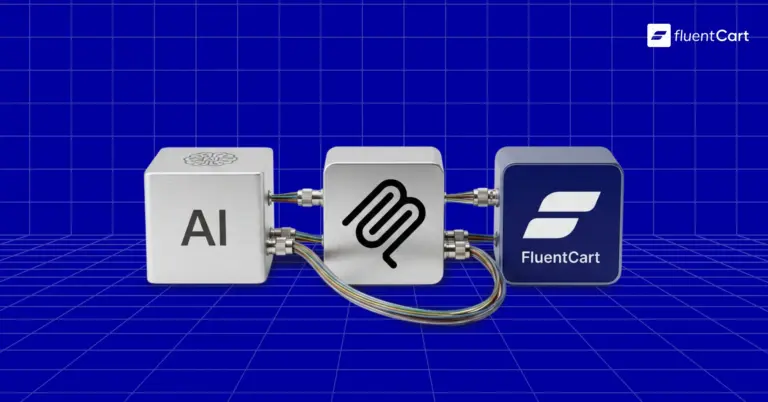
FluentCart eCommerce MCP Is Here: Now You Can Talk to Your Store
Your store can now answer questions, run reports, and issue refunds through plain conversation. Here’s how eCommerce MCP…
-
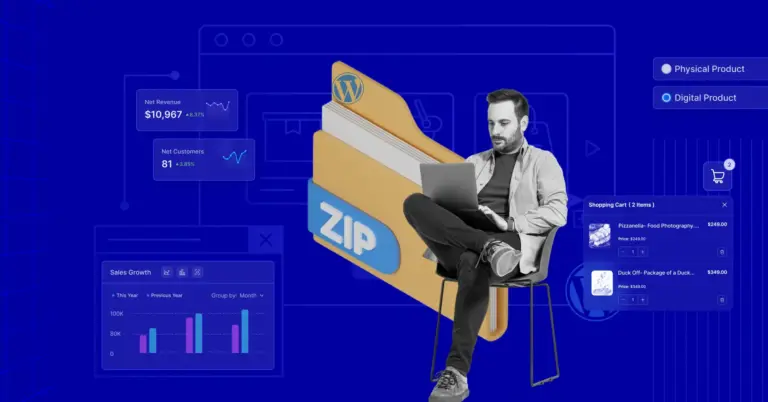
How to Sell WordPress Plugin: Complete Technical Guide
The WordPress ecosystem continues to expand every day. It powers over 61% of the CMS market. Within the…
-
FluentCart + FluentCommunity Integration: A Complete Solution for Course and Community
If you’re selling online courses, memberships, or digital products, you know how tricky it can be to manage…
-
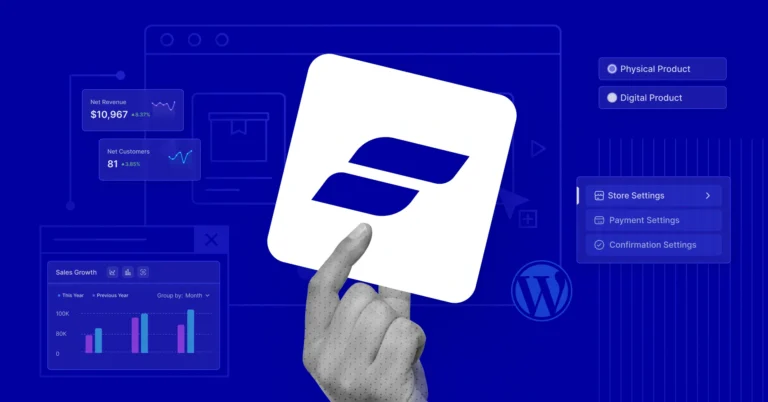
FluentCart: The Story Behind the eCommerce Plugin
FluentCart isn’t just another eCommerce plugin. A an online business system that’s carefully crafted by WPManageNinja, an experienced…




Leave a Reply